
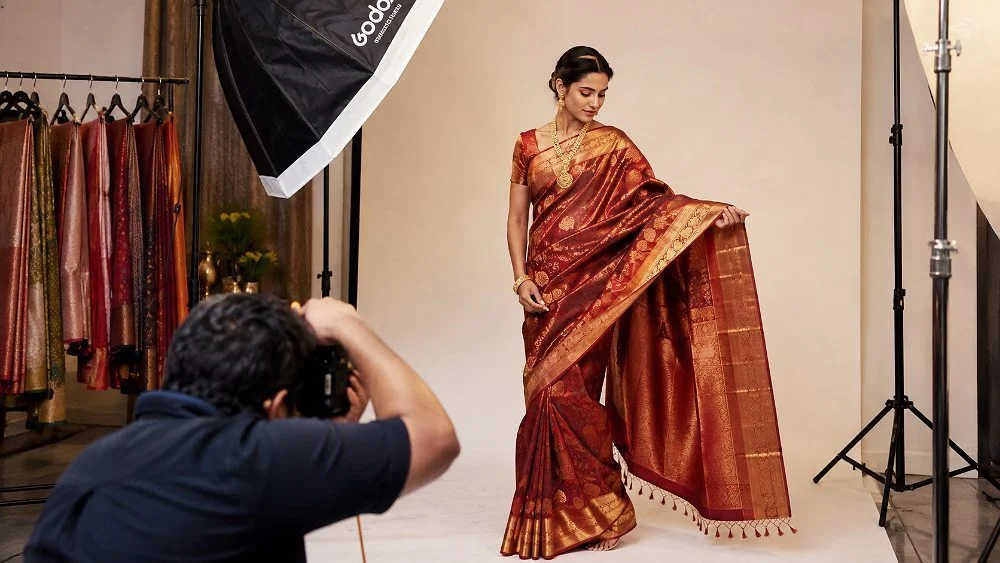
On Meesho, your photo is your salesperson. Most buyers scroll a feed full of near-identical kurtis, sarees and T-shirts priced within a few rupees of each other, and they decide in a second which one to tap. That is why meesho product photography is not a “nice to have” for suppliers — it is the single lever that decides whether a listing gets clicks, orders and fewer returns. At Uniqs Studio, we shoot catalogues for marketplace sellers every week, and the pattern is the same: clean, honest, consistent images out-sell clever ones.
In this guide, Satyam — founder of Uniqs Studio with 9+ years behind the camera — breaks down the Meesho image guidelines that matter, a category-wise shot list, a budget-friendly workflow and the mistakes we fix most often. If you are just getting started on the platform, pair this with our Meesho seller hub, and if you also sell on Myntra, the Myntra listing checklist covers that platform’s stricter rules.
In this guide
- Key takeaways
- What is Meesho product photography?
- Why it matters for orders and returns
- Meesho image guidelines
- The 12 rules
- Shot list by category
- Flat lay vs ghost mannequin vs model
- Budget shoot workflow
- Real photos vs AI images
- Common mistakes
- Advanced tips & tools
- Shoot packages
- Implementation checklist
- FAQs
- Conclusion
Key Takeaways
- Good meesho product photography means a clean front image, true colours and 4–6 supporting angles per SKU.
- Most QC rejections come from text overlays, watermarks, blurry or stretched files and colour mismatch between variants.
- Flat lay and ghost mannequin keep cost per SKU low; add one model image for your best sellers.
- Shoot every colour variant with the same light, angle and crop so your catalogue looks like one brand.
- Real photos build trust and reduce “not as shown” returns far better than AI-generated garments.
What Is Meesho Product Photography?
Meesho product photography is the planning, shooting and editing of catalogue images that meet Meesho’s upload rules and convince a price-sensitive buyer to order. It covers the front (thumbnail) image, back and side views, close-ups of fabric or details, and — for apparel — a model or mannequin view that shows fit. Unlike premium marketplaces, Meesho buyers often compare five similar products side by side, so clarity and colour accuracy beat artistic styling.
A Meesho catalogue is also grouped: one catalogue can hold several designs or colours, and each one needs its own set of images. That makes consistency important. If your pink kurti is shot on a warm table and the blue one on a cold wall, the catalogue looks like a reseller’s collage. Our garment photography team solves this with a fixed light set-up and crop template for every SKU, an approach we also explain in the 8 shots every clothing SKU needs.
How the Meesho feed changes the way you shoot
The Meesho app shows small, square-ish tiles in a two-column grid on a phone screen. At that size, fine prints, pale colours on white and busy backgrounds disappear. The product should fill roughly 80–90% of the frame, the outline should be crisp and the colour should read instantly. We always preview final images at thumbnail size on a phone before export — a simple habit that most sellers skip.
Why Meesho Product Photography Matters for Orders and Returns
Price gets a buyer into the feed, but the image decides the click. When ten listings sit within the same price band, the one with the clearest, most trustworthy photo wins the tap. Better photos also cut returns: a large share of fashion returns on Indian marketplaces are “colour or product different from image”, which is a photography problem, not a product problem.
- Higher click-through: a sharp, well-lit front image stands out in a crowded grid.
- Fewer QC rejections: compliant images go live faster, so you lose fewer selling days.
- Lower return rate: true-to-life colour and fabric close-ups set honest expectations.
- Cross-platform reuse: one well-planned shoot can feed Meesho, Flipkart and your own website.
This is also why we recommend that suppliers stop using copied manufacturer photos. Duplicate images are easy for any platform to detect, and they make your catalogue look identical to dozens of other sellers. Shooting your own stock — even on a lean budget — gives you images nobody else can use. Our guide on how fashion photography increases clothing sales goes deeper into the commercial side.
Meesho Image Guidelines Every Supplier Should Know
Meesho product images size and ratio
Meesho accepts standard image formats and shows thumbnails close to square, but apparel looks better in a slightly taller frame. At Uniqs Studio we export Meesho files at 1500 × 1500 px (1:1) for accessories, home and jewellery, and 1200 × 1500 px (4:5) for apparel, in JPEG, sRGB, usually under 2 MB. These sizes clear the panel’s minimum comfortably, stay sharp when buyers zoom and load fast on budget phones. Never upscale a small phone photo to hit a size — it only looks soft and pixelated.
Background, colour and framing for Meesho catalogue images
A white or very light neutral background is the safest choice for the front image, because it keeps the product outline clean and the colour honest. Light grey or soft beige work well for supporting images and flat lays. Keep the product centred, straight and filling most of the frame, and make sure every variant in a catalogue uses the same background and crop. Our post-production workflow explains how we colour-match variants.
What usually gets Meesho catalogue images rejected
| Issue | Why it fails QC | Fix |
|---|---|---|
| Text, price, “offer” stickers | Promotional overlays are not allowed on product images | Keep images clean; put details in the listing fields |
| Watermarks, logos, phone numbers | Contact details and branding overlays break the rules | Export without overlays |
| Blurry, dark or stretched files | Poor quality hurts buyer trust | Shoot sharp, export at native resolution |
| Colour different from the product | Leads to “not as shown” returns | Use a grey card and colour-correct each variant |
| Collages and duplicate images | Duplicate or merged images confuse buyers | One clear view per image, your own photos |
| Wrong product or props dominating | Buyer cannot tell what is being sold | Product must be the hero; minimal props |
The 12 Rules of Meesho Product Photography
These are the rules our team follows on every Meesho shoot. None of them needs an expensive set-up, but together they lift a catalogue from “reseller collage” to “brand”. If you prefer a ready-made team, our flat lay photographers and ghost mannequin specialists apply them as standard.
Rules 1–4: Prepare the product
- Steam every garment. Creases look twice as bad on camera. See our garment preparation guide.
- Remove tags, threads and stickers unless the brand tag is a selling point.
- Shoot the exact item you will ship. No sample-only colours or better fabric.
- Group variants together so every colour is shot in one session with the same light.
Rules 5–8: Light and camera
- Use soft, even light. Two large softboxes at 45° beat a ring light or harsh sun.
- Lock white balance and use a grey card so colours stay true across variants.
- Keep the camera straight and at the same height for every front image.
- Shoot at the lowest ISO you can for clean, noise-free fabric texture.
Rules 9–12: Meesho product photography for the feed
- Fill the frame — the product should take up 80–90% of the image.
- Lead with the most flattering, clearest view as image one.
- Add proof images: back view, fabric close-up, detail (neckline, print, embroidery) and fit.
- Preview at phone size before upload; if the colour or print is unclear, reshoot.
Meesho Product Photography Shot List by Category
Different categories need different proof. A saree buyer wants to see the pallu and border; a kids’ wear buyer wants size and softness; a home-décor buyer wants scale. Use this table as your planning sheet — it is a shorter version of the shot lists in our ecommerce fashion shot list.
| Category | Image 1 (front) | Supporting images | Best method |
|---|---|---|---|
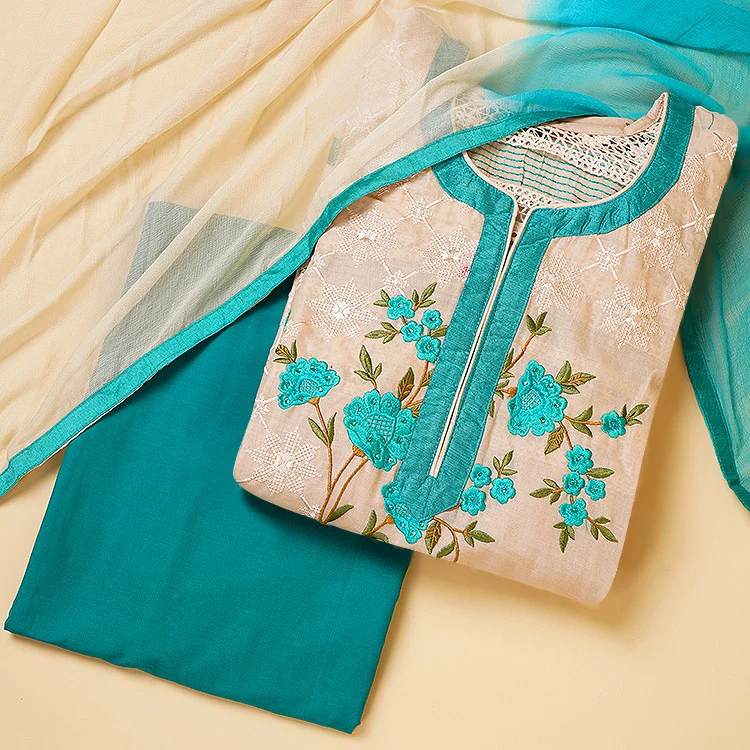
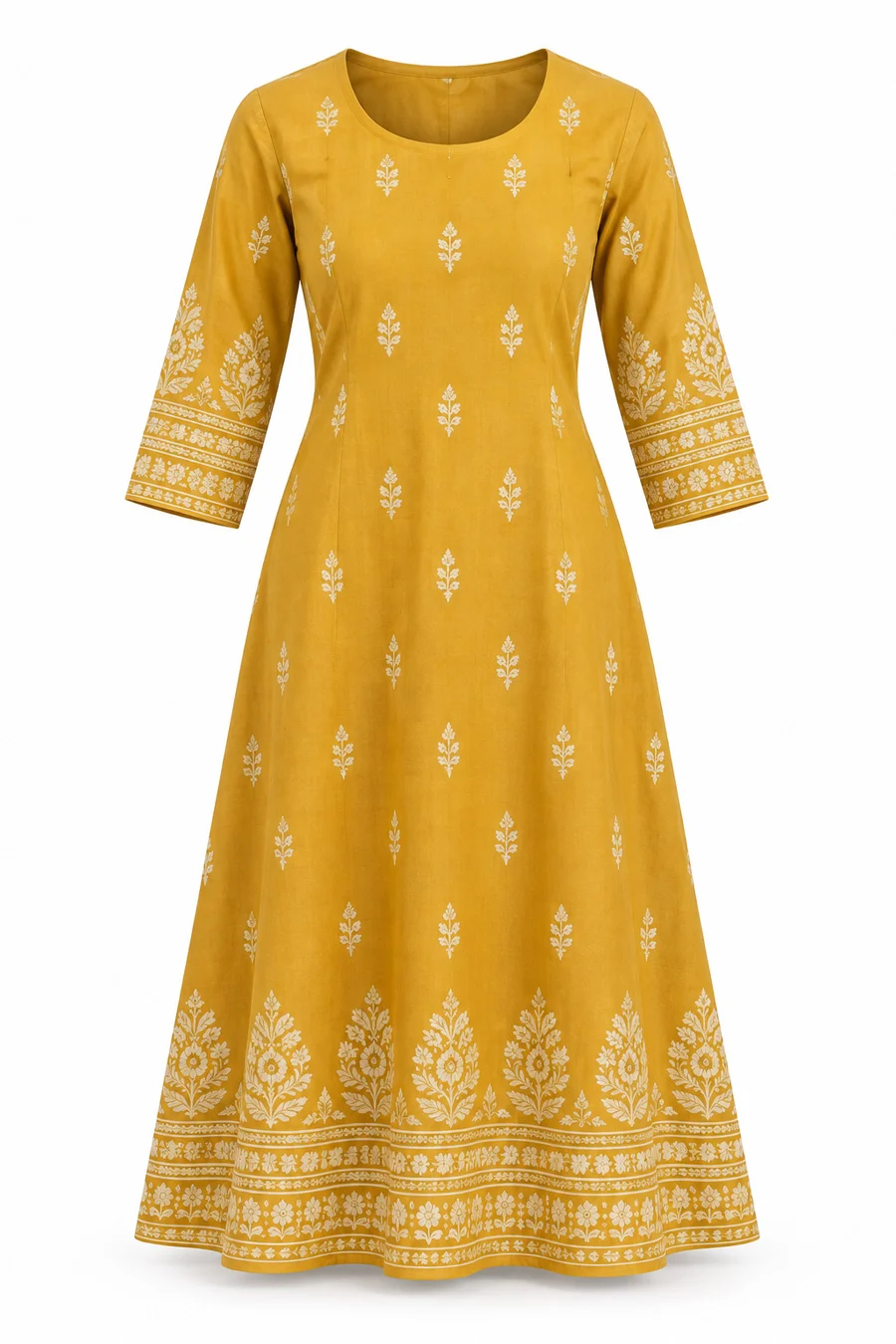
| Kurtis & kurta sets | Full front on model or ghost mannequin | Back, side, neckline, print close-up, set flat lay | Ghost mannequin + 1 model |
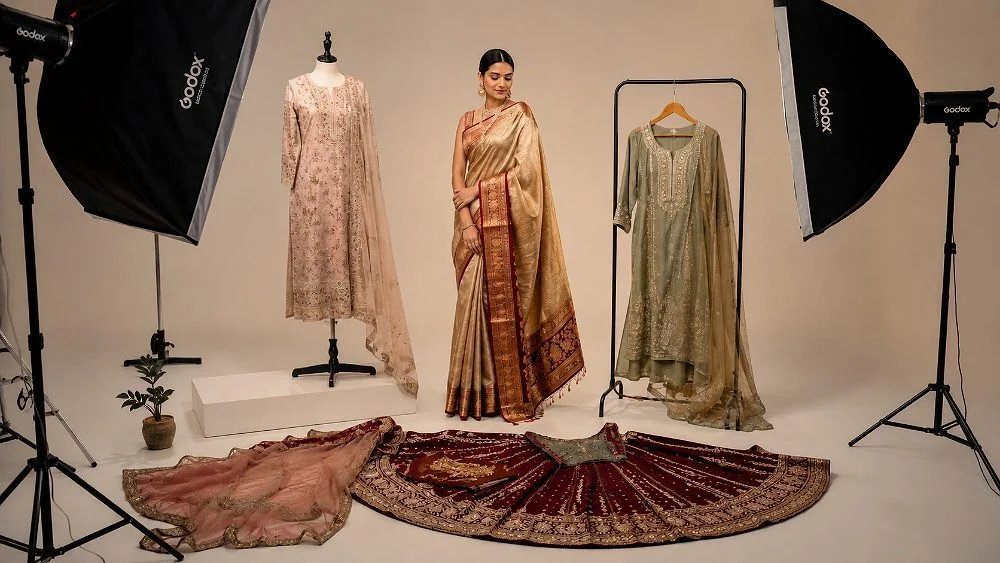
| Sarees | Draped on model | Pallu, border, blouse piece, fabric macro | Model + flat lay details |
| Men’s shirts & T-shirts | Ghost mannequin front | Back, collar, fabric, model fit | Ghost mannequin |
| Kids’ wear | Flat lay front | Back, detail, set contents | Flat lay |
| Jewellery | Single piece on white | Side angle, scale on model, macro | Tabletop + model |
| Home & kitchen | Product on white | In-use lifestyle, size, pack contents | Tabletop |
Flat Lay vs Ghost Mannequin vs Model for Meesho
Most Meesho suppliers work on thin margins, so the right method is the one that sells the product at the lowest cost per SKU. Here is how the three main methods compare. For a deeper breakdown with marketplace examples, read our ghost mannequin vs model vs flat lay comparison.
| Method | Cost per SKU | Shows fit | Best for | Watch out for |
|---|---|---|---|---|
| Meesho flat lay photography | Lowest | No | Kids’ wear, sets, T-shirts, accessories | Can look flat without good styling |
| Meesho ghost mannequin images | Low–medium | Partly (shape) | Kurtis, shirts, tops, jackets | Needs careful editing |
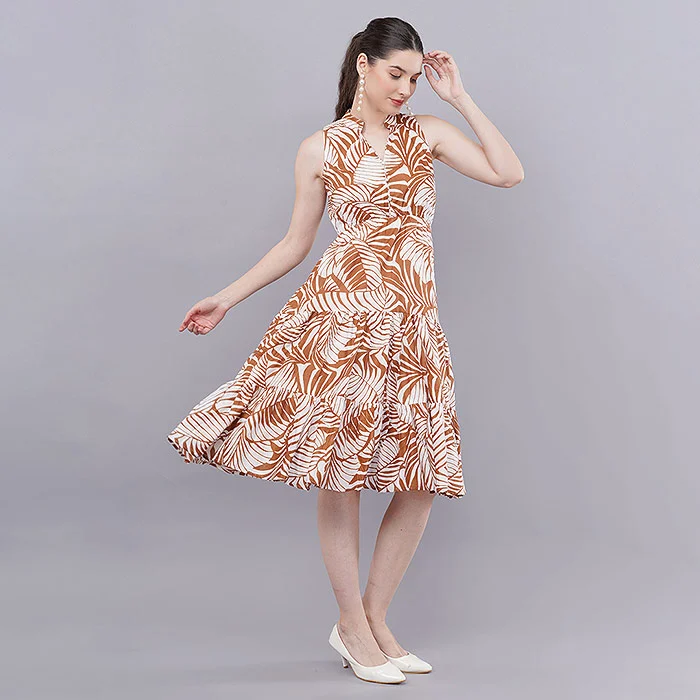
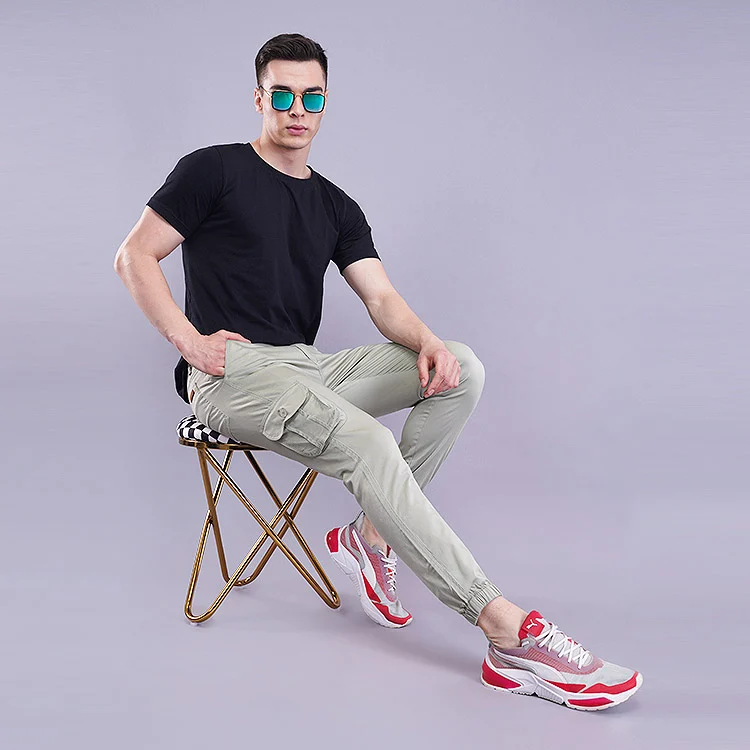
| Meesho model photoshoot | Highest | Yes | Sarees, dresses, best sellers | Model, styling and hair-make-up costs |
Which method should you choose?
Our rule of thumb: shoot your full range in flat lay or ghost mannequin, then add a model image only for the 10–20% of designs that already sell well or need drape to make sense, like sarees and flowy dresses. This keeps your catalogue complete without blowing the budget. When you are ready for on-model images, our model photography and male model photography teams can shoot 30–60 looks in a single studio day, depending on styling.
Step-by-Step Budget Shoot Workflow for Meesho Sellers
Whether you shoot in-house or with a studio, the workflow below keeps a Meesho seller photoshoot fast and consistent. It is the same sequence we use for bulk catalogues.
- Plan the catalogue: list every SKU and colour, decide the method per category and the images needed per SKU.
- Prepare stock: steam, de-thread and label each piece with its SKU code.
- Set the light once: fix softboxes, camera height and background, then shoot a grey card.
- Shoot in order: front, back, side, detail and fabric close-up for each SKU before moving on.
- Edit in batches: background clean-up, colour match to the real product, straighten and crop to template.
- Export to spec: JPEG, sRGB, 1:1 or 4:5, named by SKU and view (e.g. KR102-blue-front.jpg).
- QC before upload: check colour against the garment, check thumbnails on a phone, then upload.
Phone vs professional studio for Meesho product photography
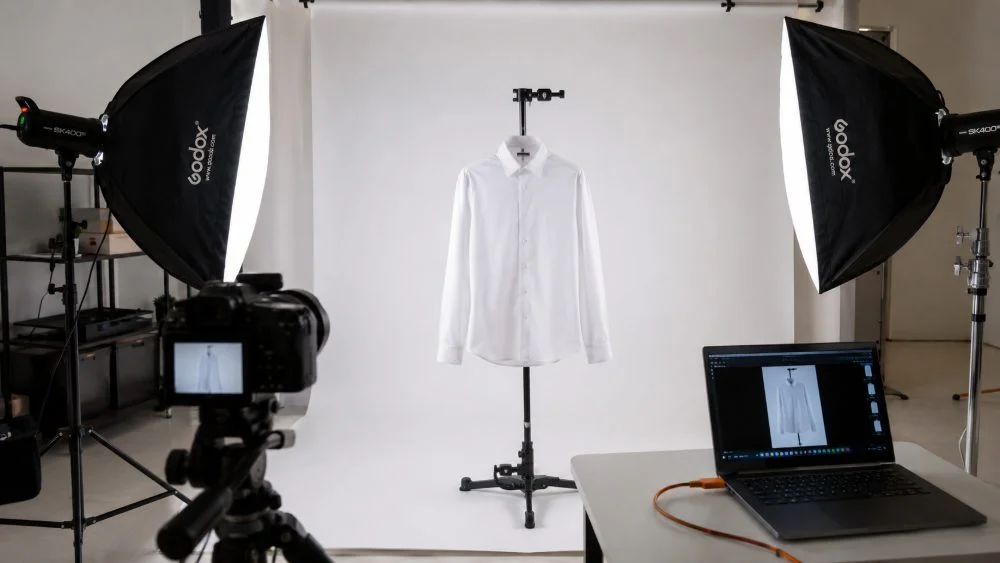
A modern phone can produce usable Meesho images if you control the light, use a tripod and shoot near a large window or two softboxes. It works well for a few dozen SKUs. Once you have more than 50–100 SKUs per month, colour consistency, speed and editing time start to cost more than a studio. A professional set-up also delivers files you can reuse on bigger platforms — our marketplace garment photography guide shows how one shoot can serve Meesho, Flipkart and Amazon together.
Real Photos vs AI-Generated Images on Meesho
AI tools can now put a garment on a virtual model in seconds, and many sellers are tempted. Our advice is simple: use real photos of the real product. AI often changes the print scale, fabric sheen, neckline or colour slightly — small changes that turn into “product not as shown” returns and poor ratings. Meesho buyers are value-conscious and quick to return anything that feels misleading.
- Real photos: accurate colour, true fabric texture, honest fit — builds repeat buyers.
- AI images: fast and cheap, but risk distorted details, unnatural hands and mismatched colours.
- Best use of AI: background clean-up and retouching on real photos, not inventing the product.
We compared both approaches in detail for video in our AI vs real fashion shoot article, and the conclusion holds for still images too.
A Practical Example: Fixing a Kurti Catalogue
Here is a typical scenario we see (an illustrative composite, not a named client). A Jaipur-based supplier lists 24 printed kurtis on Meesho using photos taken on a bed under tube lights. Three colours look identical, the prints are muddy and two images carry a “Best Price” sticker that keeps getting flagged. The fix: re-shoot all 24 on ghost mannequin with fixed softbox light, add a neckline close-up and a fabric macro for each, remove all overlays and colour-match every variant to the actual garment.
The result is a catalogue that passes QC on the first upload, where each colour is clearly different in the grid and the fabric looks like what arrives in the parcel. That is what good meesho product photography is meant to do — reduce doubt at every step. The same files then work for the supplier’s Myntra expansion later.
Common Meesho Product Photography Mistakes to Avoid
- Using the manufacturer’s photos that dozens of other suppliers also use.
- Adding text, price or “offer” badges on the image itself.
- Mixed lighting (tube light + window) that turns whites yellow or blue.
- Wrinkled, unsteamed garments and visible threads or tags.
- Tiny product in a big frame — the item disappears at thumbnail size.
- Heavy filters that make colours look brighter than the real product.
- Inconsistent crops across colour variants in the same catalogue.
We cover many more in our article on clothing product photography mistakes.
Advanced Tips, Pro Insights and Tools
Once the basics are in place, small upgrades make a visible difference. Satyam’s favourite is the “two-second test”: show the front image to someone for two seconds and ask what the product is, what colour it is and what fabric it looks like. If they hesitate on any answer, the image needs work.
- Shoot a fabric macro for every printed or textured item — it sells quality.
- Use a size reference for jewellery, bags and home products.
- Name files smartly with product, colour and view — it helps your own workflow and image search (see Google’s image SEO guidance).
- Keep a master template (crop, margin, background) so new SKUs match old ones.
- Add a short video for hero products; our ecommerce video production team can shoot it alongside stills.
Tools and equipment we recommend
You do not need our full studio to start, but this is what professional results rely on. At Uniqs Studio we shoot on full-frame mirrorless bodies with a 50mm lens for apparel and a 100mm macro for jewellery and fabric detail, lit by Godox and Elinchrom strobes through strip softboxes and octaboxes. For home set-ups, a good tripod, two LED softboxes, a white sweep, a grey card, a steamer and a basic editing app cover most needs.
Meesho Shoot Packages at Uniqs Studio
Every catalogue is different, so we quote per SKU based on method, images per SKU and styling. Below is how our packages are structured; for typical rates, see our garment photography cost guide, or call +91-8076745824 for an exact quote.
| Package | Best for | Includes | Next step |
|---|---|---|---|
| Basic | New suppliers, kids’ wear, accessories | Flat lay, 4 images per SKU, colour-matched editing | Get a quote |
| Standard | Kurtis, shirts, tops | Ghost mannequin, 5–6 images per SKU, detail close-ups | WhatsApp us |
| Premium | Best sellers, sarees, dresses | Model shoot + ghost mannequin/flat lay, styling support | Call now |
| Enterprise | Bulk monthly catalogues | Dedicated slots, templates, video add-on, multi-platform exports | Email us |
Not sure which package fits your catalogue? Send a few product photos on WhatsApp at +91-8076745824 and the Uniqs Studio team will suggest a shot plan within a working day.
Meesho Product Photography Implementation Checklist
- Every garment steamed, tagged by SKU and free of threads
- Light, camera height and background fixed before the first shot
- Grey card shot at the start of each session
- Front, back, side, detail and fabric images captured for every SKU
- No text, price, logo, watermark or phone number on any image
- Colours matched to the real product, variant by variant
- Exported as JPEG, sRGB, 1:1 or 4:5, named by SKU and view
- Thumbnails checked on a phone before upload
- Latest rules confirmed in the Meesho Supplier Panel
Future Trends in Meesho Catalogue Images
Over 2026-2027, expect more short video in the Meesho feed, stronger automated checks for duplicate and low-quality images, and buyers who increasingly expect to see fit on a real body. Sellers who build a library of their own consistent images now will adapt faster. We also expect regional styling — festive looks for Diwali, wedding season and Eid — to matter more, so plan seasonal re-shoots for your top sellers. If you work with large catalogues, our garment image SEO guide helps those same images rank outside the marketplace too.
Meesho Product Photography FAQs
Use high-resolution JPEG images; we export 1500 × 1500 px (1:1) for accessories and home products and 1200 × 1500 px (4:5) for apparel, in sRGB. Always confirm the current minimum in the Meesho Supplier Panel before uploading.
A clean white or light neutral background is the safest choice for the front image because it keeps colours accurate and the product easy to see. Supporting images can use soft neutral tones or simple lifestyle settings.
Yes. Model photos work very well for sarees, dresses and kurta sets because they show drape and fit. Make sure the model wears the exact product you sell and that there is no text or branding on the image.
Yes, for small catalogues. Use a tripod, soft even light, a plain background and a fixed white balance. For larger or premium catalogues, a professional studio gives better colour consistency and saves editing time.
The most common reasons are text or price overlays, watermarks or contact details, blurry or stretched images, colours that don’t match the product, collages and duplicate photos. Clean, original, sharp images usually pass QC first time.
Cost depends on the method (flat lay, ghost mannequin or model), images per SKU and volume. Flat lay is the most affordable and model shoots cost the most. Contact Uniqs Studio on +91-8076745824 for a per-SKU quote.
Conclusion and Next Steps
Winning on Meesho is about trust at a glance. Clean backgrounds, true colours, consistent crops and a few honest proof images do more for orders than any filter or sticker. Start with the 12 rules, use the shot list for your categories and pick the method that suits your margin. Above all, keep your meesho product photography real — your buyers will reward you with fewer returns and better ratings.
If you would rather hand the whole catalogue to a team that shoots for 500+ D2C brands and marketplace sellers, Uniqs Studio in Kalkaji, New Delhi is ready. Explore our fashion photography services, read about our studio, or check our jewellery photography if you sell accessories too.
Ready for Meesho images that get more orders?
Call Satyam at +91-8076745824, WhatsApp +91-8076745824 or email [email protected]. Studio: 1800/9, Kalkaji Extension, Kalkaji, New Delhi 110019 · Mon–Sat, 10 am–7 pm.