
Meesho photography decides two things before a buyer ever reads your title: whether your catalogue clears Meesho’s quality check, and whether a shopper scrolling a budget phone stops on your kurti instead of the next one. Most suppliers we meet have the product right and the price right, yet their listings sit in “QC rejected” or get buried because the images break simple rules. If you are still setting up your account, start with our Meesho seller hub, then come back to this guide before your first upload.
This post is the compliance side of Meesho photography: the image size and format we export, what the front image must show, the elements QC removes, how rules change for sarees, menswear, kids’ wear and jewellery, and how to fix a rejection without reshooting everything. At Uniqs Studio, Satyam and the team have spent 9+ years producing marketplace images for 500+ D2C brands and sellers, and these are the exact Meesho photography guidelines we follow in our Kalkaji studio.
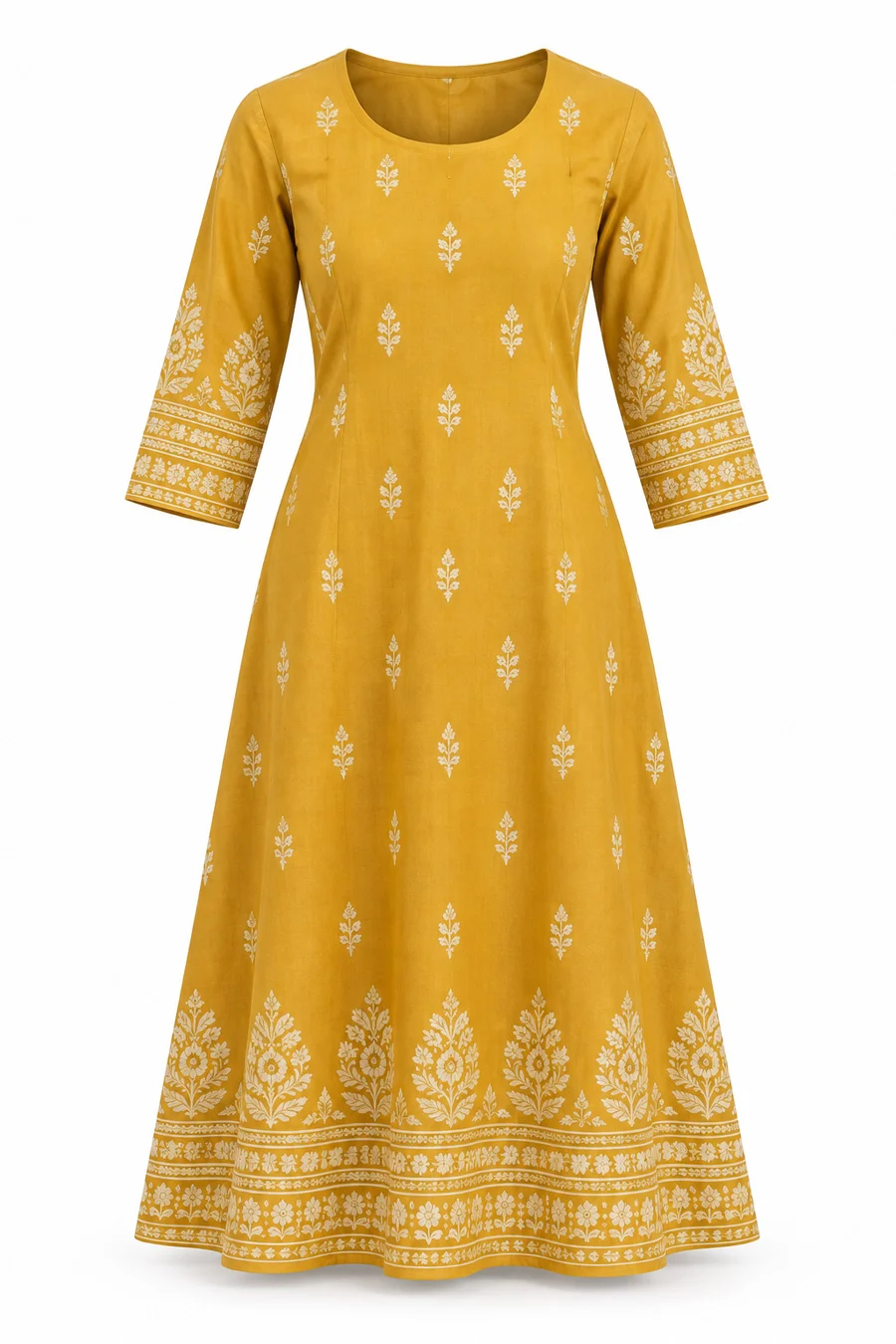
- Meesho photography guidelines reward a clean, single-product front image on a plain light background with no text, logos or watermarks.
- Export sharp JPEGs at native resolution (we use 1500 × 1500 px for square products and 1200 × 1500 px for apparel) and never upscale.
- Colour accuracy is a QC and a returns issue: one grey card and one consistent light set-up solve most “wrong colour” complaints.
- Every category needs different proof images: drape for sarees, collar and fit for menswear, scale for jewellery, set contents for kids’ wear.
- Run the pre-upload checklist below on every catalogue; it takes five minutes and saves days of rework.
What Are Meesho Photography Guidelines?
Meesho photography guidelines are the image rules a catalogue must meet to pass Meesho’s quality check and display properly in the app. In short: show the real product clearly, on a clean background, in true colour, with no promotional text, logos, watermarks or contact details on the image.
Meesho shows products in a fast, image-led feed, and most of its buyers shop on mid-range Android phones over mobile data. That means your thumbnail is tiny, it loads in a fraction of a second and it sits beside dozens of near-identical designs. The guidelines exist to keep that feed clean and trustworthy, so buyers can compare products fairly and receive what they saw.
The official wording lives inside the Meesho Supplier Panel, and Meesho updates it from time to time, so always cross-check before a big upload. What follows is how a professional studio turns those rules into repeatable shooting and export decisions.
Why Meesho photography is different from Amazon or Myntra
Amazon is strict about a pure white main image, and Myntra expects a model-led fashion look with a fixed set of angles. Meesho photography sits between the two: the rules are simpler, but the competition per design is far higher and prices are tighter, so images must be both compliant and cheap to produce at scale. A flat lay or ghost mannequin image that is sharp, straight and colour-true usually beats an expensive but inconsistent model shoot on Meesho.
If you want the conversion side of the story (lighting set-ups, shot lists and how to make a kurti stand out in the feed), read our Meesho product photography rules for winning more orders. This page stays focused on compliance and QC.
What Image Size, Ratio and Format Does Meesho Accept?
Meesho accepts standard JPEG and PNG images, and clear, high-resolution files of at least about 1000 px on the shorter side are the safe choice. At Uniqs Studio we export Meesho files in JPEG, sRGB, at 1500 × 1500 px for square products and 1200 × 1500 px for apparel, usually under 2 MB.
Size is not about hitting a magic number; it is about staying sharp when a buyer zooms into the print, embroidery or stitching. A 4:5 portrait frame suits kurtis, dresses and sarees because the garment fills more of the screen. Square works better for jewellery, footwear, bags and home products. Whatever you choose, keep one ratio across the whole catalogue so the variants line up neatly in the app.
| Setting | Our Meesho export standard | Why it matters |
|---|---|---|
| File format | JPEG (PNG only when needed) | Small files load fast on budget phones |
| Colour profile | sRGB | Adobe RGB files look dull or shifted in the app |
| Apparel size | 1200 × 1500 px (4:5) | Garment fills the frame, print stays readable |
| Square products | 1500 × 1500 px (1:1) | Jewellery, bags, footwear and home items stay centred |
| File weight | Under 2 MB per image | Uploads smoothly in bulk catalogue sheets |
| Product fill | 80–90% of the frame | Thumbnail shows the product, not empty background |
What Should the Front Image Show on Meesho?
The front image should show one unit of the exact product you ship, facing the camera, centred, on a plain white or very light background, and filling most of the frame. It must not carry text, offers, logos, borders, collages or a second product that confuses what is being sold.
Think of the front image as a passport photo for your product. QC checks that it is the real item and that nothing misleading is added; buyers check colour, shape and style in under a second. For kurtis, shirts, tops and jackets, ghost mannequin shoots for apparel are the most reliable choice, because they show the garment’s real shape and neckline without the cost of a model on every SKU.
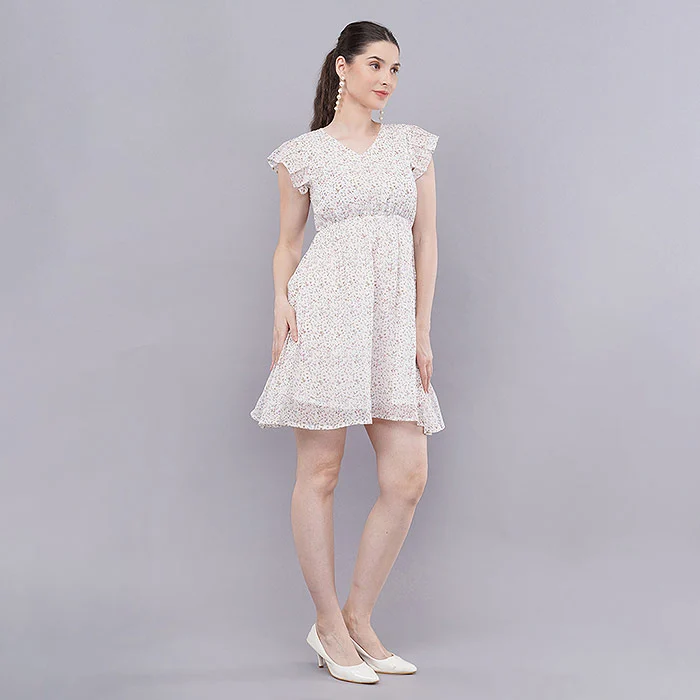
Front image rules for Meesho photography at a glance
- One product only, the same colour and design the buyer will receive.
- Plain white, off-white or light grey background; no busy rooms, beds or floors.
- Product straight, centred and filling 80–90% of the frame.
- No price, “offer”, “best quality” or size text on the image.
- No brand watermark, phone number, QR code or website address.
- No collage, grid or before/after split as the first image.
- Sharp focus on fabric, print and stitching; no motion blur.
Which Images Should Every Meesho Catalogue Include?
A strong Meesho catalogue usually needs four to six images per product: the front, the back, a side or three-quarter view, one or two close-ups of fabric or detail, and a fit or scale image. Each image should answer one buyer question so nobody has to guess before ordering.
Meesho buyers cannot touch the fabric, so your supporting images do the selling and the returns prevention at the same time. We plan every Meesho photography job around a simple order that works for nearly all apparel:
- Front view – the compliant hero image described above.
- Back view – shows the back neck, zips, buttons or prints that are often a surprise on delivery.
- Side or three-quarter view – shows length, flare and how the garment falls.
- Fabric close-up – texture, weave and true colour of the print.
- Detail shot – embroidery, neckline, cuffs, lace, pockets or hardware.
- Fit or set image – on-model fit, or a flat lay showing every piece in a set.
What Is Not Allowed in Meesho Product Photos?
Meesho QC typically rejects images with promotional text, watermarks, logos, phone numbers or website links, along with blurry, stretched, collaged or misleading photos. Images that show a different colour, extra items not included in the pack, or another seller’s product are also a common reason for rejection.
Most rejections we fix for new clients come from habits picked up on WhatsApp reselling, where sellers add their shop name, price and phone number to every picture. On a marketplace, all of that information belongs in the listing fields, not on the image.
| What gets flagged | Why it fails Meesho photography guidelines | Studio fix |
|---|---|---|
| Price, offer or “sale” text | Promotional overlays mislead buyers and break the feed | Export clean files; put price in the panel |
| Watermarks and shop logos | Branding overlays are not allowed on product images | Remove overlays in editing; brand through packaging |
| Phone numbers, QR codes, URLs | Contact details push buyers off-platform | Never add contact details to any image |
| Collages and grids | Buyer cannot tell which item is being sold | One view per image, in the order listed above |
| Blurry, dark or stretched files | Low quality hurts trust and zoom | Tripod, soft light, export at native size |
| Wrong colour or heavy filters | Leads to “product not as shown” returns | Grey card and colour-matched editing |
| Props or extra items dominating | Implies items that are not in the pack | Keep props minimal and clearly secondary |
| Copied images from other sellers | Duplicate content and possible IP complaints | Shoot your own product, every time |
How Do You Get Colours Right for Meesho QC?
Shoot under one consistent soft light, include a grey card in a test frame for every light set-up, and colour-match each image against the physical product on a calibrated screen. This keeps the Meesho photo, the buyer’s phone and the delivered garment as close as possible.
Colour is where compliance and profit meet. A maroon saree that looks red online, or a mint kurti that turns blue, gets returned with “colour different from image”, and repeated complaints can affect how your catalogue is shown. Mixed daylight and room bulbs are the usual cause, so we avoid windows entirely and work under studio strobes with a fixed white balance.
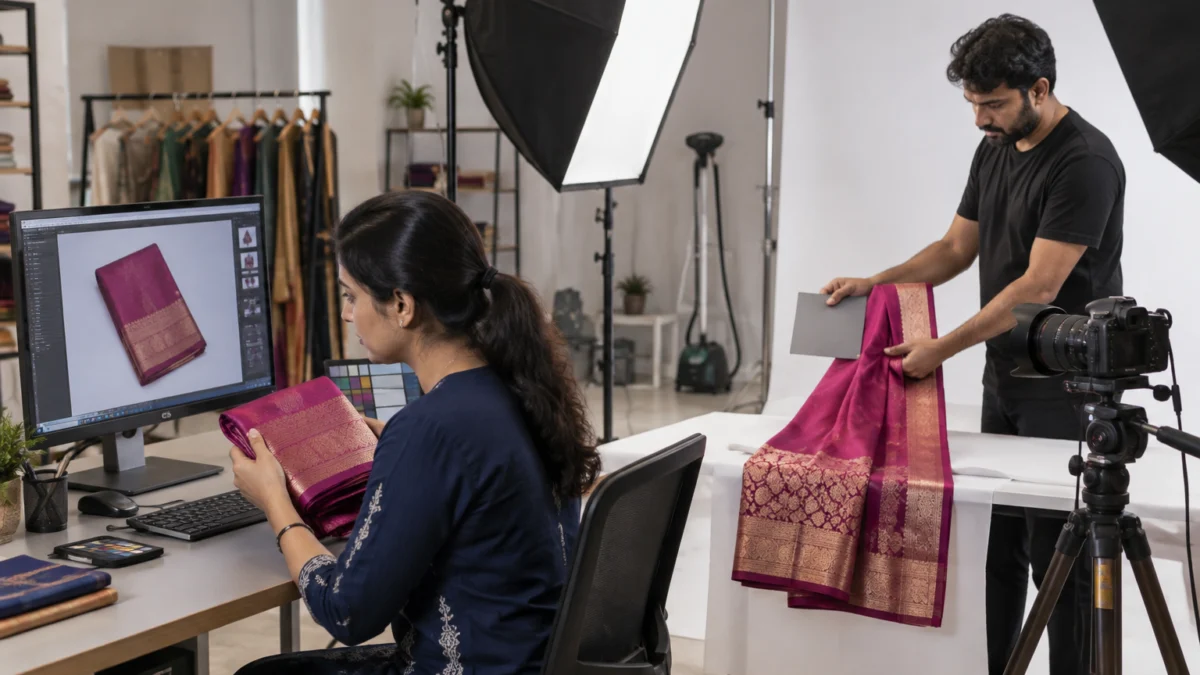
Editing matters as much as shooting. Our retouchers remove dust and loose threads, straighten hems and match every colour variant to the same neutral background, the same process described in our garment post-production workflow. What we never do is change a fabric’s colour to make it “look better”; the image must match the product in the parcel.
What Are the 11 Meesho Photography Rules We Follow?
These 11 rules turn Meesho photography guidelines into a repeatable studio routine. Follow them on every SKU and most catalogues clear QC on the first upload, with images that also look consistent and professional in the feed.
Rules 1–4: Prepare the product before Meesho photography
- Shoot the exact item you ship. No sample-only fabrics or colours that will not be in stock.
- Steam and lint-roll every garment. Our garment preparation checklist covers fabric-wise steaming.
- Remove price tags, stickers and loose threads unless the label is part of the product.
- Group all colour variants together so they are shot in one session under the same light.
Rules 5–8: Light, camera and framing
- Use soft, even strobe light from large softboxes, not mixed daylight and room bulbs.
- Lock camera height and distance so every front image in the catalogue matches.
- Fill 80–90% of the frame and keep the product straight and centred.
- Use a tripod and low ISO for crisp fabric texture with no noise.
Rules 9–11: Export and upload
- Export clean files with no text, logos, borders or watermarks.
- Name files by SKU and view (for example KURTI-104-BLUE-FRONT) so bulk uploads never mix variants.
- Preview at phone size before upload; if the print or colour is unclear on a small screen, reshoot.
“On Meesho, consistency is the brand. When forty kurtis share the same light, angle and background, buyers trust the whole catalogue, not just one listing.”— Satyam, Founder, Uniqs Studio
How Do Meesho Photography Guidelines Change by Category?
The basic rules stay the same, but each category needs different proof images. Sarees need drape and pallu, menswear needs collar and fit, kids’ wear needs set contents and scale, and jewellery needs macro detail with reflection control.
Kurtis, kurta sets and sarees
Ethnic wear is Meesho’s busiest space, so the front image must be flawless. Kurtis and kurta sets work best as a ghost mannequin or on-model front, followed by back, neckline, print close-up and a flat lay of the full set with dupatta and bottom. Sarees should be shown draped on a model for the front, with separate images for the pallu, border, blouse piece and a fabric macro.
Menswear: shirts, kurtas and denim
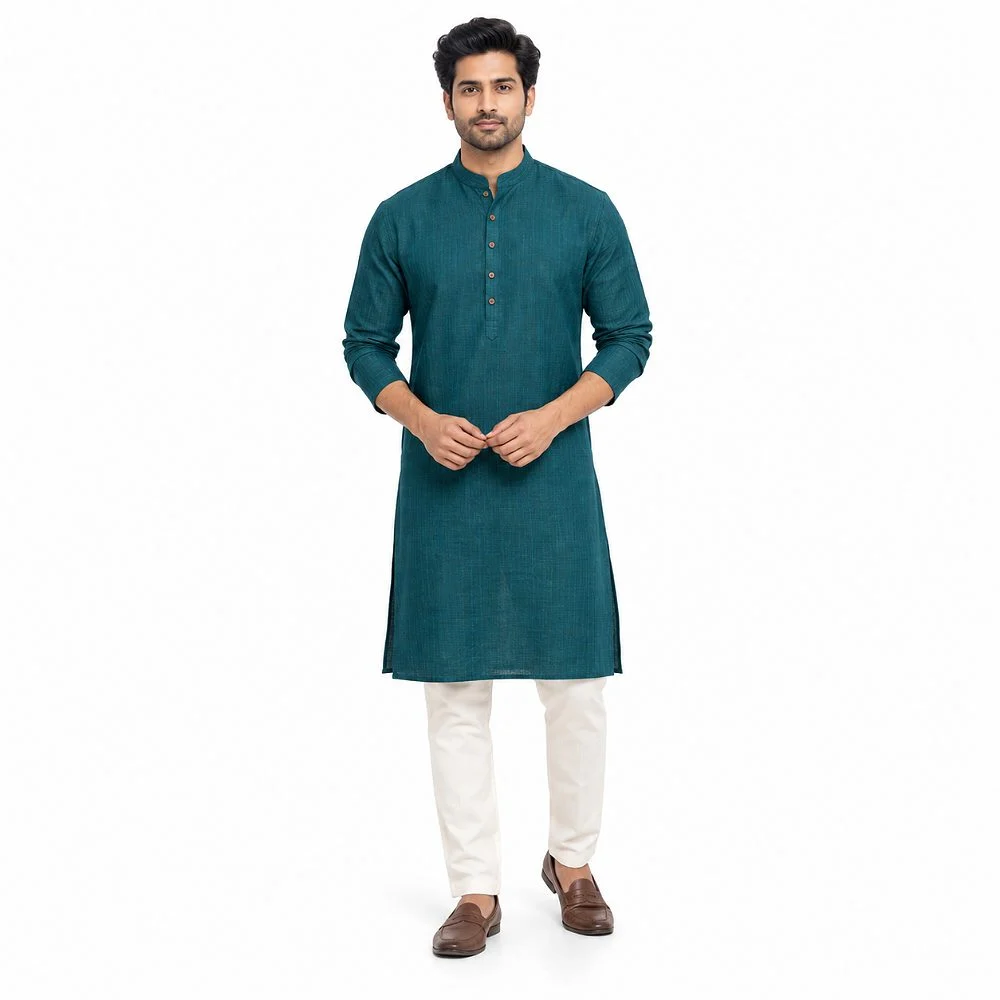
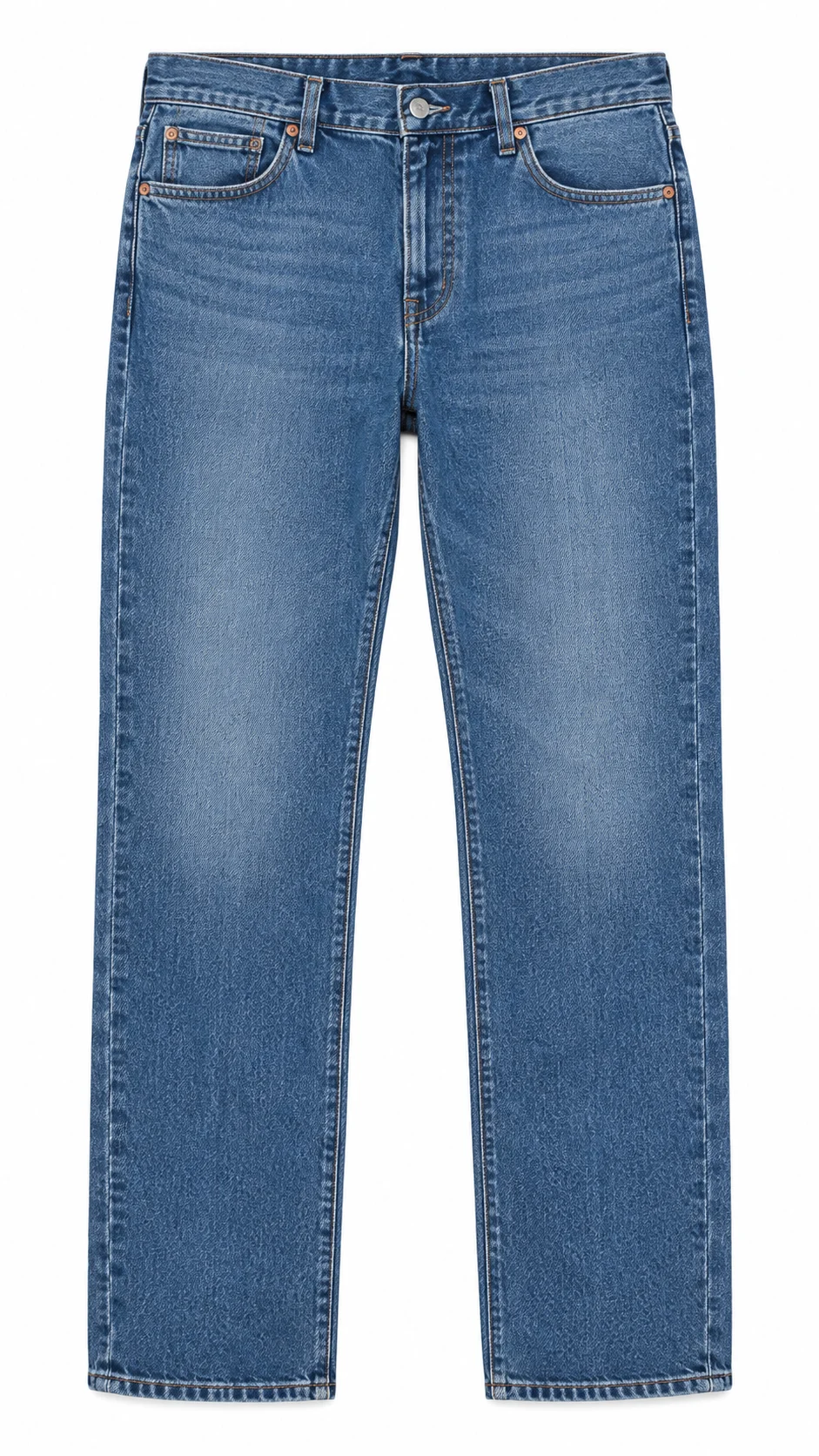
For shirts and kurtas, buyers check the collar, placket, cuffs and length, so add a close-up of each. Denim needs a straight front, a back showing pockets, and a wash close-up, because “lighter than shown” is a frequent complaint. A clean flat lay works well for jeans and trousers, as long as the legs are perfectly straight and the colour is matched.
Kids’ wear and sets
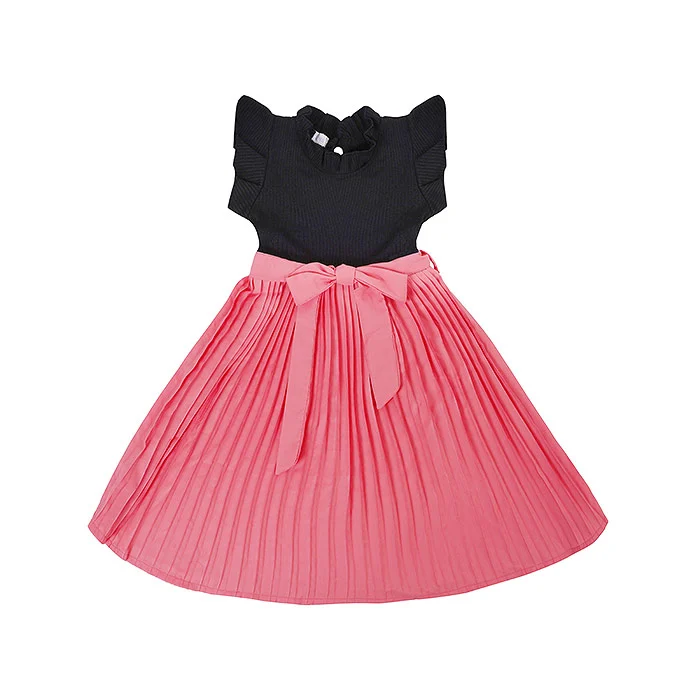
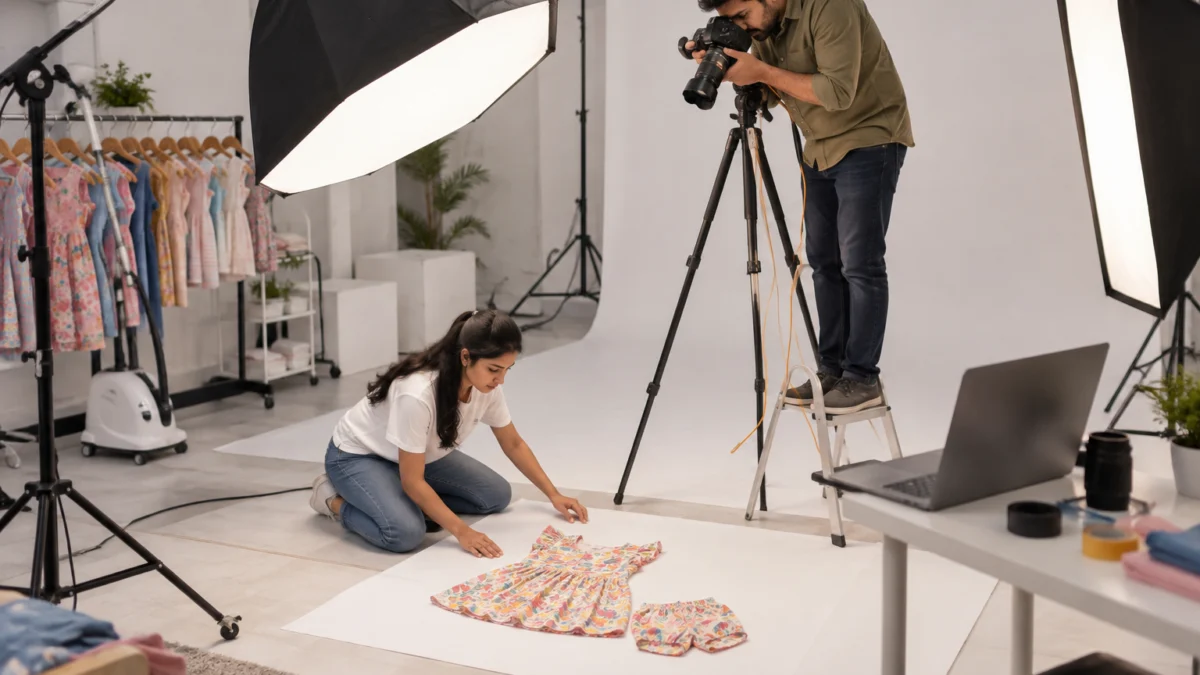
Kids’ clothing sells on softness, colour and what is included. Flat lays and small ghost mannequins work best, with one image showing every piece in the set laid out together. Avoid heavy props or toys in the front image, because QC and buyers can read them as items included in the pack.
Jewellery and accessories
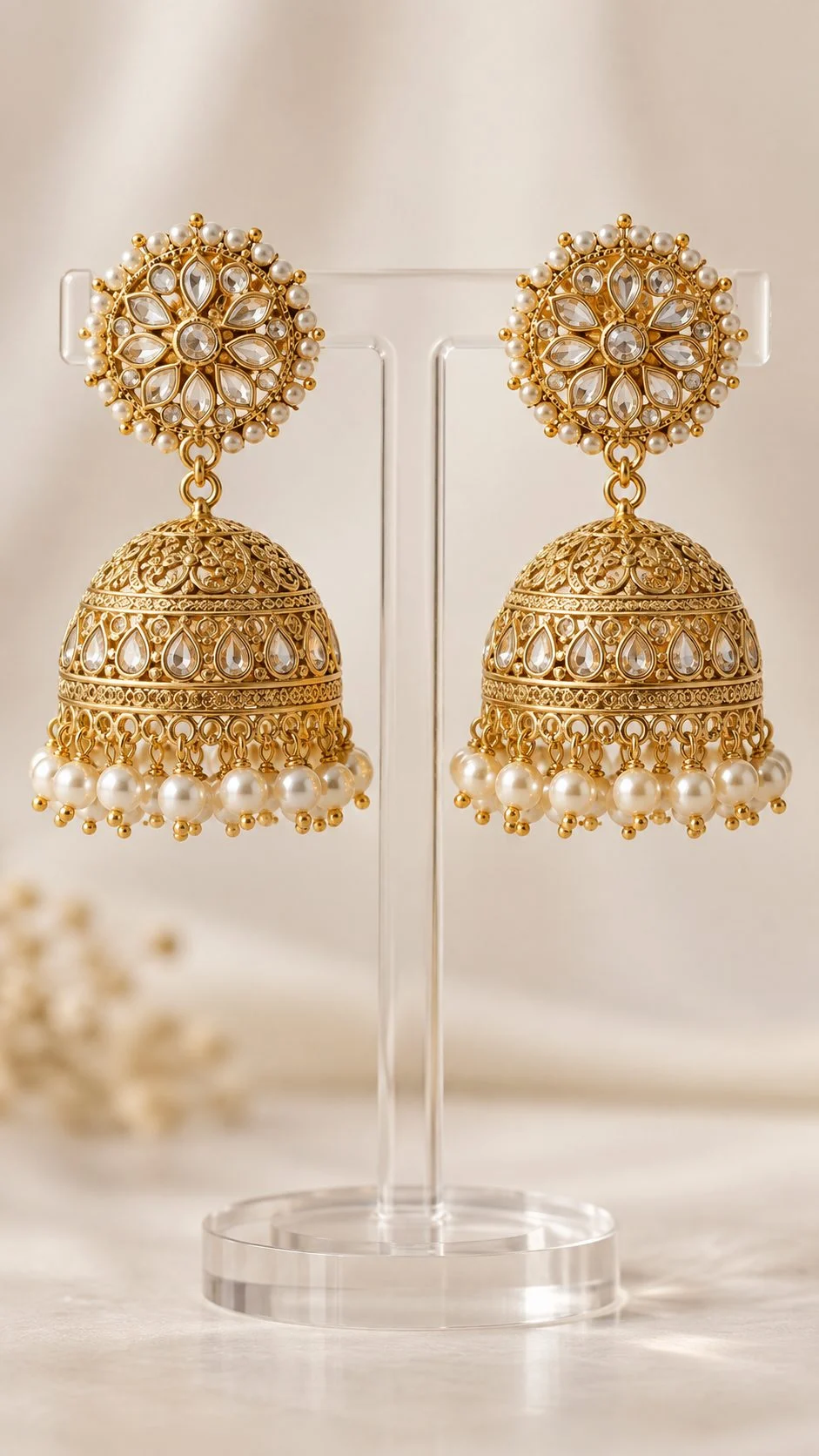
Jewellery is the hardest category to pass and sell, because metal reflects everything in the room and tiny stones need macro focus. Show the piece alone on white first, then a side angle, a scale image on a model and a macro close-up. For polished metal and kundan work, reflection-controlled jewellery photography keeps the gold looking like gold instead of a dark mirror.
How Do You Fix a Meesho Catalogue QC Rejection?
Read the exact rejection reason in the Supplier Panel, fix only the images that caused it, and re-upload with the same SKU details. Most image rejections need an edit, not a full reshoot.
- Read the reason code – note which product and which image position was flagged.
- Match it to the table above – text, watermark, blur, colour, collage or mismatch.
- Edit first – remove overlays, re-crop to fill the frame, correct colour against the product.
- Reshoot only if needed – blur, wrong colour variant or missing views cannot be fixed in editing.
- Re-check the whole catalogue – the same mistake usually repeats across variants.
- Re-upload and track – keep a simple sheet of rejected SKUs and the fix applied.
If you are new to the panel and unsure where catalogue uploads and QC status sit, our step-by-step Meesho supplier registration walkthrough shows the account side before you reach the catalogue stage.
Should You Use AI-Generated Images on Meesho?
Use real photographs of your real product for every Meesho listing. AI tools can help with background clean-up, but AI-generated garments, models or “improved” fabrics often misrepresent colour, print and fit, which is exactly what leads to QC issues and returns.
We see more sellers trying AI “virtual model” images in 2026. They look polished at first glance, but the drape is invented, prints get redrawn and fabric texture becomes plastic. A buyer who orders from an AI image and receives a different-looking kurti returns it, and that cost lands on the supplier. Real Meesho photography of the actual garment is still the safest and cheapest route over a full season.
| Factor | Real studio photos | AI-generated images |
|---|---|---|
| Colour and print accuracy | Matches the shipped product | Often shifted or redrawn |
| Fit and drape | Real fall of the fabric | Invented by the model |
| QC and returns risk | Low when rules are followed | Higher “not as shown” risk |
| Buyer trust | High, consistent catalogue | Looks generic in the feed |
How Much Does a Meesho-Ready Product Shoot Cost?
At Uniqs Studio, Meesho-ready images are priced per product or per image depending on the shoot type, from ₹250 per ghost mannequin image to ₹400 per product for model photography. The table below is our official price list, with turnaround times.
| Shoot type | Images | Turnaround | Price |
|---|---|---|---|
| Footwear | 4–5 angles | 5 days | ₹245 / product |
| Bags & handbags | 4–5 angles | 4–5 days | ₹295 / product |
| Jewellery (ring, earring) | 2–3 angles | 4–5 days | ₹300 / product |
| Ghost mannequin | 1 angle | 3–4 days | ₹250 / image |
| Flat lay | 2–3 angles | 6 days | ₹290 / product |
| Model Photography | 5–6 angles | 4–5 days | ₹400 / product |
| Ecommerce Reels Video | 20–25 seconds | 4–5 days | ₹900 / product |
| Garment Video with Model | 25–30 seconds | 4–5 days | ₹1,200 / garment |
Prices are per product/image as listed; call or WhatsApp +91-8076745824 for bulk catalogue quotes.
Want a quote for your catalogue? Call +91-8076745824 or send your SKU list on WhatsApp at +91-8076745824, and we will suggest the cheapest method that still meets Meesho photography guidelines for each product.
What Does a Meesho Photography Pre-Upload Checklist Look Like?
Before every upload, check the product, the front image, the supporting views and the export settings. If any item below is a “no”, fix it before submitting the catalogue.
- The photographed item matches the shipped product in colour, print and size.
- The front image is a single product, centred, on a plain light background.
- No text, prices, logos, watermarks, phone numbers or QR codes anywhere.
- Four to six images per product, each answering a different buyer question.
- All colour variants share the same light, angle, crop and background.
- Files are sharp JPEGs in sRGB, at native resolution, under 2 MB.
- Files are named by SKU and view, and checked at phone size.
- Image file names and listing text describe the product clearly, which also follows Google’s image best practices.
What Is Changing in Meesho Photography for 2026-2027?
Expect stricter checks on image quality and duplicates, more short video in listings, and more pressure for honest, consistent catalogues. Sellers with clean, original images are best placed for these changes.
- Duplicate detection: marketplaces increasingly spot copied or reused images, so original Meesho photography matters more each season.
- Short video: 20–30 second garment clips are becoming a normal part of fashion listings across Indian marketplaces.
- Returns focus: colour-true, detailed images are the simplest lever to cut “not as shown” returns.
- Consistency as branding: suppliers who look like a brand, with one style across the catalogue, stand out from reseller-style listings.
Uniqs Studio shoots ghost mannequin, flat lay, model and jewellery images for Meesho suppliers from our in-house studio in Kalkaji, New Delhi, with pick-up across Delhi, Gurgaon, Noida, Faridabad and Ghaziabad. Call Satyam on +91-8076745824 or email [email protected].
WhatsApp Your SKU List Call +91-8076745824Meesho Photography FAQs
Quick answers to the questions Meesho suppliers ask us most often about image rules and catalogue QC.
Use sharp JPEG files of at least about 1000 px on the shorter side. We export 1200 × 1500 px (4:5) for apparel and 1500 × 1500 px (1:1) for jewellery, footwear, bags and home products, in sRGB and under 2 MB. Always confirm the latest requirement in the Meesho Supplier Panel.
No. Logos, watermarks, shop names, phone numbers, prices and offer text on images are common reasons for QC rejection. Keep images clean and use packaging, tags and listing text for branding.
Four to six images per product works well: front, back, side or three-quarter, one or two close-ups and a fit or set image. Each image should answer a different buyer question.
A plain white or very light neutral background is safest for the front image. Light grey or soft beige can work for supporting images, but keep one background style across every variant in the catalogue.
Images must represent the real product accurately. AI-generated models or garments often change colour, print and fit, which raises QC and return risks, so we recommend real photos of the exact product you ship.
Ghost mannequin images are ₹250 per image, flat lay is ₹290 per product, model photography is ₹400 per product and jewellery (ring, earring) is ₹300 per product, with 3–6 day turnaround depending on the shoot type. Call or WhatsApp +91-8076745824 for bulk catalogue quotes.
What Is the Next Step After Fixing Your Meesho Images?
Once your Meesho photography guidelines checklist is in place, the next step is producing compliant images at scale for every SKU, at the lowest cost per product. For most Meesho apparel and kids’ wear ranges, that means a clean flat lay or ghost mannequin system shot in batches.
Next step: if you sell sets, kids’ wear, T-shirts or accessories, see how our flat lay photography work keeps a whole catalogue consistent, colour-true and ready for Meesho QC. Share your SKU list at [email protected] and we will plan the shoot with you.
- Meesho Catalogue Upload Guide: Bulk Sheets, Variants and Common Errors
- Meesho Kurti Photography Shot List for Budget Suppliers
- Meesho Saree Photography: Drape, Pallu and Border Shots That Sell
- Meesho Jewellery Listing Images: Scale, Macro and Model Shots
- Meesho vs Flipkart Image Requirements: What Changes Between Marketplaces