Product Reels Video Maker: How One Ecommerce Shoot Becomes 10 Sales Assets
A commercial guide by Uniqs Studio on planning one master product videoshoot that fuels Reels, Meta ads, Shopify PDP videos and marketplace listing assets.
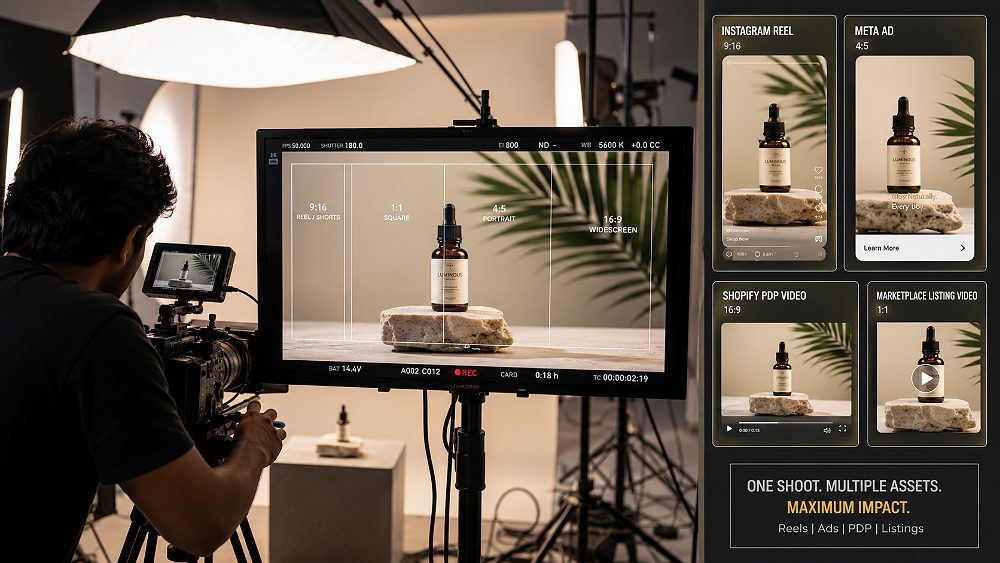
Most Indian D2C founders still commission videos one at a time — one Reel this week, one ad next week, one product-page clip after the launch. The trouble is that the expensive part of any ecommerce videoshoot is not the final edit. It is the production day itself: product prep, lighting, styling, models, camera setup and creative direction. A serious Product Reels Video Maker plans the shoot around every future placement before the first frame is rolled, so one master footage library can later feed Reels, Meta ads, Shopify PDP videos, Amazon and Myntra listing videos and retargeting creatives.
At Uniqs Studio, this planning method is called the One-Shoot Content Multiplier. In this guide, Satyam breaks down exactly how it works — what to capture, how to frame it for vertical, square and horizontal video, and how to turn a single Delhi production day into a full video asset library. If you are already planning a shoot, our Professional Ecommerce Video Production team can help you scope every deliverable up-front and later assemble the full ecommerce videoshoot shot list around your SKUs.
Key Takeaways
- A professional Product Reels Video Maker plans the shoot around every final placement before filming — not after.
- One master footage library can support Reels, Meta ads, Shopify PDP videos, marketplace clips and retargeting creatives.
- Multiple hooks, feature shots, product demonstrations and clean CTA frames dramatically increase editing flexibility.
- The real cost metric is cost per usable asset — not cost per individual Reel.
- D2C brands running Meta ads, Shopify and marketplace listings gain the most from multi-asset production.
What Does a Product Reels Video Maker Actually Do?
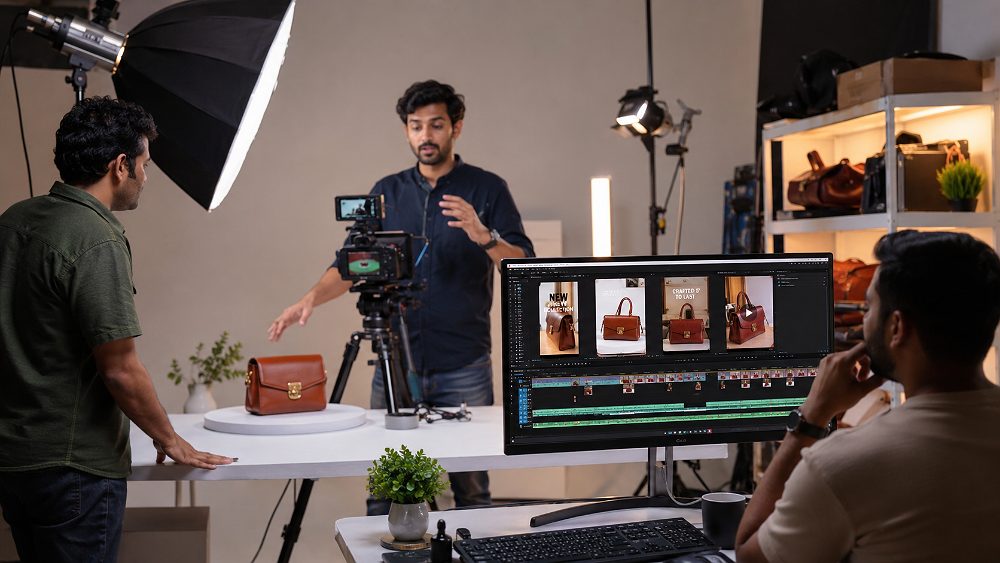
A serious Product Reels Video Maker is not simply someone who films a 15-second clip on a phone and adds trending audio. In an ecommerce context, this role covers creative planning, product preparation, storyboarding, shot list creation, professional lighting, camera movement, model or hand interaction, macro product close-ups, product demonstrations, master footage capture, editing, colour grading and platform-specific exports. Every stage is scoped so the same production day feeds several sales channels rather than one social post.
The commercial takeaway is straightforward: an experienced ecommerce video maker designs each frame so it can survive multiple crops, durations and hook variations. That means capturing a wide hero, tighter macro product shots, lifestyle footage, product-in-use video and clean CTA takes — all in one visit. Satyam and the Uniqs Studio production team follow this workflow across every shoot, from ecommerce videography formats to full brand campaigns.
Product Reel Creator vs Ecommerce Video Production Studio
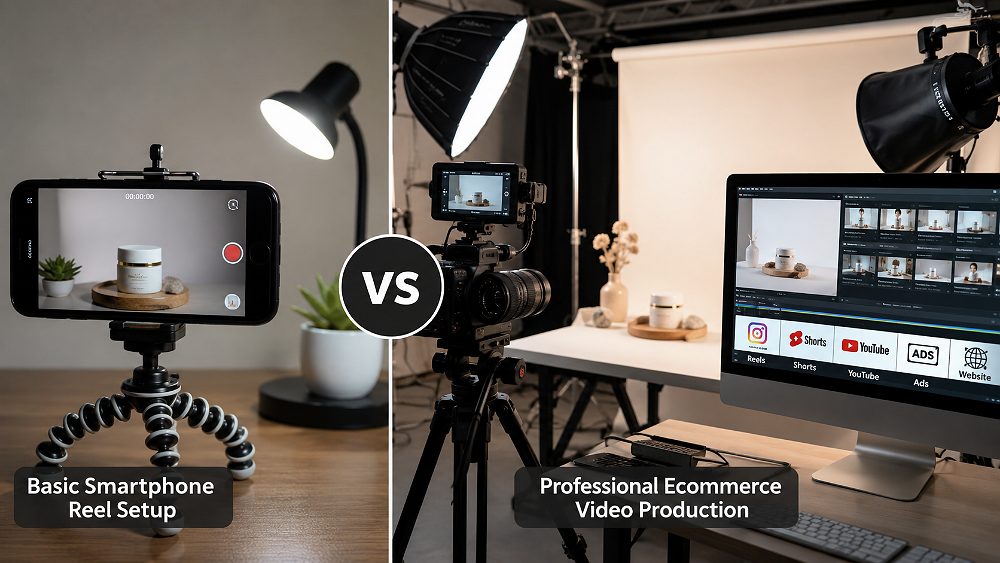
A freelance Reel creator normally delivers one output: a social-first vertical video, minimal reusable footage, little marketplace planning. That model works for a single promotional post but breaks down the moment you need ad variations or a PDP video. A professional ecommerce production studio delivers master footage, multiple hooks, several aspect ratios, product-detail coverage, listing footage, advertising footage and a reusable ecommerce content library.
If your brand runs Meta Ads on Instagram and Facebook, sells on Amazon and Myntra, and also maintains a Shopify store, the freelance model is expensive per usable asset. A studio model spreads the same production cost across many outputs. Compare it the way you would compare a single fashion photography price quote against a full catalogue photography package: the per-image cost drops sharply when scope expands.
The One-Shoot Content Multiplier: One Ecommerce Shoot → 10 Sales Assets
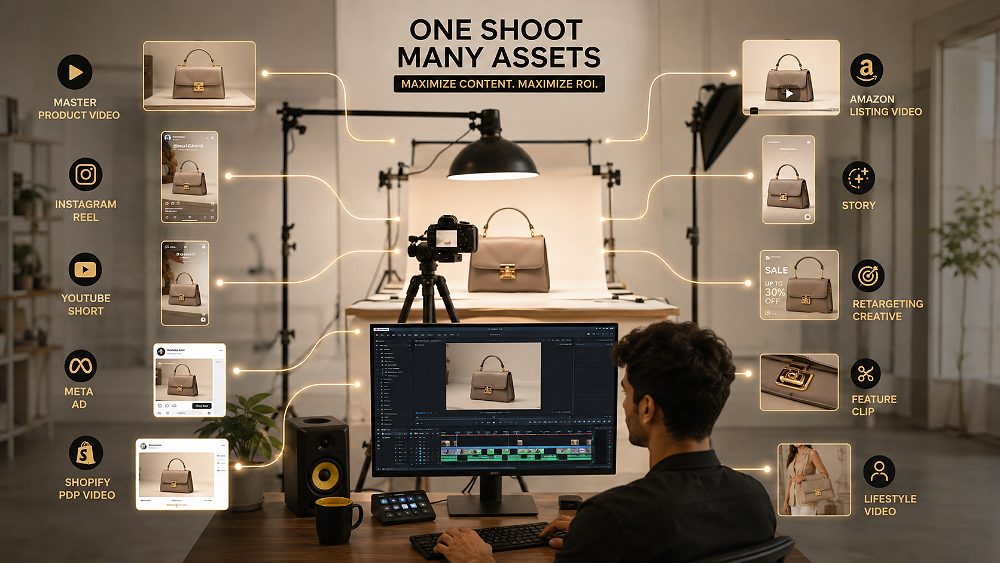
The One-Shoot Content Multiplier is a production planning method Uniqs Studio uses to convert a single ecommerce videoshoot into a full video asset library. Instead of deciding what videos to create after filming, the deliverables are defined before the camera even arrives. That decision changes the shot list, the lighting design, the framing, the number of takes and the way content repurposing works on the timeline later.
1. Master Product Video
The master edit is the highest-quality sequence built from the cleanest hero, feature, demonstration and lifestyle footage. It is normally 45–90 seconds long, colour-graded to brand specification, and used on the homepage, launch email, YouTube channel and pitch decks. Every other output is trimmed, reframed or restructured from this master, which is why a strong Product Reels Video Maker obsesses over its coverage more than any single social cut.
2. Instagram Product Reel
The Instagram product Reel is a 9:16 vertical export built around a strong first-frame hook, fast pacing, benefit-forward copy and a clear CTA ending. It reuses the master footage but is graded, cropped and cut with short-form video attention economics in mind. Text-safe framing matters, because captions, product prices and CTAs all sit inside strict overlay zones on Reels and Stories.
3. YouTube Short
YouTube Shorts share the vertical dimensions of Reels but reward slightly more explanatory pacing. The same master takes get re-edited with clearer product demonstrations and educational text overlays. Shorts also work well for evergreen product education, which is why the Uniqs Studio delivery folder always includes a dedicated Shorts variant.
4. Meta Performance Ad
Meta ads are where the multi-hook philosophy pays off. From a single ecommerce shoot, Uniqs Studio typically assembles a hook A variation, a hook B variation, a feature-led ad, a benefit-led ad and a lifestyle ad. This is the backbone of any serious creative testing workflow — the more ad variations a performance marketer can rotate, the faster they find the winning conversion-focused video. Meta itself publishes its current creative and Reel requirements in the official Meta Business Help centre, which should be checked before every campaign.
5. Shopify PDP Product Video
The Shopify PDP video — the product detail page video — is not entertainment content. Its job is to remove buyer uncertainty. It should demonstrate scale, texture, movement, product operation, packaging details and product-in-use behaviour so the shopper feels informed enough to add to cart. Shopify’s own product media documentation lists supported formats, and the master footage from a Uniqs Studio shoot is exported to match.
6. Amazon / Marketplace Listing Video
Marketplace listing videos — Amazon, Flipkart, Myntra, Ajio, Paytm, Nykaa and Meesho — each have their own specifications and eligibility rules. Uniqs Studio recommends checking the latest requirements inside each seller centre before final export, because listing video eligibility and specifications can change by category, account and placement. A properly planned listing video shows the product cleanly, includes packaging and a controlled demonstration, and avoids competitor mentions or off-platform CTAs.
7. Instagram / Facebook Story Version
Stories are the fastest-consumed placement your brand owns. The same product footage is re-cut into 15-second full-screen segments with large safe-area headlines, product benefit text and a swipe-style CTA. Because Stories live for only 24 hours by default, Uniqs Studio always delivers several Story variants for reuse across launches and promotions.
8. Retargeting Creative
Retargeting footage is designed for shoppers who already know the product. Its job is to answer hesitation, not repeat the prospecting hook. That usually means tight product benefits, objection-handling text (“free returns”, “7-day delivery”, “tried by 12,000+ shoppers”) and a concise purchase CTA. This variant is one of the most under-produced in Indian D2C — most brands recycle the same ad and wonder why frequency kills performance.
9. Feature-Specific Short Clips
These are 5–10 second clips that isolate one detail: material, texture, size, mechanism, packaging, USP, before/after, or a specific product-in-use moment. They live in a dedicated feature-clip folder and become the raw material for future carousels, PDP thumbnails, WhatsApp broadcasts and quick refresh content. A strong Product Reels Video Maker intentionally captures these as clean standalone takes, not as accidental frames pulled from another edit.
10. Lifestyle / Brand Cut
The final asset is a cinematic lifestyle cut — model naturally using the product in an aspirational environment, cinematic movement, professional commercial lighting. This is the video you use on the About page, campaign launches, brand ads and investor decks. It rarely converts directly, but it defines how premium the brand feels. Detailed shoot planning for this cut is similar to a full fashion photography brand shoot or a large model campaign production.
Why Multi-Platform Videos Must Be Planned Before the Ecommerce Videoshoot
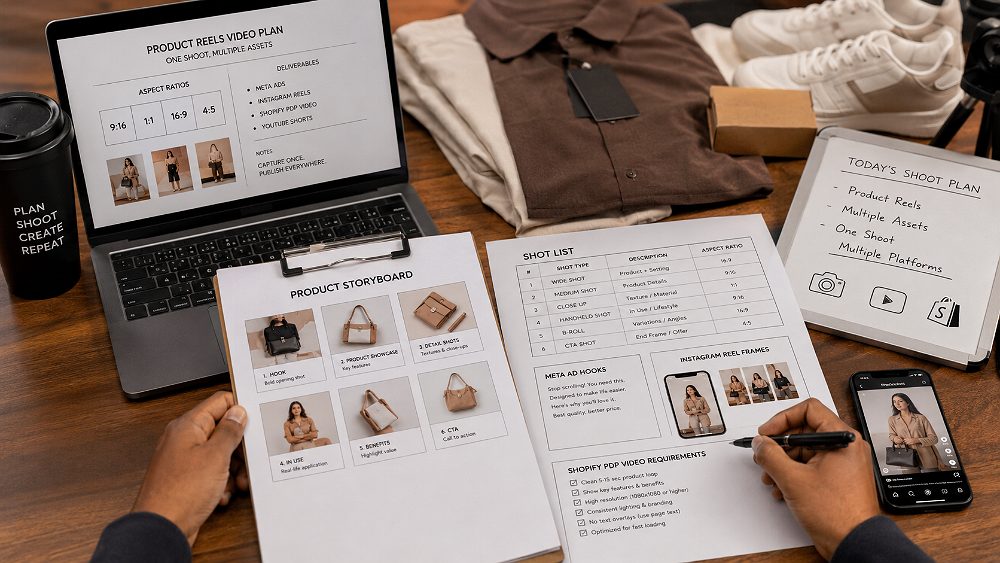
Editing cannot manufacture missing product angles. If the shoot did not capture a clean top-down macro or a slow 360° rotation, no amount of colour grading or motion graphics will conjure them later. That is why Uniqs Studio treats the pre-production stage — the video storyboard, the shot list, the aspect ratio plan — as more important than the shoot day itself.
The same logic applies to hook variations. A performance marketer running Meta ads needs at least four to six unique opening seconds to test properly. Those cannot come from one 20-second take. The Product Reels Video Maker must plan alternate hooks — a motion hook, a macro hook, a demonstration hook, a problem/solution hook — and capture each as a distinct take. This is where the difference between a hobbyist and a studio-grade ecommerce video production team becomes visible.
Build the Deliverables List Before the Shot List
The correct sequence is deliverables → shot list → shoot day. If a skincare brand needs three Reels, four Meta ad variations, one Shopify PDP video and one Nykaa listing video, the shoot must capture pack shots, texture close-ups, dispensing footage, application shots, ingredient details, model interaction, product scale and a clean CTA-ready frame. Miss any one of those and an entire deliverable becomes weaker. Our ecommerce videoshoot shot list guide covers this mapping in detail.
The Multi-Platform Product Video Shot List
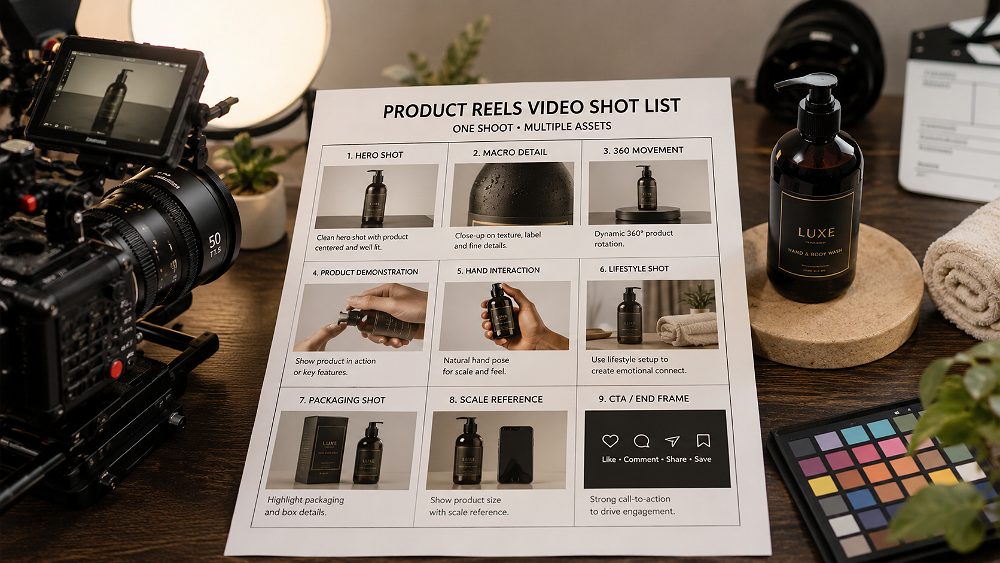
Every SKU that walks onto the Uniqs Studio floor gets the same base shot list, tailored by category. This is the master template — a serious product video maker works through it like a pilot works through a pre-flight checklist. The purpose is not perfection on any single frame; the purpose is coverage, so the editor has enough material to build every planned output.
Hero Product Shots
Capture the front hero, three-quarter hero, a slow controlled camera move and a controlled rotation. These are the shots that anchor the master video, the PDP intro and the launch Reel. Framing keeps the product centred with enough negative space above and below for text overlays across all multiple aspect ratios.
Product Detail and Macro Shots
Material, texture, finish, logo, stitching, jewellery details, controls, fasteners — anything a shopper would zoom into on a product page. These macro product shots are captured with a dedicated macro lens on a full-frame body so texture reads sharply even on desktop PDPs. If you are working on jewellery, our macro jewellery photography guide is a useful reference for the same principles.
Product Demonstration Shots
Opening, closing, wearing, applying, operating, assembling, filling — the full product demonstration sequence. These are the shots that reduce returns because they show exactly how the product behaves in real use. On apparel, this often connects to ghost mannequin coverage for shape and construction; on hard goods, it means clean, well-lit demonstrations from multiple angles.
Human Interaction and Lifestyle Footage
Hand interaction, model interaction, scale reference, natural movement and emotional context. These are the shots that carry product storytelling — they help the shopper picture themselves using the item. They also give paid social its most reliable hooks, because human faces and hands almost always out-perform product-only frames in the first two seconds of a Reel.
Hook Shots for Reels and Paid Ads
Capture at least a motion hook, a macro hook, a demonstration hook, a problem-solution hook, a result hook and a product reveal hook. Each is a distinct opening two seconds. This is the single largest lever a Product Reels Video Maker can pull to increase paid social performance, and it costs nothing extra on the shoot day — it is purely a planning decision.
Clean Closing and CTA Shots
A product beauty shot, a logo-friendly composition, negative-space frames and CTA-safe closes. These frames are essential because every ad, every Reel and every PDP video needs a clean landing frame that will work with a CTA overlay or button.
Shoot Once, Frame for Multiple Video Formats
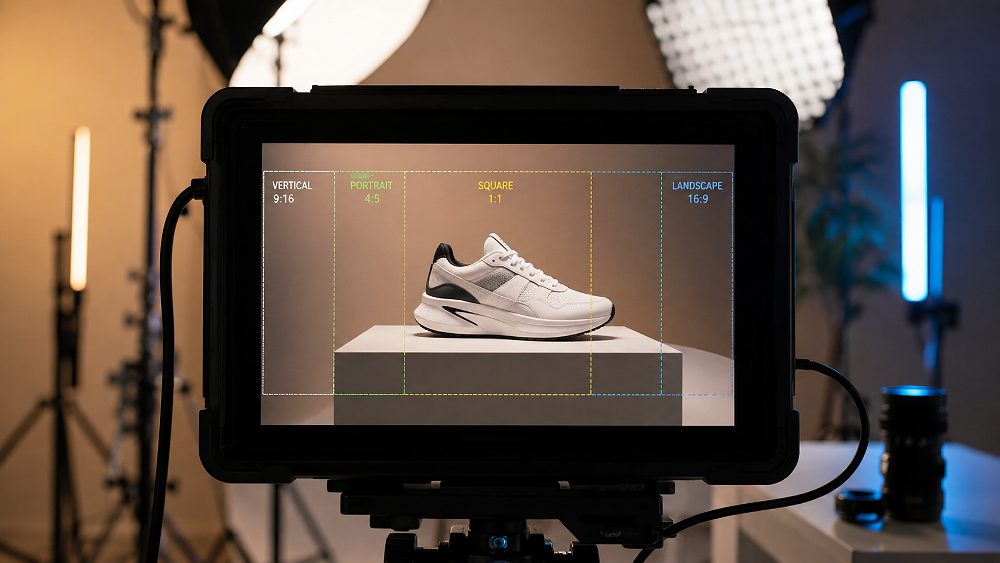
Repurposing does not mean blindly cropping one video into every format. If a Reel is shot 9:16 vertical only and the brand later needs a 16:9 horizontal video for its YouTube pre-roll, the crop will look broken. A studio-grade Product Reels Video Maker plans compositions with text-safe framing and multiple crop zones marked on the monitor so the same take can survive 9:16 vertical, 4:5 portrait paid-social, 1:1 square video and 16:9 horizontal video exports.
Where a single take genuinely cannot serve every platform — for example, when a wide lifestyle scene loses its subject in a vertical crop — Uniqs Studio simply captures an alternate take with the other aspect ratio in mind. That is a five-minute production decision that saves a full re-shoot later. Combined with higher-than-final resolution capture, this gives the editor room to reframe without softening the image.
How One Master Shoot Creates Multiple Meta Ad Variations
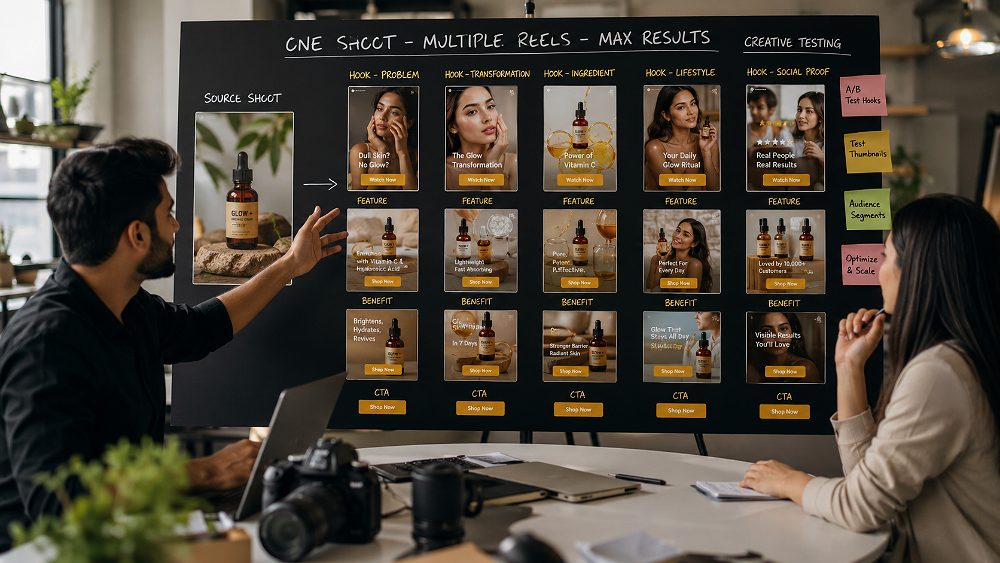
Performance marketers live and die by ad variations. A Meta campaign that only rotates two creatives will fatigue in weeks; a campaign with ten strong variations can sustain scale for months. The One-Shoot Content Multiplier is designed precisely for this problem — one production day should feed a full quarter of creative testing, not one ad.
Hook Variations
From the same master footage library, an editor can assemble a product reveal hook, a pain-point hook, a product feature hook, a demonstration hook, a transformation hook and a lifestyle result hook. Each becomes an independent ad. Combined with the shoot’s paid social creative assets, this is how a lean D2C brand keeps its Meta account fresh without booking a new shoot every month.
Benefit Variations
Comfort, durability, convenience, appearance, craftsmanship, performance — each becomes its own 15–20 second ad, with the same product but a different narrative frame. The footage that carries these benefits was already captured; the editor simply picks the right takes and rearranges them.
CTA Variations
Shop now, explore collection, see details, discover the product, view colours, find your size — CTA testing is trivial once the shoot has captured clean closing frames with negative space. This is where the retargeting creative workflow lives too, because retargeting ads mostly change on the CTA and objection-handling layer, not the underlying product footage.
Product Reels for Fashion, Jewellery and D2C Brands
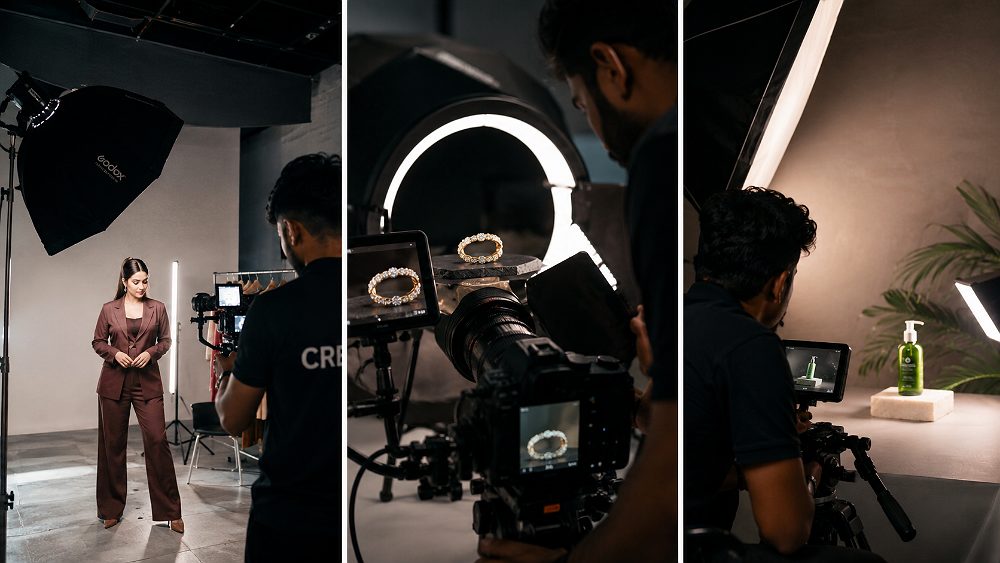
Different categories reward different shot lists. A Product Reels Video Maker who has worked across fashion, jewellery and beauty knows exactly where the value shots live in each. Uniqs Studio treats every category shoot as its own asset map, tuned to the way shoppers on Amazon, Flipkart, Myntra, Ajio and Nykaa actually browse.
Fashion Product Reels
For apparel, the shoot must cover full silhouette, fabric movement, fit, styling, garment details, model walk, front/back angles and lifestyle moments. This connects tightly with our fashion photography workflow and our garment photography practice, because the same production planning applies whether the final asset is a still or a Reel. If you are debating locations, our comparison of studio vs outdoor fashion shoots is a useful pre-brief read.
Jewellery Product Reels
Jewellery demands sparkle capture, macro detail, clasp close-ups, scale reference against a hand or ear, natural wearing shots, subtle movement and side-angle coverage. It is one of the hardest categories to shoot well, and it is where dedicated jewellery photography experience matters most. Motion adds a dimension stills cannot — see how our 360° jewellery spin video guide covers this in depth.
Beauty, Accessories and Consumer Product Reels
For beauty and accessories, the shoot must cover texture, application, product mechanism, product benefit, packaging and lifestyle use. These are the categories where social media creative tends to convert most directly, because the demonstration itself is the ad. A well-planned Uniqs Studio shoot captures each of these in dedicated clean takes, not as by-products of a general session.
Product Reel Freelancer vs Full Ecommerce Video Production
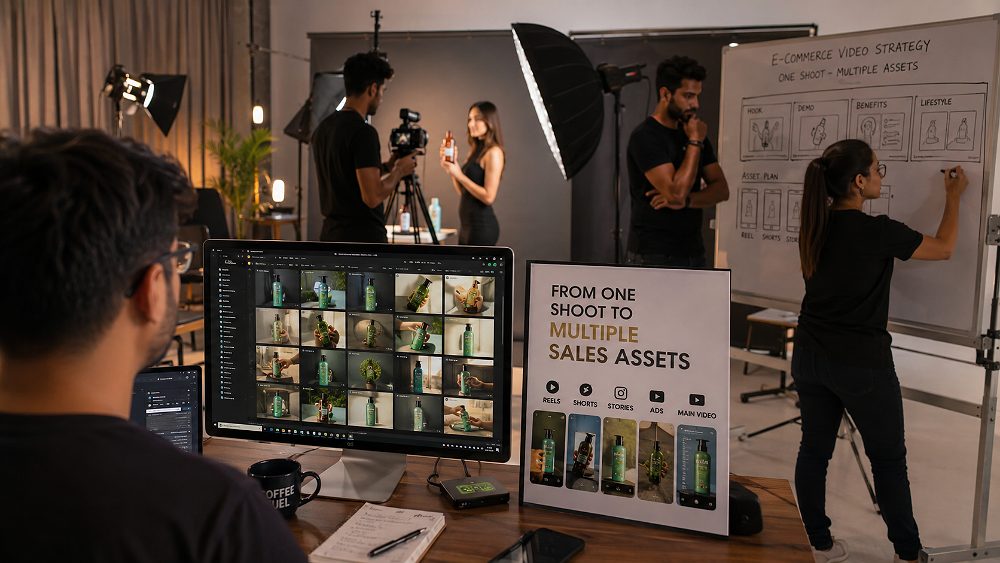
The freelancer-vs-studio question is really a scope question. A freelance Reel creator is often perfect for a one-off launch post. A studio becomes valuable the moment one shoot must feed several ecommerce and marketing channels — Reels, Meta ads, Shopify, marketplace listings, retargeting. The economics change entirely once you count total assets, not individual Reels.
| Requirement | Single Reel Creator | Ecommerce Production Studio | Best For Scaling Brands |
|---|---|---|---|
| Pre-production strategy | Minimal | Full deliverable map | Studio |
| Product styling | Basic | Category-specific stylist | Studio |
| Professional lighting | Available light / small kit | Full studio strobes + continuous | Studio |
| Multiple hooks captured | 1 | 4–6+ | Studio |
| Multiple aspect ratios planned | Vertical only | 9:16, 4:5, 1:1, 16:9 | Studio |
| Master footage library | No | Yes | Studio |
| PDP video coverage | Rare | Standard | Studio |
| Meta ad variations | 1 | 4–10 | Studio |
| Marketplace listing video | Rarely fits specs | Delivered to spec | Studio |
| Multi-SKU workflow | Slow | Batched efficiently | Studio |
| Long-term asset library | No | Organized & archived | Studio |
How the Uniqs Studio Product Video Production Workflow Works
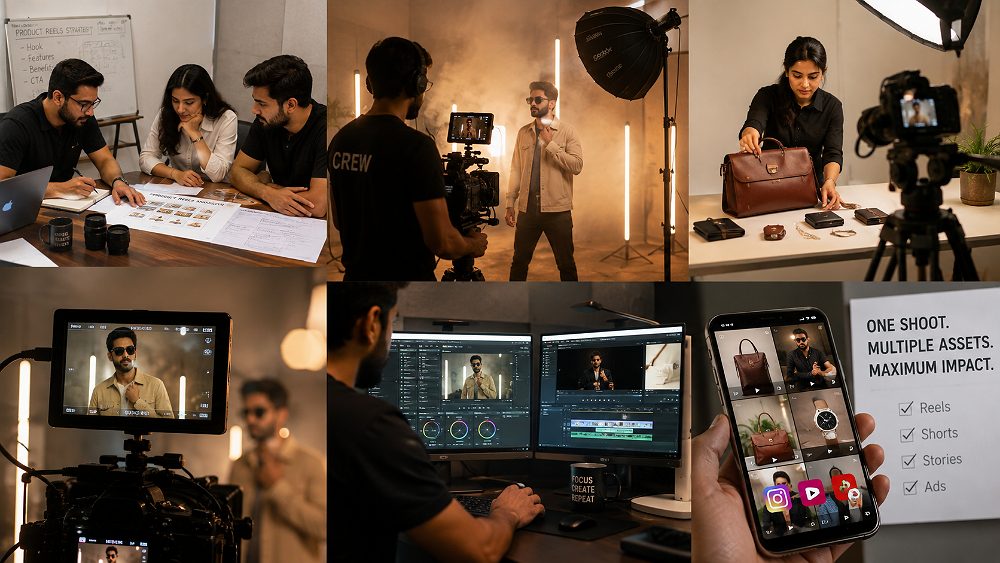
Every Uniqs Studio ecommerce shoot follows the same five-stage content production workflow. Satyam leads pre-production personally on larger campaigns, because the deliverable map decides the entire shoot day. Book a scoping call on +91-8076745824 or write to [email protected] to walk through the workflow for your brand.
Step 1 — Define Every Final Placement
Instagram, Meta Ads, YouTube, Shopify, Amazon, Flipkart, Myntra, Nykaa, Paytm, the brand website, retargeting audiences — every channel that will receive footage is listed. Nothing goes on the shot list until this list is signed off.
Step 2 — Build the Master Shot List
Each deliverable is mapped back to specific shots. If a Meta ad needs a demonstration hook plus a benefit shot plus a CTA frame, those three shots enter the shot list explicitly. Nothing is left to “we will grab it on the day”.
Step 3 — Shoot Master Footage and Variations
Hero, features, demonstration, detail, lifestyle, multiple hooks and CTA-safe frames — each is filmed in dedicated takes. Higher-than-final resolution is used throughout so the editor has reframing headroom for every future crop.
Step 4 — Edit Platform-Specific Versions
Each output gets its own edit pass: duration, pacing, crop, text, opening hook, audio and CTA are tuned per channel. A Reel is not simply a shortened master; a PDP video is not simply a longer Reel. Each edit is designed for its viewer’s intent.
Step 5 — Deliver an Organized Asset Library
Every project is delivered in a numbered folder structure — 01_Master, 02_Instagram_Reels, 03_Meta_Ads, 04_PDP, 05_Marketplace, 06_Stories, 07_Feature_Clips, 08_Raw_Selects. Six months later, when the brand needs a fresh cut, everything is exactly where it should be.
How Much Does Product Reels Video Production Cost?
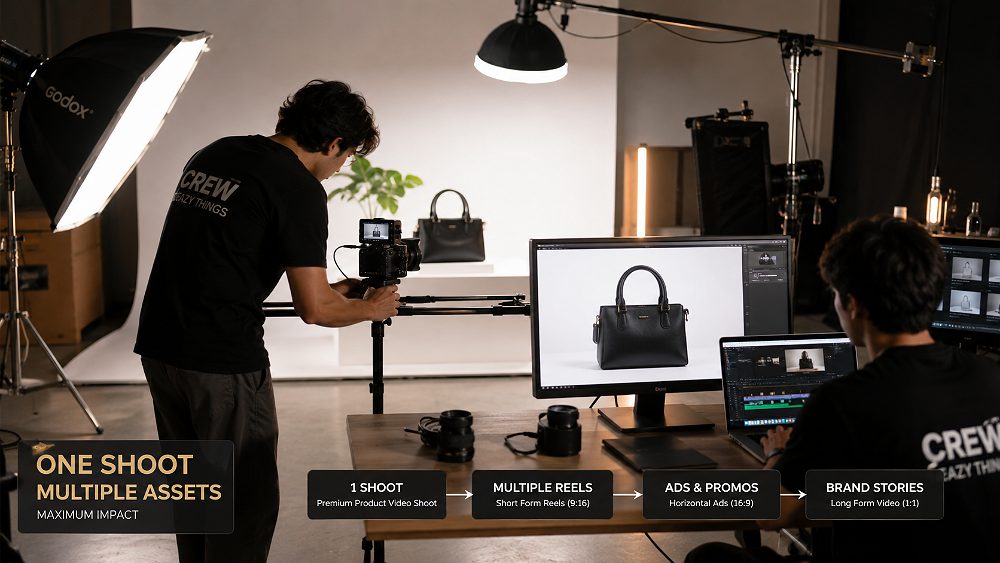
Pricing for a professional Product Reels Video Maker engagement depends on the number of SKUs, number of setups, models, props, location, styling, shoot duration, complexity, number of finished edits, motion graphics, voice-over and aspect-ratio variations. Any studio quoting a universal fixed price is either underestimating scope or overcharging. The indicative planning packages below are how Uniqs Studio scopes conversations, not a fixed rate card.
| Package | Best For | Indicative Budget | Deliverables |
|---|---|---|---|
| Basic — Reel Starter | Solo D2C launches, testing content | ₹12,000 – ₹20,000+ | 1 product setup, short session, 1 master short video, 2 product Reels, basic edit |
| Standard — Multi-Asset Ecommerce | D2C brands with Shopify + Instagram | ₹25,000 – ₹45,000+ | Multiple product shots, 1 master product video, 3–5 Reels, PDP cut, Story versions |
| Premium — Performance Content Shoot | Brands running Meta ads at scale | ₹50,000 – ₹90,000+ | Creative direction, product + lifestyle footage, multiple hooks, 5–10 short-form edits, Meta ad variations, PDP video, marketplace cut, feature clips |
| Enterprise — Campaign Content Library | Multi-SKU seasonal campaigns | Custom Quote | Multiple SKUs, models, styling, multiple sets, full master footage, ad testing library, organic Reels, listing videos, PDP videos, retargeting assets |
Indicative production planning ranges only; the final quote depends on the brief. For a detailed scope, call Satyam on +91-8076745824 or WhatsApp +91-8076745824.
When Is a Multi-Asset Product Videoshoot Worth It?
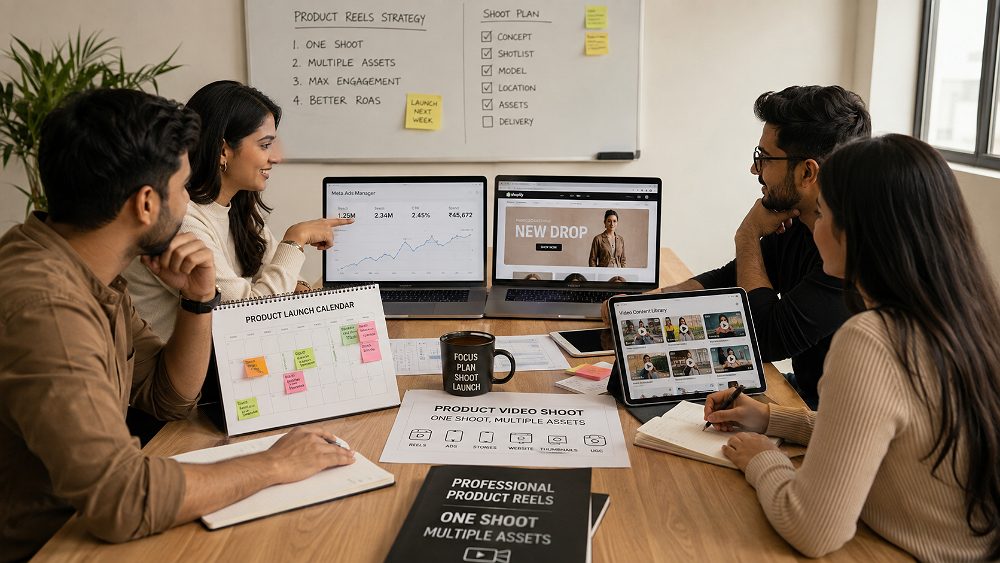
A multi-asset shoot is worth it when the brand runs Meta Ads regularly, publishes several Reels per month, sells through Shopify or a marketplace, needs listing videos, launches new collections frequently, has multiple SKUs, needs performance creative variations, wants visual consistency across channels or wants lower production cost per asset. Most Indian D2C brands satisfy three or more of these on day one.
A multi-asset shoot is less important when the brand only needs one temporary social video, or when the product will not be marketed across multiple channels. In those cases, a lean single-Reel engagement is perfectly reasonable — just do not confuse it with an ecommerce content library investment.
The Real Cost Question: Cost Per Reel or Cost Per Usable Asset?
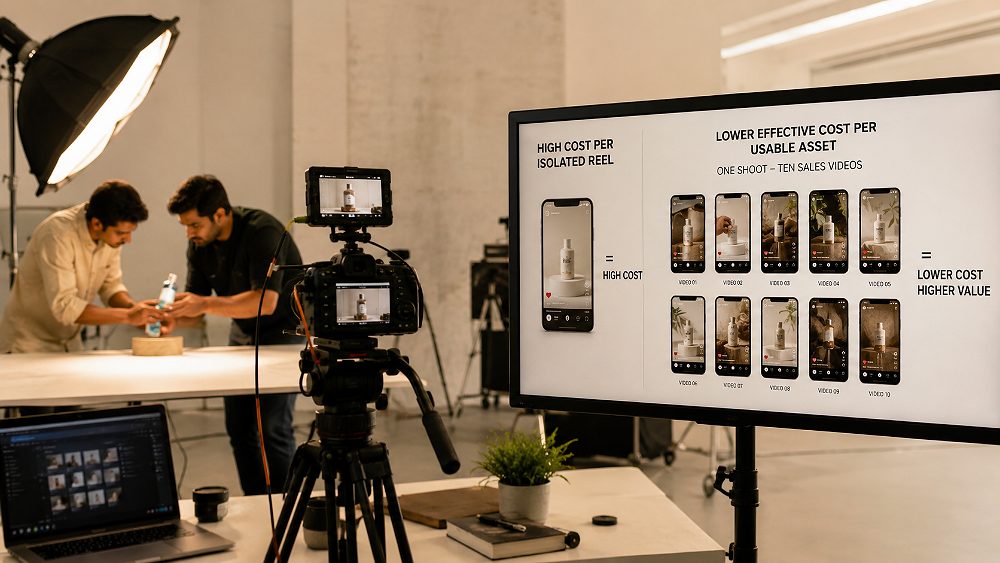
The wrong question is: “How much does one Reel cost?” The better question is: “How many usable, revenue-generating assets does the shoot produce?” A ₹15,000 single Reel and a ₹50,000 multi-asset production look very different on paper. But if the second shoot produces ten deployable assets, the effective cost per asset is only ₹5,000.
Effective Content Cost Formula
Effective Content Cost = Total Production Cost ÷ Number of Usable Final Assets
Example: ₹50,000 production ÷ 10 usable video assets = ₹5,000 effective cost per asset
This is a production-planning example, not a pricing promise.
This is why the Product Reels Video Maker conversation should not begin with “per Reel” pricing. It should begin with a deliverables map. Once that map exists, the per-asset economics almost always favour a multi-asset shoot.
Product Reels Video Maker Checklist Before Booking a Shoot
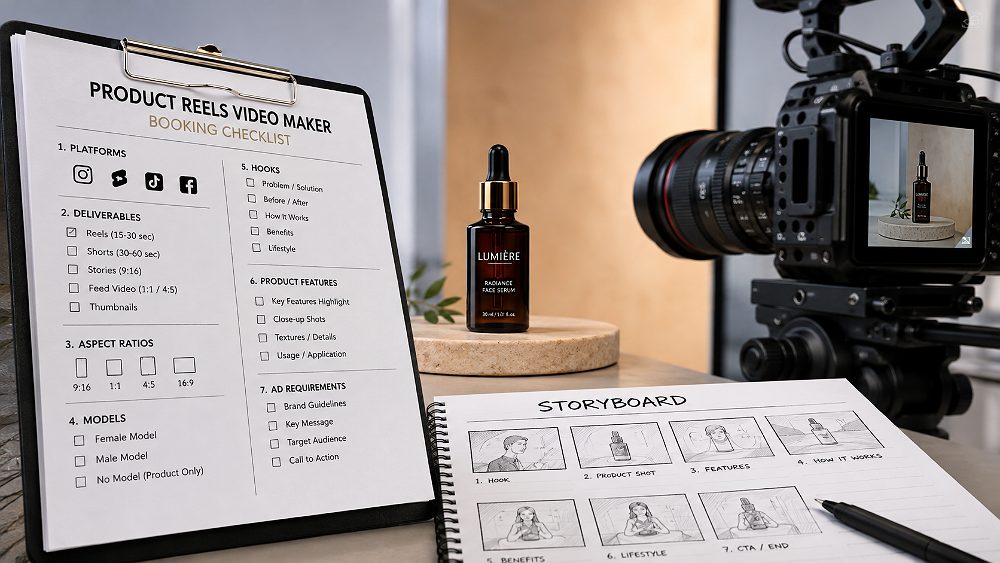
Before you finalise a shoot brief with any studio — including Uniqs Studio — walk through this checklist. It saves days of back-and-forth and dramatically improves the shot list. The more of these questions you can answer up-front, the more assets your production budget will deliver.
- Which platforms need videos — Instagram, YouTube, Shopify, Amazon, Flipkart, Myntra, Ajio, Nykaa?
- How many SKUs are being filmed?
- Do you need organic Reels for social?
- Do you need Meta advertising creatives — prospecting and retargeting?
- Do you need Shopify PDP videos?
- Do you need marketplace listing videos, and for which platforms?
- Which product features specifically require demonstrations?
- Do you need models, hand-only interactions, or product-only shots?
- Which customer objections should the video answer?
- How many opening hooks are required across your ad testing plan?
- Are multiple aspect ratios required — 9:16, 4:5, 1:1, 16:9?
- Will future ads need access to the master footage library?
- How should files be organized after delivery?
Why Uniqs Studio Plans Ecommerce Video Production Around Reuse
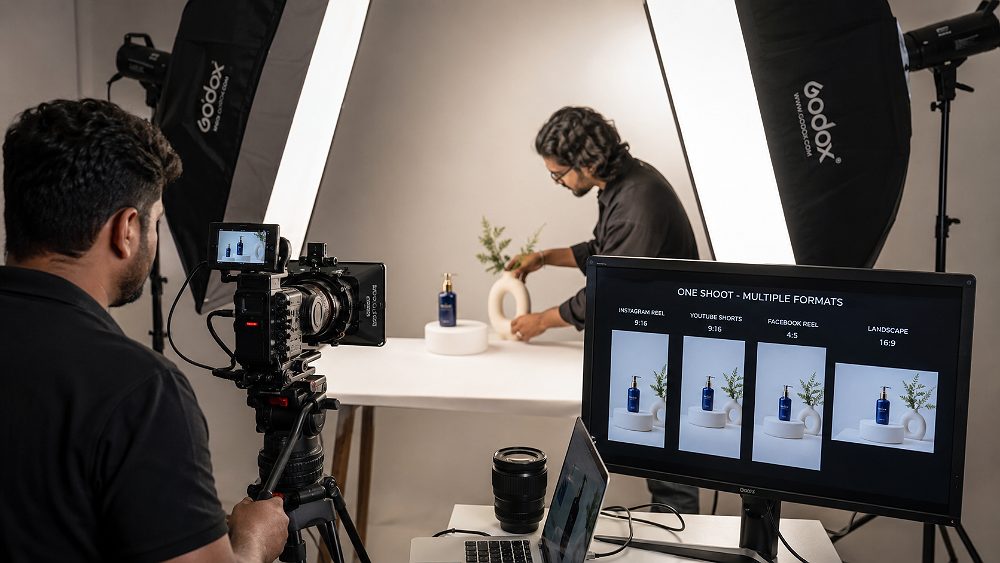
Uniqs Studio is a Delhi ecommerce-first video production team. Nine-plus years of shooting fashion, jewellery, garment and product SKUs for Amazon, Flipkart, Myntra, Ajio, Nykaa, Paytm and D2C Shopify brands has shaped a single conviction — the shoot day is not the deliverable. The reusable footage library is. That is what our clients pay for, and that is why we run every project through the One-Shoot Content Multiplier.
For brands that need a complete shoot rather than a single Reel, explore our Ecommerce Video Production services, or read our comparison of AI ecommerce video makers vs a professional studio before deciding your production approach.
FAQ — Product Reels Video Maker
What does a Product Reels Video Maker actually do?
A Product Reels Video Maker plans, shoots and edits short product videos for social media, ecommerce pages and advertising. A professional ecommerce workflow also captures master footage that is reused for multiple platforms rather than producing only one Reel.
Can one ecommerce videoshoot create multiple Reels and ads?
Yes. If the shot list is planned before filming, one ecommerce videoshoot can capture hero shots, demonstrations, close-ups, lifestyle scenes, hooks and CTA footage that editors can turn into multiple Reels, ads and product-page videos across formats.
Can the same product footage be used for Instagram, Meta Ads and Shopify?
Yes, but the footage must be captured with multiple placements in mind. Different platforms need different crops, durations, pacing and messaging, so professional production should leave enough framing and shot variation for each final edit.
Is a product Reel creator different from an ecommerce video production studio?
A Reel creator generally focuses on short social content. An ecommerce video production studio plans master footage for social media, advertising, product pages, marketplace listings and other sales channels inside the same production.
How much does professional Product Reels production cost in India?
Product Reels production cost varies with the number of SKUs, shoot duration, models, locations, styling, editing and number of deliverables. Brands needing several final assets should compare total cost per usable video rather than only the price of one Reel.
What videos can be created from one professional ecommerce shoot?
One well-planned shoot can produce a master product video, Instagram Reels, YouTube Shorts, Meta prospecting and retargeting ads, a Shopify PDP video, marketplace listing videos, Stories, feature-specific clips and a lifestyle brand cut.
Turn Your Next Ecommerce Shoot Into a Complete Video Asset Library
Do not ask, “How many Reels can you shoot?” Ask, “What sales assets can we plan and capture while the product, set, models and lighting are already ready?” That is the question the Uniqs Studio production team is built to answer. Plan your next ecommerce shoot with us and build Reels, Meta ads, Shopify PDP videos and marketplace listing assets from one professionally planned production day.
Or drop a line at [email protected] — we usually respond within one business hour.