
Getting the Amazon product image requirements right is the difference between a listing that shows up in search and one that quietly disappears into the “search suppressed” filter of Seller Central. Every week sellers reach Uniqs Studio with the same story: the product is good, the price is right, but the main image was rejected or the listing vanished overnight. If you are building your store step by step, this guide sits inside our Amazon seller resource hub, right after the basics of registration and fees.
In this guide, Satyam — who has spent 9+ years shooting catalogues for marketplace sellers and D2C brands — explains the main image rules, the image size and file format Amazon accepts, how to plan all your gallery slots, and the exact workflow to fix an Amazon listing suppressed image error. If you have already worked out your margins with our Amazon seller fees and FBA charges guide, this is the natural next step before you shoot a single SKU.
Key Takeaways
- The main image must sit on a pure white background (RGB 255, 255, 255) with the product filling roughly 85% of the frame.
- Upload at least 1,000 px on the longest side so zoom works; JPEG is the preferred format.
- No text, logos, watermarks, badges, borders or extra props on the main image — save those for gallery slots.
- Plan every gallery slot with a job: angles, detail, scale, lifestyle, size chart and video.
- Most image suppressions are fixed by re-shooting or re-editing the main image, not by editing text fields.
What are the Amazon product image requirements in 2026-2027?
The Amazon product image requirements are a set of technical and style rules that every listing photo must meet before Amazon shows it to buyers. In short: a pure white main image showing only the product, a minimum size that allows zoom, an accepted file format, and gallery images that accurately represent what the customer will receive.
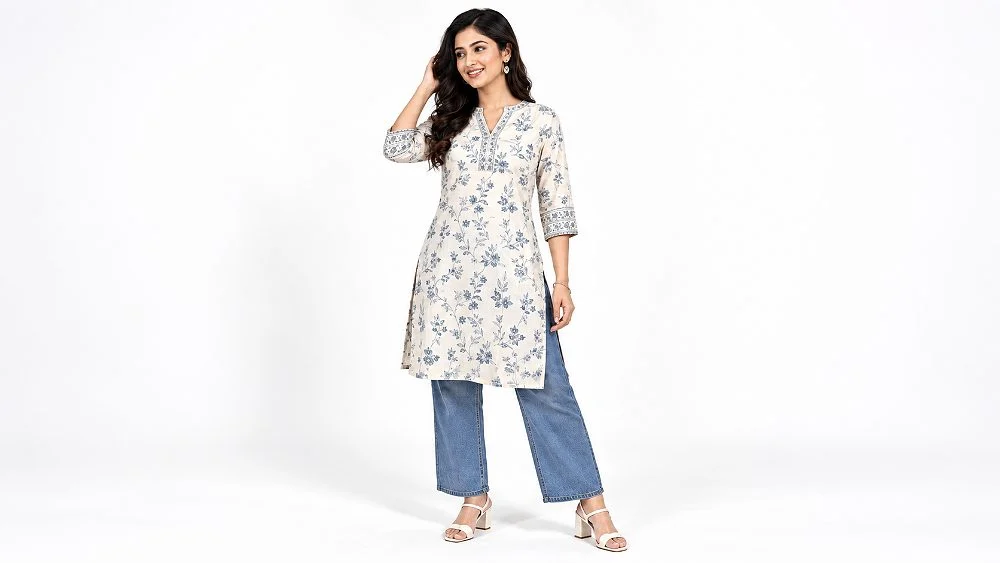
Amazon publishes these rules in Seller Central, and the official product image requirements page on Seller Central is the final authority. What it does not tell you is how those rules play out on a real shoot floor. At Uniqs Studio we treat the requirements as two layers: hard rules that trigger rejection or suppression if broken, and conversion rules that do not block the listing but decide whether a shopper clicks “Add to Cart”.
| Requirement | What Amazon expects | Studio recommendation |
|---|---|---|
| Main image background | Pure white, RGB 255, 255, 255 | Shoot on white and verify edge pixels before upload |
| Product fill | About 85% of the frame | Crop tight, keep the whole product visible |
| Image size | 1,000 px+ on the longest side for zoom | Export 2,000 px on the longest side |
| File format | JPEG (preferred), TIFF, PNG, non-animated GIF | High-quality JPEG in sRGB |
| Text and graphics | Not allowed on the main image | Use infographics only in gallery slots |
| Accuracy | Must match the product being sold | Shoot the actual SKU and colour, not a sample |
Keep this table handy. Every section below expands one row, with the details we check on every Amazon catalogue that leaves our studio in Kalkaji, New Delhi.
What are Amazon’s main image rules?
Amazon main image rules require a professional photograph of the actual product on a pure white background, with the product filling most of the frame and nothing else in the picture. The main image is the only photo buyers see in search results, so Amazon checks it more strictly than any other slot.
1. Use a pure white background (RGB 255, 255, 255)
An Amazon white background image must be truly white, not cream, light grey or “almost white”. Amazon’s automated checks look at the background, and a value like 245, 245, 245 can be enough to flag the image. A soft natural shadow directly beneath the product is usually fine, but the surrounding area must read as pure white. We light the backdrop separately from the product so the white is clean in-camera, then confirm it with a colour picker in post-production.
2. Let the product fill about 85% of the frame
Small products floating in a big white square look cheap in search results and can be flagged. Crop so the product occupies roughly 85% of the longer side, but never cut off part of the item. For long products like dupattas or yoga mats, choose a fold or angle that shows the full item without making it a thin line across the frame.
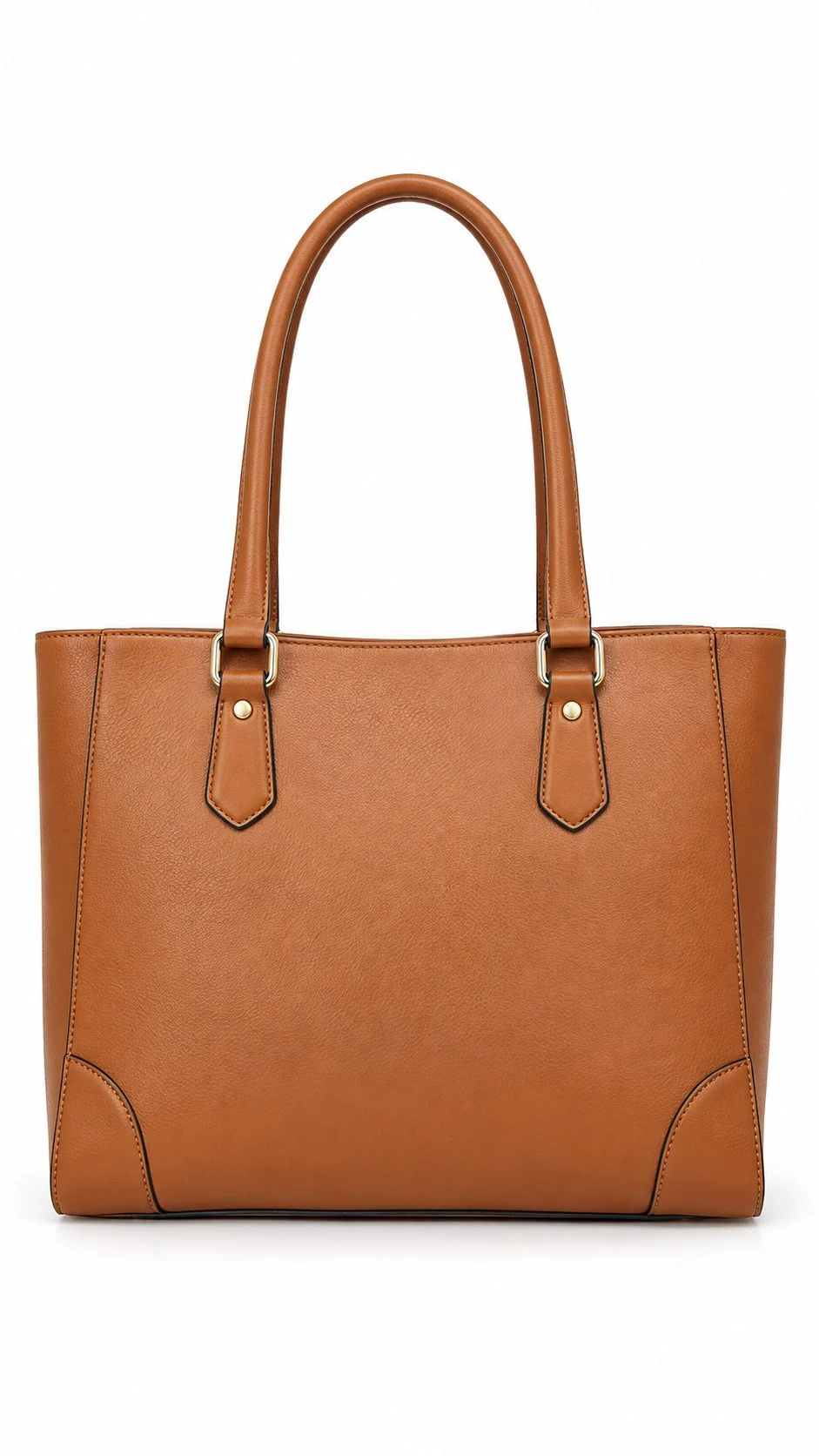
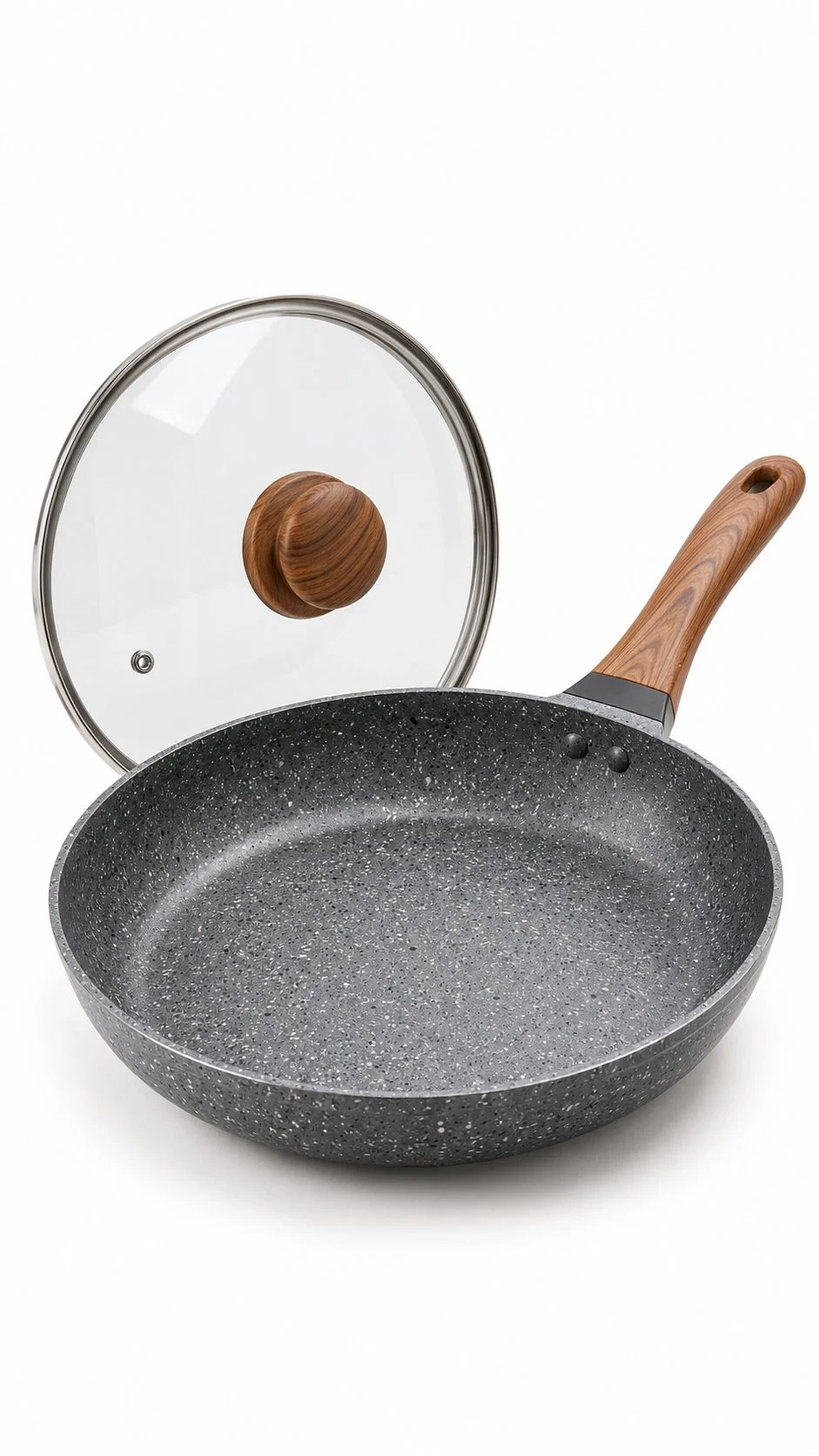
3. Show only the product that is being sold
If the lid, strap or charger comes in the box, it can appear. If it does not, it cannot. Props, styling accessories, a second colour variant or a “bonus” item that is not included all confuse buyers and break the rule that the main image must represent exactly what ships.
4. No text, logos, badges, borders or watermarks
“Best seller”, “50% off”, “100% cotton”, your brand watermark, colour swatches and decorative frames are all off-limits on the main image. A logo that is physically printed on the product is fine — it is part of the product — but nothing may be added on top of the photo.
5. Use a real photograph, not a drawing or render
The main image must be a professional photograph of the product. Sketches, illustrations and placeholder graphics are rejected. Many sellers now ask whether an AI-generated image is acceptable. Our advice at Uniqs Studio is simple: use real photographs of the real SKU. AI images often change stitching, prints, colours or proportions slightly, and that mismatch is exactly what drives “not as described” returns.
6. One view, in focus, well lit
The main image shows one product from one clear angle — not a collage of front and back. It must be sharp across the product, evenly lit and colour-accurate. Blurry edges, pixelation and jagged cut-out lines are common reasons for an Amazon image rejected message.
7. Follow your category’s style guide for apparel and footwear
Clothing has extra rules. Adult apparel is typically shown on a standing model or off-model (flat, or as a clean invisible-mannequin edit where no part of the mannequin shows), while kids’ and baby clothing is generally shown off-model. Visible dress forms and hangers are not accepted. Footwear main images usually show a single shoe, angled to face left. Always check the category style guide in Seller Central before a shoot, because these details change by category.
8. Keep the colour true to the product
A maroon kurta that looks red on screen will come back as a return. We shoot with a colour reference card and match colours on calibrated monitors so the image matches the fabric in hand.
9. Use the same product across all variants
Every colour or size child ASIN needs its own main image showing that exact variant. Reusing one colour’s photo for all variants is a quick way to get customer complaints and image-related listing issues.
What image size and file format does Amazon need?
Amazon image size requirements are simple: upload images that are at least 1,000 pixels on the longest side so the zoom feature works, and save them as JPEG, TIFF, PNG or non-animated GIF. JPEG in the sRGB colour space is the safest, fastest choice for most sellers.
Dimensions that unlock zoom
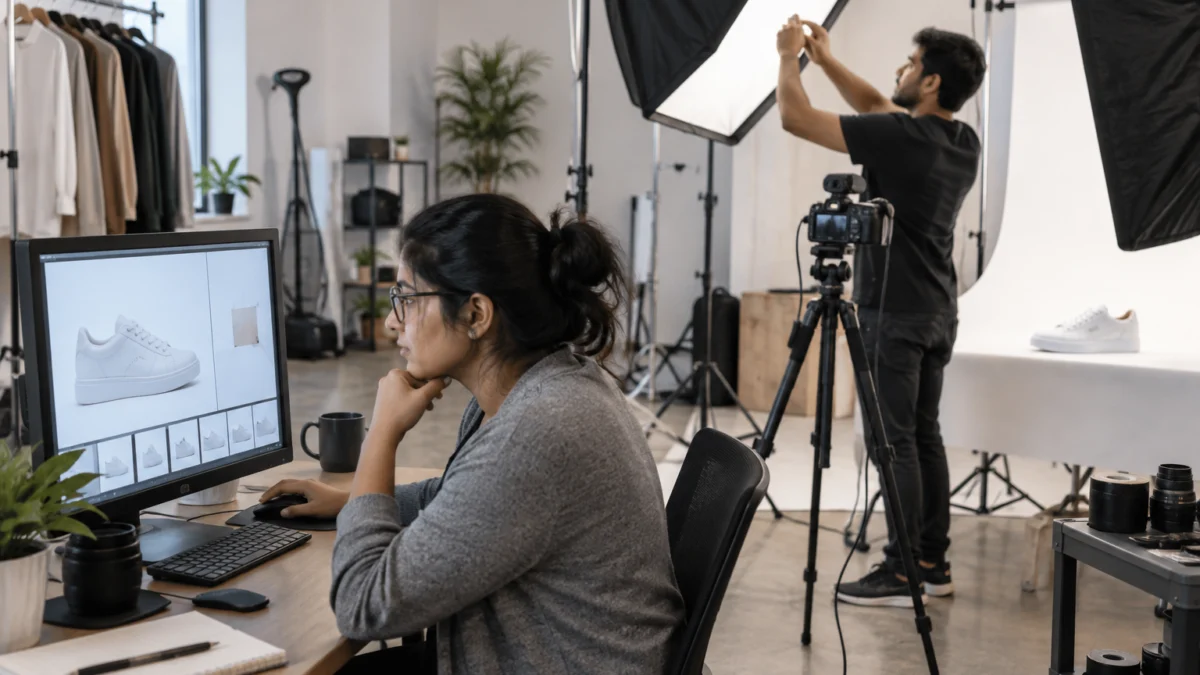
Images of 1,000 px or more on the longest side let shoppers hover or pinch to zoom, and zoom is one of the strongest trust signals on a product page. Amazon accepts much larger files (up to 10,000 px on the longest side), but we export at around 2,000 px: big enough for crisp zoom on fabric weave and stitching, small enough to upload quickly. Square 1:1 images display most consistently across search, mobile and the product page.
File formats and colour mode
- JPEG (.jpg) — preferred; good quality at small file size.
- TIFF (.tif) and PNG (.png) — accepted; larger files.
- GIF (.gif) — accepted only if not animated.
- Colour mode — sRGB is the safest choice for consistent colour on phones and laptops.
File naming for bulk uploads
When you upload through the image manager in bulk, Amazon matches files by name. The pattern is the product identifier (usually the ASIN), a full stop, the variant code and the extension — for example B0XXXXXXXX.MAIN.jpg for the main image and B0XXXXXXXX.PT01.jpg to B0XXXXXXXX.PT08.jpg for additional images. Avoid spaces, dashes and extra characters in the file name, or the upload will fail to match.
How should you plan your Amazon gallery images?
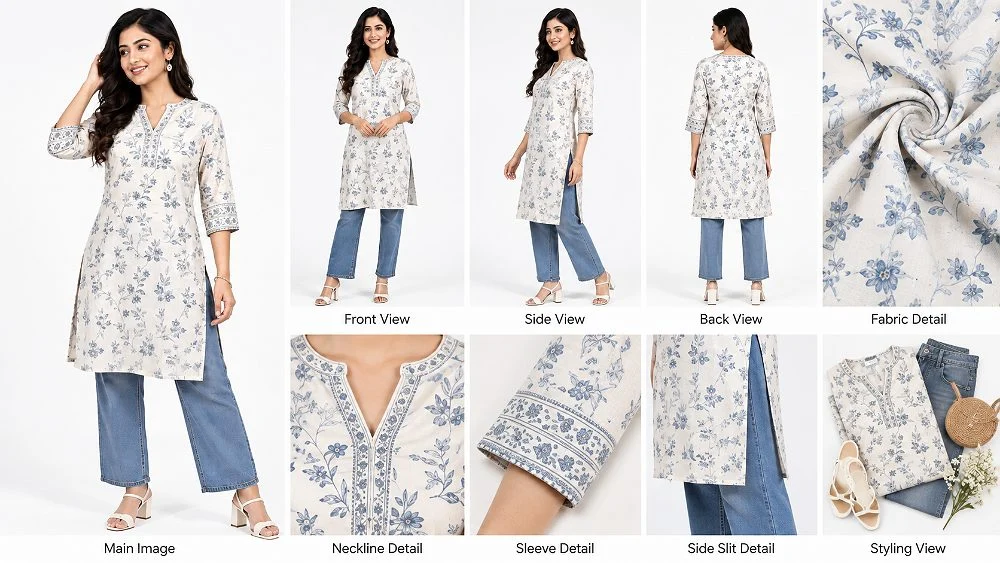
Amazon gallery images are the additional photos after the main image, uploaded as PT01 to PT08, and they are where you answer every buyer question. Give each slot one clear job — angle, detail, scale, lifestyle, size or video — so the gallery works like a silent salesperson.
Gallery images are allowed more freedom than the main image: lifestyle backgrounds, on-model shots, infographics with short text and comparison charts are all acceptable, as long as they are accurate. Our seven-image sequence for Amazon fashion listings covers the apparel version in depth; the table below is the general slot plan we start with for most categories.
| Slot | Job of the image | Apparel example | Hard goods example |
|---|---|---|---|
| MAIN | Win the click in search | Front on model or flat, pure white | Front three-quarter packshot |
| PT01 | Second angle | Back view | Side or back view |
| PT02 | Close detail | Fabric texture and print | Material, buttons, ports |
| PT03 | Fit or scale | Side view showing fit | Product in hand for size |
| PT04 | Lifestyle context | Styled look | In use at home or office |
| PT05 | Key benefits | Fabric and care infographic | Feature callouts |
| PT06 | Size or dimensions | Size chart | Dimension drawing |
| PT07–PT08 | What is included, variants | Flat lay of the set | In-the-box flat lay |
Gallery tips that lift conversion
- Keep the same lighting and colour across all slots so the product looks consistent.
- Use short, large text on infographics — most shoppers browse on phones.
- Show scale: a hand, a model or a common object prevents “smaller than expected” returns.
- Repeat the variant colour in every gallery image; do not mix colours unless it is a variant chart.
Do not forget the video slot
Brand-registered sellers can add video to the image block, and for apparel a short clip showing fall, stretch and movement answers fit questions that photos cannot. Our product videos for Amazon listings are planned in the same session as the stills, so the colours and styling match the gallery exactly.
Why does Amazon reject images or suppress listings?
Amazon suppresses a listing from search when it is missing a main image or when the main image breaks a hard rule, such as a non-white background, added text or a product that is too small. The product page may still exist, but buyers will not find it in search until the image issue is fixed.
The Amazon listing suppressed image problem is more common than most sellers think, because Amazon’s checks run automatically and can catch older listings long after they went live. These are the triggers we see most often when sellers send us their suppressed ASINs:
- Missing main image — the listing was created without one, or the upload failed.
- Off-white background — grey, cream or patchy white from poor lighting or a mobile phone shot.
- Text or graphics on the main image — offers, badges, brand stamps, borders.
- Product too small — lots of empty white space, product well under 85% of the frame.
- Extra items — props, accessories not included, multiple colour variants in one frame.
- Low resolution — tiny or heavily compressed files, which also kill zoom.
- Visible mannequin or hanger on apparel main images.
- Inaccurate image — the photo shows a different colour, pack size or model than the listing.
Image rules are only one cause of suppression; missing titles, prices or required attributes can also trigger it. Seller Central will name the issue, so always read the exact reason before you re-shoot.
How do you fix a suppressed Amazon listing caused by an image?
To fix an image-related suppression, find the ASIN in the suppressed listings view, read the exact image error, correct or replace the main image so it meets every rule, upload it, and wait for Amazon to re-check. Most fixes need a new or re-edited main image rather than changes to text fields.
- Open the suppressed view. In Seller Central, go to Inventory, then Manage All Inventory, and filter for search-suppressed listings, or open the listing quality dashboard.
- Read the reason. Note whether it says missing image, non-compliant image or another attribute. Fix only what Amazon flags.
- Audit the main image. Check the background value, product fill, added text, extra items and resolution against the rules above.
- Re-edit if possible. A slightly grey background or loose crop can often be fixed in retouching without a re-shoot.
- Re-shoot if needed. Visible mannequins, wrong colour, low resolution or props in frame usually need a fresh photograph.
- Upload and name correctly. Use the image manager or the edit page; for bulk uploads follow the ASIN.MAIN naming pattern.
- Re-check after a day or two. Amazon re-evaluates the listing; if it stays suppressed, open a case with the ASIN and the new image.
Satyam’s tip: before uploading, place your main image next to three best-selling competitors in the same category on your phone. If yours looks greyer, smaller or busier, Amazon’s checks and shoppers will both notice. Need a second opinion? Send your ASIN on WhatsApp to +91-8076745824 and our team will tell you whether it needs a re-edit or a re-shoot.
What do Amazon India image guidelines say for key categories?
Amazon India image guidelines follow the same core rules as other Amazon marketplaces, but each category adds its own style notes. Clothing, jewellery, footwear and home products each have small differences that decide whether the main image passes.
Clothing and ethnic wear
For kurtas, sarees and co-ord sets, the main image should show the complete garment clearly — on a standing model or off-model, with no visible mannequin, hanger or clips. Sarees are tricky: the drape must show the pallu and border, which is why we often plan both an on-model main image and flat gallery shots. Our guide to Amazon model photography covers poses, framing and model selection for apparel.
Jewellery and accessories
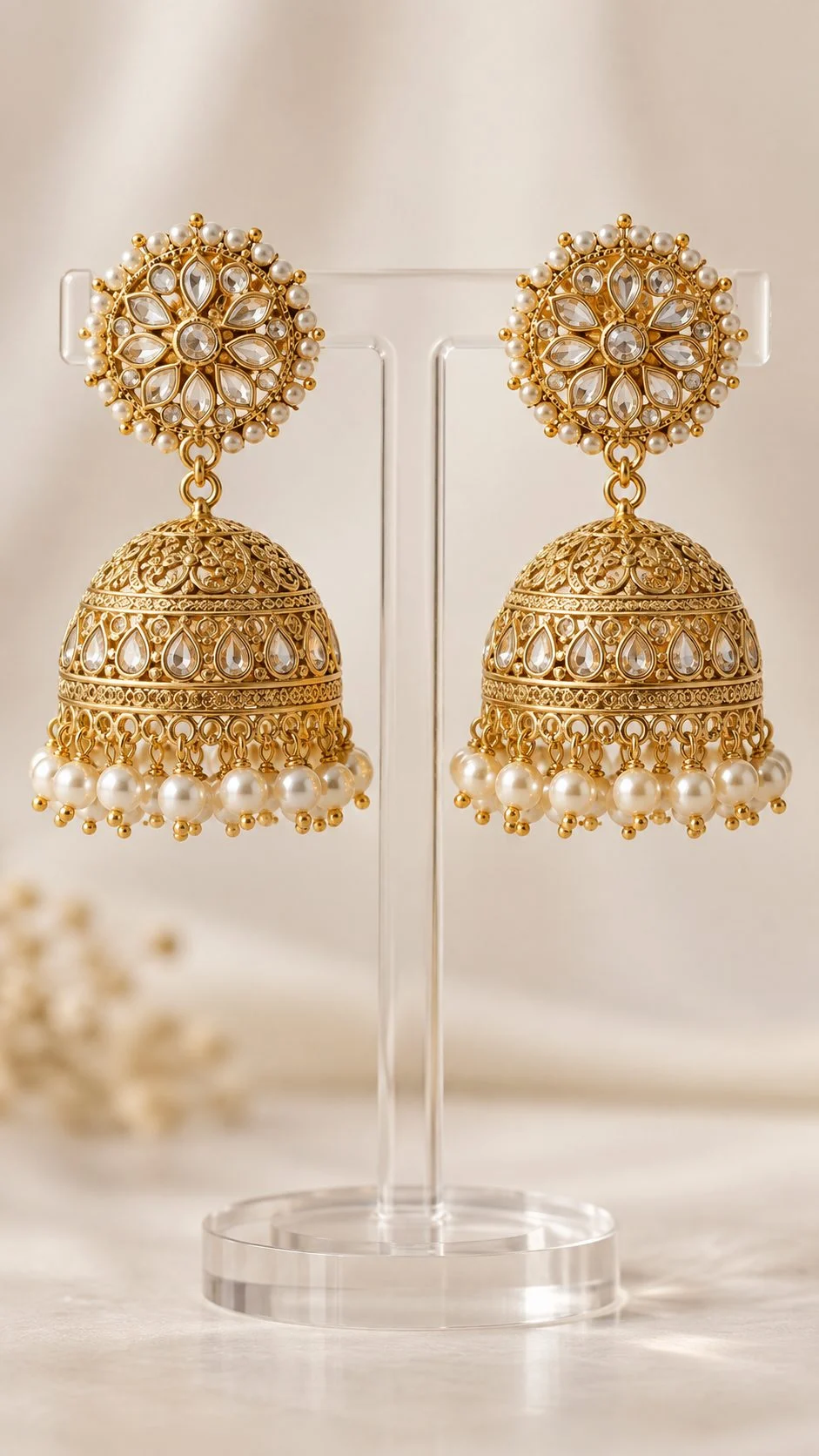
Jewellery main images need tight crops, controlled reflections and no busts or props in frame. Gallery slots are where you show scale on a model, the clasp, the back of the piece and a lifestyle frame.
Footwear
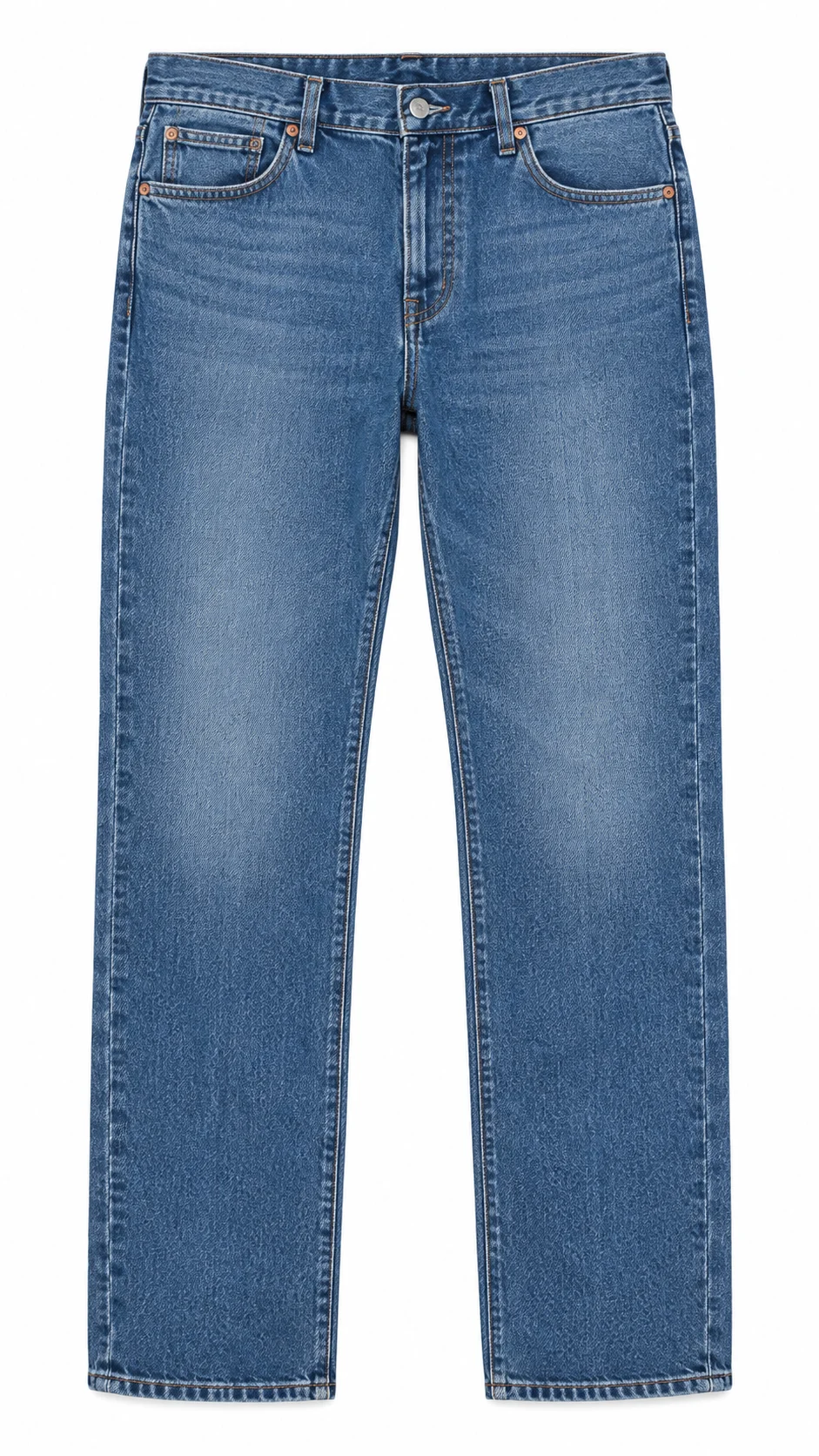
Shoe main images usually show one shoe at a slight angle, pointing left, on pure white. Use the gallery for the pair, the sole, the heel and an on-foot shot.
Home, kitchen and electronics
Show only what is in the box on the main image. Use the gallery for dimensions, the product in use, and an in-the-box flat lay so buyers know exactly what arrives.
Which shoot type fits each Amazon image slot?
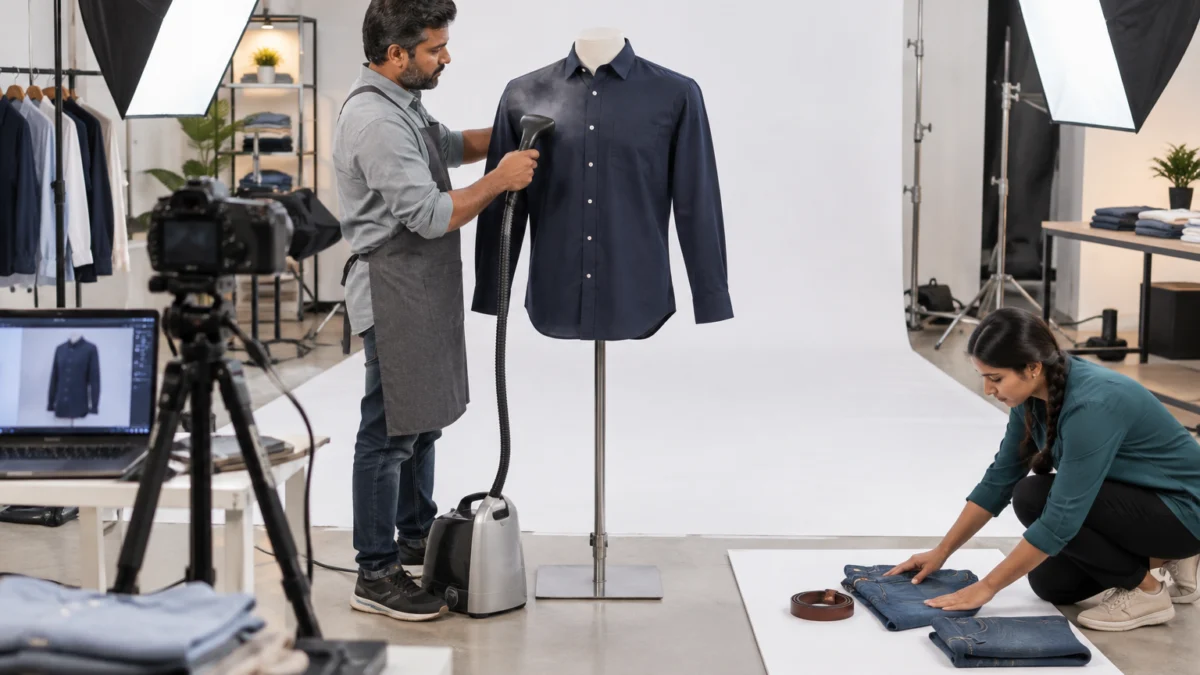
Use a clean white-background shoot for the main image, detail and flat lay shots for close-ups and “in the box” slots, on-model images for fit and lifestyle, and a short video for movement. Matching the shoot type to the slot meets the Amazon product image requirements and answers buyer questions at the same time.
For accessories, kids’ wear, combo packs and folded apparel, well-shaped flat lay shots give you a compliant off-model main image and a clear “what’s included” frame in one session. For a deeper look at the trade-offs between formats, read our comparison of ghost mannequin vs model photography vs flat lay for marketplaces.
| Shoot type | Best Amazon slot | Why it works |
|---|---|---|
| White-background packshot | MAIN | Meets the white background and fill rules |
| Ghost mannequin (invisible edit) | MAIN, PT01 for apparel | Shows garment shape without a model or visible form |
| Flat lay | MAIN for kids’ wear, PT07–PT08 | Clean off-model view, sets and combos |
| On-model | MAIN for adult apparel, PT03–PT04 | Shows fit, length and styling |
| Macro detail | PT02 | Fabric, stitching, finish |
| Reel or garment video | Video slot | Movement, stretch, fall of fabric |
How much does an Amazon-ready image set cost?
Uniqs Studio prices are per product or per image, so you only pay for the slots you need. These are our standard rates for the shoot types sellers use most for Amazon listings:
| Shoot type | Images | Turnaround | Price |
|---|---|---|---|
| Footwear | 4–5 angles | 5 days | ₹245 / product |
| Bags & handbags | 4–5 angles | 4–5 days | ₹295 / product |
| Jewellery (ring, earring) | 2–3 angles | 4–5 days | ₹300 / product |
| Ghost mannequin | 1 angle | 3–4 days | ₹250 / image |
| Flat lay | 2–3 angles | 6 days | ₹290 / product |
| Model Photography | 5–6 angles | 4–5 days | ₹400 / product |
| Ecommerce Reels Video | 20–25 seconds | 4–5 days | ₹900 / product |
| Garment Video with Model | 25–30 seconds | 4–5 days | ₹1,200 / garment |
Prices are per product/image as listed; call or WhatsApp +91-8076745824 for bulk catalogue quotes.
Planning a new Amazon catalogue? Call +91-8076745824 or WhatsApp +91-8076745824 with your SKU count and category, and we will suggest the right shoot type for every slot.
What mistakes break Amazon product image requirements most often?
The most common mistakes are shooting on a phone against a “white” wall, adding sale text to the main image, and reusing one variant’s photo for every colour. Each one either triggers suppression or causes returns once the product arrives.
- Grey or yellow whites from room lighting instead of a lit white backdrop.
- Over-retouched fabric that hides texture and makes the colour look unreal.
- Supplier images that show a different colour, pattern or packaging than your stock.
- AI-generated “model” images that alter the garment — they look neat but change details buyers check on delivery.
- Infographics with tiny text that nobody can read on a phone.
- Inconsistent galleries where every image has different lighting and crop.
- Missing scale shots, which lead to “smaller than expected” complaints.
Good post-production removes most of these issues before upload. Retouching should clean dust and loose threads, set the background to pure white and keep colours honest — never reshape the product into something it is not.
How do you check your images before uploading to Amazon?
Run every image through a short checklist before upload: background value, fill, text, size, format, file name and accuracy. Five minutes of checking saves days of suppressed listings and support tickets.
- Main image background reads RGB 255, 255, 255 at the edges.
- Product fills about 85% of the frame and nothing is cut off.
- No added text, logos, badges, borders or watermarks on the main image.
- Only items included in the box are visible.
- Longest side is at least 1,000 px (we export about 2,000 px).
- File is JPEG in sRGB, or another accepted format.
- File names follow ASIN.MAIN and ASIN.PT01–PT08 for bulk uploads.
- Each colour variant has its own main image.
- Gallery covers angles, detail, scale, lifestyle and size.
- Colours match the physical product under daylight.
If you also sell on Google Shopping or your own website, the same clean files help there too; Google’s image SEO best practices reward sharp, descriptive, well-named images just like Amazon does.
Frequently asked questions about Amazon product image requirements
These are the questions sellers ask us most often about Amazon images, answered briefly. Tap a question to open the answer.
The main image must be a real photograph of the product on a pure white background (RGB 255, 255, 255), filling about 85% of the frame, with no text, logos or extra items. Images should be at least 1,000 px on the longest side for zoom and saved as JPEG, TIFF, PNG or non-animated GIF.
Use at least 1,000 px on the longest side so zoom works. Uniqs Studio usually exports around 2,000 px square in sRGB JPEG, which gives crisp zoom without very large files.
Usually the main image is missing, the background is not pure white, there is added text or graphics, the product is too small, or extra items are visible. Check the reason in Seller Central, fix or replace the main image, and re-upload.
Yes, gallery images can carry short text, infographics, size charts and lifestyle backgrounds, as long as they are accurate. Only the main image must stay free of added text, logos and graphics.
You can upload a main image plus additional images named PT01 to PT08. How many are shown depends on the category and device, so put your most important images in the first slots.
The main image must be a real photograph of the actual product. Even in gallery slots, AI images often change prints, stitching or colours, which leads to returns, so Uniqs Studio recommends real photographs of the real SKU.
What is your next step after meeting Amazon’s image rules?
Once your images meet the Amazon product image requirements, the next job is making sure the photos stop returns, not just pass the checks. That means true colour, honest fit and clean garment shape in the very first image.
For shirts, kurtas, tops and jackets, the fastest way to get a compliant apparel main image is ghost mannequin photography — it shows the real 3D shape of the garment on pure white, with no model and no visible form. Satyam and the Uniqs Studio team shoot Amazon catalogues every week in our Delhi studio and across Gurgaon, Noida, Faridabad and Ghaziabad.
Get Amazon-ready images from Uniqs Studio
Trusted by 500+ D2C brands and marketplace sellers. Call Satyam on +91-8076745824, email [email protected], or visit us at 1800/9, Kalkaji Extension, New Delhi (Mon–Sat, 10 am–7 pm).