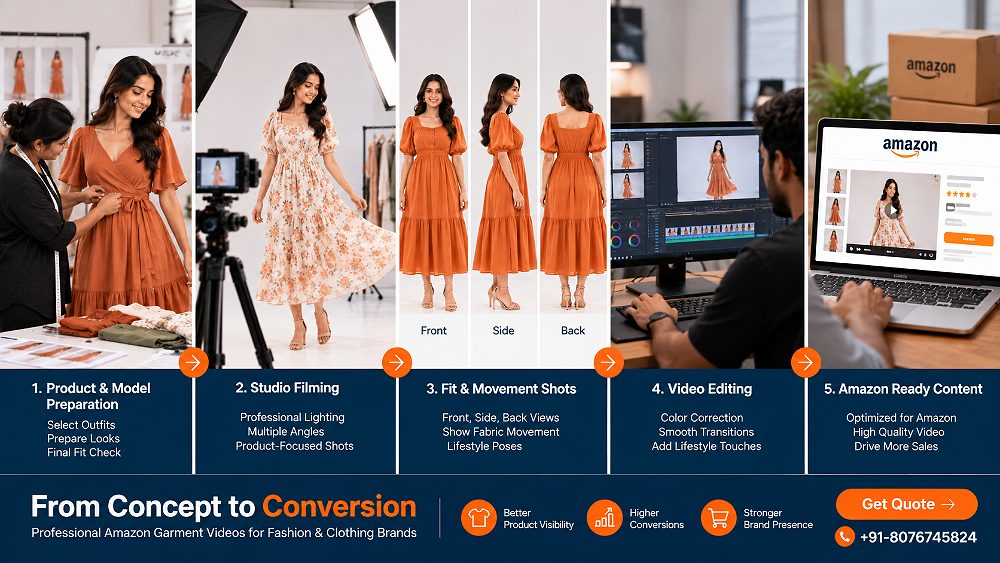
Amazon Garment Video Guide: 11 Proven Shots for Fashion & Clothing Brands
A practical production framework for fashion sellers who need an Amazon Garment Video to communicate fit, movement, fabric, styling and product detail without turning the listing into a generic fashion film.
By Satyam17 September 2026Approx. 16 min readDelhi NCR
11product-first shots
Model-led garment video works best when the camera explains the product before it tries to impress the viewer.
Static listing images can show colour, silhouette and construction, but they cannot fully show how a garment behaves once a real person moves in it. An Amazon Garment Video adds that missing layer: front and back fit, side profile, fabric drape, walking movement, close-up texture and practical styling. For an Amazon seller, D2C fashion brand or apparel manufacturer, the aim is not to create a dramatic campaign film; it is to make the clothing easier to understand before purchase.
That production logic also makes the footage more reusable. A carefully planned fashion product video can feed Amazon product-detail content, short product reels, Shopify product pages and social cutdowns while keeping the same SKU styling. Brands distributing across Amazon, Flipkart and Myntra can therefore capture one consistent visual system instead of commissioning disconnected assets for each channel.
Uniqs Studio approaches this type of shoot around product clarity first. The 11-shot framework below focuses on the questions shoppers usually cannot answer from stills alone: How does it fit? How does it move? What does the fabric actually look like? What details justify the price? Marketplace requirements can change, so the production master should stay flexible enough to export new versions without reshooting the collection.
Quick Answer
An Amazon Garment Video is a product-focused clothing video that uses controlled model movement, detail coverage and fit demonstration to help ecommerce shoppers understand the garment more clearly. The strongest version shows front, back, side, drape, texture, construction and a clean hero finish while keeping the product—not the edit—as the main subject.
Key Takeaways for Fashion Sellers
Build every Amazon Garment Video around buyer questions, not random poses.
Show front, side and back fit before adding creative movement.
Capture fabric drape and close details under colour-accurate studio lighting.
Frame safely for marketplace, vertical reels and D2C product pages in the same shoot.
Verify current Amazon eligibility, placement and export requirements before final delivery.
Fundamentals
What Is an Amazon Garment Video?
An Amazon Garment Video is a product demonstration for clothing. Instead of relying only on static photographs, it shows a garment on a model through controlled views and natural motion so shoppers can judge fit, shape, drape, fabric response and construction. The useful question is not “does this look cinematic?” but “does this footage reduce uncertainty about the product?”
A strong Amazon product video can include a neutral full-body view, a measured turn, a close look at fabric details and a simple fit demonstration. That same capture can become an Amazon shoppable video, a short garment product video for a D2C page or a social cutdown, provided the master footage is framed with those outputs in mind.
Amazon Garment Video vs Traditional Product Photography
Photography and video solve different ecommerce problems. Photography freezes the exact shape, colour and construction for high-resolution inspection; video reveals how those details behave over time. Brands should therefore treat an Amazon Garment Video as a complement to listing photography, not a replacement. A coordinated production can pair video with professional garment photography and a consistent fashion catalogue workflow so every SKU looks like one visual system.
Amazon Shoppable Video vs Fashion Product Reels
An Amazon shoppable video is closer to a decision-support asset: the shopper is already evaluating a product and needs clarity. A fashion reel can move faster, use trend-led pacing and build discovery. The production opportunity is to capture clean product information first, then edit alternate versions. This is why the one-shoot, multiple-assets approach is efficient for fashion brands.
Commercial Value
Why Amazon Garment Video Matters for Fashion & Clothing Brands
Fashion has several product characteristics that static images struggle to communicate completely. A satin dress may photograph beautifully but the shopper still cannot see its real drape while walking. A structured blazer can look sharp from the front while the side depth, shoulder movement or back length remain unclear. An Amazon Garment Video makes those characteristics visible in seconds.
FitShow front, side and back proportions on a real body.
MovementReveal swing, stretch, flow and silhouette changes while walking.
FabricCommunicate texture, weight, sheen, transparency and drape.
DetailsDemonstrate pockets, zips, cuffs, closures, embroidery and finish.
For brands already investing in fashion photography for clothing brands, video should use the same sample preparation, styling logic and colour discipline. A coordinated shoot can also support Fashion Photography services, helping the homepage service proposition connect naturally with product video, still imagery and ecommerce campaign content.
The 11-Shot Framework
11 Essential Amazon Garment Video Shots Every Fashion Brand Should Capture
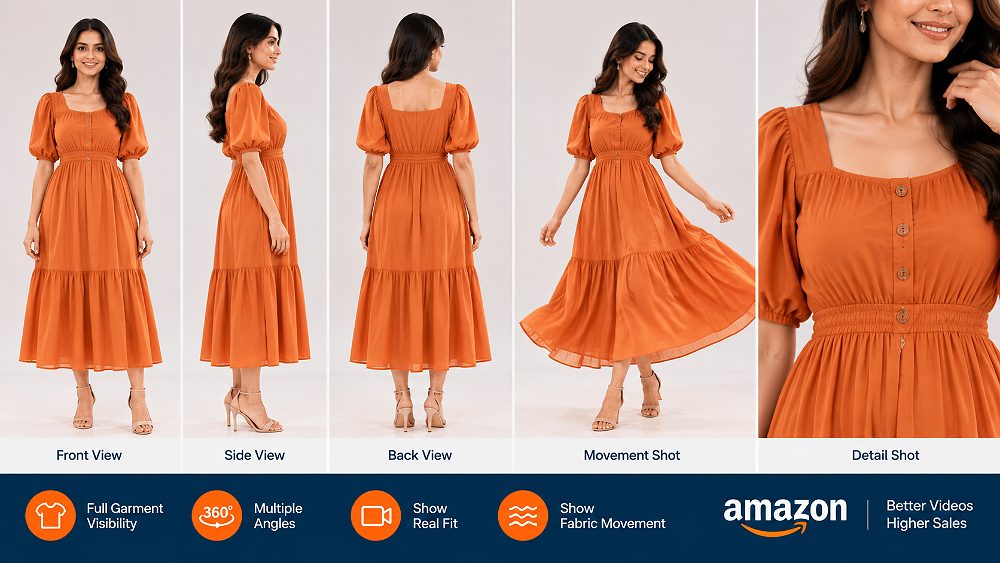
The most dependable Amazon Garment Video sequence moves from basic fit information to movement and detail, then finishes with a clean hero frame. Not every SKU needs identical choreography. A kurta, sports bra, oversized shirt and sequinned dress behave differently, so the movement should demonstrate the garment’s own selling points.
01
Full Front Fit Shot
Start with the model standing naturally and the full silhouette visible. Keep hands and accessories from hiding the product. This anchor view lets the shopper judge neckline, shoulder placement, overall length and the way the garment sits before movement begins.
02
Back Fit Shot
Show the back construction clearly enough to understand length, seam placement, closures and how fabric sits across shoulders, waist or hips. This view is especially important when the back design differs from the front or includes key details.
03
Side Profile Shot
A side profile adds depth information that flat front images cannot provide. Use it to show sleeve volume, hem fall, torso shape and the relationship between the garment and the body without exaggerating the pose.
04
Walking & Natural Movement Shot
Ask the model to walk at a controlled pace through a repeatable mark. The goal is to show garment movement, not runway performance. Dresses, skirts, wide-leg trousers and loose shirts benefit from this because shoppers can see drape and swing.
05
Fabric Movement Close-Up
Move closer and show how fabric responds to a small hand movement, turn or breeze created in a controlled studio setup. This helps reveal lightness, stiffness, stretch or flow while keeping the motion believable for normal wear.
06
Material & Texture Close-Up
Capture weave, embroidery, print edges, sheen or surface finish with enough light to retain texture. A product close-up should support the Amazon fashion product video rather than feel like an unrelated macro beauty shot.
07
Construction & Feature Detail Shot
Demonstrate functional details such as buttons, zippers, pockets, drawcords, collars, cuffs or adjustable features. If the feature affects use, show it operating once in a clean motion so the video answers a real purchase question.
08
360-Degree Model Turn
Use a slow, controlled turn instead of a fast spin. The Amazon garment video shoot should keep posture consistent so the shopper sees front, side and back continuity without motion blur or distracting changes in the garment.
09
Styling Demonstration
Show one practical styling cue only when it improves product understanding. A tucked shirt, rolled cuff or layered jacket can be useful; excessive jewellery, props or accessories can make the fashion product video harder to evaluate.
10
Fit & Comfort Demonstration
Use natural arm movement, a gentle stretch, sitting or a short walk when relevant to the garment. The objective is to demonstrate comfort and range rather than make unsupported performance claims.
11
Hero Closing Shot
Finish with a stable full-body or medium frame that presents the garment clearly. This clean ending works for an Amazon clothing video and also gives editors a strong point for product reels, marketplace cutdowns and campaign versions.
Shot
What It Shows
Recommended Framing
Buyer Question Answered
Priority
Front fit
Silhouette and proportion
Full body
How does it sit?
Essential
Back fit
Length and construction
Full body
What does the back look like?
Essential
Side profile
Depth and volume
Full/three-quarter
How bulky or slim is it?
Essential
Walking
Drape and motion
Full body
How does it move?
High
Texture
Weave and finish
Close-up
What does the fabric feel like visually?
High
Feature detail
Closures and trims
Close-up
How do the details work?
High
360 turn
Continuous shape
Full body
What is the all-around fit?
High
Hero close
Final product recall
Full/medium
What should I remember?
Useful
Keep shot variety product-led: every angle should answer a different buyer question.Planning Before Camera
Amazon Garment Video Pre-Production Checklist
Pre-production decides whether a shoot moves quickly or burns time fixing preventable issues. For an Amazon garment video shoot in Delhi NCR, Uniqs Studio recommends locking sample condition, model fit, styling and output plan before the camera starts. The same discipline used in a controlled studio fashion shoot is even more important in video because wrinkles and fit issues remain visible across many frames.
1
Create a Garment-Specific Shot List
Mark the hero view, front/back/side coverage, movement, fabric, fit, styling and closing shot for every SKU family. Add special details only where the garment needs them. This prevents the Amazon Garment Video from becoming a repetitive pose reel.
2
Prepare Samples Before the Video Shoot
Steam or iron every garment, trim loose threads, test zips and buttons, confirm colourways and keep backup samples for high-volume days. Video exposes small preparation errors repeatedly, so fixing them before filming protects both speed and polish.
3
Select the Right Model, Styling and Garment Size
Match model measurements to the intended fit rather than forcing a sample onto the wrong body. Keep shoes and accessories consistent with the product category. For additional model-planning context, the Amazon model photography guide is useful for still-image coordination.
4
Prepare Lighting, Background and Set
Use a clean background, sufficient space for walking and soft controlled light that preserves fabric texture. Test dark and light garments separately so blacks do not crush and white fabrics do not lose construction detail.
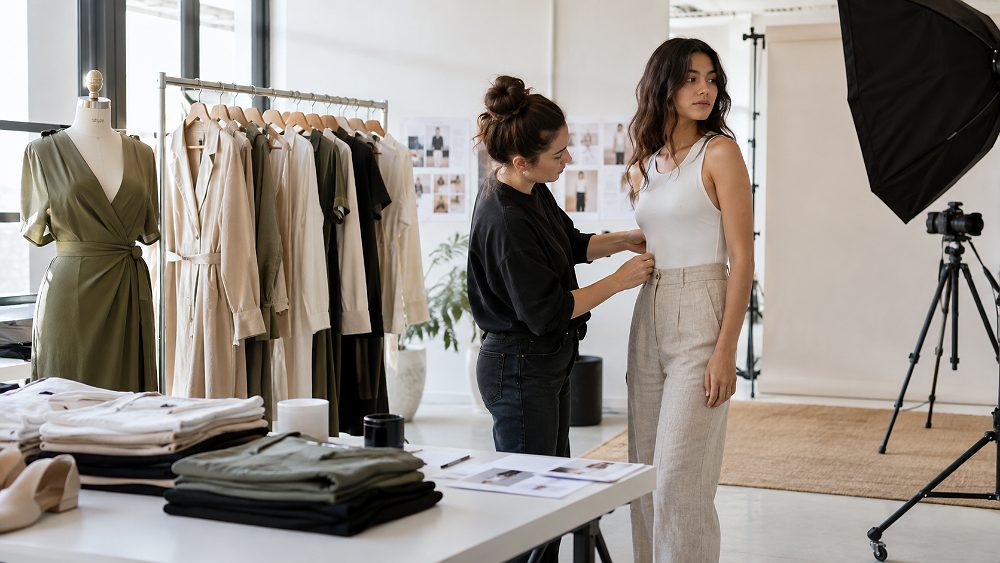
Garment preparation, styling and model fit checks save more production time than fast editing can recover later.Production Direction
How to Shoot an Amazon Garment Video With Models
Camera Framing for Fashion Product Video
Frame for complete product visibility first. Keep camera height and lens perspective consistent across similar SKUs, and leave enough safe space for alternate crops. Dramatic low angles can distort trouser length or body proportions, while very tight crops can make vertical reuse impossible. A practical Amazon Garment Video master should survive horizontal listing edits and vertical social cutdowns without cutting off the garment’s key features.
Model Movement for Amazon Garment Video
Model direction should be simple and repeatable: natural walk, controlled stop, small turn, relaxed arm movement and one garment interaction if relevant. Avoid constant fashion-film posing that hides the product behind crossed arms or extreme body angles. For a high-volume collection, repeatable movement also makes editing more consistent across ASINs and colour variations.
Lighting Garments for Accurate Fabric Detail
Soft studio lighting should separate the garment from the background while maintaining colour accuracy and texture. Watch highlights on satin, sequins and coated fabrics; protect shadow detail on navy and black clothing. The objective is a truthful ecommerce garment video, not a stylised grade that makes the product look materially different from the listing stills.
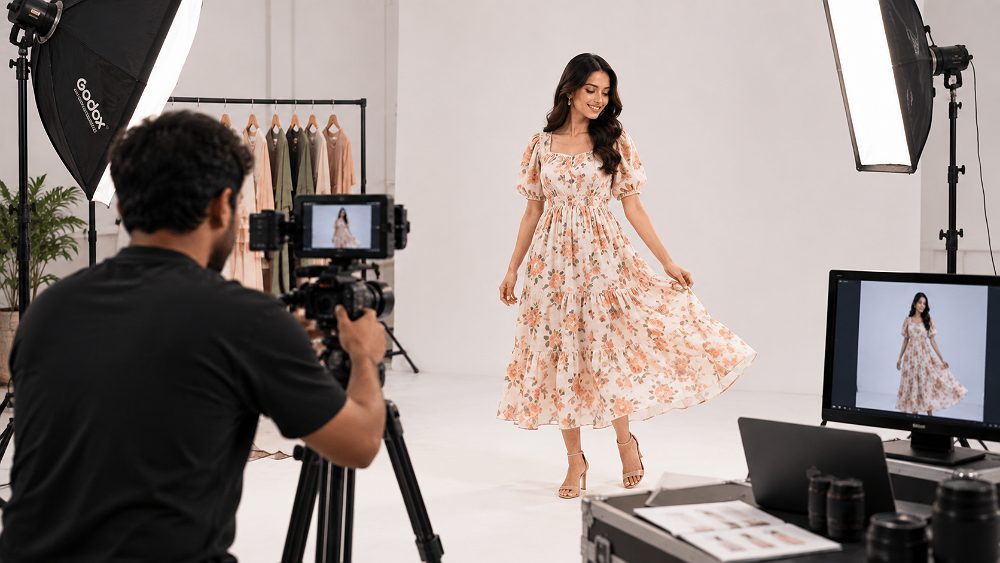
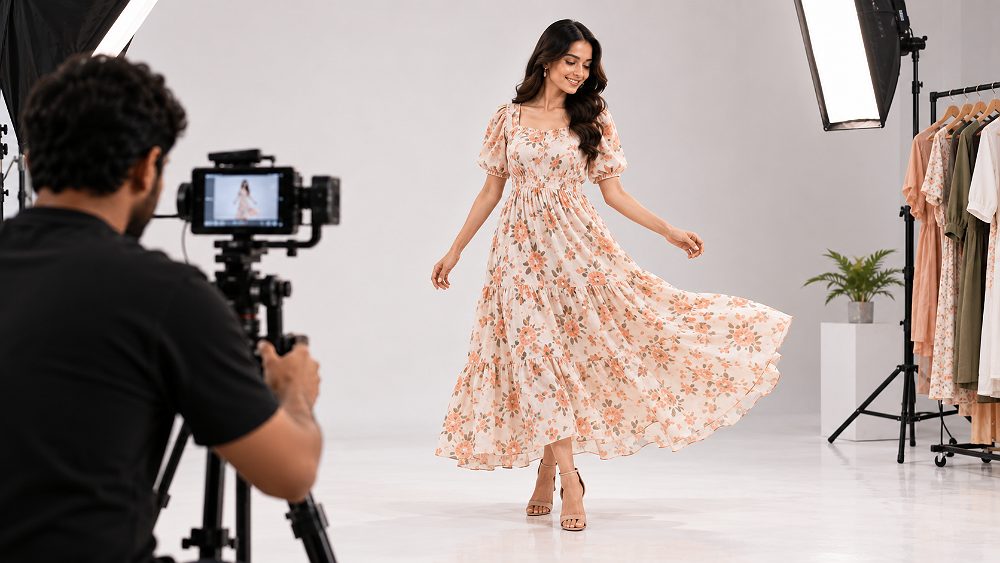
Controlled motion reveals drape and fit without turning the product demo into performance footage.
Original Video Slot
Amazon Garment Video Example: Fashion Product Shoot With Model
Recommended example sequence: front fit, side view, back fit, walking movement, fabric close-up, feature detail, 360 turn and final hero shot.
Product Understanding
How to Show Fit, Fabric, Movement and Sizing in Amazon Garment Video
Demonstrating Garment Fit
Fit becomes credible when front, back and side views agree with one another. Keep the model’s posture neutral, state sizing context elsewhere in the listing when appropriate, and avoid pinning or clipping the garment into a shape that the customer will not receive. An Amazon Garment Video should support the product detail page rather than contradict it.
Showing Fabric Drape and Movement
Use movement that matches the textile. Lightweight dresses can show walking flow; structured jackets may need a turn and arm movement; stretchwear can demonstrate range without making medical or performance claims. Controlled fabric interaction helps the shopper judge drape more effectively than a fast montage.
Capturing Texture and Construction Details
Close-ups should prioritise what affects perceived quality: weave, embroidery, stitching, lining, trims, closures and edge finishing. Use stable focus and sufficient depth so the product detail video does not hunt for focus. When these details are also photographed, the Amazon 7-image framework can help coordinate the still and motion shot list.
Seller Central Planning
Amazon Garment Video Requirements & Upload Planning
Check Current Amazon Video Requirements Before Production
Do not lock a production around old screenshots or remembered limits. Before final export, verify current format, resolution, duration, file-size, thumbnail, eligibility and placement guidance inside Amazon Seller Central. Amazon’s tools and placements can evolve by account, region and programme, so the safest production strategy is to keep a high-quality master and generate compliant delivery versions only after the current requirements are confirmed.
Prepare Deliverables for Seller Central
Keep the master edit, platform export, thumbnail, ASIN mapping sheet, file naming and backup versions together. Variations may need their own product associations, so document which footage belongs to which colour or style. For advertising-focused video, review the current Amazon Ads Sponsored Products video guidance because ad creative rules and listing-video expectations are not always identical.
Production rule: shoot the highest useful master quality your workflow can manage, but treat the latest platform specification as an export decision—not as the creative ceiling of the shoot.
Format Decision
Amazon Product Reels Video vs Amazon Shoppable Video vs Social Media Reels
Different placements create different viewer intent. A shopper on a product page wants proof and clarity; a social viewer may need a faster hook. The best starting point is one product-first master shoot with enough clean coverage to cut platform-specific versions rather than forcing one finished edit everywhere.
Format
Primary Purpose
Best Content
Typical Orientation
Product Focus
Social Reuse
Best For
Amazon listing/product video
Decision support
Fit, features, use
Verify current placement
Very high
Medium
Product detail page
Amazon shoppable video
Product discovery + action
Demonstration, benefit
Placement dependent
High
High
Shoppable content
Short product reel
Fast product story
Hero, movement, detail
Vertical-friendly
High
Very high
Marketplace/social
Instagram/Reels cutdown
Discovery and engagement
Hook, styling, motion
Vertical
Medium-high
Native
Social campaigns
D2C website product video
On-site evaluation
Fit, texture, close-up
Site dependent
Very high
High
Shopify/D2C pages
For brands building multiple edits, the ecommerce product video types guide explains how demonstration, reel and marketplace versions can share one production base without becoming identical.
Indicative India Planning
Amazon Garment Video Production Budget in India
An Amazon Garment Video budget is shaped by garments, models, styling, studio time, shot complexity and final deliverables. The figures below are planning bands rather than an official Uniqs Studio quotation. Fashion brands should price the whole production system—prep, capture, editing and output count—not just the camera hours.
Production Level
Indicative Budget
Garments
Model
Editing
Deliverables
Best For
Basic
₹8,000–₹15,000
Small set
Optional/basic
Clean trims
Simple demos
Small sellers
Standard
₹15,000–₹30,000
Planned set
Model-led
Marketplace edit
Core product videos
D2C / sellers
Premium
₹30,000–₹60,000
Multiple garments
Professional model
Polished + cutdowns
Marketplace + social
Growing brands
Enterprise
Custom Quote
Large catalogue
Planned casting
High-volume workflow
Multi-format library
Recurring collections
Actual production cost depends on SKU count, model requirements, studio time, garment preparation, styling, shot complexity, editing depth, output formats and production volume. For still-image budgeting alongside video, see the fashion photography cost guide.
Quality Control
10 Common Amazon Fashion Video Mistakes to Avoid
Hiding garment fit with excessive posing: keep arms and props from covering the silhouette.
Using lighting that changes fabric colour: match the motion asset to approved still-image colour as closely as practical.
Skipping back and side fit: front-only footage leaves major buyer questions unanswered.
Using distracting sets: the garment should remain the dominant visual information.
Editing too fast: give shoppers enough time to inspect movement and construction.
Ignoring garment details: include closures, pockets, trims and texture when they affect value.
Not shooting vertical-safe footage: social reuse becomes expensive when the original framing is too restrictive.
Forgetting the thumbnail: plan a clear frame or supporting still for the video entry point.
Shooting before checking marketplace requirements: confirm the latest delivery rules before final export.
Using identical movement for every garment: a rigid jacket and a flowing dress should not demonstrate the same behaviour.
Many of these mistakes also appear in still photography. The Myntra model-shoot checklist is a useful companion for teams coordinating model poses across both photography and video.
Six-Step Process
Complete Amazon Garment Video Production Workflow
01
Creative Brief & SKU Planning
Define garments, selling points, output channels and which buyer questions each video must answer.
02
Shot List & Model Planning
Match model measurements, movement and coverage to garment families instead of creating one generic routine.
03
Garment Preparation & Styling
Steam, inspect and organise samples in shoot order, with backup items where possible.
04
Studio Production
Capture fit, movement and details under repeatable lighting with safe framing for alternate edits.
05
Editing & Ecommerce Formatting
Build a clean master, then create Amazon product video, reel and D2C versions from approved footage.
A repeatable workflow matters more as SKU volume grows.One Shoot, More Assets
How Fashion Brands Can Reuse Amazon Garment Video Content
Capture wide, vertical-safe and detail footage during the same production so the Amazon Garment Video becomes a content library rather than a single file. Clean masters can support Amazon and Flipkart product content, Myntra campaign edits and shorter brand-led clips without changing the underlying garment presentation.
Amazon listing video
Amazon product reels video
Instagram Reels
Facebook ads
Shopify product pages
Ajio campaign content
Nykaa fashion/lifestyle placements where relevant
WhatsApp catalogue clips
Paid social advertising
Collection launch videos
Product-detail clips
Marketplace content archives, including Paytm-era brand libraries where applicable
Meesho, eBay and Etsy sellers may use different creative conventions, so the final cut should still respect each channel’s current requirements. The production principle remains the same: record truthful product information once, then adapt pacing, crop and text treatment to the destination.
Content Mix
Photography vs Garment Video: What Each Asset Should Do
Choosing an Amazon Garment Video Studio for Your Fashion Brand
Choose a studio that understands clothing as a product category, not only video production. The team should be able to direct models, control colour, recognise fabric behaviour, maintain continuity across SKUs and deliver versions for ecommerce and social media. A reliable high-volume workflow is particularly important when seasonal collections must be published on schedule.
Uniqs Studio combines fashion-specific production with ecommerce editing and coordinated still-image services. Brands can review the studio’s ecommerce video production services and model photography capabilities when planning one production day for listing video, model imagery and derivative assets.
Plan Your Shoot
Build the shot list around fit, movement and product details first.
For Amazon garment video production services in Delhi NCR, discuss SKU count, model needs and delivery formats with Satyam before the shoot date.
Frequently Asked Questions About Amazon Garment Video
An Amazon Garment Video is a clothing-focused ecommerce video that demonstrates the garment on a model through fit views, movement, fabric behaviour and product details. It helps shoppers understand aspects that static images cannot fully communicate, while keeping the product as the dominant subject.
It should show front, back and side fit, natural movement, fabric drape, texture, construction details and any relevant functional features. A strong Amazon Garment Video also includes a clear opening or hero view and avoids posing that hides the clothing.
Start with a garment-specific brief, prepare the samples, match the model size, plan the 11 core shots, film under controlled colour-accurate lighting, edit a clean master and then export versions after confirming current Amazon requirements. Keep every shot tied to a buyer question.
Use consistent camera height, full garment visibility and simple model direction. Capture front, side, back, walking, a controlled turn and close details. The clothing product video should make fit and fabric easier to judge rather than relying on dramatic edits.
The placement, format and customer intent can differ. Product reels are often cut for faster visual discovery, while shoppable or listing-focused video should support product evaluation. One well-planned Amazon Garment Video shoot can capture source footage for both types of edit.
Yes, when the production captures safe framing, vertical-friendly shots and clean product close-ups. The final edits should still be adapted for each destination. A single master should be a source library, not a reason to publish the identical cut everywhere.
There is no single creative duration that suits every garment and placement. Keep the edit as long as needed to explain fit and details without repetition, then verify the current duration and technical rules for the exact Amazon video placement before export.
Indicative planning bands can begin around ₹8,000–₹15,000 for simple demonstrations, while model-led and multi-format productions can rise significantly. The actual price depends on SKU count, models, studio time, styling, complexity, editing and the number of deliverables.
Fashion brands can use an ecommerce studio with model direction, garment preparation, colour-controlled lighting and multi-format editing. Uniqs Studio serves Delhi NCR brands planning Amazon Garment Video, fashion photography and ecommerce video production in one coordinated workflow.
Next Step
Plan One Production for Amazon, D2C and Social Commerce
For an Amazon Garment Video that clearly shows fit, movement and fabric, start by grouping SKUs by garment behaviour and then build a repeatable shot list. Uniqs Studio can coordinate model video, fashion photography and ecommerce cutdowns for brands that want one organised production system rather than separate shoots.