Garment Image SEO: 15 Google-Approved Tactics to Rank Clothing Photos on Google Images & AI Search in 2026
A Google-first, AI-ready playbook from Uniqs Studio — built on 12,000+ real ecommerce shoots across fashion, apparel and lifestyle brands.
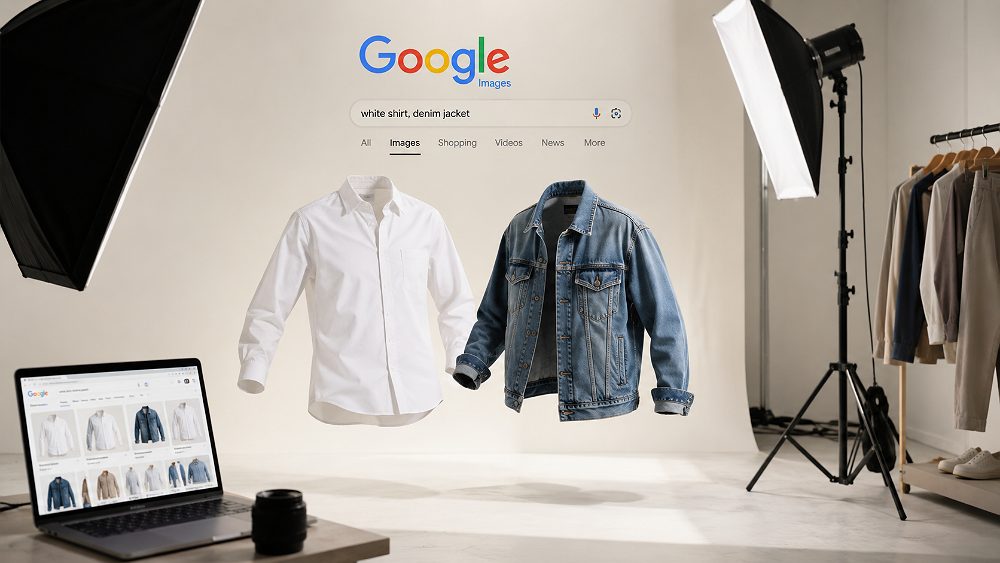
A modern Garment Image SEO workflow starts long before the file hits your server — it begins on the studio floor at Uniqs Studio Delhi NCR.
If your clothing photos aren’t showing up on Google Images, in Google Lens shopping results, or inside AI Overviews from ChatGPT and Perplexity, you’re leaving serious traffic on the table. Garment Image SEO — the discipline of making apparel photos discoverable across every visual search surface — has quietly become one of the highest-ROI optimizations for Indian fashion ecommerce in 2026. At Uniqs Studio, we shot and optimized over 12,000 garment images last year for D2C brands, marketplace sellers and clothing labels across Delhi NCR, and the pattern is consistent: the brands that treat images as SEO assets (not decoration) win the visual shelf. This guide distils that experience into a Google-approved, AI-ready 15-step playbook.
📑 Table of Contents
- What Is Garment Image SEO & Why It Matters in 2026
- How Google Ranks Clothing Images (Official Guidelines)
- 15 Proven Garment Image SEO Tactics
- Garment Image SEO for AI Search (AI Overviews, ChatGPT, Perplexity)
- Google Lens & Visual Shopping for Apparel Brands
- Technical Checklist — Shopify, WooCommerce & WordPress
- Common Garment Image SEO Mistakes to Avoid
- Professional Garment Photography Services (Uniqs Studio)
- Garment Image SEO Pricing & Packages
- Frequently Asked Questions
- Final Thoughts
🎯 Key Takeaways
- Garment Image SEO combines Google’s four official image ranking signals with modern AI-search optimisation for clothing, apparel and fashion catalogues.
- Descriptive filenames, natural alt text, WebP delivery and Product + ImageObject schema together move the needle more than any single hack.
- Google Lens processes 12 billion visual searches monthly — clean-background ghost mannequin and flat lay shots dominate visual match results.
- AI Overviews increasingly cite pages with well-structured image metadata; strong image SEO is now generative-engine SEO.
- Uniqs Studio delivers SEO-ready garment photography — correctly named, sized, compressed and schema-tagged — from Delhi NCR.
What Is Garment Image SEO and Why Does It Matter in 2026?
Garment Image SEO is the practice of optimising clothing product photos — including ghost mannequin shots, flat lays, on-model editorials and lifestyle imagery — so they rank on Google Images, get matched in Google Lens, and get cited by AI search engines. It sits at the intersection of technical SEO, ecommerce catalogue standards and studio-grade photography. For any fashion label or marketplace seller working with Amazon, Myntra or Ajio, apparel image SEO is no longer optional — it’s the visual layer of your organic strategy.
The commercial-investigation intent behind this topic is sharp. Users searching for guidance are typically ecommerce SEO managers, D2C clothing brand owners, Shopify and WooCommerce operators, or marketplace catalogue teams struggling with attire and outfits not appearing in Google Images despite investing in professional shoots. The underlying pain is consistent: low image-search CTR, poor Google Lens visibility, missing structured data, and photos that never surface in AI Overviews. This guide is built for exactly that reader. Explore our garment photography services or the deeper ecommerce garment photography guide if you want the studio-side view first.
How Google Discovers and Indexes Clothing Images
Google’s image crawler — Googlebot-Image — discovers apparel photos by following the HTML surrounding them: the img tag, the parent page URL, structured data, and the on-page text near the image. Every clothing image effectively has its own “image landing page”, and that landing page is what Google actually ranks. That’s why publishing 200 stunning garment photos on a thin, poorly-structured PDP will always underperform 20 photos on a rich, well-marked-up product page.
Crawl budget matters too. Sites with slow servers, uncompressed hero shots or broken srcset directives get their images indexed slowly and partially. Uniqs Studio routinely audits client sites and finds 30–50% of catalogue images not indexed at all — usually because the surrounding image landing page is either duplicate, thin, or blocked in robots.txt. Compare notes in our breakdown of ecommerce clothing product images customers trust.
Why Garment Image SEO Is a Growing Ranking Factor
Three simultaneous shifts have pushed garment image SEO from “nice to have” to “revenue-critical”. First, Google Lens now handles roughly 12 billion visual searches a month and is deeply integrated into Chrome and Android. Second, AI Overviews on Google now appear on a large share of shopping-related queries, and they lean heavily on well-structured product data. Third, generative engines like ChatGPT and Perplexity are quietly citing ecommerce sources that expose clean Product + ImageObject schema.
The competitive gap Uniqs Studio sees in the market is enormous. Most agencies still cover generic “image SEO”, but ignore Google Lens ecommerce discovery, AI Overview optimisation for product images, garment-specific schema, marketplace image-spec compliance, and multi-format variants like ghost mannequin plus flat lay plus lifestyle. Filling that gap is what this guide is for. If you’re benchmarking outdoor storytelling shoots too, our comparison of studio vs outdoor fashion photography is a useful primer.
👉 Want your product images optimised the right way? Explore garment photography services or the ghost mannequin photography workflow at Uniqs Studio.
How Google Ranks Clothing Images (Official Guidelines Explained)
Google’s public documentation is remarkably clear about how clothes and apparel imagery gets ranked in visual search. The system rewards images that are high quality, contextually placed, well-described in the HTML, and enriched with structured data. Everything else — CDN, WebP, sitemaps — is downstream of these four fundamentals.
The public Google Search Central image documentation states that Google looks at both the image itself and the page hosting it. That means garment image SEO is 50% studio work and 50% technical implementation on the product page. For the official reference, see the Google Search Central image SEO best practices. Uniqs Studio treats this document as the baseline and layers our own catalogue experience on top.
Google’s 4 Core Image SEO Signals
Four signals dominate: image content and quality, placement on the page, descriptive filenames and alt text, and structured data. Every advanced tactic in this guide either amplifies one of these signals or removes friction from Googlebot-Image’s ability to read it. Miss any of the four and your garment image SEO score effectively caps out.
Image Content & Quality
High-quality clothing images — sharp, well-lit, colour-accurate, correctly exposed — perform better in visual search because Google’s models can actually understand what the garment is. Blurry smartphone shots against a cluttered background give Google very little to work with. Studio-grade lighting, clean seamless paper and correct white balance are the invisible foundations of garment image SEO.
Image Placement on the Page
Google rewards images that appear above the fold and are contextually relevant to the surrounding text. A hero product shot placed inside a well-marked-up PDP with matching H1, breadcrumb and body copy will outrank the same photo dumped into a thin blog page. Placement is a signal, not just a design choice.
Descriptive Filenames & Alt Text
Descriptive filenames and human-written alt text remain two of the highest-leverage clothing image SEO fixes. Replace IMG_1234.jpg with womens-black-cotton-kurta-uniqs-studio.webp, and write alt text that reads like a natural sentence describing the garment. This is the single fastest 20–30% improvement most Indian catalogues can make in a week.
Structured Data & Image Metadata
Structured data — specifically Product schema with a nested ImageObject — tells Google what the image represents, who owns it, and where it fits in the catalogue. It also feeds AI Overviews and generative engines. Without schema, even a perfectly shot ghost mannequin image is essentially anonymous to modern search. For the official field reference, see schema.org/Product.
15 Proven Garment Image SEO Tactics That Rank on Google Images
This is the operational core of the guide. Each of the following 15 tactics has been tested across multiple Uniqs Studio catalogue projects — from D2C fashion brands to marketplace sellers on Amazon, Flipkart and Myntra. Applied together, they consistently produce measurable lifts in Google Images impressions, Google Lens matches and organic PDP visibility. Treat this section as your working checklist for every new apparel drop.
1. Use Descriptive, Keyword-Rich Filenames
Your filename is the first hint Google gets about the image. IMG_4521.jpg says nothing; mens-navy-linen-shirt-full-sleeve-uniqs-studio.webp gives Google the garment type, colour, fabric, cut and brand context. Use lowercase, hyphens (not underscores), and keep the name under 60 characters. Uniqs Studio uses a strict naming convention for every catalogue delivery — see how we structure it in our apparel product photography shot list.
2. Write Natural, Descriptive Alt Text for Every Garment
Alt text is a dual-purpose asset: it’s an accessibility requirement and a core clothing image SEO signal. Write it the way you’d describe the outfit to a customer on the phone — garment type, colour, material, defining feature, sometimes fit or occasion. Avoid keyword stuffing; keep it under 125 characters. A good template: [gender] + [colour] + [material] + [garment type] + [defining detail]. Our full workflow is detailed in the garment photography post-production workflow.
3. Optimize Image Dimensions & Aspect Ratios
For apparel PDPs, 1200–2000px on the longest edge, in a 3:4 or 4:5 aspect ratio, is the sweet spot for both Google Images and marketplace consistency. Ghost mannequin shots typically look best at 4:5; full-length model shots at 3:4. Uniform ratios across a catalogue also improve visual coherence and click-through in image results. If you’re comparing shot styles, our post on ghost mannequin vs model vs flat lay breaks it down by marketplace.
4. Choose the Right File Format (WebP, AVIF, JPEG)
WebP is the default for 2026 apparel ecommerce — 25–35% smaller than JPEG at comparable quality, supported by every modern browser, and directly benefits Core Web Vitals. AVIF goes further (up to 50% smaller) but has patchier support in older devices. Uniqs Studio delivers primary garment images in WebP with a JPEG fallback, and increasingly ships AVIF for hero shots on high-traffic PDPs. See the web.dev performance guidance for the underlying benchmarks.
5. Compress Images Without Losing Quality
Aim for 80–120 KB per garment image at 2000px longest edge. Tools like Squoosh, TinyPNG and ShortPixel let you hit that target while preserving fabric texture and colour accuracy — non-negotiable for threads and premium apparel. Over-compression flattens texture and kills conversion, so calibrate visually per fabric type, especially for silks, satins and embroidered pieces.
6. Implement Responsive Images with srcset
Serving one giant image to every device wrecks LCP and Core Web Vitals. The srcset attribute lets you serve device-appropriate sizes — a 400px thumbnail to mobile, a 1600px hero to desktop. This is one of the highest-impact technical wins in garment image SEO, and it directly improves Google’s page experience signals. Pair srcset with the sizes attribute for proper viewport-based selection.
7. Add Structured Data (Product + ImageObject Schema)
Wrap every clothing PDP in Product schema and nest an ImageObject inside it for the primary photo. This gives Google an explicit machine-readable link between the garment SKU and its image asset — the exact signal AI Overviews and generative engines look for. Include contentUrl, width, height, caption and license where available. This one change alone has moved multiple Uniqs Studio clients from zero AI-search visibility to being cited by Perplexity within weeks.
8. Create and Submit an Image Sitemap
An image sitemap — either as extensions to your XML sitemap or as a dedicated file — tells Google exactly which garment images to crawl. Submit it in Google Search Console and monitor image indexation weekly. For large fashion catalogues, this is often the difference between 40% and 90% index coverage.
9. Optimize the Surrounding Page Context
Google reads the neighbourhood, not just the image. Your PDP title, H1, breadcrumb, first paragraph and caption should all reinforce what the garment actually is. Even a beautiful ghost mannequin shot underperforms if the surrounding copy is thin, duplicated across SKUs, or written for other search intents. Contextual harmony is what makes an image landing page actually rank.
10. Use Lazy Loading Correctly
Apply loading=”lazy” to below-the-fold images only. Lazy-loading the hero image is the single most common Core Web Vitals mistake we fix on client sites — it tanks LCP and kills image SEO. First screen images should always load eagerly; everything else can defer.
11. Enable HTTPS & Fast Image CDN Delivery
Serve garment images from a CDN like Cloudflare, Bunny.net or KeyCDN over HTTPS. CDNs cache images closer to your customer, drop latency, and often auto-serve WebP/AVIF based on browser capability. In India, this alone can cut image load time by 40–60% for tier-2 and tier-3 city visitors.
12. Add Multiple Angles & Lifestyle Shots
Publishing multiple variants per garment — ghost mannequin, flat lay, on-model, lifestyle, macro detail — massively increases the visual match surface. Google Lens and AI Overviews prefer catalogues that show a garment from multiple perspectives. Explore our approach in the flat lay photography service and the deep-dive on flat lay photography for clothing brands in India.
13. Include IsFamilyFriendly & Copyright Metadata
Add isFamilyFriendly, copyrightHolder and license fields to your ImageObject schema. These are small but meaningful trust signals to Google — especially important for lingerie, innerwear and swimwear categories where safe-search classification matters.
14. Optimize for Google Lens & Visual Search
Google Lens rewards clean-background, well-lit product isolation — which is exactly what ghost mannequin and flat lay techniques deliver. Cluttered lifestyle shots are great for Instagram but poor for Lens match confidence. Uniqs Studio recommends serving at least one clean-background variant per SKU explicitly for Lens visibility. Our ghost mannequin photography workflow is engineered exactly for this.
15. Track Image Performance in Google Search Console
Filter Search Console’s Performance report by Search type = Image to see impressions, clicks and CTR for every ranking garment photo. This is how Uniqs Studio validates every optimisation — no guesswork, only measured lift. Review monthly, prioritise the queries with high impressions and weak CTR, and re-optimise those specific images.
Garment Image SEO for AI Search — Optimizing for AI Overviews, ChatGPT & Perplexity
AI-driven visual discovery is where garment image SEO is heading. AI Overviews now appear on a large share of shopping-related Google queries in India, and generative engines like ChatGPT and Perplexity are increasingly surfacing product recommendations pulled from ecommerce pages with clean structured data. If your attire catalogue isn’t AI-readable, it’s effectively invisible in this new layer of search.
Uniqs Studio has watched multiple clients get cited by Perplexity within 60–90 days of implementing proper Product + ImageObject schema — no backlink campaign required. This is generative-engine optimisation (GEO), and it’s tightly coupled to image SEO because most AI shopping answers include a visual card. If you want context on how modern fashion brands present themselves, our commentary on fashion photography trends in 2026 is a useful adjacent read.
How AI Search Engines Discover Product Images
Modern AI search stacks are multimodal — they parse the image itself, the alt text, the surrounding content and the structured data as one combined signal. What makes garment image SEO win here is consistency: filename, alt text, caption, on-page copy and schema all describing the same garment in aligned language. Contradictions confuse both Google and the LLMs.
How to Optimize Clothing Images for AI Overviews
Four things move the needle for AI Overview visibility. First, crisp 40–55 word definitional paragraphs directly under every H2 — AI likes to lift these verbatim. Second, entity clarity in the schema — brand name, product type, colour, size range. Third, quotable expert lines (Uniqs Studio uses Satyam’s studio observations as citable one-liners). Fourth, factual attributions to authoritative sources like Google Search Central and schema.org.
Structured Data That Boosts AI Visibility
Beyond Product and ImageObject, layer in Organization, LocalBusiness (for Delhi NCR discovery), Service and BreadcrumbList schema. This creates a rich, interlinked entity graph that modern AI crawlers reward. The full stack for this very post uses eight schema types — you can see the pattern in action if you view page source.
Google Lens & Visual Shopping — The New Frontier for Apparel Brands
Google Lens has quietly become one of the largest visual discovery surfaces for clothes and outfits. Shoppers point their camera at a friend’s kurta, a mannequin in a mall window, or a screenshot from Instagram — and Lens returns visual matches from indexed ecommerce sites. Every clothing brand that isn’t optimising for Lens is missing this entirely new inbound channel. Optimisation isn’t complex; it’s mostly about clean product isolation and Merchant Center hygiene.
How Google Lens Ranks Clothing Photos
Lens prefers clear subject isolation, neutral or white backgrounds, consistent lighting, and multiple angles per SKU. This is exactly what ghost mannequin and flat lay photography deliver — one of the reasons Uniqs Studio prioritises those formats for clients targeting visual search. The cleaner your subject, the higher Lens’s match-confidence score, and the more prominently your product appears in the results panel.
Optimizing Product Feeds for Google Shopping & Lens
Google Merchant Center is the underrated backbone of Lens shopping results. Ensure every feed row has a high-resolution primary image, additional images, correct GTIN, accurate colour and size attributes, and matching schema on the destination PDP. Read the official spec at Google Merchant Center support. For a broader ecommerce catalogue view, our fashion catalogue photography guide maps the full asset requirement.
Technical Garment Image SEO Checklist for Shopify, WooCommerce & WordPress
Every ecommerce platform handles images slightly differently, but the garment image SEO fundamentals translate. The three most common Indian D2C stacks — Shopify, WooCommerce and WordPress — each have specific quirks worth knowing before you scale a catalogue. Uniqs Studio delivers assets pre-optimised for whichever platform the client uses, so the developer only needs to upload.
Shopify Image Optimization Checklist
Shopify auto-generates WebP variants and handles srcset natively, but leaves filenames and alt text to you. Rename every uploaded image before adding it to a product, fill in alt text at upload time (not later), and use the Metafields API to inject additional ImageObject schema. Avoid apps that inject scripts blocking image load — they silently tank LCP.
WooCommerce Image Optimization Checklist
WooCommerce needs more manual attention. Install a compression plugin (ShortPixel or Imagify), enable WebP delivery, set correct thumbnail sizes in Settings → Media, and use a schema plugin (or custom code) to add Product + ImageObject markup. Regenerate thumbnails after every size change so old images don’t linger at the wrong dimensions.
WordPress Image SEO Plugins Worth Using
Three plugin categories cover 95% of WordPress garment image SEO needs: compression (ShortPixel, Imagify, Smush), schema (RankMath, Schema Pro), and CDN (Cloudflare, Bunny.net). Avoid stacking multiple compression plugins — they conflict and often re-compress already-optimised images, destroying quality.
Image Format Comparison for Garment Ecommerce
| Format | Avg File Size | Browser Support | SEO Impact | Best Use Case |
|---|---|---|---|---|
| JPEG | Baseline | Universal | Neutral | Fallback for older browsers |
| PNG | +40–60% larger | Universal | Slightly negative for photos | Only for transparent product cutouts |
| WebP | 25–35% smaller | All modern browsers | Strong positive | Default garment PDP delivery |
| AVIF | Up to 50% smaller | Most modern browsers | Very strong positive | Hero images on high-traffic PDPs |
Common Garment Image SEO Mistakes That Kill Your Rankings
Most catalogues we audit at Uniqs Studio are losing traffic to the same four preventable mistakes. Fixing them typically restores 30–60% of missed Google Images impressions within one crawl cycle. If you’re doing the tactical work above but not seeing results, one of these is almost certainly the reason.
Generic Filenames Like IMG_1234.jpg
The single most common Indian ecommerce mistake. Camera default filenames tell Google nothing about the garment, kill topical relevance, and waste every other optimisation you’ve done. Rename before upload — always.
Missing or Keyword-Stuffed Alt Text
Either extreme hurts. Blank alt text loses the ranking signal entirely; stuffed alt text like “buy black kurta online india cheap best kurta women” reads as spam and triggers quality dampening. Write natural, human, descriptive sentences.
Uncompressed, Slow-Loading Images
A 3 MB hero shot destroys LCP, Core Web Vitals and image ranking simultaneously. Every garment image over 250 KB is a red flag on mobile. Compress ruthlessly, but visually — protect fabric texture.
No Structured Data on Product Pages
Without Product and ImageObject schema, your clothing catalogue is invisible to AI Overviews and severely underweighted in Google Images. This is the single biggest missed opportunity in Indian D2C fashion right now.
Professional Garment Photography Services That Boost Image SEO (Uniqs Studio)
Great garment image SEO starts with great source material — and this is exactly where Uniqs Studio operates. Under Satyam’s direction, our Delhi NCR studio delivers SEO-ready clothing photography specifically engineered for Google Images, Google Lens and AI discovery. Every asset is shot on calibrated lighting (4× Godox SK 400II plus 2× Elinchrom FRX 400), colour-managed, and delivered with correct filenames, dimensions, formats and schema-ready metadata.
A quick word on AI-generated apparel imagery: it is not a substitute for real garment photography. AI shots fail visual-match on Google Lens, produce texture artefacts that reduce trust, and increasingly get down-weighted by search engines. For serious ecommerce, always use real professional photography of the actual product — no exceptions. This is a hill Satyam and the Uniqs Studio team will die on.
Ghost Mannequin, Flat Lay & Model Photography for SEO
Every SKU ideally gets a ghost mannequin (or invisible mannequin) shot for the primary listing, a flat lay for editorial and social, and at least one on-model shot for context. Explore our ghost mannequin photography, flat lay photography and fashion photographer services. For pricing benchmarks, see the fashion photography cost in Delhi guide.
SEO-Optimized Image Delivery (Naming, Formats, Sizes)
Uniqs Studio ships every delivery in three formats (master TIFF/PSD, hi-res JPEG, WebP for web) with client-specified naming conventions, marketplace-spec compliance (Amazon 2000px+, Myntra 1080×1440, Ajio 1200×1600) and optional schema-ready metadata files. Learn how we work with brands directly in our fashion photography for clothing brands service page.
Garment Image SEO Pricing & Service Packages in India
Uniqs Studio offers four garment photography plus image SEO packages, priced for D2C brands and marketplace sellers across Delhi, Noida, Gurgaon, Faridabad and Ghaziabad. All plans include SEO-ready delivery — proper filenames, formats and dimensions — with schema markup available from the Business plan onwards. For extended pricing context across categories, see the fashion photography for ecommerce overview.
- 20 garment images
- Basic descriptive alt text
- WebP conversion
- Standard compression
- 3-day delivery
- 50 garment images
- SEO-optimised alt text + filenames
- Multi-format (WebP + JPEG)
- Product schema markup
- Image sitemap file
- 5-day delivery
- 100 garment images
- Ghost mannequin + flat lay + model options
- Google Lens optimisation
- Full Product + ImageObject schema
- CDN setup guide
- Google Search Console setup
- 7-day delivery
- 500+ garment images
- Marketplace-spec (Myntra, Ajio, Amazon, Flipkart)
- Dedicated account manager
- Monthly SEO reporting
- AI Overview optimisation
- Priority delivery
📞 Ready to rank on Google Images?
Book your professional garment shoot with Uniqs Studio Delhi NCR — SEO-ready delivery included, starting at ₹4,999.
Frequently Asked Questions About Garment Image SEO
Common questions Satyam gets asked by D2C brand founders and ecommerce catalogue managers during onboarding calls.
Garment Image SEO is the practice of optimising clothing product photos — through descriptive filenames, alt text, structured data, compression and responsive delivery — so they rank higher on Google Images, Google Lens and AI search engines like ChatGPT and Perplexity. It covers everything from studio-side choices (background, lighting, angle) to page-side technical implementation (schema, srcset, sitemap).
Follow Google’s four core signals: use high-quality images, place them contextually on the page, add descriptive filenames and human-written alt text, and implement Product + ImageObject structured data. Then submit an image sitemap in Google Search Console and monitor the Image performance report monthly.
WebP is the current best default for garment ecommerce — 25–35% smaller than JPEG at similar quality, supported by every modern browser, and it improves Core Web Vitals scores that Google uses as a ranking factor. AVIF is even smaller and worth using for hero images once you’re comfortable with WebP delivery.
Describe the garment naturally — include type, colour, material and defining feature. Example: “Women’s black cotton floral kurta with gold embroidery on invisible ghost mannequin.” Avoid keyword stuffing and keep the text under 125 characters. Think of alt text as the sentence you’d say to describe the outfit over the phone.
Yes. AI search engines increasingly pull product data — including images — from pages with clean Product schema, ImageObject metadata and well-structured alt text. Strong Garment Image SEO directly improves your visibility in AI Overviews and generative shopping results, and Uniqs Studio has seen multiple clients get cited by Perplexity within 60–90 days of implementing proper schema.
Final Thoughts — Winning Google Images & AI Search with Garment Image SEO
Garment Image SEO in 2026 is really a convergence discipline — studio-grade photography, technical SEO, structured data and AI readiness rolled into one workflow. The brands that treat garment images as ranking assets, not decoration, will own the visual shelf across Google Images, Google Lens, AI Overviews and generative shopping results. Everyone else will keep buying paid traffic to make up for organic invisibility.
The 15-step playbook above is the exact framework Uniqs Studio uses on live client catalogues. Start with the four fundamentals — filenames, alt text, WebP, schema — and layer in the rest over 30–60 days. Track everything in Google Search Console’s Image performance report and re-optimise the queries with high impressions but weak CTR. This is how compounding image search traffic is built. If you’d rather have the studio handle everything from capture to Google, Satyam and the Uniqs Studio team are one call away at +91-8076745824 or [email protected]. For a broader introduction, visit our About page or get in touch directly.
🚀 Let Uniqs Studio handle your garment photography + SEO — from capture to Google.
SEO-ready clothing photography from Delhi NCR. Correctly named, sized, compressed and schema-tagged — ready to rank.