
Amazon Clothing Returns 2026-2027: 9 Proven Image Fixes for Fit, Colour & Size Complaints
Amazon clothing returns are the quiet profit killer for most fashion sellers in India. You pay for forward shipping, reverse pickup, repacking and often a damaged or unsellable piece — and the customer still leaves unhappy. This guide is part of our Amazon seller hub, and it focuses on one practical question: which returns are caused by your images and listing, and how do you fix them?
At Uniqs Studio, Satyam and the team have shot apparel catalogues for 500+ D2C brands and marketplace sellers over 9+ years. The pattern is consistent: a large share of “too small”, “too big”, “colour different” and “not as described” complaints trace back to photos that hide fit, fabric or true colour. Below you will learn how to read Amazon’s return reasons and Fit Insights data, and the 9 image fixes that bring Amazon clothing returns down.
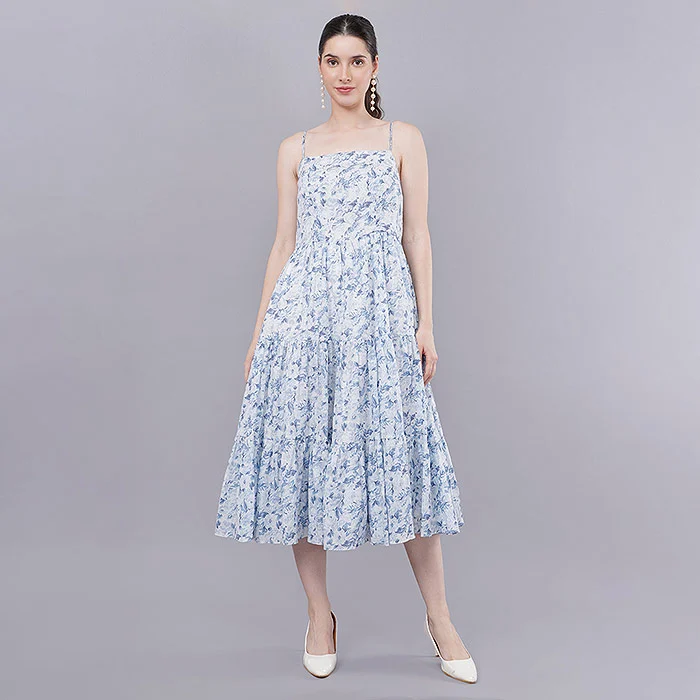
Key Takeaways
- Size, colour and “not as described” return reasons usually point to an image or size-chart problem, not a product defect.
- Seller Central data — the Returns report, Fit Insights and Voice of the Customer — tells you which ASIN and which reason to fix first.
- On-model fit shots, true-colour editing, a measured size chart and a short garment video fix the biggest reasons.
- Run a 14-day audit: fix the top 10 returned ASINs first, then reshoot in batches.
In this guide
Why are Amazon clothing returns so high for fashion sellers?
Clothing is bought on trust in a picture. When the buyer cannot judge fit, fabric weight or exact shade from the images, they order two sizes, “try at home” and send back whatever does not match their expectation. Fashion has the highest return pressure of any Amazon category because every one of those judgements happens on a phone screen.
Three things make apparel different from, say, a steel bottle. First, fit is personal — the same “M” fits differently across brands, so buyers rely on your images to guess. Second, colour shifts between a camera, an editing screen and a mobile display, and a maroon that looks wine on screen becomes a complaint at the door. Third, fabric feel — thickness, stretch, sheerness — is invisible unless you show it deliberately.
If you are still setting up your apparel catalogue, our guide on how to sell clothes on Amazon India with the right category setup and size charts covers the listing foundations. This post assumes your listings are live and Amazon clothing returns have started hurting margins.
What do Amazon clothing returns really cost you?
The visible cost is the reverse shipping and closing fees you do not get back. The hidden costs are bigger: stock locked in transit for days, pieces that come back creased, stained or without tags, lower conversion when your listing collects negative feedback, and on some Amazon marketplaces a “Frequently returned item” badge on the detail page that warns shoppers before they even add to cart. Indian sellers should treat that badge as a signal of where Amazon is heading, and fix the root cause before it ever appears.
Which Amazon return reasons clothing sellers see point to an image problem?
Size, colour, style and “not as described” reasons are the ones images can fix. Defective, damaged and wrong-item reasons are quality-control or warehouse problems. Sort your returns this way first so you spend reshoot money only where it pays back.
When a buyer starts a return, Amazon asks them to choose a reason and optionally add a comment. Those comments are gold. A buyer who writes “looks lighter in photo” or “much shorter than shown” is telling you exactly which frame to reshoot. The table below maps the common Amazon return reasons clothing buyers choose to the likely cause and the fix.
| Return reason (buyer’s words) | Likely root cause | Image / listing fix |
|---|---|---|
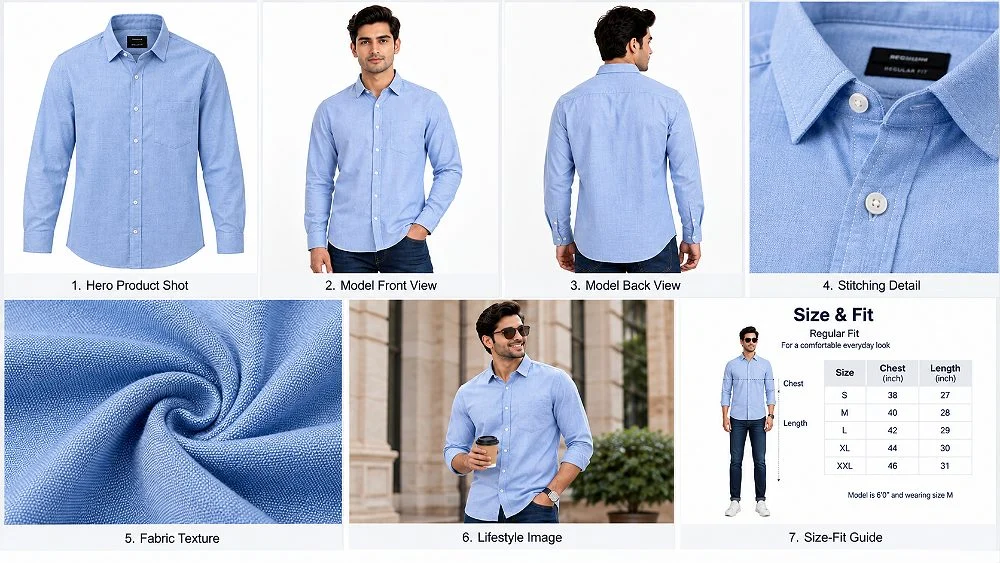
| Too small / too large | No fit reference, vague size chart | On-model fit shots with model height and size worn; measured size chart |
| Colour different from image | Over-saturated or mis-white-balanced photos | Colour-checked shoot and side-by-side screen matching in retouching |
| Style not as expected | Only a flat or hanger shot; no drape | Front, side, back and movement frames on a model |
| Item not as described | Title, bullets and images disagree | Fabric close-up, label shot and bullets that match the photos |
| Fabric quality not as expected | Heavy smoothing hides texture and thickness | Macro fabric frame and a short garment video |
| Defective / damaged / wrong item | QC, packing or warehouse error | Not an image fix — tighten QC and packing |
How do you read Amazon Fit Insights, return reports and Voice of the Customer?
Use three Seller Central views together: the returns report for reasons and comments per ASIN, Fit Insights for size-related feedback on apparel and footwear, and Voice of the Customer for listings with high dissatisfaction. Together they tell you which product to fix and what is wrong with it.
Amazon has made its Fit Insights tool available to sellers in India, and it is built exactly for amazon fit insights questions: it groups size-related returns and customer fit feedback so you can see whether an ASIN runs small, runs large or has an inconsistent size chart. Menu names in Seller Central change from time to time, so search “Fit Insights” or “Returns” in the Seller Central search bar if you cannot find them in the menu.
Step 1 — Export returns and sort by reason
Download your returns report for the last 60–90 days. Group rows by ASIN, then by reason. Any ASIN where more than half the returns are size or colour reasons goes on your image-fix list. Copy the buyer comments into one column — patterns jump out quickly when you read 30 comments in a row.
Step 2 — Check Fit Insights for size direction
Fit Insights tells you the direction of the problem. “Runs small” across sizes means your size chart or garment grading needs fixing; one size failing means a production issue in that size. Either way, your images should show the model’s height and the size worn, so buyers calibrate correctly.
Step 3 — Watch Voice of the Customer
Voice of the Customer flags listings with a high rate of negative customer experience, combining returns, negative feedback and complaints. A listing flagged there for “not as described” is almost always an image–listing mismatch. Fix those listings before you spend a single rupee on ads — sponsored traffic sent to a listing that gets returned simply multiplies the loss.
How to cut Amazon clothing returns: 9 proven image and listing fixes
Fix fit first, colour second and fabric third, because that is usually the order of return volume in apparel. Each fix below targets one return reason and can be done in a single reshoot day for a batch of styles.
1. Show true fit with on-model photos that state height and size
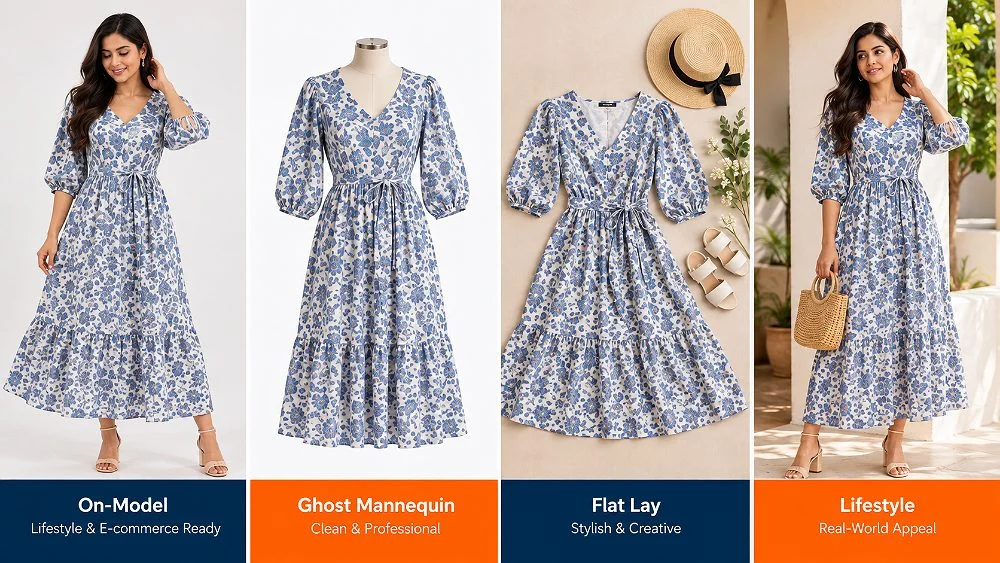
The single biggest lever against size returns is a clear on-model image with a line like “Model is 5′8″ and wearing size S”. Buyers compare their own height and size and order correctly the first time. For women’s western and ethnic wear, planned on-model fashion photography with front, side and back frames removes most of the guesswork that drives Amazon clothing returns in dresses, kurtas and co-ord sets.
2. Build the size chart from the garment you photographed
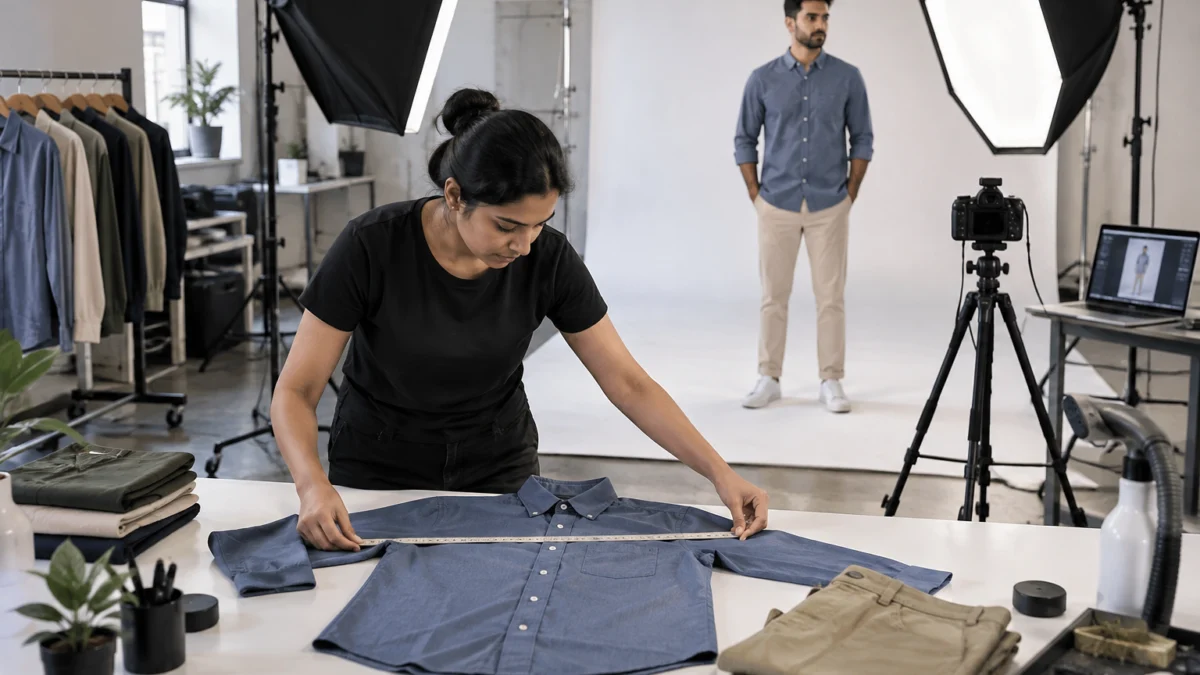
A size chart amazon apparel buyers trust is one built from real measurements, not copied from a factory template. Measure chest, waist, length and sleeve of each size flat on a table, add a “how to measure” diagram, and make sure the size worn by the model sits inside that chart. When the chart says the M chest is 40 inches, the garment in the photo must actually be 40 inches.
3. Lock true colour to stop “colour different from image” returns
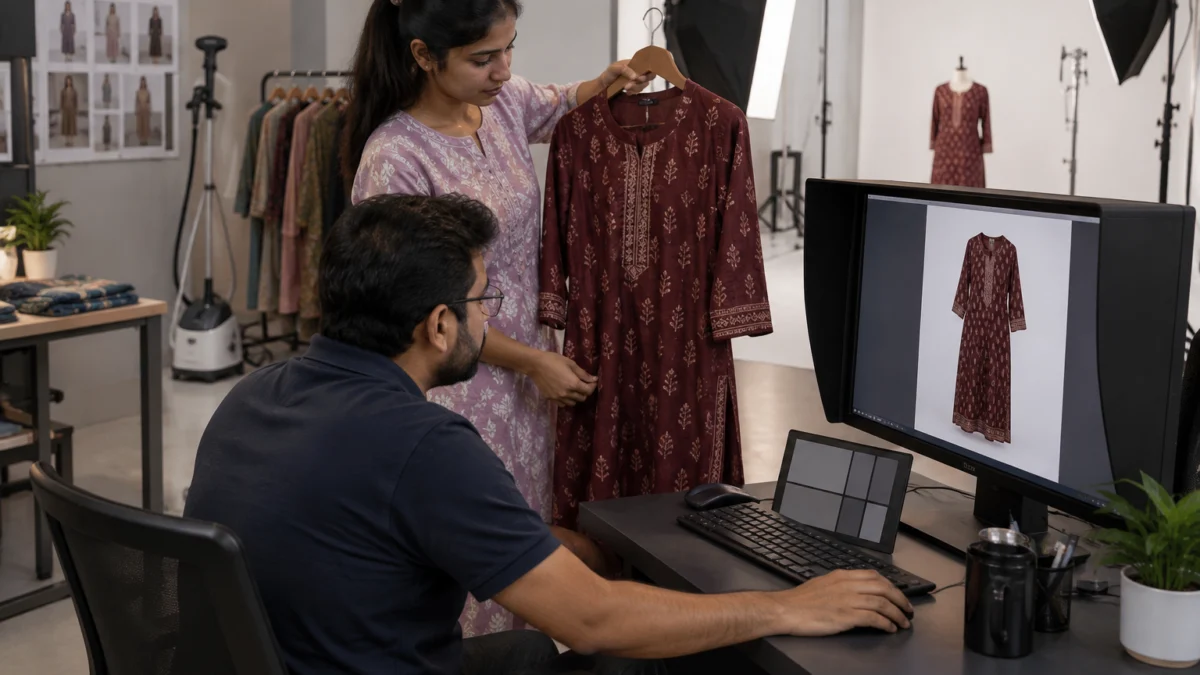
Colour different from image returns are the most preventable reason of all. Shoot with a grey card or colour checker in the first frame of every colour, set a custom white balance, and edit on a calibrated monitor with the real garment next to the screen. Never push saturation to make a listing “pop” — the pop is exactly what the buyer sends back.
4. Add a fabric macro and a thickness frame
Buyers who return for “fabric quality not as expected” usually never saw the fabric. Add one tight macro of weave or knit and one frame that shows thickness — a folded edge, a hand behind a sheer layer, or the garment held to light. Keep retouching light so real texture stays visible.
5. Show the back, side and the details buyers ask about
Back neck depth, side slits, pockets, zips, lining and closures cause many “not as expected” returns. Our breakdown of the 7 images every Amazon fashion listing needs gives a slot-by-slot plan; for returns, the back view and detail frames matter most.
6. Use clean ghost mannequin images for shape and structure
For shirts, jackets, hoodies and kurtas, a hollow-form shot shows the real cut, collar and shoulder line without a model’s body changing the shape. Consistent ghost mannequin shots across every colour also stop buyers from expecting a different silhouette in the second colour they order. Check the main-image rules in our Amazon product image requirements guide before you upload.
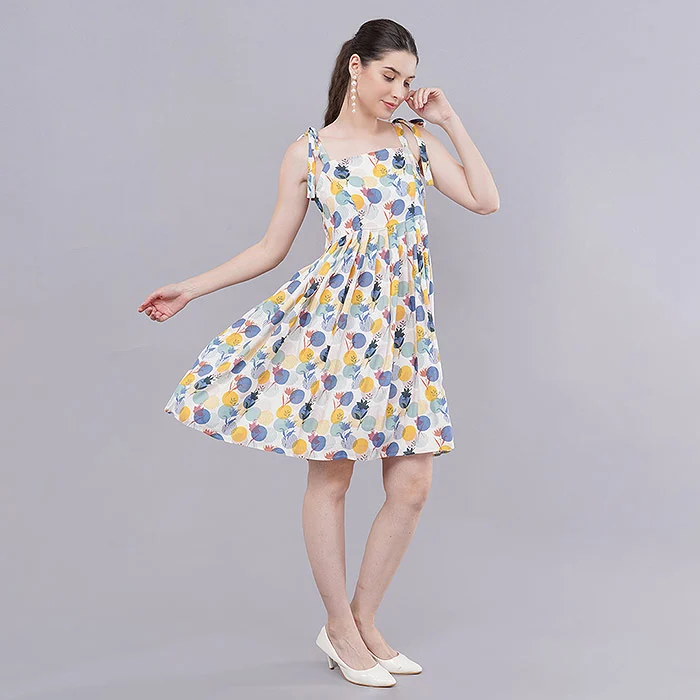
7. Add a short garment video to cut Amazon clothing returns on drape and stretch
A 20–30 second clip of a model walking, turning and lifting the fabric answers drape, stretch and flow in a way stills cannot. Short garment videos with a model work especially well for kurtis, dresses, nightwear and denim, where movement is what the buyer is unsure about.
8. Make title, bullets and images say the same thing
If the title says “cotton” and the label shot says “poly-cotton”, the return is coming. Read every listing with the images open: fabric, fit type (slim, regular, relaxed), length, neck type and pack contents must match across title, bullets, size chart and photos. Include a clear label or tag frame when composition matters to buyers.
9. Keep every colour variant shot the same way
Buyers often order a second colour after a good first experience. If the navy variant was shot on a model and the olive variant is a supplier flat photo with different proportions, expectations break. Shoot all variants with the same model, lighting, angles and crop so the family looks — and fits — the same.
Which shoot type reduces which Amazon return reason?
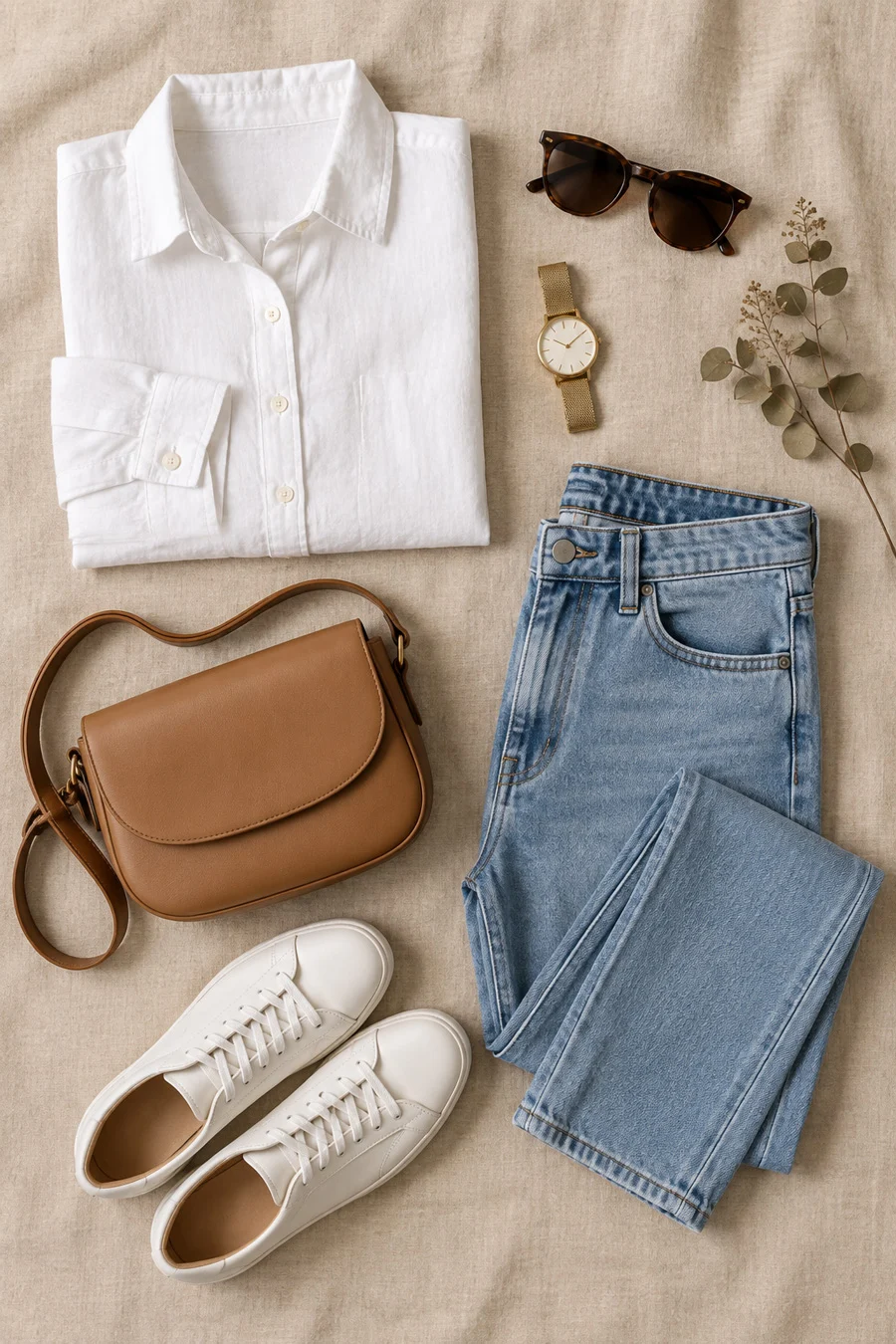
No single shoot type fixes every return reason. On-model frames fix fit and style, ghost mannequin fixes shape and structure, flat lay fixes detail and pack contents, and video fixes drape and stretch. Most apparel listings need two or three of these together.
| Shoot type | Best at answering | Return reasons it reduces | Best for |
|---|---|---|---|
| On-model photography | Fit, length, how it looks on a body | Too small / too large, style not as expected | Dresses, kurtas, co-ords, denim |
| Ghost mannequin | Cut, collar, shoulder, structure | Not as described, shape differs | Shirts, jackets, hoodies, uniforms |
| Flat lay | Details, prints, pack contents | Not as described, missing items | Kidswear, combos, innerwear, accessories |
| Garment video | Drape, stretch, fabric movement | Fabric not as expected, style not as expected | Kurtis, nightwear, activewear, sarees |
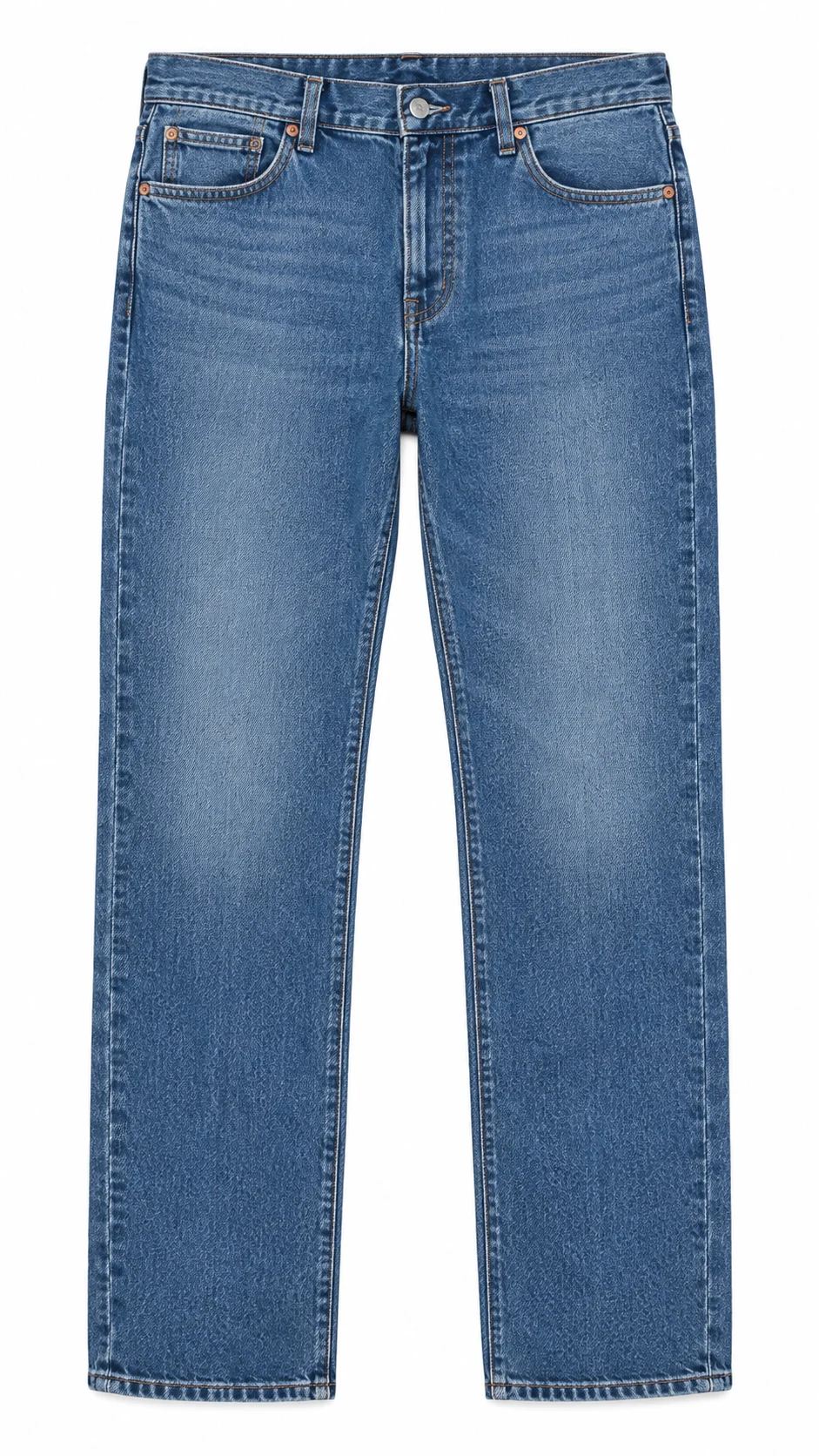
For denim and trousers, a clean flat frame is still useful as a supporting image because it shows wash, rise and leg shape without a pose changing the line. Pair it with an on-model fit frame and your amazon fashion return rate on bottoms usually becomes far easier to control.
How much does a returns-proof apparel shoot cost?
At Uniqs Studio the cost depends on the shoot type and number of products, and every price is per product or per image as listed below. Most sellers fix their top returned ASINs first with a mix of model photography, ghost mannequin and one garment video.
| Shoot type | Images | Turnaround | Price |
|---|---|---|---|
| Ghost mannequin | 1 angle | 3–4 days | ₹250 / image |
| Flat lay | 2–3 angles | 6 days | ₹290 / product |
| Model Photography | 5–6 angles | 4–5 days | ₹400 / product |
| Ecommerce Reels Video | 20–25 seconds | 4–5 days | ₹900 / product |
| Garment Video with Model | 25–30 seconds | 4–5 days | ₹1,200 / garment |
Prices are per product/image as listed; call or WhatsApp +91-8076745824 for bulk catalogue quotes.
Want a reshoot plan for your most-returned styles? Call +91-8076745824 or send your ASIN list on WhatsApp at +91-8076745824 and Satyam’s team will suggest the shoot mix per style.
What common mistakes keep Amazon clothing returns high?
Most sellers fix the wrong thing first. They change price or run ads while the real problem — a misleading image or size chart — keeps sending buyers the wrong expectation.
- Using supplier or AI-generated model images that do not show the actual garment you ship. Real product photos protect you; generated bodies hide real fit.
- Heavy skin and fabric smoothing that makes cheap fabric look premium — and invites “quality not as expected”.
- One size chart for every style, copied across slim and relaxed fits.
- Over-saturated colours to stand out in search results.
- Missing back view on garments where the back is the selling point or the surprise.
- Ignoring buyer comments in the returns report — they tell you the exact frame to reshoot.
“Every return comment is a free brief for the next shoot. When ten buyers say ‘shorter than shown’, we don’t argue with them — we reshoot the full-length frame and add the model’s height.” — Satyam, Uniqs Studio
How to run a 14-day Amazon clothing returns audit
Pick your top 10 returned ASINs, sort their returns by reason, and fix images and size charts in one batch. Then measure the next 30 days of returns against the previous 30.
- Days 1–2: export returns, group by ASIN and reason, read buyer comments.
- Day 3: check Fit Insights and Voice of the Customer for the same ASINs.
- Day 4: write a shot list per ASIN — fit frame, back view, fabric macro, colour reference, video.
- Days 5–6: re-measure garments and rebuild size charts.
- Days 7–10: reshoot in one batch with a colour checker in every colour.
- Days 11–12: retouch on a calibrated screen with the real garment beside it.
- Days 13–14: upload, match title and bullets to the new images, and note the date for comparison.
Tracking the change matters as much as the fix. Note the return rate per ASIN before you upload, then compare after a full return window has passed, so you know which fix worked for which style. Amazon’s own seller education on the Amazon India seller portal is worth reading alongside this checklist for current policy updates.
Amazon clothing returns: frequently asked questions
Short answers to the questions apparel sellers ask most about returns, Fit Insights and images.
Because buyers cannot try clothes before buying, they rely on images and size charts to judge fit, colour and fabric. When those are unclear, many buyers order multiple sizes or return items that do not match their expectation.
Size (too small or too large), colour different from image, style not as expected, item not as described and fabric quality complaints are usually image or size-chart problems. Defective, damaged and wrong-item returns need QC and packing fixes instead.
Fit Insights is a Seller Central tool for apparel and footwear that groups size-related returns and customer fit feedback by product, so you can see whether a style runs small, large or has an inconsistent size chart.
Shoot with a grey card or colour checker, set a custom white balance, avoid boosting saturation, and retouch on a calibrated monitor with the real garment beside the screen.
A short garment video helps buyers judge drape, stretch and fabric movement, which stills cannot fully show. It is most useful for kurtis, dresses, nightwear, activewear and denim.
Model photography is ₹400 per product (5–6 angles), ghost mannequin ₹250 per image, flat lay ₹290 per product, ecommerce reels video ₹900 per product and garment video with model ₹1,200 per garment.
What is the next step after fixing your returns?
Once your top returned ASINs have honest fit, colour and fabric images, the next job is to make those images sell harder. Lower returns plus higher conversion is where apparel margins recover.
Uniqs Studio shoots apparel for Amazon sellers from its in-house studio in Kalkaji, New Delhi, and covers Delhi, Gurgaon, Noida, Faridabad and Ghaziabad. Your next step is our guide to fashion photography rules that win more Amazon clothing sales, which turns this returns audit into a full gallery plan. To plan a reshoot, call Satyam on +91-8076745824, email [email protected] or share your returned-ASIN list with our team.
Turn your return comments into a reshoot plan
Send your top 10 returned styles and Uniqs Studio will suggest the exact frames — fit, colour, fabric and video — each one needs.
People Also Search For
Long-Tail Related Searches
People Asking Question