
On Meesho, most suppliers lose the sale long before a buyer reads the title. The feed is a two-column grid of near-identical kurtis, kids’ sets and T-shirts, priced within a few rupees of each other, and the cleanest image wins the tap. That is why meesho flat lay photography has become the default shoot type for price-sensitive catalogues: it is fast, consistent and cheap per SKU, yet it can look every bit as professional as a model shoot when it is done properly. If you are still setting up your account and payments, start with our Meesho seller hub and come back here when you are ready to shoot.
This guide is the planning side of a Meesho shoot. Satyam and the team at Uniqs Studio have spent 9+ years producing marketplace images for 500+ D2C brands and sellers, and below you will find the exact flat lay set-up we use in our Kalkaji studio, nine styling rules, a category-wise shot list, QC-safe export settings, the mistakes that cause returns and an honest look at when flat lay is not enough. Every rule here comes from catalogues we have actually shot, not from theory.
Key Takeaways
- Meesho flat lay photography gives you a sharp, colour-true catalogue at the lowest cost per SKU, which suits Meesho’s price-led feed.
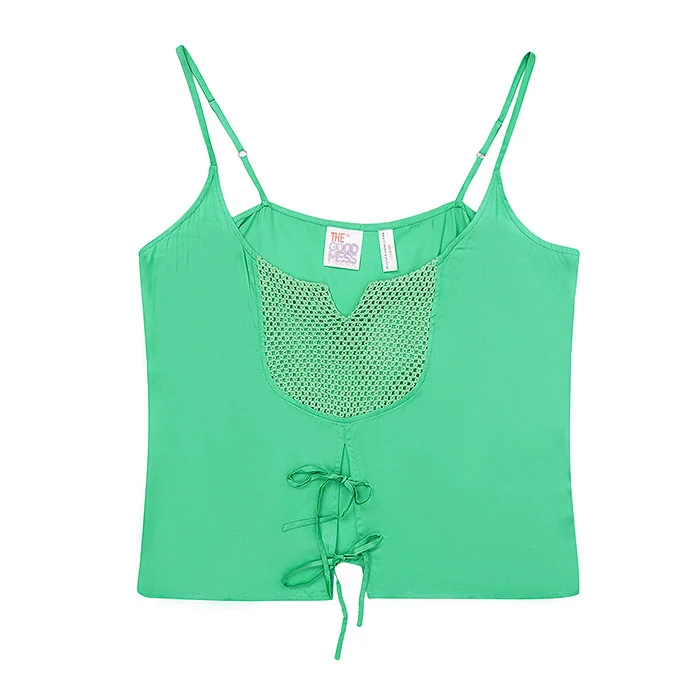
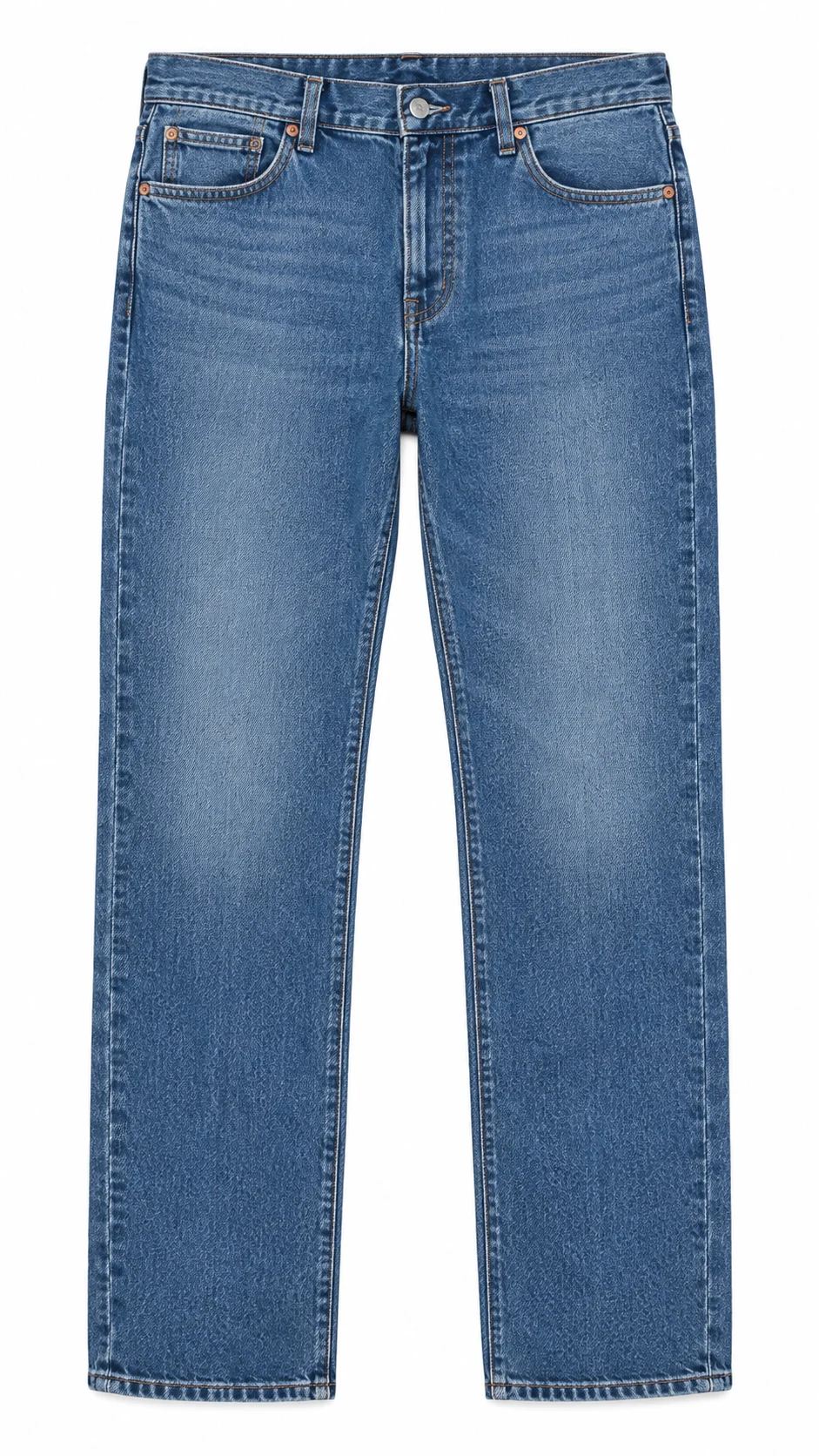
- Kids’ wear, T-shirts, nightwear sets, jeans and cotton kurtis work best as flat lays; bodycon and heavy drape styles need a mannequin or model.
- Shoot straight down from a fixed height with two soft light sources, one grey card and one crop template for every colour variant.
- Keep the front image clean: no props, no text, no collage; save styled shots with props for secondary images.
- Upgrade your best sellers with one ghost mannequin or model image instead of reshooting the whole catalogue.
What Is Meesho Flat Lay Photography?
Meesho flat lay photography is the practice of laying a garment or product flat on a clean surface and photographing it from directly above, then exporting the images to Meesho’s catalogue standards. Done well, it shows the true shape, colour and print of the product without a model, at a fraction of the cost.
A flat lay is not “a photo of clothes on the bed”. In a studio, the garment is steamed, shaped, padded where needed and aligned to a fixed grid, then shot with a camera locked on an overhead arm so every SKU sits in exactly the same position. That repeatability is what makes a 40-design catalogue look like one brand instead of a reseller’s collage.
For Meesho specifically, the flat lay has to do two jobs at once. It must satisfy the meesho image quality check (clean background, real product, no text or watermark) and it must win the click in a tiny thumbnail. Our separate guide to Meesho photography guidelines and QC rules covers compliance in depth; this post focuses on how to style and shoot the flat lay itself.
Why Does Flat Lay Work So Well for Meesho Catalogues?
Flat lay works on Meesho because the platform rewards clarity, consistency and low cost, and a flat lay delivers all three. The product fills the frame, every colour variant matches, and you can shoot many SKUs in a single studio day.
Most Meesho buyers browse on mid-range Android phones, so the image they judge is small and loads fast. A clean top-down shot with a crisp outline reads instantly at that size, while a busy lifestyle photo turns into visual noise. Flat lays also make mobile-first product photos easy: the garment can be cropped tight to fill 80–90% of the frame without cutting off a model’s head or feet.
The second reason is margin. Meesho suppliers often sell at thin margins, so the shoot has to pay for itself within a few orders. A flat lay needs no model fees, no hair and make-up and fewer retouching hours, which is why it remains the starting point we recommend to most new suppliers. The table below compares the three main shoot types from a Meesho seller’s point of view.
| Factor | Flat lay | Ghost mannequin | Model photography |
|---|---|---|---|
| Cost per SKU | Lowest | Low–medium | Highest |
| Shows fit and fall | Limited | Good (3D shape) | Best |
| Thumbnail clarity | Excellent | Excellent | Good |
| Colour-variant consistency | Excellent | Excellent | Depends on model and pose |
| Best for | Kids’ wear, tees, nightwear, jeans, cotton kurtis | Shirts, kurtas, jackets, dresses | Sarees, lehengas, bodycon, best sellers |
Our rule of thumb at Uniqs Studio: start the full catalogue on flat lay, watch which designs get traction, then add one ghost mannequin or model image only for those winners. You spend money where the orders already are.
Which Products Should You Shoot as Flat Lay for Meesho?
Shoot flat lay for products whose shape reads well when laid flat: kids’ wear, T-shirts, nightwear and co-ord sets, jeans and trousers, cotton kurtis, dupattas, bedsheets and accessories. Avoid flat lay as the only image for fitted, draped or heavily structured garments.
The test we use is simple: if a buyer can understand the garment’s length, neckline and sleeve from a top-down view, flat lay works. If the selling point is how it hugs the body or how the fabric falls, a flat lay hides it. Meesho kidswear images are the clearest win, because kids’ clothes are small, colourful and bought mainly on print and size, and parents rarely expect a child model on a budget listing.
| Category | Flat lay suitability | What to add |
|---|---|---|
| Kids’ wear sets | Excellent | Set contents shot, print close-up |
| T-shirts and polos | Excellent | Back view, collar and fabric close-up |
| Nightwear and co-ords | Very good | Top and bottom laid together, waistband detail |
| Jeans and trousers | Very good | Back pockets, wash close-up |
| Cotton kurtis | Good | Neckline detail; one model image for best sellers |
| Sarees | Fair (folded) | Pallu and border close-ups; draped image |
| Bodycon and fitted dresses | Poor | Ghost mannequin or model instead |
How Do You Set Up a Flat Lay Shoot for Meesho Catalogues?
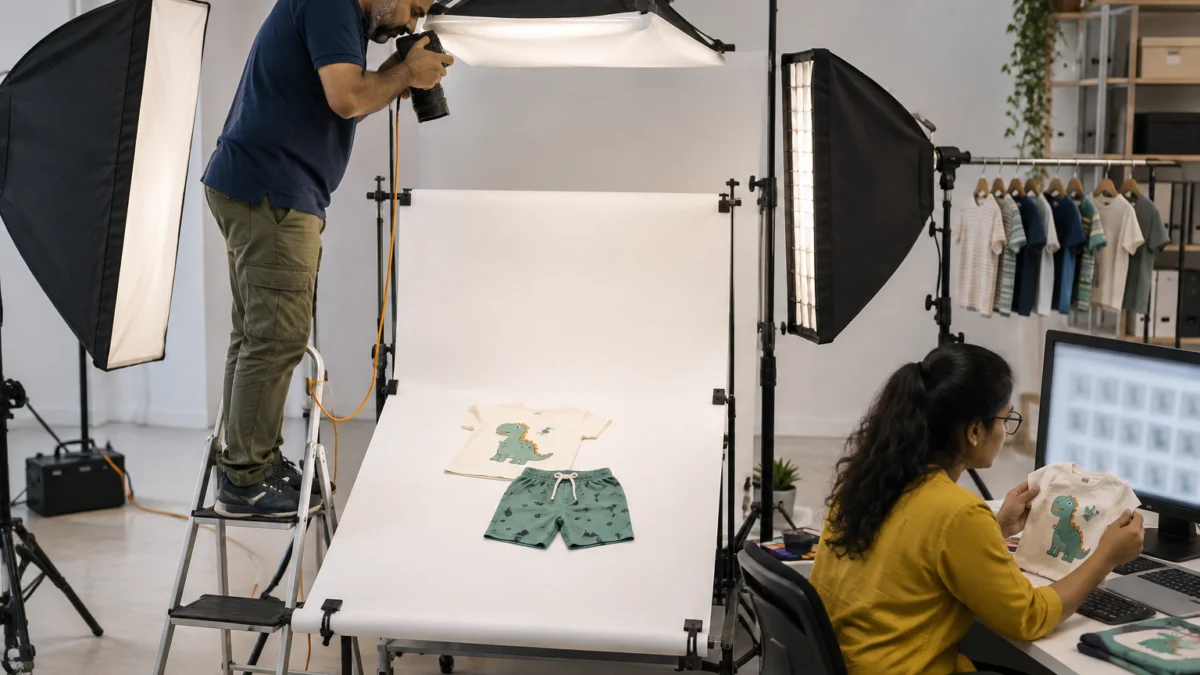
Set the camera directly above a white or very light surface, lock it at a fixed height, light the garment with two large soft sources from opposite sides and mark the frame on the table with tape. Every SKU then lands in the same position, scale and light.
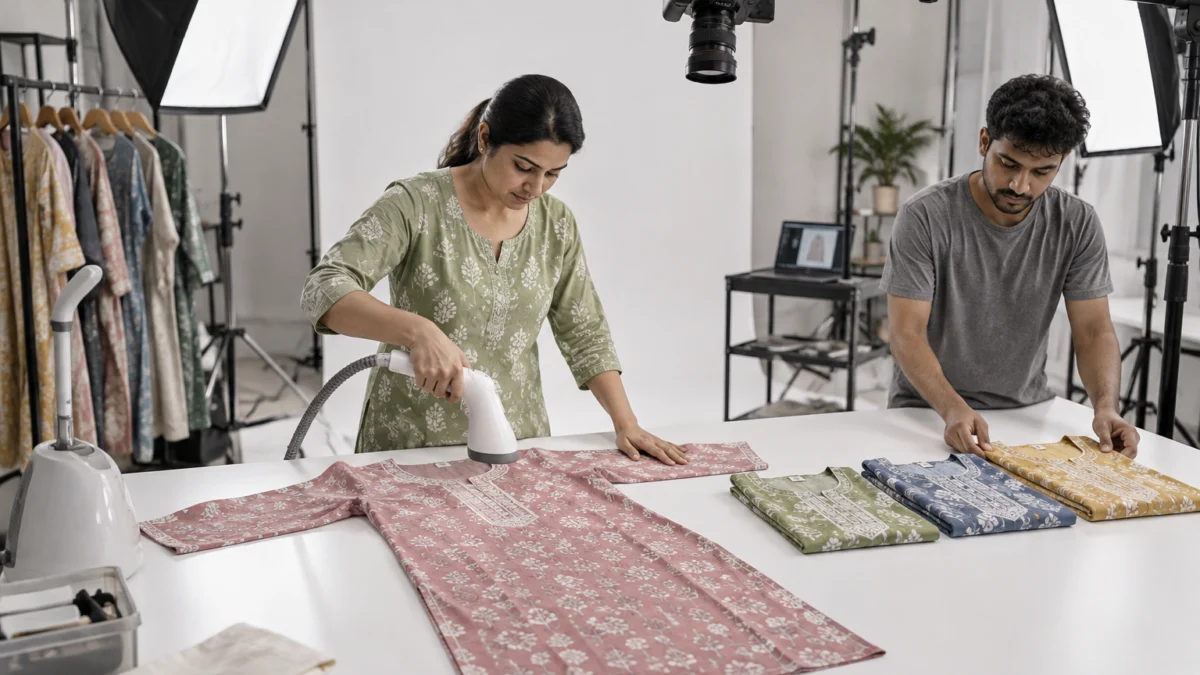
In our studio the flat lay table is a white seamless sheet over a large tabletop, with the camera on an overhead boom arm and tethered to a laptop so the stylist sees each frame at full size. We shoot on full-frame bodies such as the Sony A7R5 with a 50mm lens for most apparel, and a longer lens when we need less distortion on long garments. Two Godox SK400II strobes in strip softboxes, placed at roughly 45 degrees on either side, give even light with soft, low shadows that keep fabric texture visible.
Background and surface for meesho flat lay photography
Pure white or a very light neutral grey is the safest background for Meesho catalogue photos. White makes the outline pop in the feed; light grey helps when the garment itself is white or cream, because it keeps the edges from disappearing. Avoid wooden floors, bedsheets and patterned rugs for the front image — they look homemade and confuse colour.
Camera height, lens and grid
Fix the camera height once per category and write it down. Use tape marks for the garment’s shoulder line and hem so a stylist can reproduce the layout in seconds. Keep the camera sensor parallel to the table; even a slight tilt makes the hem look wider than the shoulders and makes a kurti look shorter than it is.
Colour control
Shoot a grey card at the start of every session and whenever the light changes. One reference frame per set-up lets the retoucher correct every image to the same neutral, which is the single biggest fix for “colour different from image” complaints. Our guide on how to cut Meesho returns and RTO explains why colour accuracy matters so much for your return rate.
9 Proven Styling Rules for Meesho Flat Lay Photography
These nine rules turn an ordinary flat lay into a catalogue image that clears QC and earns the click. Follow them in order on every SKU, and your Meesho catalogue will look consistent even when you shoot hundreds of designs.
They are the same rules our stylists follow during flat lay photography sessions for marketplace suppliers, simplified so that an in-house team can also apply them.
1. Steam every garment before it touches the table
Creases are the first thing a buyer notices when they zoom in, and they make a well-made kurti look cheap and second-hand. Steam, do not iron, so the fabric keeps its natural texture and sheen. Pay extra attention to plackets, collars and hems, which catch light and show every fold.
2. Build symmetry along a centre line
Align the centre front of the garment (button placket, neckline, print centre) with the centre of the frame. Sleeves should mirror each other at the same angle. Symmetry signals quality and makes the thumbnail easy to read at a glance, which is exactly what a fast-scrolling Meesho buyer needs.
3. Give the garment shape, not flatness
A completely flat shirt looks lifeless. Slip tissue paper inside the body and sleeves to add a gentle volume, tuck the side seams slightly so the waist reads, and lift the collar so it stands naturally. The goal is a garment that looks as if it is about to be worn, without pretending to be a 3D mannequin shot.
4. Fill 80–90% of the frame
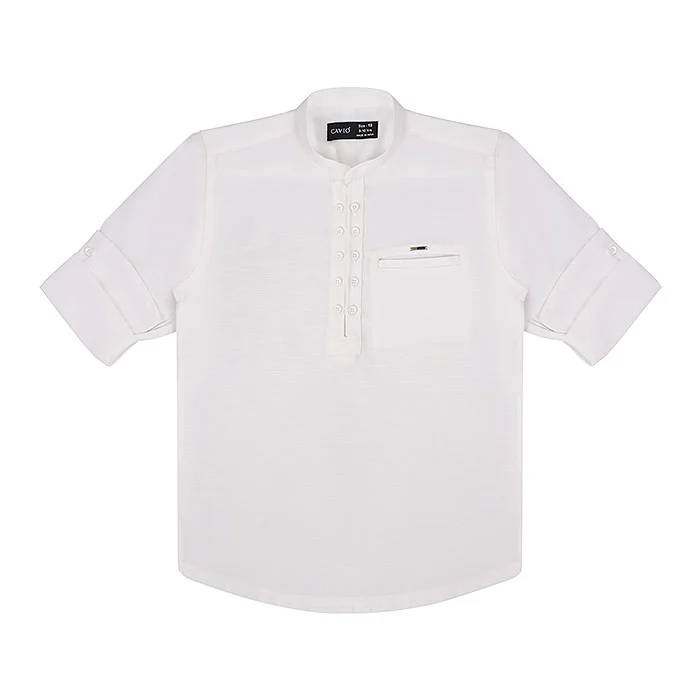
Small products floating in a sea of white disappear in a two-column grid. Leave a thin, even margin on all sides and crop every SKU in the category to the same template. This is one of the easiest wins for meesho product images and it costs nothing.
5. Keep the front image clean of props
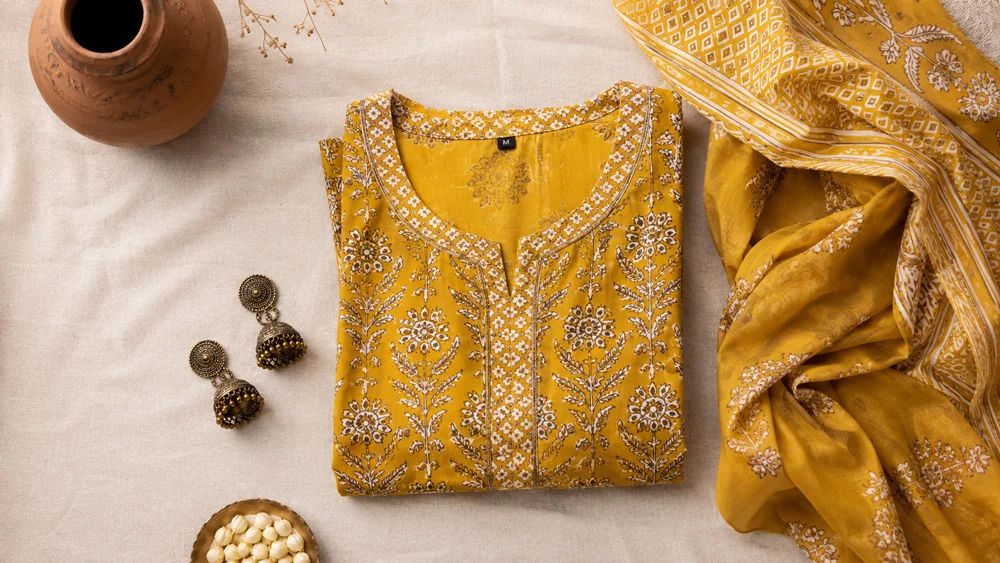
Jhumkas, sunglasses and potted plants look lovely on Instagram, but on the front image they confuse buyers about what is included and can trigger QC questions. Show only what you ship. If you want a styled look, use it as a secondary image, clearly separate from the main product shot.
6. Shoot every colour variant with the same layout
Meesho groups designs and colours into a catalogue, so mismatched images are obvious. Use the same tape marks, camera height, light and crop for every variant. When the pink and the blue kurti sit side by side in the app, they should look like twins in different colours.
7. Show real fabric and print detail
Add at least one close-up of the fabric, print or embroidery, shot at the same colour balance. Buyers on a budget platform are nervous about quality; a sharp texture shot of the cotton weave or block print reassures them more than any description. This detail image is also your best defence against “material different” returns.
8. Fold sets and sarees with intent
For kids’ sets and nightwear, lay the top and bottom together in one frame so the buyer sees exactly what comes in the pack. For sarees, fold to show the body, border and a corner of the pallu in a single image, then add a separate pallu close-up. Our post on garment flat lay styles for clothing catalogues shows more folding layouts.
9. Retouch lightly and honestly
Remove lint, loose threads and dust; correct colour to the grey card; straighten edges. Do not slim the waist, change the colour or add patterns that are not on the product. Real, honest photos are what keep your rating healthy, and they are the reason we always advise suppliers to choose real garment photos over AI-generated images.
What Shot List Does a Meesho Flat Lay Catalogue Need?
A Meesho flat lay catalogue needs a clean front image, a back image and at least one fabric or detail close-up for every SKU, plus a set-contents or size image where relevant. Four to six images per SKU is the sweet spot for most apparel.
- Front (main) image: the full garment, centred, on white or light grey, no props.
- Back image: same layout and crop, flipped — essential for prints, yokes and back pockets.
- Fabric or print close-up: shows weave, texture and true colour.
- Detail shot: neckline, buttons, embroidery, waistband or label.
- Set contents: for co-ords, kids’ sets and combo packs, everything included in one frame.
- Optional styled or on-body image: for best sellers, a ghost mannequin or model image.
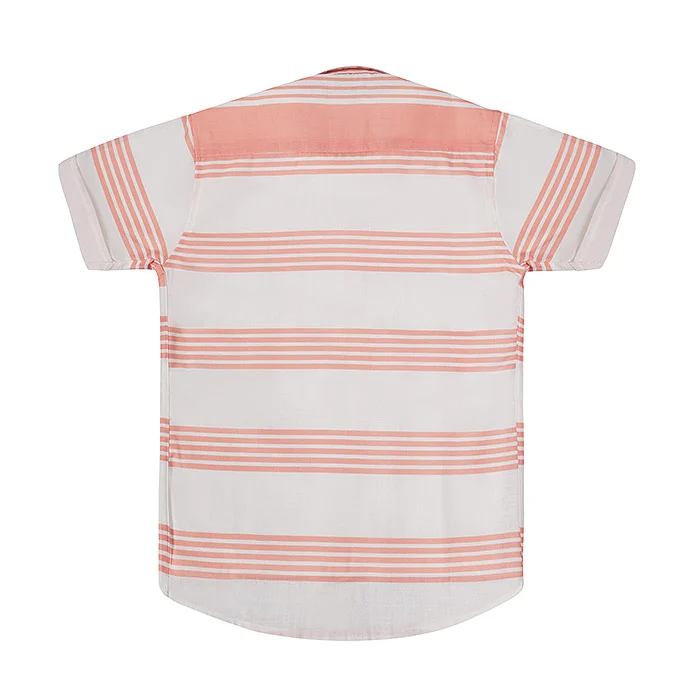
For meesho kurti photos, we usually add a neckline close-up and, for the top designs, one on-body image. For kids’ wear, the set-contents frame does most of the selling. Our wider Meesho product photography rules cover shot lists for jewellery, footwear and home products too.
How Do You Export Flat Lay Images That Pass Meesho QC?
Export sharp JPEGs in sRGB at native resolution with no text, logos, watermarks or borders. At Uniqs Studio we deliver Meesho files at 1500 × 1500 px for square products and 1200 × 1500 px for apparel, usually under 2 MB each.
Keep one ratio across a catalogue so the variants line up neatly in the app. Never upscale a small phone photo to hit a pixel count — it looks soft when buyers zoom into the print. Name files by SKU and view (for example KRT102-pink-front.jpg) so uploads stay error-free. Meesho updates its upload rules from time to time, so cross-check the current wording on the Meesho Supplier Hub before a big catalogue upload.
Before export, preview every front image at thumbnail size on a phone. If you cannot tell the neckline or print from a 2-inch tile, re-crop or reshoot. File names and alt text also help your images get found outside the app; Google’s own image SEO best practices are a useful reference when you reuse the same photos on your website.
Which Meesho Flat Lay Mistakes Cause Rejections and Returns?
The mistakes that hurt most are text or logos on the image, wrinkled or crooked garments, busy home backgrounds, colour mismatch between variants and copied manufacturer photos. Each one either slows QC or leads to “not as shown” returns.
- Price tags, offers or phone numbers on the image — remove them; text belongs in the listing, not the photo.
- Shooting on a bed or floor — patterns and shadows make the product look cheap and alter colour.
- Tilted camera — distorts length and makes kurtis look boxy.
- Mixed daylight and tube light — creates colour casts that change between variants.
- Collages of four colours in one frame as the front image — confusing in the feed; give each variant its own image.
- Copied supplier photos — identical to dozens of other listings and easy to flag as duplicates.
When Should You Add a Ghost Mannequin or Model Image?
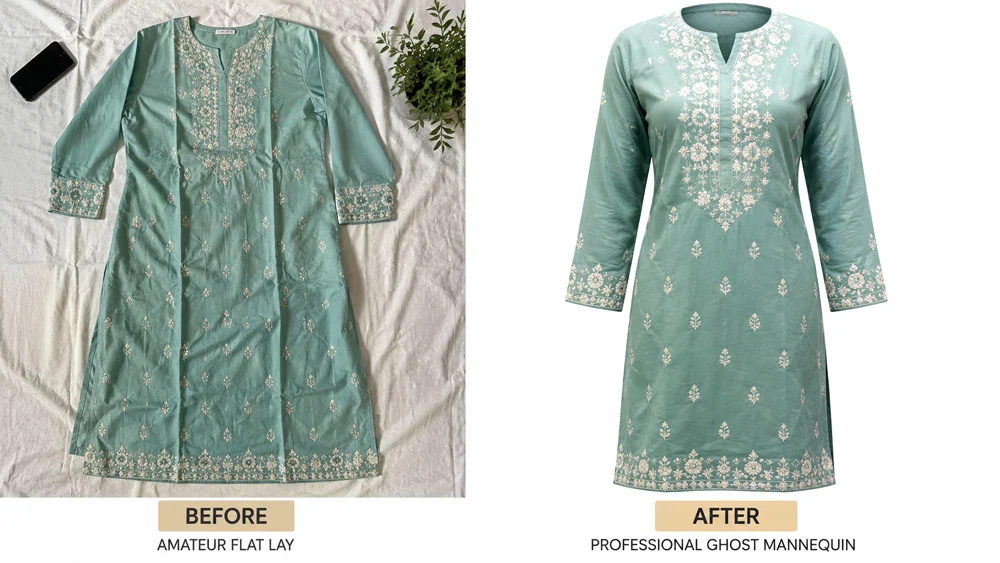
Add a ghost mannequin or model image when fit, drape or length is the reason people buy, or when a design is already getting orders and you want to lift conversion further. Keep flat lay for the rest of the catalogue to control cost.
Shirts, structured kurtas and jackets often look sharper with ghost mannequin shots, which keep the clean white look of a flat lay but add the 3D shape of a body. For sarees, lehengas, bodycon dresses and your top-selling kurtis, one image from on-model fashion photography shows the fall and fit that a flat lay simply cannot.
A short garment video is the next step up. Even a 20-second clip of a model turning in a kurti answers sizing questions faster than any chart, and you can reuse it on Instagram and your own website.
How Much Does Meesho Flat Lay Photography Cost?
At Uniqs Studio, flat lay photography costs ₹290 per product for 2–3 angles, with a 6-day turnaround. Ghost mannequin, model photography and video are priced separately, so you can mix shoot types across one catalogue.
| Shoot type | Images | Turnaround | Price |
|---|---|---|---|
| Flat lay | 2–3 angles | 6 days | ₹290 / product |
| Ghost mannequin | 1 angle | 3–4 days | ₹250 / image |
| Model Photography | 5–6 angles | 4–5 days | ₹400 / product |
| Ecommerce Reels Video | 20–25 seconds | 4–5 days | ₹900 / product |
| Garment Video with Model | 25–30 seconds | 4–5 days | ₹1,200 / garment |
Prices are per product/image as listed; call or WhatsApp +91-8076745824 for bulk catalogue quotes.
Planning a Meesho catalogue? Call +91-8076745824 or WhatsApp +91-8076745824 with your SKU count and categories, and we will suggest the right mix of flat lay, ghost mannequin and model images.
A practical budget plan for a new supplier: shoot every SKU as a flat lay first, then reserve model or video spend for the top 10–20% of designs once orders show which ones buyers like. One studio day can produce both the flat lays and a few reels, so you are not paying for two separate set-ups.
Run This Pre-Upload Checklist on Every Catalogue
Five minutes with this checklist saves days of QC back-and-forth. Tick every point for each SKU before you open the Supplier Panel.
- Garment steamed, lint-free and centred on the frame’s centre line
- Front image on white or light grey, product filling 80–90% of the frame
- No props, text, logos, watermarks, borders or collages on the front image
- Back view and at least one fabric or detail close-up included
- All colour variants shot with the same height, light and crop
- Colour corrected to a grey card and checked against the real garment
- Exported as sharp sRGB JPEGs at 1500 × 1500 or 1200 × 1500 px, never upscaled
- Files named by SKU and view; front image previewed at phone thumbnail size
Why Do Meesho Suppliers Trust Uniqs Studio for Flat Lays?
Uniqs Studio is an in-house ecommerce, fashion and product photography and video studio in Kalkaji, New Delhi, with 9+ years of marketplace work for 500+ D2C brands and sellers. We shoot catalogues for suppliers across Delhi, Gurgaon, Noida, Faridabad and Ghaziabad.
Satyam personally sets the lighting and crop templates for every new catalogue, so your first and five-hundredth SKU look the same. Send your product list to [email protected] or call +91-8076745824, Monday to Saturday, 10 am to 7 pm.
Frequently Asked Questions About Meesho Flat Lay Photography
Quick answers to the questions Meesho suppliers ask us most often before booking a flat lay shoot.
Yes. Meesho accepts flat lay images as long as they show the real product clearly on a clean background without text, logos or watermarks. A well-lit flat lay is one of the safest ways to pass catalogue QC.
Pure white is best for most products because it makes the outline stand out in the feed. Use a very light grey for white or cream garments so their edges stay visible. Avoid beds, floors and patterned cloth for the front image.
Aim for four to six images per SKU: front, back, a fabric close-up, a detail shot and, where relevant, a set-contents or on-body image. More useful angles reduce buyer doubts and returns.
You can, if you shoot straight down in even, soft light on a clean surface and keep every variant in the same layout. Phone flat lays often fail on colour accuracy and sharpness when buyers zoom in, which is where a studio set-up makes a visible difference.
Flat lay photography at Uniqs Studio costs ₹290 per product for 2–3 angles with a 6-day turnaround. Ghost mannequin is ₹250 per image and model photography is ₹400 per product.
For simple cotton kurtis, flat lay is usually enough and costs less. For structured or fitted kurtas, or your best-selling designs, a ghost mannequin or model image shows shape and fall better and can lift conversion.
What Should You Do Next With Your Meesho Catalogue?
Start by shooting your full catalogue as clean, consistent flat lays, then upgrade only your winning designs with ghost mannequin, model or video content. That approach keeps your cost per SKU low while giving buyers the clarity that wins orders.
Meesho flat lay photography is not about cheap images; it is about smart images that respect Meesho’s feed, your margins and your buyer’s trust. Steam, align, shape, crop and colour-correct every SKU the same way, keep the front image clean, and let real product photos do the selling.
Get Meesho-Ready Flat Lays From Uniqs Studio
Share your SKU list and categories, and Satyam’s team will send a shoot plan with the right mix of flat lay, ghost mannequin and model images for your budget.