
“Colour different from image” is one of the most common reasons shoppers send clothes back, and almost every time the fault starts in the photo, not the fabric. Colour accurate garment photography means the shade, tone and saturation a buyer sees on their phone is as close as possible to the real garment. At Uniqs Studio, we treat colour as a measured result, not a filter choice, because it is the backbone of professional garment photography for marketplaces and D2C stores.
Satyam has spent 9+ years shooting apparel for 500+ D2C brands and marketplace sellers, and the pattern is always the same: the mustard kurti looks orange, the navy shirt turns royal blue, or the dusty pink dress arrives looking peach. In this guide you will learn why that happens, the nine-step colour workflow we follow in our Delhi studio, which fabrics are hardest to get right, and a checklist you can hand to any photographer before your next catalogue shoot.
Key Takeaways
- Colour mismatch returns usually come from wrong white balance, mixed lighting, over-editing or unmanaged colour profiles — all fixable in the studio.
- A grey card frame and a colour reference chart on every set give the editor a neutral anchor, so colour accurate garment photography becomes repeatable.
- Edit on a calibrated monitor, export in sRGB and compare every image against the physical garment before upload.
- Keep the same light, camera settings and edit recipe for every colour variant so the catalogue stays consistent.
- A short garment video in daylight-balanced light gives buyers a second, honest view of the colour.
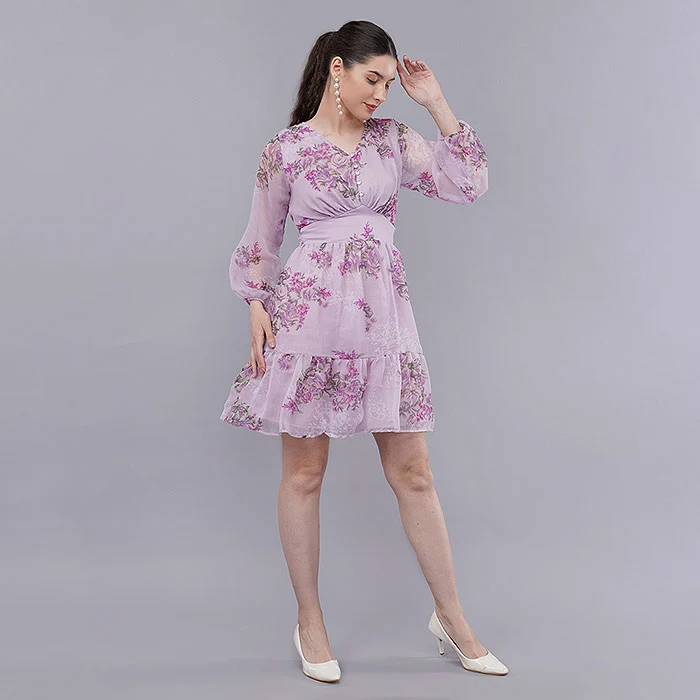
What is colour accurate garment photography?
Colour accurate garment photography is a shooting and editing workflow that reproduces a garment’s real colour as closely as screens allow. It relies on controlled light, a neutral reference (grey card or colour chart), calibrated editing screens and a standard export profile. The goal is not a “prettier” colour, but the correct one.
Every camera records light, not fabric. If the light is warm, the camera sees a warmer garment; if a green wall bounces light onto the set, the white shirt picks up a green cast. A good photographer corrects for that by giving the camera a known neutral to measure against. That is why product colour accuracy starts before the shutter is pressed, not in Photoshop afterwards.
Why the same photo looks different on every phone
No two screens show colour identically. Budget phones often push saturation, some laptops run cool, and night-mode filters warm everything up. You cannot control the buyer’s screen, but you can control the file. When images are edited on a calibrated monitor and exported in the standard sRGB colour space, they land as close to “neutral” as the web allows, so the error on any one phone stays small instead of stacking on top of an already-wrong file.
Accurate colour vs “attractive” colour
Many sellers ask editors to make colours “pop”. That works for a lifestyle banner, but on a product listing it creates an expectation the parcel cannot meet. True colour product photos may look slightly calmer than a heavily graded Instagram post, yet they convert better over time because the buyer keeps what they ordered. We keep creative grading for campaign images and leave catalogue images colour-true.
Why do “colour different from image” returns happen?
Most colour mismatch returns trace back to five studio-side causes: wrong white balance, mixed light sources, over-saturated editing, missing colour profiles and inconsistent variant shoots. Fabric behaviour such as sheen and metamerism adds to it. Each cause has a clear, repeatable fix.
- Auto white balance: the camera guesses the light on every frame, so a set of ten images can drift between warm and cool.
- Mixed lighting: window daylight plus warm LED panels plus a tube light overhead gives two or three colour temperatures on one garment.
- Heavy editing: vibrance, contrast and “auto tone” sliders shift hue, especially in reds, oranges and purples.
- No colour profile: files saved in a wide-gamut profile and uploaded without conversion look dull or oversaturated on marketplaces.
- Variant drift: the maroon colourway is shot on Monday and the wine colourway on Friday under different light, so buyers cannot tell them apart.
There is also the fabric itself. Silk, satin and polyester blends reflect light differently from cotton, and some dyes change shade between daylight and indoor light — the effect called metamerism. A buyer who opens the parcel under a warm room bulb may see a different shade from the studio photo even when the photo was right. Colour accurate garment photography cannot remove metamerism, but it can make the photo match daylight, which is the fairest reference.
How much do colour mismatch returns hurt a seller?
A colour mismatch return costs far more than the refund. You pay forward and reverse shipping, the item may come back unsellable, and the listing collects “colour is different” reviews that lower conversion for every future buyer. Fixing colour at the shoot is cheaper than absorbing these losses on every order.
On most Indian marketplaces, returns also feed into seller ratings and return-rate thresholds. A single best-selling kurta with a wrong colour photo can generate dozens of returns before anyone notices the pattern. We covered the wider return problem in our guide on how to cut customer returns and RTO on Meesho, and colour accuracy is one of the fastest wins on that list because it is fully in your control.
Reviews are the hidden cost. Shoppers read the one-star review that says “shade is totally different” and skip the listing, even if the other images are perfect. Search engines also reward trustworthy, descriptive product imagery — Google’s image best practices stress high-quality images that genuinely represent the page content. Colour accuracy is part of that trust.
How do you shoot colour accurate garment photography? 9 steps
Follow nine steps in order: control the light, capture a grey card reference, set a custom white balance, shoot RAW at fixed settings, add a colour chart profile, keep a physical swatch on set, edit on a calibrated monitor, export in sRGB and check every image against the garment. This is the same workflow Uniqs Studio uses on every apparel shoot.
Step 1: Control the light completely
Block window light and switch off room tube lights so that only studio strobes or high-CRI continuous lights hit the garment. All lights should share one colour temperature, typically daylight-balanced around 5500K. Large softboxes and strip boxes give even coverage without hot spots that wash out colour. If you cannot control a room, you cannot control colour — that is the first rule of colour accurate garment photography.
Step 2: Capture a grey card reference frame
Before the first product image, place an 18% neutral grey card where the garment will sit and take one frame. This frame tells the editor exactly what “neutral” looked like under that light. Every time the lighting changes — a new set, a new backdrop, a model change outdoors — shoot a fresh grey card frame. It is the single most useful habit for grey card white balance clothing shoots.
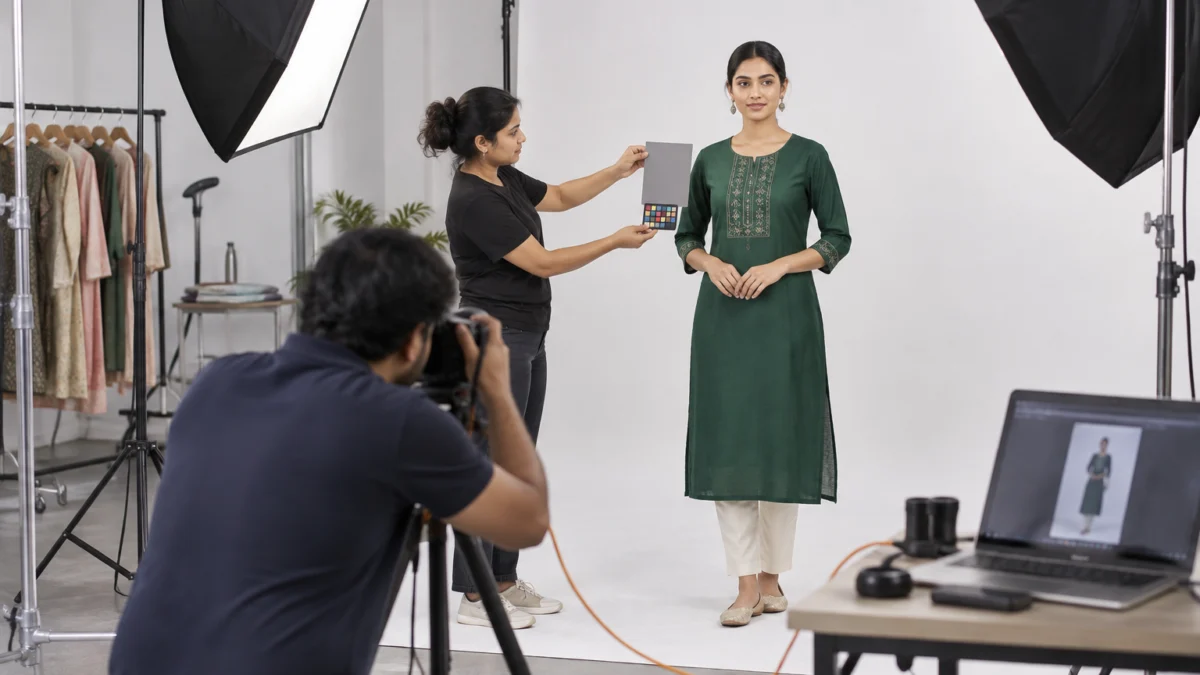
Step 3: Set a custom white balance, never auto
Use the grey card frame to set a custom white balance in camera, or lock a fixed Kelvin value that matches your lights. Auto white balance re-guesses on every frame, and a deep red garment fills the frame with red, so the camera “corrects” it towards cyan. A locked white balance keeps every image of the same garment identical in colour.
Step 4: Shoot RAW at fixed exposure settings
RAW files hold far more colour information than JPEGs and let the editor correct white balance without damaging the image. Keep aperture, shutter speed and ISO fixed for the whole set so brightness does not swing between shots. Underexposed images look darker and more saturated; overexposed ones lose pastel shades completely.
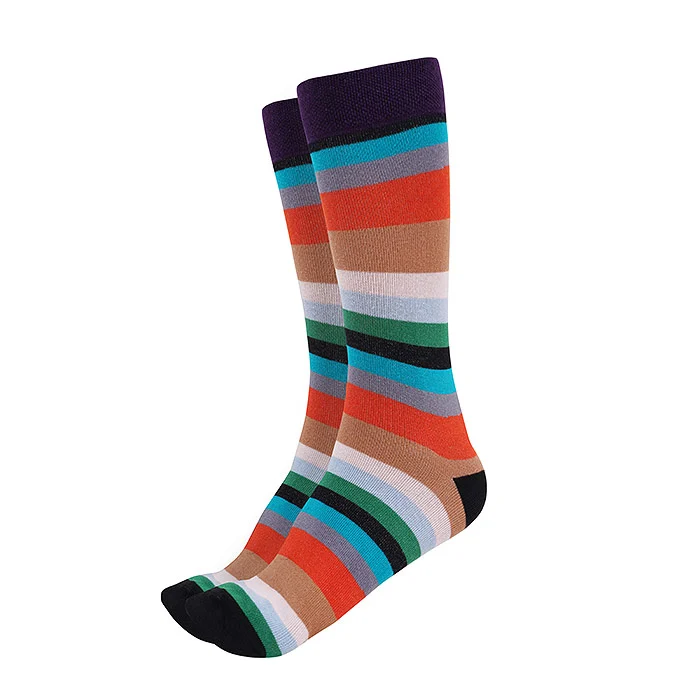
Step 5: Build a colour chart profile for the set
A colour reference chart with known patches lets editing software build a custom camera profile for that exact light. It corrects not only white balance but also how the camera renders reds, greens and blues. For brands with strict shade standards — uniforms, school wear, or a signature brand colour — this step is what turns good colour into dependable colour calibration ecommerce results.
Step 6: Keep a physical fabric swatch on set
Ask the brand for one extra piece or a fabric swatch of every colourway and keep it beside the editing station. Nothing replaces comparing the screen to the real fabric under a daylight-balanced lamp. Our prep team tags swatches with the SKU during garment preparation before the shoot, so nothing gets mixed up between colourways.
Step 7: Edit on a calibrated monitor
An uncalibrated screen can be several shades off, and the editor will “correct” the image to match the wrong screen. Calibrate editing monitors regularly with a hardware calibrator to a standard white point and brightness, and edit in a dim, neutral room. Colour management standards set by the International Color Consortium are what make this calibration consistent across devices.
Step 8: Export in sRGB with an embedded profile
Marketplaces and browsers assume sRGB. Export every final image in sRGB with the profile embedded, at the size each marketplace asks for. Images exported in Adobe RGB or a camera profile and uploaded without conversion often appear flat or strangely saturated after upload.
Step 9: Check every image against the real garment
The final QC step is simple and often skipped: hold the garment next to the screen and compare. Check the main colour, print colours, trims, buttons and lining. If any shade is off, fix it before upload. At Uniqs Studio, this side-by-side check is the last gate before files reach the client, because it is the moment colour accurate garment photography is either proven or caught out.
Which fabrics and colours are hardest to get right?
Deep reds, magentas, neon shades, navy, black, pastels and anything with sheen are the hardest to reproduce. They sit at the edge of what cameras and screens can show, or they reflect light unevenly. Each needs a specific lighting or editing adjustment.
| Fabric / colour | What goes wrong | Studio fix |
|---|---|---|
| Deep red, magenta, fuchsia | Turns orange or neon pink; detail clips | Lower exposure slightly, profile with a colour chart, check saturation against swatch |
| Navy and dark blue | Looks royal blue or black | Lock white balance, lift shadows gently, compare to swatch |
| Black | Turns grey or loses texture | Side lighting for texture, avoid overexposure |
| Pastels (lilac, mint, dusty pink) | Wash out to white or shift to peach/blue | Expose carefully, neutral grey backdrop, minimal editing |
| Silk, satin, sequins | Hot spots and colour shifts across folds | Large diffused sources, flags, polariser where needed |
| Indigo denim | Washes look lighter or greener | Custom profile, check against a wash reference |
| Neon and fluorescent | Outside sRGB, can never be shown fully | Aim for closest natural match; mention “neon” in product copy |
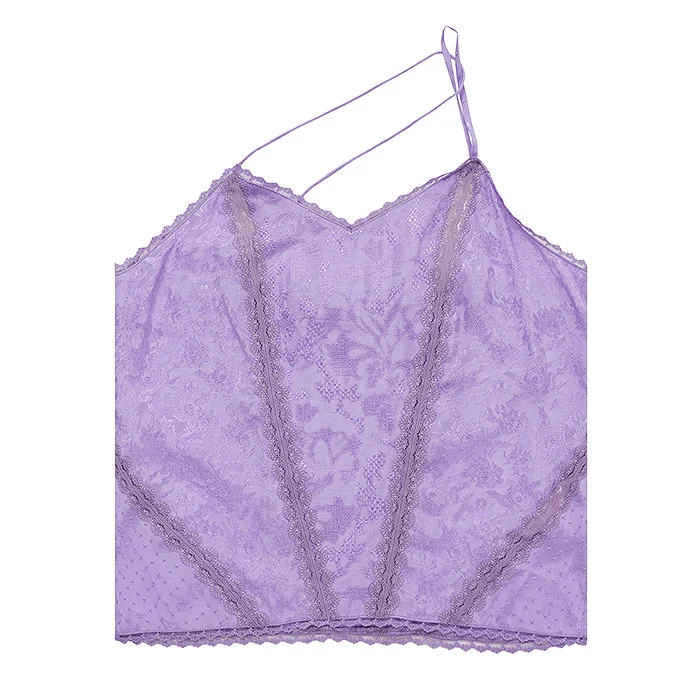
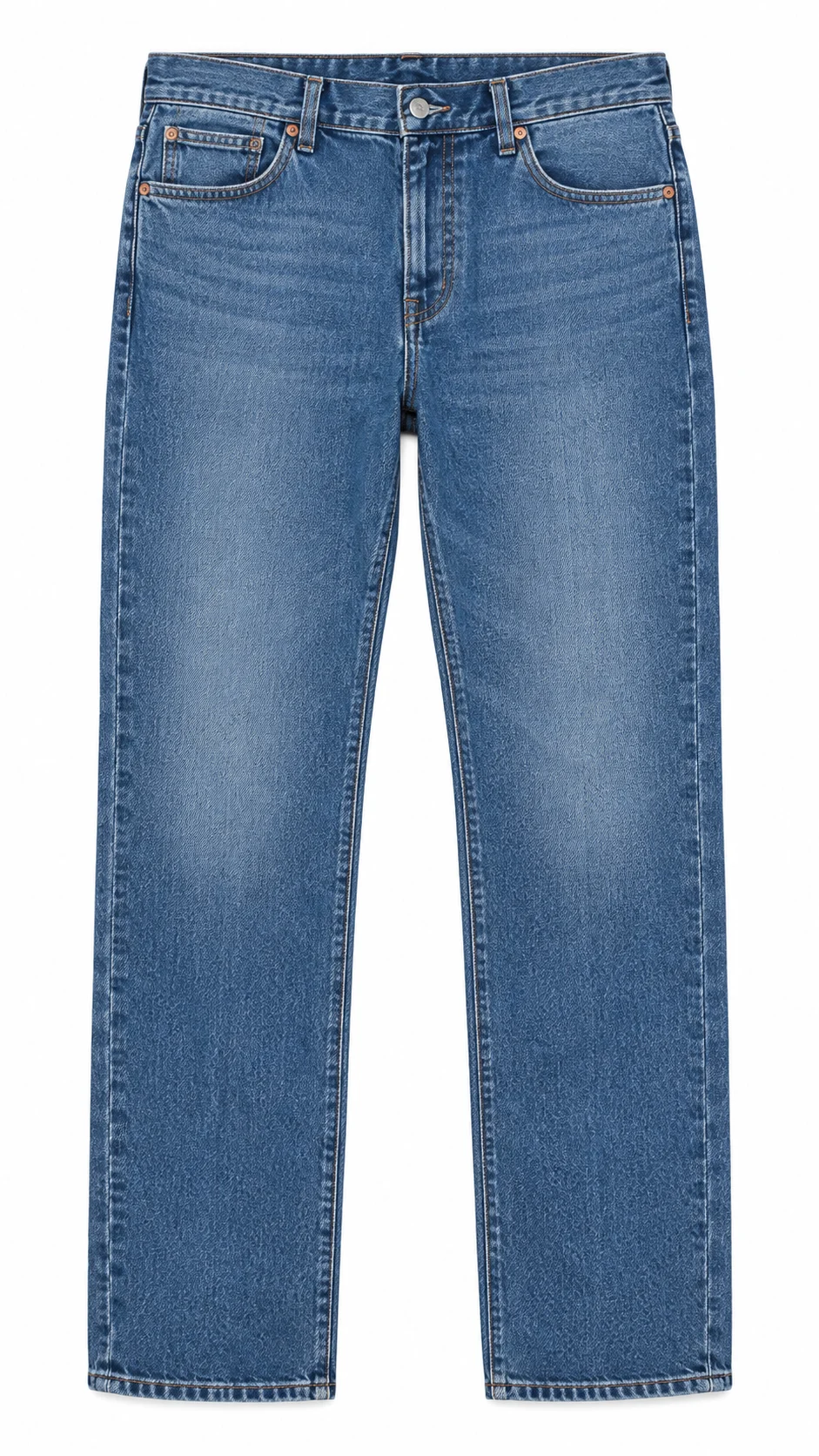
For flat garments like this camisole, the same rules apply as for on-model work. Even, overhead light and a measured white balance make sure the shade on screen matches the shade in hand. For catalogue-wide consistency on shirts, kurtas and tops, clean ghost mannequin shots under one fixed light setup are one of the most reliable ways to keep every colourway comparable.
How should editing and QC protect colour accuracy?
Editing should correct colour back to the real garment, not away from it. Start with white balance from the grey card frame, apply the set’s colour profile, then make only local fixes such as dust, creases and background cleanup. Finally, compare each image to the swatch before export.
Our editors follow a fixed order: global white balance, profile, exposure, then retouching. Hue and saturation sliders are used only on specific colours that still differ from the swatch, never across the whole image. We explain the full post-production order in our professional garment editing workflow, and fabric colour correction sits right at the start of it.
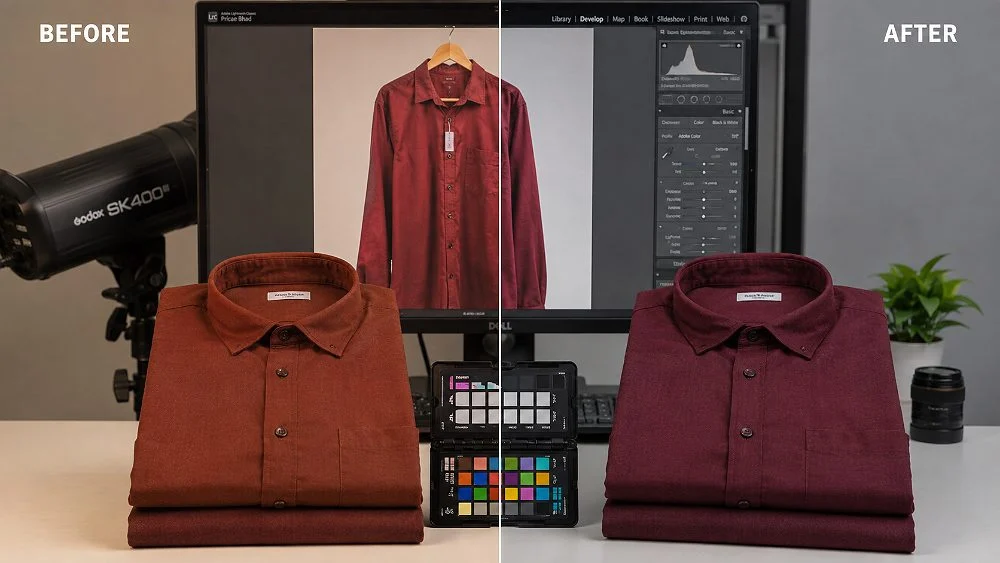
QC is a separate step from editing. A second person, not the editor, should review the final set on a calibrated screen next to the garment. Fresh eyes catch drift that the editor stopped noticing after an hour on the same colour.
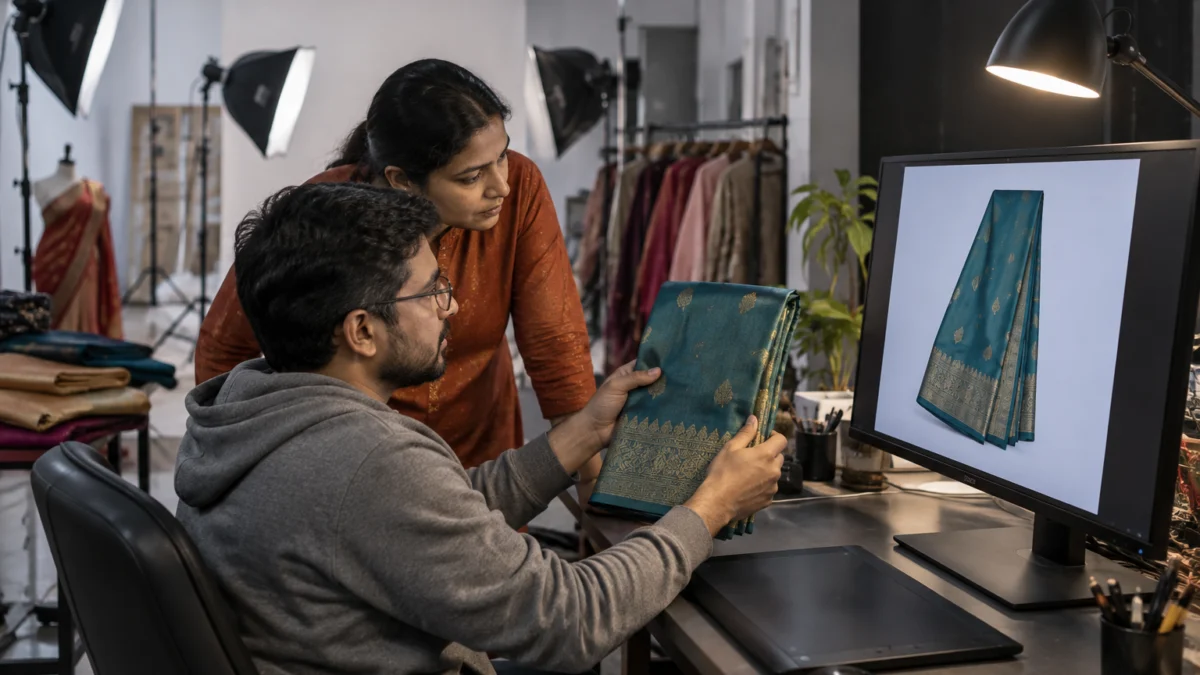
How do you keep colour variants consistent across a catalogue?
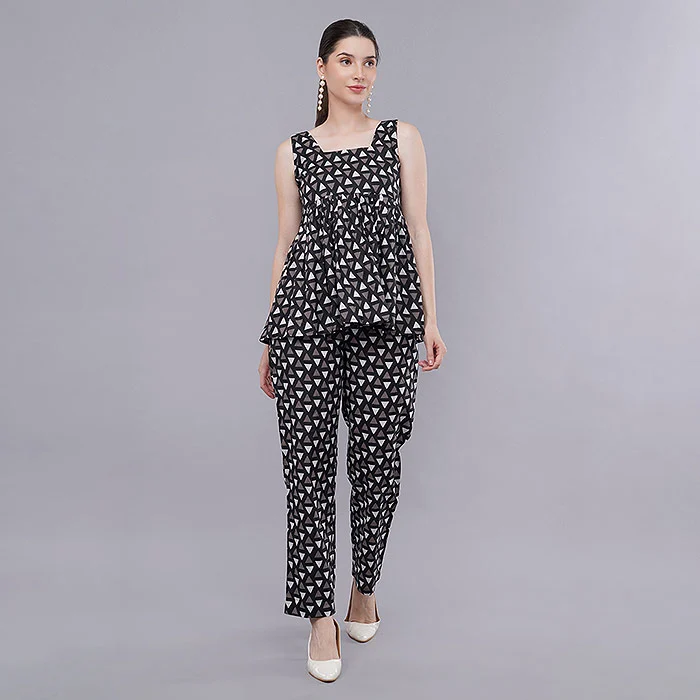
Shoot all colourways of a style in one session, with the same light positions, camera settings and grey card reference, and edit them with one shared recipe. That way, the only thing that changes between variant images is the garment colour itself, which is exactly what buyers want to compare.
Colour variants cause a special kind of return: the buyer chooses “wine” over “maroon” based on the swatch images, then receives a shade they did not expect. When variants are shot weeks apart, small lighting changes make them look closer or further apart than they really are. We note light positions and power settings on a set sheet so a reshoot or a new colourway added later still matches the originals.
- Shoot variants side by side on the same day and set.
- Use one grey card frame per lighting setup and apply it to every variant.
- Name files with SKU and colour so editors never swap colourways.
- Create a small variant grid and review all colours together before export.
- Write colour names in listings that match what buyers see (for example “dusty rose”, not just “pink”).
Should you add a garment video to prove true colour?
Yes, a short garment video is one of the best extra proofs of colour. Movement shows the fabric under changing angles, so buyers see how the shade shifts with sheen and folds. It reduces surprise when the parcel is opened.
A video shot under the same daylight-balanced light as the photos gives buyers a second, consistent reference. Brands that add short garment videos to listings let shoppers judge drape, texture and real colour together. The key is the same discipline — locked white balance and no heavy colour grading — so the video agrees with the photos.
What mistakes break colour accuracy most often?
The most common mistakes are shooting near a window, trusting auto white balance, editing on a phone or uncalibrated laptop, boosting saturation for “pop”, and skipping the final swatch check. Each of these alone can cause colour mismatch returns.
- Mixing daylight with indoor lights: gives a two-tone cast that no single correction can fix.
- Coloured walls or props near the set: bounce colour onto the garment, especially on white fabric.
- Using “auto enhance” or filters: these change hue as well as brightness.
- Editing at full phone brightness: makes the editor darken images that are actually correct.
- One preset for all garments: a preset made for cotton will not suit satin or denim.
- Uploading compressed screenshots: extra compression changes colour and adds banding.
- Never comparing to the real piece: the screen can only be trusted if it has been checked against fabric.
AI tools that “generate” garment images are another rising risk. They often invent a shade close to, but not exactly, the real fabric. For catalogue images, real professional photos of the actual garment are still the safest way to avoid colour different from image return complaints.
How much does a colour accurate garment shoot cost?
At Uniqs Studio, colour accuracy is part of every shoot, not an add-on, so the standard per-product prices below already include grey card references, calibrated editing and swatch checks. Choose the shoot type that suits your catalogue and add video where colour or drape needs extra proof.
| Shoot type | Images | Turnaround | Price |
|---|---|---|---|
| Ghost mannequin | 1 angle | 3–4 days | ₹250 / image |
| Flat lay | 2–3 angles | 6 days | ₹290 / product |
| Model Photography | 5–6 angles | 4–5 days | ₹400 / product |
| Ecommerce Reels Video | 20–25 seconds | 4–5 days | ₹900 / product |
| Garment Video with Model | 25–30 seconds | 4–5 days | ₹1,200 / garment |
Prices are per product/image as listed; call or WhatsApp +91-8076745824 for bulk catalogue quotes.
Facing colour mismatch returns on a best-seller? Call Satyam on +91-8076745824 or WhatsApp +91-8076745824 to plan a colour-true reshoot.
Colour accuracy checklist: what to confirm before you upload
Use this checklist with any photographer or in-house team before images go live. If every box is ticked, your listing is protected against most colour mismatch returns.
- All lights on set share one colour temperature; no window or room light.
- Grey card frame captured for every lighting setup.
- Custom or fixed Kelvin white balance used — auto white balance off.
- RAW files shot at fixed exposure settings.
- Colour chart profile applied for brand-critical shades.
- Physical swatch of every colourway kept at the editing desk.
- Editing monitor calibrated recently; edited in a dim neutral room.
- Final images exported in sRGB with embedded profile.
- Second-person QC done against the real garment.
- Colour names in the listing match the images.
Frequently asked questions about colour accurate garment photography
These are the questions apparel sellers and catalogue managers ask us most often about colour mismatch and true colour images.
It is a photography and editing workflow that reproduces a garment’s real colour as closely as possible, using controlled light, a grey card or colour chart reference, calibrated monitors and sRGB export.
Usually because the file was not exported in sRGB, was edited on an uncalibrated screen, or was compressed again by the platform. Export in sRGB with an embedded profile and upload at the recommended size.
Yes. A neutral grey card gives the camera and editor a known reference under the exact studio light, so white balance is measured rather than guessed. It is the simplest way to keep every frame consistent.
Partly. Mild white balance errors in RAW files can be corrected, but mixed lighting casts and clipped reds or pastels are hard to recover. Getting light and white balance right at the shoot is far more reliable.
Deep reds, magentas, neon shades, navy, black, pastels and shiny fabrics like silk and satin. They sit near the limits of camera sensors and screens or reflect light unevenly.
Colour accuracy is included in standard shoot prices: ghost mannequin ₹250 per image, flat lay ₹290 per product and model photography ₹400 per product, with garment video with model at ₹1,200 per garment.
What is the next step after fixing colour accuracy?
Once you know colour accurate garment photography is the fix, the next step is planning the reshoot budget for the styles with the highest colour complaints. Start with your top-returning SKUs and reshoot those first.
Pull your return reports, filter for “colour different” or “not as shown”, and list the styles behind most of those returns. Then compare shoot types and per-SKU budgets in our garment photography cost guide for India before you book. If you would like Uniqs Studio to review a few of your current listings for colour issues, email [email protected] or reach the team through our studio contact page.
Get colour-true garment images from Uniqs Studio
In-house garment, fashion and product photography and video studio in Kalkaji, New Delhi, shooting for brands across Delhi, Gurgaon, Noida, Faridabad and Ghaziabad. Mon–Sat, 10 am–7 pm.