
Amazon ghost mannequin photography is one of the most misunderstood topics among Indian apparel sellers. Many sellers shoot every shirt and kurta on an invisible mannequin, upload it as the main image and then wonder why the listing gets flagged or why it simply does not convert. This guide is part of our Amazon seller hub for clothing and fashion brands, and it answers one question fully: where do ghost mannequin images fit in an Amazon listing, and how do you produce them properly?
At Uniqs Studio, Satyam and the team have spent 9+ years shooting catalogues for 500+ D2C brands and marketplace sellers from our in-house studio in Delhi. The short answer we give every Amazon seller is simple: use the ghost mannequin where it removes doubt, not where Amazon expects a person. Below you will find the image specs, a slot-by-slot plan, 9 proven shooting and editing rules, the categories where flat lay or on-model must win, and a checklist you can hand to any studio.
What are the key takeaways for Amazon ghost mannequin photography?
Ghost mannequin images are powerful gallery images on Amazon, but they are not automatically a valid main image for adult clothing. Plan them by slot, edit them cleanly and pair them with on-model and detail shots.
- Amazon’s clothing style guides generally ask for men’s and women’s main images on a human model; ghost mannequin shots usually work best in slots 2–7.
- Kids’ and baby clothing and multi-pack apparel are generally expected flat (off-model), so a flat lay beats a ghost mannequin there.
- Every image needs a pure white RGB 255, 255, 255 background for the main slot, 1600px+ on the longest side for zoom and the product filling about 85% of the frame.
- The ghost effect must be seamless: no visible mannequin, no stand, no clips, a clean neck joint and true colour.
- A short garment video next to ghost mannequin images answers fit and fabric questions that stills cannot.
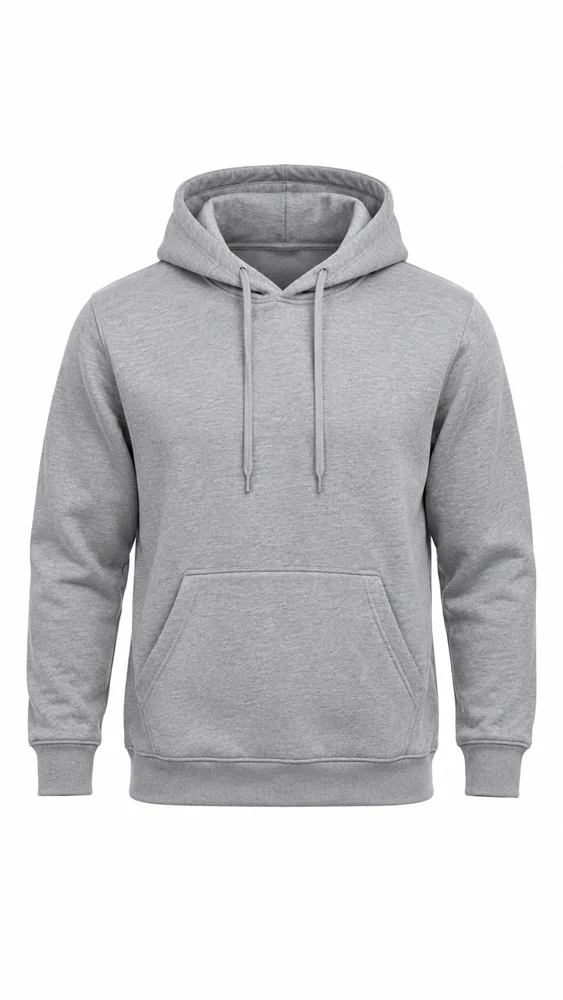
Can you use ghost mannequin photos on Amazon?
Yes, but mostly as secondary images. Amazon’s clothing style guides generally ask for the main image of men’s and women’s apparel to show the product on a human model, and they do not allow a visible mannequin in the main image. A seamless ghost mannequin shot is excellent for slots 2 onwards, where it shows true shape, neckline and construction without any distraction.
This is where most sellers go wrong. A ghost mannequin image looks premium, so it feels natural to use it as the hero. But the main image is the one Amazon checks most strictly, and the one shown in search results. If your category’s style guide asks for an on-model main image, a beautiful invisible-mannequin shirt in slot 1 can still be treated as non-compliant. Rules differ by category and change from time to time, so always read the current Amazon product image requirements in Seller Central and your category style guide before you shoot.
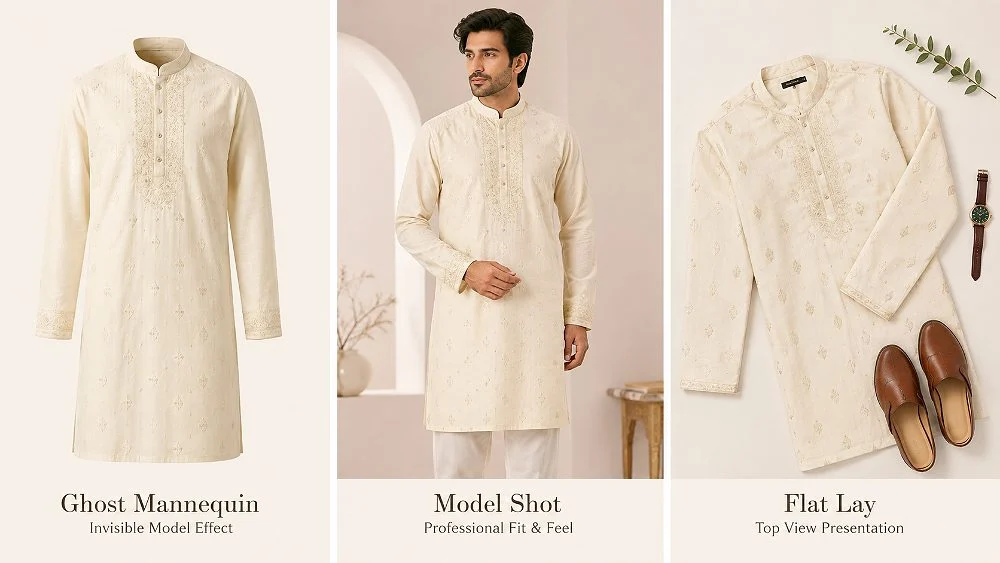
So think of amazon ghost mannequin photography as a gallery tool. It answers the questions a buyer has after the main image has done its job: How does the collar sit? How long is the hem? Where are the pockets? What does the back look like? When a studio delivers ghost mannequin shoots for apparel with this slot plan in mind, every frame has a reason to exist.
What does Amazon require from apparel images?
Amazon wants honest, sharp, uncluttered images of the exact product you sell. For the main image that means a pure white background, the product filling most of the frame, and enough resolution for zoom. Ghost mannequin gallery images should follow the same technical standard so the listing looks consistent.
The table below summarises the technical points we check on every amazon apparel image requirements brief. These figures come from Amazon’s published image requirements, as also summarised in this Amazon image requirements breakdown. Treat them as the baseline and confirm the latest version for your category.
| Requirement | What Amazon expects | What it means for ghost mannequin shots |
|---|---|---|
| Main image background | Pure white, RGB 255, 255, 255 | Keep the same white in gallery shots for a clean, uniform grid |
| Frame fill | Product fills about 85% of the image | Crop tight; long kurtas and dresses need a taller canvas, not a tiny garment in a big frame |
| Resolution | 1600px or more on the longest side for best zoom; 1000px minimum for zoom | Shoot at full resolution so stitching, buttons and fabric texture hold up when zoomed |
| Maximum size | Not more than 10,000px on the longest side | Export at a sensible size; we deliver 2000px+ on the longest side |
| File format | JPEG (preferred), TIFF, PNG or non-animated GIF | Deliver sRGB JPEGs for upload |
| Mannequins | No visible mannequin in clothing main images (socks and stockings are an exception) | The ghost effect must remove every trace of the form, stand and clips |
| Image count | Up to 9 images uploaded; the first 7 usually show (6 if a video is present) | Plan the 3–4 ghost mannequin views inside the visible slots |
Notice the last row. Space is limited, so a seller who uploads six near-identical ghost mannequin angles wastes slots that should show fit on a person, fabric close-ups or a size chart. Good planning matters more than the number of photos.
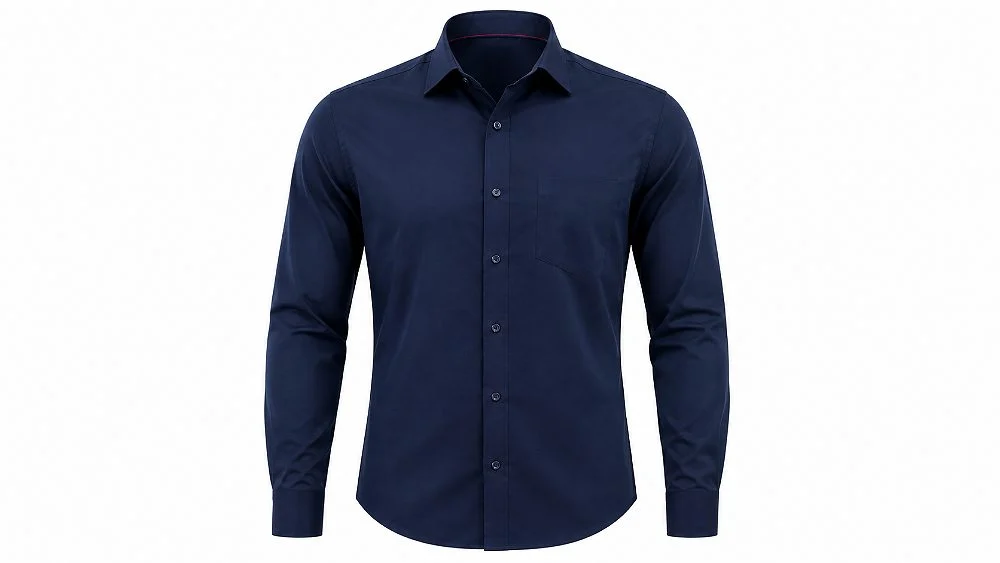
Which Amazon gallery slots should use ghost mannequin images?
Use ghost mannequin images for the front, back and detail views that show the garment’s construction, usually slots 2 to 5. Keep slot 1 for the compliant main image and reserve at least one slot for fit on a model and one for a close-up or size chart.
Here is the slot plan we use for most men’s and women’s tops, shirts and kurtas sold on Amazon India. It keeps ghost mannequin images for Amazon where they add the most value and leaves room for the human element buyers need to judge fit.
| Slot | Image | Why it is there |
|---|---|---|
| 1 (Main) | On-model front, full garment visible, pure white | Meets the usual main image rule for adult clothing and wins the search click |
| 2 | Ghost mannequin front | Shows true shape, neckline and length without pose or styling |
| 3 | Ghost mannequin back | Answers yoke, back print, pleat and zip questions |
| 4 | On-model side or three-quarter | Shows drape and fit on a real body |
| 5 | Ghost mannequin inside neck or open view | Shows lining, inner finish and label area; builds quality trust |
| 6 | Fabric and stitch macro | Shows texture, weave and print clarity |
| 7 | Size chart or measurement graphic (as permitted) | Cuts size-related returns |
If you are still setting up the listing itself, our walkthrough on how to sell clothes on Amazon India with the right category setup and size charts covers the steps before the shoot. For the on-model slots, the Amazon model photography guide explains casting, poses and framing.
What are the 9 proven rules for Amazon ghost mannequin photography?
The nine rules below cover preparation, lighting, capture and editing. Follow them and your invisible-mannequin images will look consistent, pass Amazon’s technical checks and give buyers an honest view of the garment.
Rule 1: Steam, press and size-match before the garment touches the mannequin
Creases look twice as bad on a ghost mannequin because nothing hides them. We steam every piece, remove loose threads and lint, and pick a mannequin size close to the garment’s labelled size. A size M shirt on a size L form stretches the buttons; on a size S form it sags at the chest. Both look wrong once the form is removed.
Rule 2: Use a mannequin with removable neck and arm pieces
A proper invisible mannequin has a detachable neck plate and arms. That lets us shoot the front with the collar sitting naturally and later shoot the inside neck separately for the composite. Ordinary shop-window mannequins cannot do this, which is why DIY invisible mannequin photography often shows a plastic neck or shoulder in the final image.
Rule 3: Style from the back, never from the front
All pinning and clipping happens on the back of the garment, so the front stays clean. For back shots we re-style from the front. Every clip that is visible in the frame is a retouching job later and a risk if anyone misses it.
Rule 4: Light for shape, not just for white
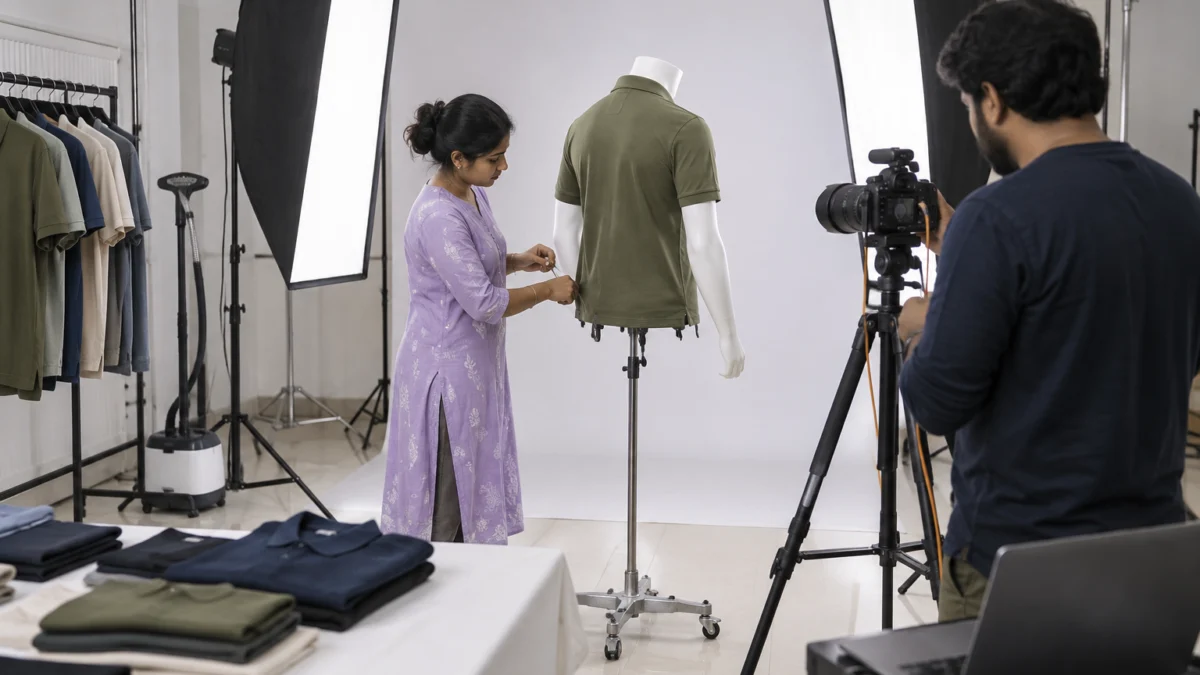
A flat, shadowless light makes a ghost mannequin garment look like a cut-out sticker. We use two strip softboxes at the sides for gentle edge shading plus a large source in front, and we light the white background separately so it reaches pure white without blowing out light-coloured fabric. That small shading is what gives amazon ghost mannequin photography its 3D, worn look.
Rule 5: Lock camera height, focal length and distance for the whole SKU set
Amazon shoppers swipe between colour variants. If the navy shirt is shot from chest height and the white one from slightly lower, the collars and hems will not line up and the range looks careless. We mark the floor, fix the tripod height and shoot every colourway of a style in one session with the same lens.
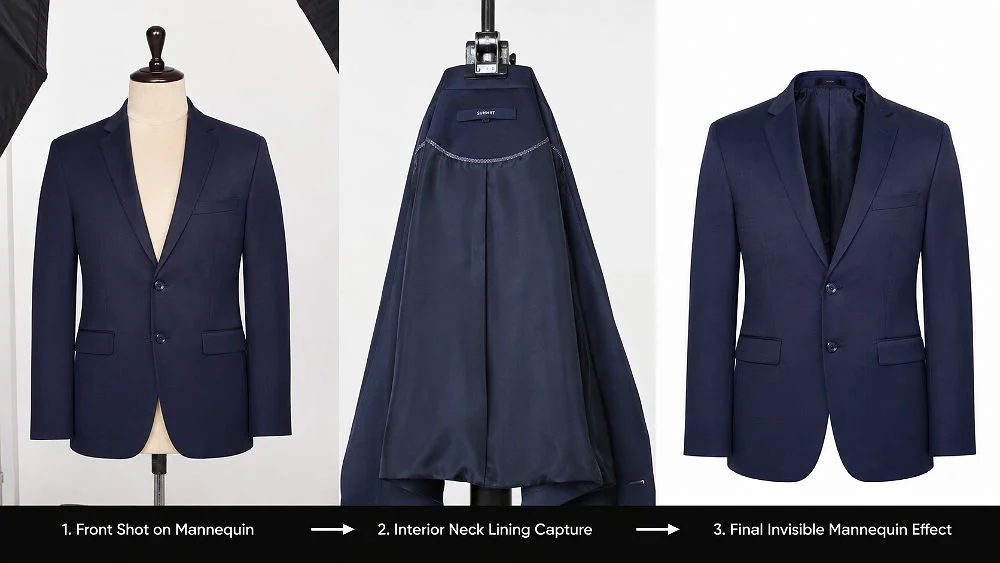
Rule 6: Capture the inside neck and inner back as separate frames
The famous “hollow” look comes from compositing the front shot with a second frame of the inside collar or inner back panel. Without that second frame, the editor has to paint the inside by hand, and it rarely looks real. These extra frames also give you the slot-5 “inside neck” image for free.
Rule 7: Shoot tethered and check colour against the real garment
We shoot tethered to a laptop and keep the physical garment next to a calibrated screen. Colour mismatch is one of the most common reasons buyers return clothing, and a ghost mannequin image has nowhere to hide a wrong shade of maroon or olive. A grey card in the first frame of each set makes later correction accurate.
Rule 8: Keep the product honest — no extra props, no misleading styling
Amazon expects the image to show exactly what the buyer receives. Do not add a belt, inner t-shirt or accessory that is not included, and do not pin a loose fit into a slim silhouette. The amazon ghost mannequin photography image should match how the garment actually falls, otherwise you are setting up a return.
Rule 9: Name and deliver files in Amazon’s slot order
We deliver files named by SKU and slot (for example, SKU_MAIN, SKU_PT01, SKU_PT02) so the catalogue team can upload without guessing. It sounds minor, but wrong order is one of the most common reasons a ghost mannequin image ends up in slot 1 by accident.
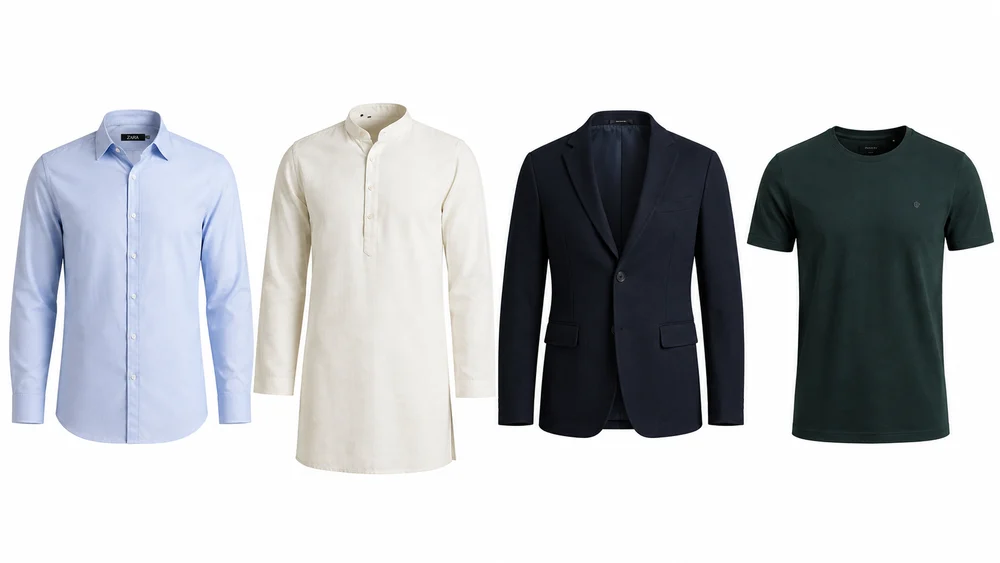
How should ghost mannequin editing be finished for Amazon?
The edit should remove every trace of the mannequin, build a natural inside neck, correct colour to the real garment and export a clean white-background JPEG at zoom-ready resolution. Anything that looks painted or cut out will reduce trust even if Amazon accepts the file.
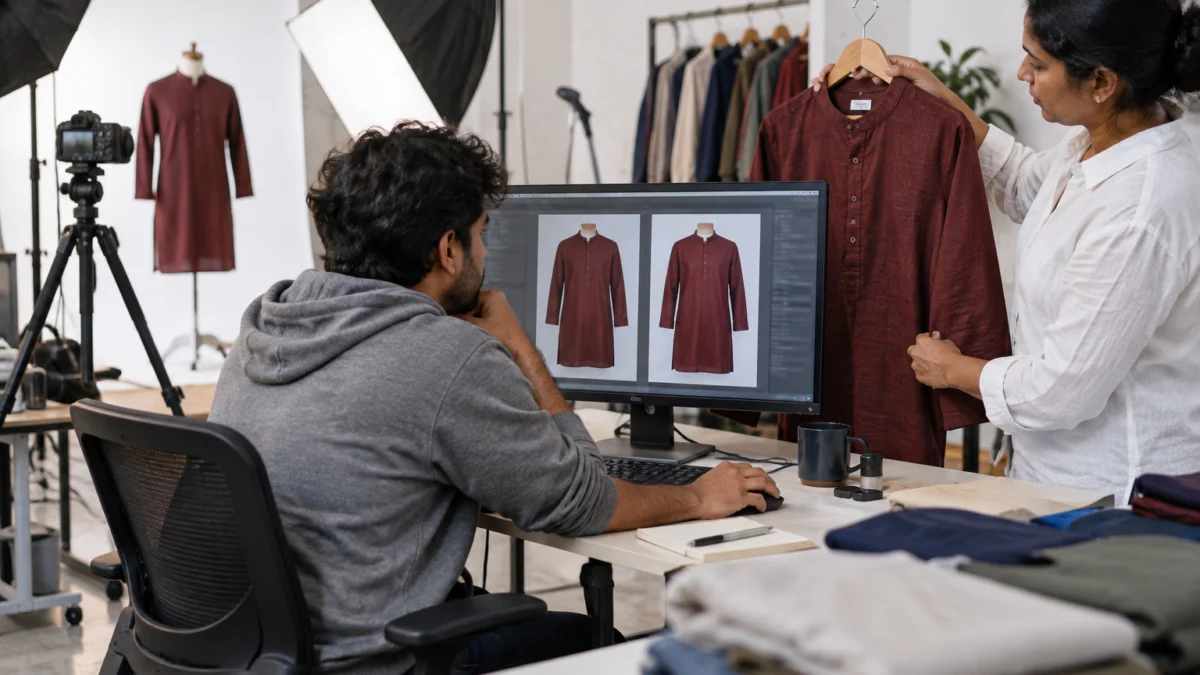
Our ghost mannequin editing sequence for Amazon gallery images runs in a fixed order so nothing is skipped:
- Clean-up: remove lint, stray threads and minor creases.
- Mask the garment: separate the garment from the mannequin and background with a precise path, especially around collars and cuffs.
- Neck joint composite: place the inside-neck frame behind the front collar and blend the shadows so it looks like the garment is worn by an invisible person.
- Symmetry and shape: straighten the placket and hem, and balance the sleeves without changing the real cut.
- Colour match: correct to the grey card and compare with the physical garment.
- Background and crop: pure white background, product filling about 85% of the frame, consistent margins across the SKU set.
- Export: sRGB JPEG, 2000px+ on the longest side, named by SKU and slot.
For a deeper look at retouching standards, see our professional garment editing workflow. It explains the same retouching discipline across all apparel shot types.
When should flat lay or on-model images replace the ghost mannequin?
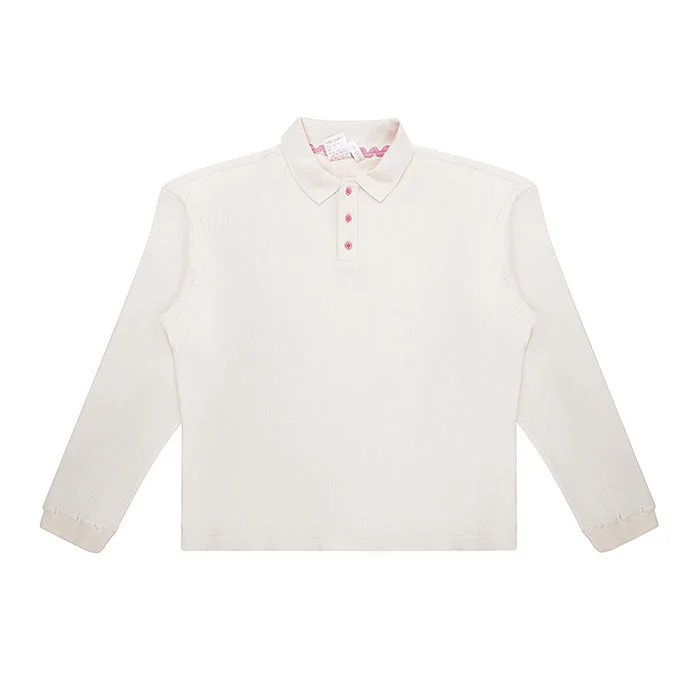
Use flat lay for kids’ and baby clothing and for multi-pack apparel, because Amazon’s clothing style guides generally expect these off-model and flat. Use on-model for the main image of adult clothing and for any slot that needs to show fit, length on the body or movement.
Kidswear is the clearest case. Amazon’s guidance generally says all images of kids’ and baby clothing should be photographed flat, and certain kids’ items such as swimwear and underwear must never be shown on a model. Here, well-styled flat lay photography is the compliant and attractive choice, not a ghost mannequin. The same logic applies to combo packs of t-shirts, socks or innerwear, where a neat flat arrangement shows the count at a glance.
For a side-by-side view of all three methods across marketplaces, our comparison of ghost mannequin vs model vs flat lay for Amazon, Flipkart and Myntra goes into cost and conversion trade-offs. On Amazon specifically, the decision table below is what we use with sellers.
| Product | Main image | Ghost mannequin role |
|---|---|---|
| Men’s shirts, t-shirts, kurtas | On-model | Front, back, inside neck in gallery |
| Women’s tops, kurtis, dresses | On-model | Front and back shape, neckline detail |
| Jackets, blazers, hoodies | On-model | Strong — shows structure, lining and hood shape |
| Kids’ and baby clothing | Flat (off-model) | Generally avoid; use flat lay throughout |
| Multi-pack apparel | Flat (off-model) | Avoid in main; single-piece detail only if allowed |
| Socks and stockings | Category-specific (leg forms may be allowed) | Check the category style guide |
How does video fit with ghost mannequin images on Amazon?
Video covers what still images cannot: how fabric moves, how the garment fits when someone walks and how thick or sheer it really is. A 20–30 second on-model clip next to your ghost mannequin gallery gives the buyer the full picture.
On Amazon, a product video also takes one of the visible gallery positions, so plan your stills around it. Sellers who add short product videos for Amazon listings usually drop one repetitive ghost mannequin angle to make room. Here are two examples from our studio:
What mistakes get Amazon apparel images suppressed or ignored?
The biggest mistakes are using a ghost mannequin as the main image where an on-model image is expected, leaving traces of the mannequin, and uploading off-white or low-resolution files. Each of these either risks suppression or quietly lowers clicks and conversion.
- Visible mannequin parts: a plastic neck, shoulder edge or stand pole left in the frame.
- Grey or cream “white”: backgrounds at RGB 245 look dull next to compliant listings and can fail the main image check.
- Tiny product in a big frame: long garments shrunk to fit a square canvas lose zoom detail.
- Painted-in neck: a flat, fake-looking inside collar instead of a real composite.
- Colour drift between variants: the same navy looking different across sizes or colourways.
- Six ghost angles, zero fit images: buyers cannot judge length or fit and return the order.
- AI-generated replacements: synthetic garments that do not match the real product lead to “not as shown” complaints. Real photos of the real garment are always safer.
Amazon’s general guidance on product imagery, including its advertising recommendations, points sellers towards multiple clear, high-quality images. Quality and honesty win over quantity every time.
How much does ghost mannequin photography for Amazon cost?
At Uniqs Studio, ghost mannequin images are priced per image, and on-model, flat lay and video work are priced per product or garment. Most Amazon apparel listings combine one on-model set with two to four views of amazon ghost mannequin photography.
| Shoot type | Images | Turnaround | Price |
|---|---|---|---|
| Ghost mannequin | 1 angle | 3–4 days | ₹250 / image |
| Flat lay | 2–3 angles | 6 days | ₹290 / product |
| Model Photography | 5–6 angles | 4–5 days | ₹400 / product |
| Ecommerce Reels Video | 20–25 seconds | 4–5 days | ₹900 / product |
| Garment Video with Model | 25–30 seconds | 4–5 days | ₹1,200 / garment |
Prices are per product/image as listed; call or WhatsApp +91-8076745824 for bulk catalogue quotes.
Planning an Amazon apparel launch? Call +91-8076745824 or message us on WhatsApp at +91-8076745824 with your SKU count, and the Uniqs Studio team will suggest the right mix of on-model and ghost mannequin images.
How do you use this Amazon ghost mannequin checklist before upload?
Run every SKU from your amazon ghost mannequin photography shoot through the checklist below before it goes live. It takes five minutes per style and catches most of the problems that cause suppression, poor click-through or returns.
- Main image follows the category style guide (on-model for adult clothing, flat for kids and multi-packs).
- No visible mannequin, stand, clip or pin in any ghost mannequin image.
- Pure white background (RGB 255, 255, 255) with the product filling about 85% of the frame.
- Longest side 1600px or more; sRGB JPEG files.
- Front, back and inside-neck ghost views placed in slots 2–5.
- At least one on-model fit image and one fabric close-up in the visible slots.
- Colour checked against the physical garment for every variant.
- Files named by SKU and slot; upload order double-checked.
- Optional product video planned, with one still image dropped to make room.
What has Uniqs Studio learnt from shooting ghost mannequin catalogues?
The biggest lesson is that amazon ghost mannequin photography works best as part of a planned set, not as a shortcut. Sellers who plan slots before the shoot spend less on reshoots and get more consistent listings.
In Satyam’s experience, the most common brief from new Amazon sellers is “shoot everything on ghost mannequin, it is cheaper than models”. It is cheaper per image, but if the main image does not suit the category rule, the saving disappears in reshoots. The better approach is one on-model set per style for the main and fit slots, then ghost mannequin views for every colourway. That gives a premium, consistent grid at a sensible budget. Questions about your own range? Email [email protected] with a few product photos and we will suggest a slot plan.
What do Amazon sellers ask about ghost mannequin photography?
These are the questions we hear most often from apparel sellers planning Amazon listings. Short, direct answers first, then a line of context.
For men’s and women’s clothing, Amazon’s style guides generally expect the main image on a human model, so a ghost mannequin image is not automatically a valid main image. Use it in the gallery and check your category style guide in Seller Central.
Aim for 1600px or more on the longest side for best zoom, with 1000px as the minimum for zoom and no more than 10,000px. Uniqs Studio delivers sRGB JPEGs at 2000px+ on the longest side.
Amazon’s guidance generally asks for kids’ and baby clothing to be photographed flat (off-model), so a flat lay is the safer choice for these listings.
Two to four is usually enough: front, back and inside neck, plus a side view for structured garments. Keep the other visible slots for on-model fit, a fabric close-up and a size chart.
Ghost mannequin photography is ₹250 per image (1 angle) with a 3–4 day turnaround. Model photography is ₹400 per product and flat lay is ₹290 per product.
It is risky. Amazon expects images to show the exact product, and synthetic garments often differ in colour, texture or fit, which leads to “not as shown” returns. Real photos of the real garment remain the safer choice.
What is the next step after planning your ghost mannequin images?
Once your slot plan is ready, check the full image rules for every slot and fix any listing that is already suppressed. Then book a shoot that covers on-model and ghost mannequin views together.
Your next step is to audit your live listings against Amazon’s complete image rules. Our guide to Amazon product image requirements and suppression fixes walks through the main image rules, every gallery slot and how to recover suppressed listings. When you are ready to shoot, Uniqs Studio can plan and deliver your full set from our Delhi studio. Call +91-8076745824, WhatsApp +91-8076745824 or email [email protected].
Get Amazon-ready apparel images from one shoot
On-model main images, ghost mannequin gallery views, flat lays for kidswear and short garment videos — planned slot by slot. Call Satyam at +91-8076745824 to discuss your catalogue.
See Ghost Mannequin Services