
If your Flipkart listing keeps bouncing back from QC, the problem is almost always the photos, not the product. The Flipkart product image guidelines are stricter than most sellers expect: a minimum resolution, a specific background for apparel, mandatory front and back views and a long list of things that are simply not allowed in the frame. This guide is part of our marketplace seller resource hub, where we break down the image rules of every major Indian platform.
At Uniqs Studio, Satyam and the team have spent 9+ years shooting catalogues for 500+ D2C brands and marketplace sellers, and Flipkart is the platform where a small framing or background mistake costs the most time. Below you will find the size and format rules, a category-wise shot list, a QC rejection fix table and a pre-upload checklist — written for Flipkart sellers, D2C fashion brands expanding to Flipkart and multi-marketplace catalogue teams who want listings approved on the first upload.
What do the Flipkart product image guidelines require in 2026-2027?
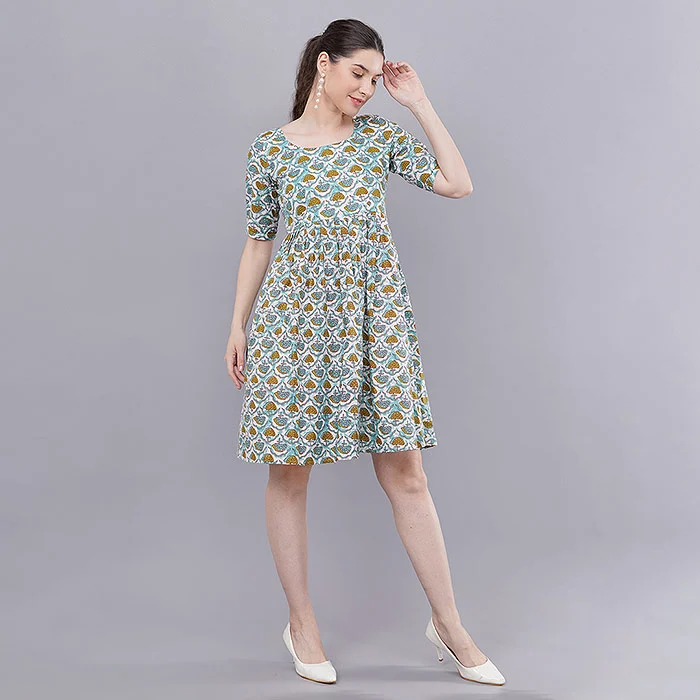
In short, the Flipkart product image guidelines ask for sharp images of at least 1000×1000 px on a white or light grey background, with no text, watermarks, stickers, price tags or props. Every listing needs at least two images (three is preferred), and most fashion categories need a mandatory front and back view.
These rules come from two places: the category templates inside Flipkart Seller Hub and the listing documentation that integration partners publish for Flipkart catalogues, such as the Flipkart image guidelines page from Fynd Commerce. Flipkart tweaks individual verticals from time to time, so treat this guide as the working standard and always cross-check the current template for your category before a bulk upload.
Key takeaways
- Minimum 1000×1000 px, sharp and in focus, uploaded as JPEG.
- Generic products: white or light grey background. Apparel: light grey with a soft shadow — plain white is not accepted in that documentation.
- No text, watermark, logo overlay, price tag, sticker, rating badge or extra props in the frame.
- Apparel needs front and back views; footwear needs front, back, angled, top and sole views.
- Mannequin images are not allowed for apparel listings — use a real model or a clean flat lay.
What image size and file format does Flipkart accept?
Flipkart needs every catalogue image to be at least 1000×1000 pixels, and its listing documentation states that only JPEG files are allowed. Seller guides also recommend that the product fills roughly 80% of the frame so buyers can zoom into fabric and finish.
Resolution is the first filter QC applies. A 700 px image exported from a phone gallery or a WhatsApp forward will usually fail, even if it looks fine on your laptop. We export Flipkart deliveries at a higher resolution than the minimum so the zoom view stays crisp, and we never upscale a small file — stretching pixels creates the soft, blotchy texture that QC flags as “low quality”.
| Requirement | Flipkart product image guidelines | Uniqs Studio delivery practice |
|---|---|---|
| Minimum size | 1000×1000 px | Exported well above the minimum, never upscaled |
| File format | JPEG only | sRGB JPEG, colour-checked |
| Product fill | About 80% of the frame (seller guides) | Consistent crop guides across every SKU |
| Images per listing | Minimum 2, 3 preferred | 5–6 angles for model shoots |
| Editing | No cropping of the product, no stretching or elongating | Retouching keeps true shape and colour |
One more rule hides inside the size requirement: no part of the product should be cut off. A kurta whose hem is cropped, or a shoe whose heel touches the frame edge, can be rejected even at 3000 px. Leave a small, even margin around the product on all four sides.
Which background should you use for Flipkart listing photos?
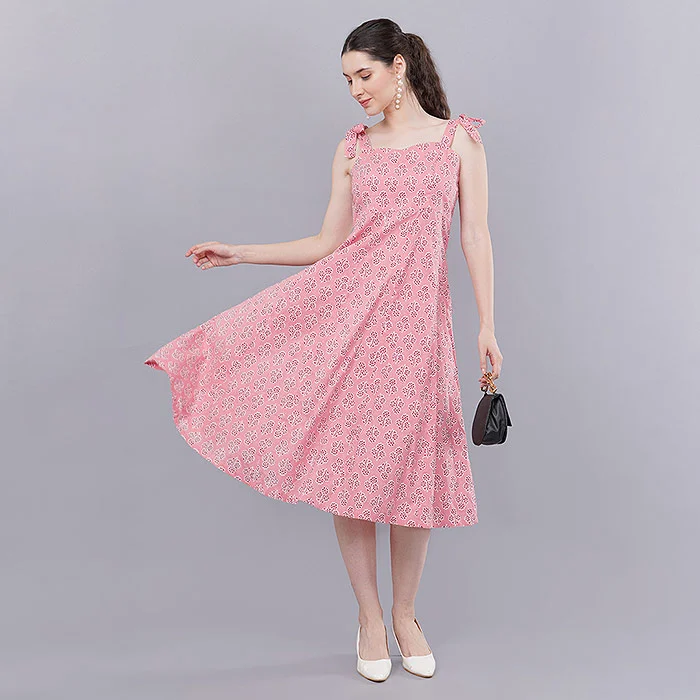
Use a clean white or light grey background for most products, but shoot apparel on a light grey background with a soft shadow. The Flipkart apparel guidance in Fynd’s documentation states that a plain white background will not be accepted for apparel, which surprises sellers who reuse their Amazon images.
This is the single biggest difference between Flipkart and Amazon. Amazon wants a pure white main image, while the Flipkart product image guidelines for fashion lean towards a soft grey that keeps light garments — white shirts, ivory kurtas, pastel dresses — from melting into the background. A soft natural shadow under the feet also helps the model look grounded rather than cut out.
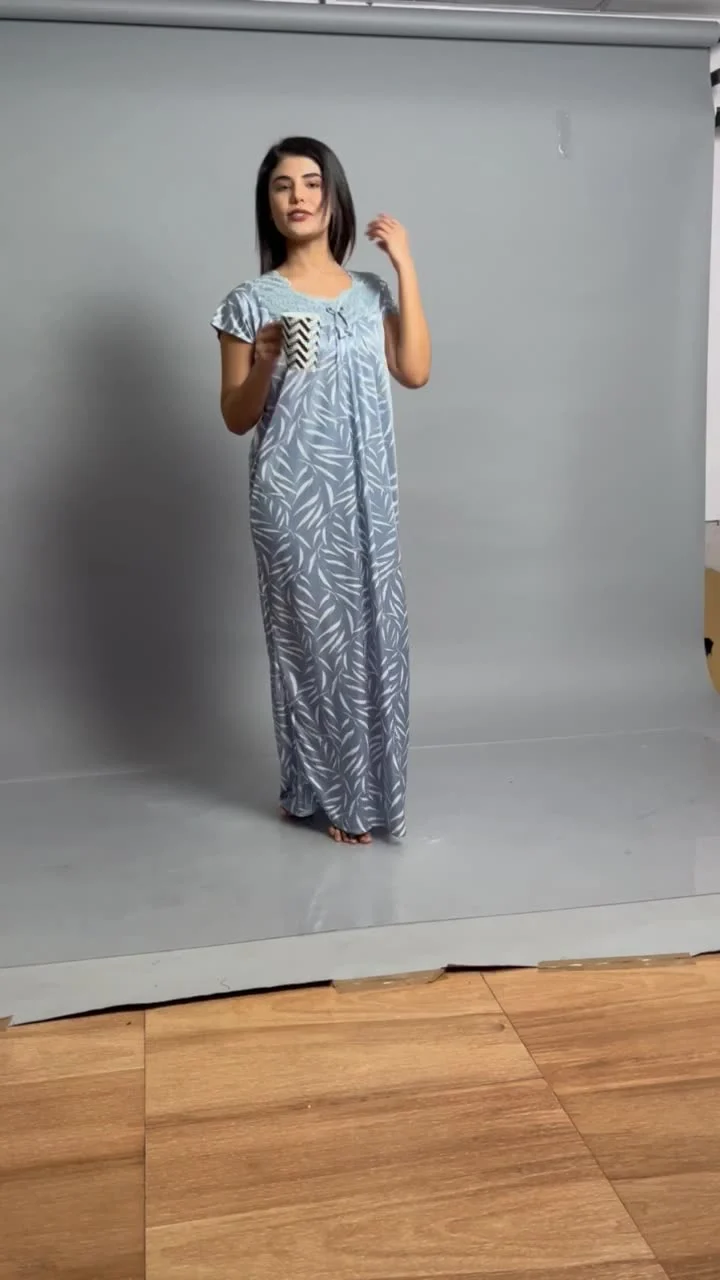
- Apparel: light grey seamless, soft shadow, even front light, no coloured walls or props.
- Footwear, bags and accessories: white or light grey, product alone in the frame.
- Multi-packs and combos: the first image must show every unit in the pack together.
- Avoid: textured walls, outdoor locations and lifestyle sets for the main catalogue images.
If you sell the same styles on several platforms, plan the backdrop before the shoot, not in editing. Swapping a white background for grey in post-production rarely looks natural around hair and fabric edges. Our guide on colour-accurate garment photography explains how we keep the garment colour identical while the backdrop changes.
What shot list does each Flipkart category need?
Apparel needs a mandatory front and back view, with side views and a pocket or detail view as optional extras. Footwear needs front, back, angled, top and sole views, and accessories need at least front and back images, plus an angled shot for sunglasses.
Here is the shot list we build for each Flipkart vertical. The mandatory images keep you inside the Flipkart product image guidelines; the optional ones are what help a buyer decide, so we shoot them whenever the budget allows.
| Category | Mandatory views | Recommended extras | Common mistake |
|---|---|---|---|
| Women’s and men’s apparel | Front, back | Side, fabric close-up, pocket or neckline detail | Back view missing or shot on a different model |
| Footwear | Front, back, angled, top, sole | Side, zoom on stitching; tip and heel for sandals | No sole image |
| Accessories | Front, back | On-model view; angled view and casing for sunglasses | Dust or scratches visible on zoom |
| Multi-packs and combos | All units together as image 1 | Each unit separately | First image shows one piece only |
| Bags | Front, back | Inside view, strap drop, scale on model | Stuffing paper visible |
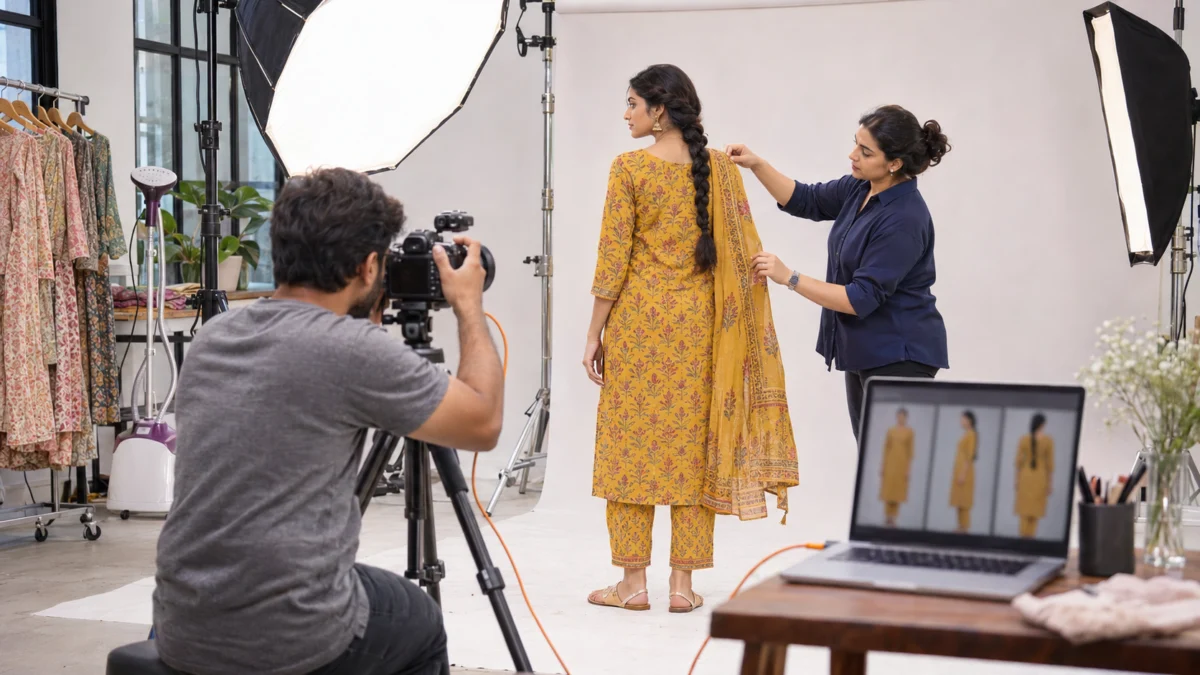
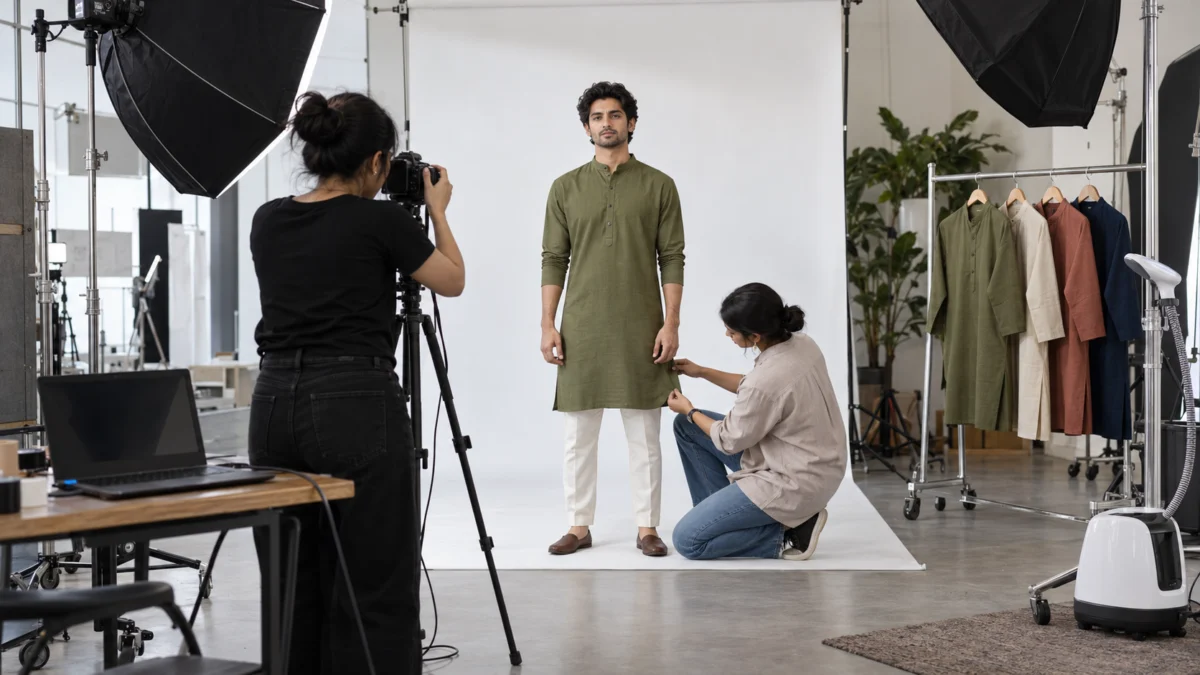
The back view is where most Flipkart rejections in fashion begin. Sellers shoot the front on a model, then photograph the back on a hanger or a different model on another day. Flipkart’s apparel guidance asks for the same model and the same skin tone across all images of a listing, so plan front, back and side views in one continuous sequence on one model.
How many images should a Flipkart listing have?
The documented minimum is two images with three preferred, but two images rarely convert. For apparel we deliver five to six angles: front, back, side, a three-quarter pose, a fabric close-up and a detail of the neckline, buttons or embroidery. That set answers the questions buyers otherwise ask in reviews — and it reduces “not as shown” returns.
How should apparel be prepared and shot for Flipkart?
Steam every garment so there are no creases or folds, fit it correctly on one real model, and light it softly without harsh highlights. Flipkart’s apparel guidance rejects ill-fitting garments, crumpled fabric, mannequin images and sets where the model changes between images.
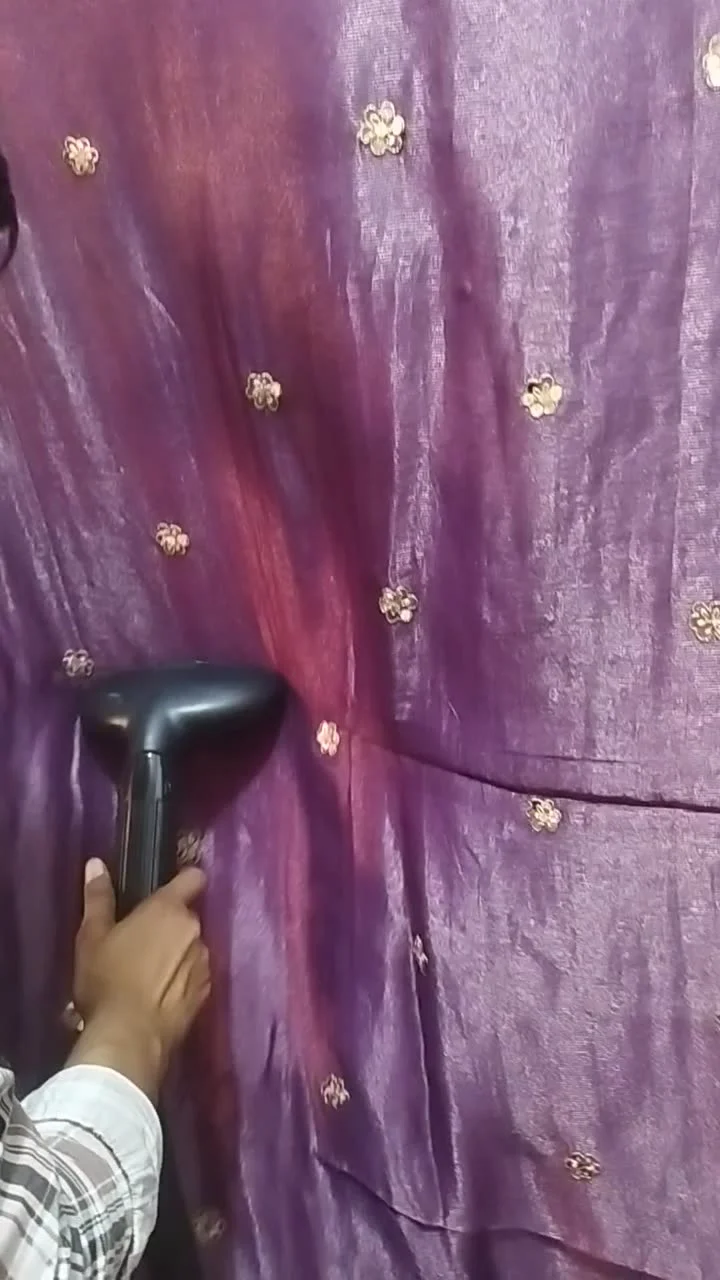
Preparation decides half the result. Our garment preparation checklist covers steaming, tag removal, pinning and lint rolling, and every one of those steps maps to a Flipkart rule: no product tags in the image, no creases, no visible packing material.
On-model, flat lay or mannequin for Flipkart apparel images?
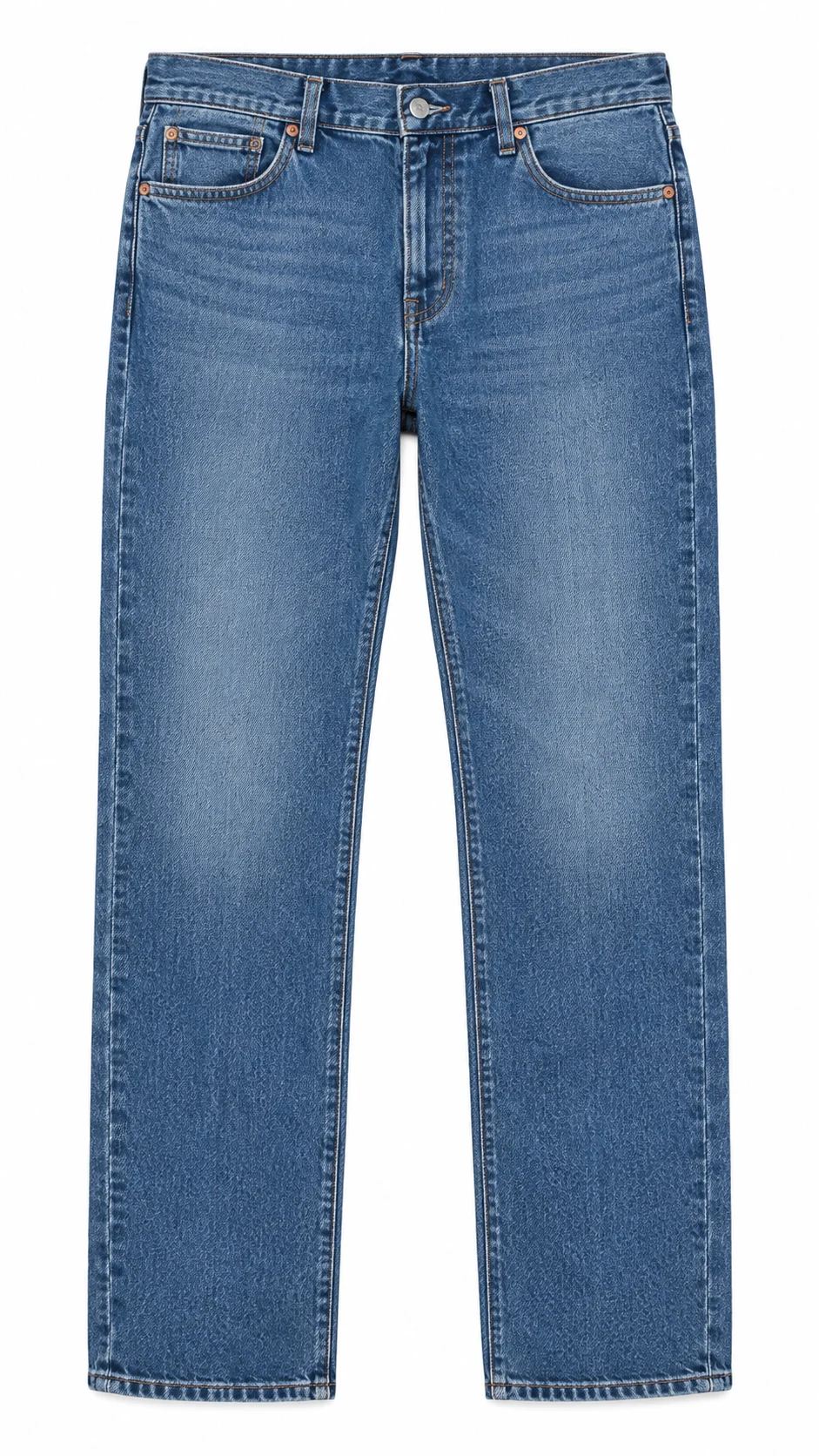
On-model images are the safest choice for Flipkart apparel because they show fit, length and drape, and they satisfy the “same model across the set” rule. For menswear, a dedicated male model shoot for shirts, kurtas and denim gives you consistent front, back and side views in one session. Mannequin images are listed as not allowed for apparel in the Flipkart documentation, so keep any mannequin shots for other channels where they are accepted.
For kidswear, innerwear packs, socks and folded basics, a clean top-down layout works well. Neat flat lay shots on a light background show every unit of a combo pack in one frame, which is exactly what Flipkart wants as the first image of a multi-pack. Our comparison of model, flat lay and mannequin shoots explains which format suits which product.
Fit, lighting and model consistency
- Fit: the garment should sit naturally — not baggy, not stretched tight. Clip at the back only when the clips are hidden in every angle.
- Lighting: soft, even light; avoid heavy or extremely bright light that blows out white fabric or flattens texture.
- One model per listing: same model, same skin tone, same styling for front, back and side views.
- No extra accessories: when the product is an accessory, the model should not wear competing jewellery, bags or sunglasses.
Video now matters on Flipkart too, especially for ethnic wear where flare and fabric fall are hard to judge from stills. A short on-model clip like the one below, shot in the same session as the catalogue photos, keeps colour and styling consistent across the listing.
Why do Flipkart listings fail QC for images — and how do you fix them?
Most Flipkart image rejections come from low resolution, the wrong background, text or stickers in the frame, missing mandatory views or inconsistent models across a set. Each one has a direct fix, and correcting the source image is always faster than arguing the rejection.
Flipkart separates errors into pre-listing errors (missing attributes, wrong taxonomy or values) and post-listing QC rejections, where low-quality images, mismatched titles and missing variation data are the usual culprits. Download the error report from Seller Hub, fix the source files and re-upload. These are the nine image fixes we apply most often:
| # | QC rejection reason | Proven fix |
|---|---|---|
| 1 | Image below 1000×1000 px or blurry | Reshoot or re-export from the original file; never upscale a small image |
| 2 | White background on apparel | Reshoot on light grey seamless with a soft shadow |
| 3 | Text, watermark, logo overlay or rating badge | Upload the clean master; keep marketing graphics off catalogue images |
| 4 | Price tag, sticker or product tag visible | Remove or tuck tags before the shoot; retouch any that slip through |
| 5 | Back view missing | Shoot front and back in one sequence on the same model |
| 6 | Different models or skin tones in one listing | Lock one model per style; reshoot the odd image |
| 7 | Mannequin used for apparel | Replace with on-model or flat lay images |
| 8 | Creases, folds or ill-fitting garment | Steam, pin and re-style; choose a model in the right size |
| 9 | Product cropped, stretched or crowded by props | Leave even margins, keep original proportions, remove props |
A pattern we see often: a seller fixes one rejected image, re-uploads, and gets rejected again for a different reason in the same set. Audit the full listing against the checklist further down before you resubmit. If you also sell on other platforms, our sibling guide on Ajio image guidelines shows how one shoot can be planned to pass several QC teams at once.
How do Flipkart image rules compare with Amazon, Myntra and Meesho?
Flipkart’s biggest difference is the light grey background for apparel and its ban on mannequin images, while Amazon insists on a pure white main image. Myntra focuses on consistent on-model catalogue sets, and Meesho is more relaxed but still rejects text, watermarks and blurry photos.
| Rule | Flipkart | Amazon | Meesho |
|---|---|---|---|
| Apparel background | Light grey with soft shadow | Pure white main image | Clean, plain background |
| Minimum size | 1000×1000 px | 1000 px on the longest side for zoom | Clear, high-resolution image |
| Mannequin for apparel | Not allowed | Allowed in specific gallery slots | Check category rules |
| Text and watermarks | Not allowed | Not allowed on main image | Not allowed |
So one master set rarely fits every platform. We plan cross-platform shoots with a grey and a white backdrop pass for the same garment, then export per marketplace. Compare this with our Amazon product image requirements, and if you are still choosing where to sell, read Meesho vs Flipkart for sellers before you budget the shoot.
How do you check Flipkart catalog images before upload?
Run every image through a short checklist before uploading: size, format, background, framing, mandatory views, model consistency and a clean frame. Ten minutes of checking saves days of rejected listings and re-uploads.
- Size: every file is at least 1000×1000 px and saved as JPEG.
- Background: apparel on light grey with soft shadow; other products on white or light grey.
- Framing: the product fills roughly 80% of the frame with nothing cut off.
- Clean frame: no text, watermark, logo overlay, price tag, sticker or extra prop.
- Mandatory views: front and back for apparel; front, back, angled, top and sole for footwear.
- Consistency: one model, one skin tone, one lighting setup per listing.
- Garment condition: steamed, no creases, correct fit, no packing visible.
- Multi-packs: image 1 shows all units together.
- Colour: on-screen colour matches the physical product under daylight.
Want a second pair of eyes? Send a few sample images to [email protected] or on WhatsApp at +91-8076745824, and the team will tell you which shots are likely to fail QC and why.
How much does a Flipkart-ready catalogue shoot cost?
At Uniqs Studio, model photography for marketplace catalogues is ₹400 per product for 5–6 angles, and flat lay is ₹290 per product for 2–3 angles. Footwear, bags and garment videos have their own fixed rates, listed below.
| Shoot type | Images | Turnaround | Price |
|---|---|---|---|
| Footwear | 4–5 angles | 5 days | ₹245 / product |
| Bags & handbags | 4–5 angles | 4–5 days | ₹295 / product |
| Flat lay | 2–3 angles | 6 days | ₹290 / product |
| Model Photography | 5–6 angles | 4–5 days | ₹400 / product |
| Ecommerce Reels Video | 20–25 seconds | 4–5 days | ₹900 / product |
| Garment Video with Model | 25–30 seconds | 4–5 days | ₹1,200 / garment |
Prices are per product/image as listed; call or WhatsApp +91-8076745824 for bulk catalogue quotes.
Planning a Flipkart catalogue? Call Satyam on +91-8076745824 or message us on WhatsApp +91-8076745824 with your SKU count and categories.
How does Uniqs Studio shoot Flipkart-ready catalogues?
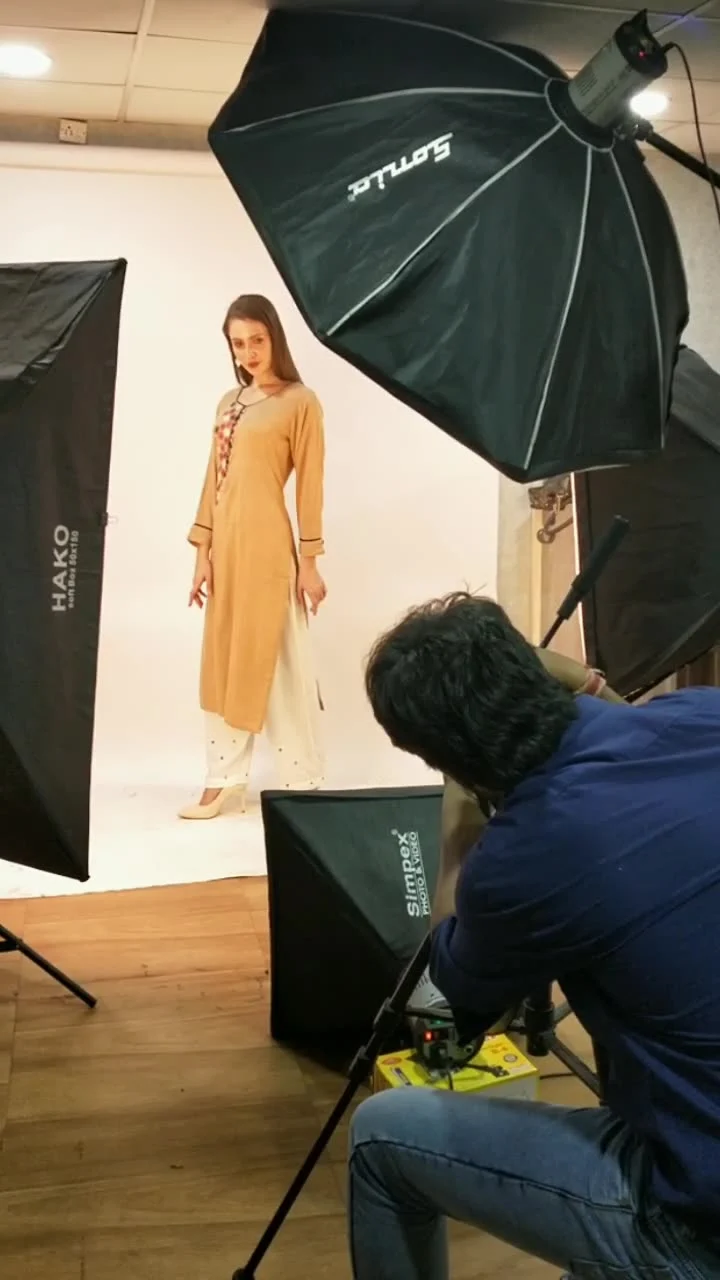
We plan the shot list per Flipkart vertical, prepare every garment, shoot front, back and detail views on one model under one lighting setup, and export to Flipkart’s size and background rules. The result is a set that is built to clear QC rather than patched after rejection.
- Brief: categories, SKU count, which marketplaces, and which views are mandatory for each.
- Prep: steaming, tag removal, size checks and model fitting.
- Shoot: tethered capture on full-frame cameras, so framing and colour are checked live on a calibrated screen.
- Retouch: dust and lint clean-up, crease control and colour matching — no reshaping of the product.
- Export: JPEG files above 1000×1000 px, named by SKU and view, ready for Seller Hub.
Our studio is at 1800/9, Kalkaji Extension, New Delhi, and we work with sellers across Delhi, Gurgaon, Noida, Faridabad and Ghaziabad. Menswear sellers can see the kind of on-model clip we shoot alongside the stills here:
Satyam’s studio note
“Most Flipkart rejections we fix are not about bad photography — they are about images shot for a different platform. A white Amazon main image, a mannequin shot made for a website, a back view taken on another day. When we plan the Flipkart set from the start, the same garments pass QC with far fewer re-uploads.”
Flipkart product image guidelines: frequently asked questions
These are the questions Flipkart sellers ask us most often about image size, background and QC. Short answers first, so you can act on them straight away.
Flipkart needs images of at least 1000×1000 pixels, saved as JPEG. Higher resolution helps the zoom view, but never upscale a small image — it looks soft and can still fail QC.
For apparel, Flipkart’s guidance documented by integration partners asks for a light grey background with a soft shadow and states that plain white will not be accepted. White or light grey works for most other categories.
The minimum is two images and three is preferred. For apparel, plan five to six: front, back, side, a three-quarter pose, a fabric close-up and a detail shot.
Mannequin images are listed as not allowed for apparel, and footwear guidance says to avoid them in favour of real models. Use on-model images or a clean flat lay instead.
The usual reasons are low resolution, the wrong background, text or stickers in the image, a missing back view, different models in one listing, or cropped and stretched products. Download the error report from Seller Hub and fix the source images.
Often not for apparel, because Amazon’s pure white main image conflicts with Flipkart’s light grey apparel background. Plan both backdrops in one shoot so each marketplace gets a compliant set.
What is the next step for your Flipkart catalogue?
Audit your current Flipkart images against the checklist above, list the SKUs that fail, and reshoot those first. If most of the problems are missing views or inconsistent models, a planned on-model reshoot will fix more listings than editing ever can.
When you are ready to reshoot, our on-model fashion shoots are planned around each marketplace’s rules, so your Flipkart, Amazon and Myntra sets come out of one session. Call Satyam on +91-8076745824, email [email protected] or send your catalogue details to Uniqs Studio — we are open Monday to Saturday, 10 am to 7 pm.