
The Ajio image guidelines decide whether your styles go live or sit in a QC rejection file for another week. Ajio is a curated, brand-led fashion marketplace, so it checks your catalogue images more strictly than many open platforms do. This guide is part of our marketplace seller resource hub, and it covers one question in full: what images does Ajio expect, and how do you fix them when QC says no?
At Uniqs Studio, Satyam and the team have spent 9+ years shooting catalogues for 500+ D2C brands and marketplace sellers from our in-house studio in Delhi. The rejection remarks we see on fashion marketplaces repeat themselves: low resolution, missing model shot, missing detail shot, shadows, poor framing. Every one of them is cheaper to prevent on the shoot day than to fix after upload, so this guide works like a shot plan you can hand to your photographer.
Key takeaways
- Ajio integration documentation asks for images larger than 1000 px on both sides and allows 1 to 14 images per style; seller guides recommend 1500×2000 px (a 3:4 portrait frame).
- For apparel, model images are preferred, with front, back and detail views; for ethnic wear, close-up detail shots are listed as required.
- Keep backgrounds clean white or light, fill roughly 75–85% of the frame, and avoid overlays, watermarks and props.
- Most image rejections come from low quality, missing model or detail shots, and poor framing or shadows.
- When a style fails QC, read the Remark column in the rejected file, fix only what is flagged and re-upload in one clean batch.
What are the Ajio image guidelines in 2026-2027?
The Ajio image guidelines are the catalogue rules your product photos must meet before a style passes QC: a minimum resolution, a clean background, a set of required views per category and no overlays or watermarks. Ajio shares the detailed rules with registered sellers inside its seller panel, and integration partners publish summaries that match what we see in QC remarks.
Because the full rulebook sits behind the seller login, most brands piece it together from rejection files. Two public sources are useful. The Fynd Konnect AJIO listings FAQ says product images must be professional photoshoots, that each listing takes a minimum of 1 and a maximum of 14 images, and that images should be more than 1000 pixels in both height and width.
The Streamoid AJIO seller guide adds the practical detail: 1500×2000 px or higher is recommended, the background should be clean white or light, the product should fill about 75–85% of the frame, and overlays, watermarks and props are not allowed. Treat both as strong guidance and confirm the current numbers in your own seller panel before a large upload.
Ajio image guidelines at a glance
| Spec | What published sources say | What we shoot for |
|---|---|---|
| Resolution | More than 1000 px on both sides; 1500×2000 px or higher recommended | High-resolution master, exported at 1500×2000 px or larger |
| Frame | Portrait, model-led frames for fashion | 3:4 portrait crop from every master |
| Number of images | 1 to 14 per listing | 6–8 strong views per colour, not 14 weak ones |
| Background | Clean white or light | Seamless white or light grey, even light, no hard shadows |
| Product fill | About 75–85% of the frame | Same crop guides for every style in a range |
| Not allowed | Overlays, watermarks, props | No text, badges, logos or styling props in the frame |
| Apparel views | Model images preferred; front, back and detail shots | Front, back, side, two detail close-ups, one styled pose |
| Ethnic wear | Close-up detail shots required | Embroidery, border, weave and dupatta close-ups |
What image size and resolution does Ajio need?
To meet the Ajio image guidelines comfortably, aim for 1500×2000 px or larger in a 3:4 portrait frame. Published integration documentation sets the floor at more than 1000 px on both sides, but images close to that minimum lose detail when shoppers zoom into fabric, prints and embroidery.
The Ajio image size question is really a question about zoom. Ajio shoppers buy branded fashion, and they zoom in to check stitching, texture and print quality before they add to bag. A 1500×2000 px image gives that zoom enough pixels; a phone photo cropped down to 1100 px does not, even if it technically passes the minimum.
On the shoot, we capture on a full-frame camera at full resolution and keep that file as the master. The master is never uploaded directly. It is colour-corrected, retouched and then exported per marketplace, so the same frame becomes an Ajio portrait crop, a square crop for other platforms and a web version for your own D2C site.
Why a 3:4 portrait master file works best for Ajio product images
Our hub notes that Ajio, like Myntra, favours a 3:4 portrait frame, while Amazon, Flipkart and Meesho work with square images. 1500×2000 px is exactly 3:4, which is why seller guides quote it. If your photographer frames every look with a little air on both sides, you can crop a 3:4 Ajio image and a 1:1 square from the same file without cutting off feet, hands or hemlines.
- Export size: 1500×2000 px or larger, 3:4 portrait.
- Format: high-quality JPEG in the sRGB colour space unless your panel template says otherwise.
- Naming: style code, colour and view number (for example, style-colour-01-front) so uploads stay in order.
- Hosting: partner templates take images by URL, so keep the files on stable, public links until QC is complete.
Which shots do the Ajio image guidelines expect for each category?
For apparel, plan a model-led set: front, back and side views plus detail close-ups. Ethnic wear needs clear close-ups of embroidery, work and weave, and footwear needs front, side, top and sole views. These are the views that published Ajio listing requirements and QC remarks keep coming back to.
| Category | Must-have views | Useful add-ons |
|---|---|---|
| Western wear and casuals | On-model front, back, side, fabric detail | Styled pose, product-only view |
| Ethnic wear (kurtas, kurta sets, sarees) | On-model front and back, embroidery or weave close-ups | Dupatta drape, border and pallu detail |
| Menswear | On-model front, back, side, collar and cuff detail | Fabric texture macro, product-only view |
| Footwear | Front, side, top and sole | Lifestyle or on-foot shot |
| Bags and accessories | Front, side, back, inside or detail | Scale shot on a model |
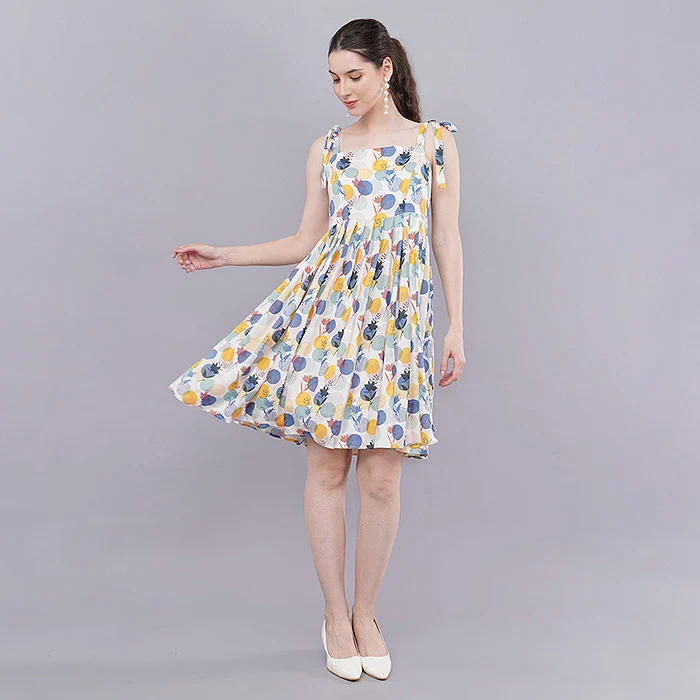
Apparel: Ajio model shots, back view and detail shots
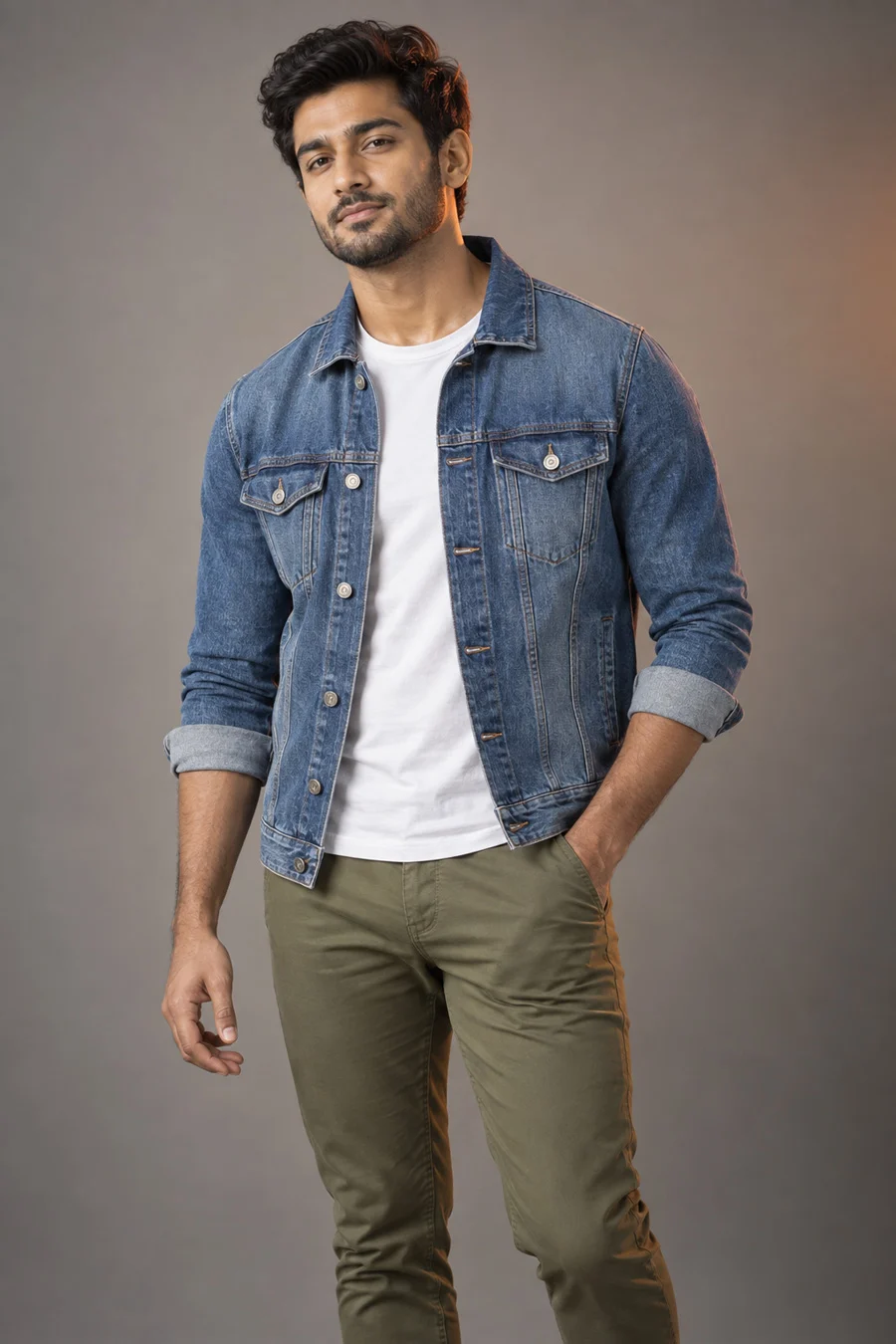
The Ajio model shots carry the listing. Seller guides say model images are preferred for apparel, and missing model shots appear in the list of image QC rejection reasons for certain categories. In practice, that means your first image should be a full-length, front-facing model shot with the whole garment visible, followed by the back and a three-quarter or side view.
After the model views, add at least two close-ups: fabric texture and one construction detail such as a neckline, button placket, print repeat or hem finish. If you sell the same style in several colours, a product-only view helps too. Many brands add ghost mannequin shots for each colourway, so the shape stays identical across variants without booking the model for every colour.
Ethnic wear: close-ups that the Ajio image guidelines treat as required
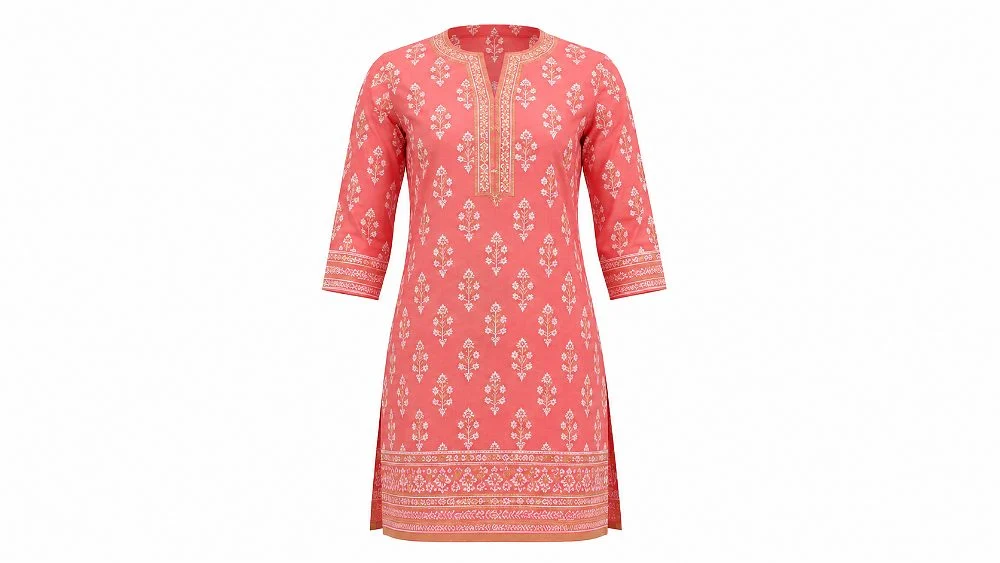
Ethnic wear is where most Ajio ethnic wear images fail. The Streamoid guide lists clear embroidery and work details, weaving texture and close-up detail shots as required for this category. A kurta set photographed only from the front, however beautiful, leaves the shopper guessing about zari quality, thread work and border width.
- Neckline and yoke: a macro of embroidery, mirror work or gota on the yoke.
- Border and hem: the full width of the border, shot flat and evenly lit.
- Weave or print: a close crop that shows the texture of silk, chanderi, cotton or linen.
- Dupatta: one draped view on the model and one close-up of the dupatta edge.
- Saree: pallu, body and border close-ups, plus the blouse piece if it is included.
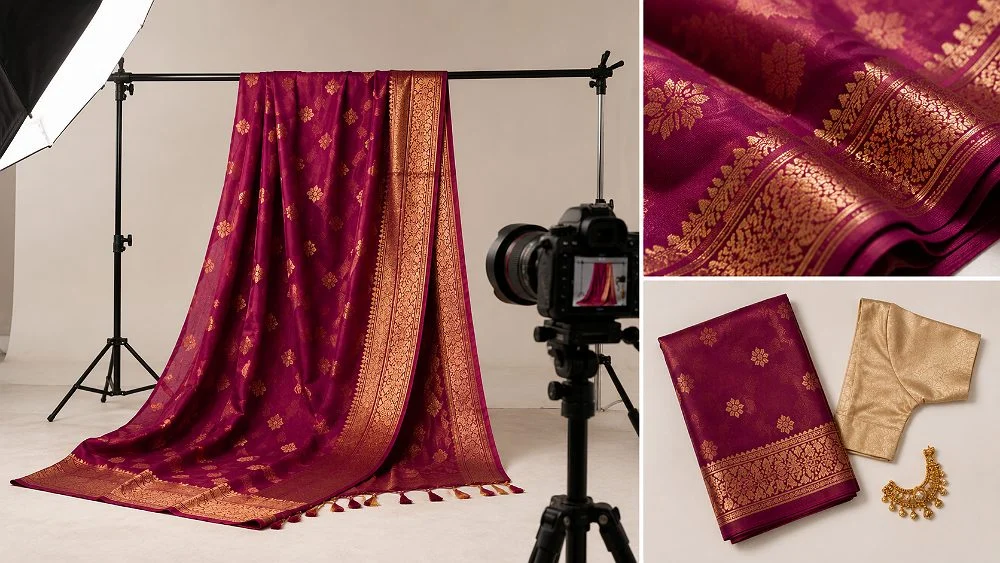
For sarees in particular, the drape and pallu shots need planning before the model arrives. Our guide to saree photography for ecommerce covers draping and pallu close-ups in more depth, and the same logic applies to lehengas and kurta sets on Ajio.
Menswear, footwear, bags and accessories
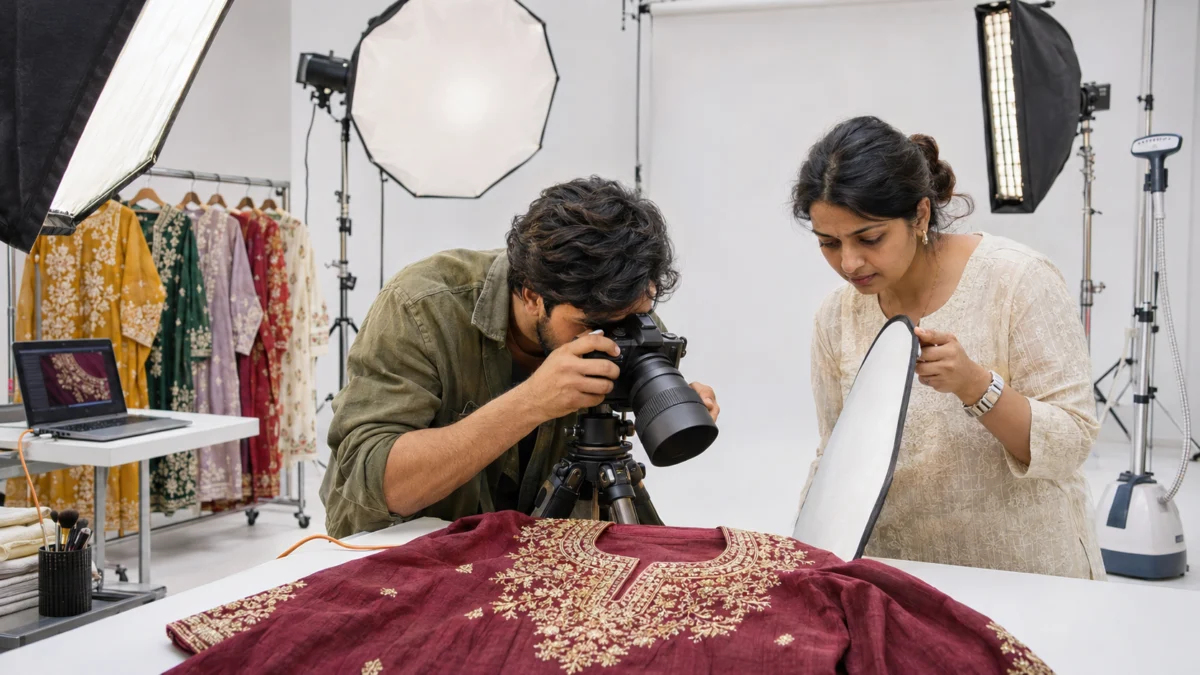
Menswear follows the apparel rules, with extra attention to collars, cuffs and fabric. For shirts, kurtas and Nehru jackets, a dedicated male model shoot gives you the front, back and side views plus natural poses that show fit across the shoulders. Footwear needs front, side, top and sole views, and bags need front, side, back and an inside or detail shot.
How should you frame, light and style images for Ajio?
Shoot on a clean white or light background with even, soft light, keep the product at roughly 75–85% of the frame and leave out every prop, badge and text overlay. Under the Ajio image guidelines, consistency matters as much as quality: every style in a range should share the same crop, light and backdrop.
Poor framing and shadows are named QC reasons, and both are lighting and setup problems rather than editing problems. A model standing too close to the backdrop throws a hard shadow; a camera height that changes between styles makes one kurta look longer than the next. We fix the camera height, the model’s mark on the floor and the light positions at the start of the day, then shoot every style to the same setup.
- Background: seamless white or light grey, lit separately from the model so it stays clean.
- Light: large softboxes or strip boxes for soft, even light; a reflector to open up shadows under arms and hems.
- Fill: the garment fills roughly 75–85% of the frame, with the same crop guides on every style.
- Styling: neutral footwear and minimal jewellery that does not compete with the product; no props in the frame.
- Clean frame: no text, logos, price tags, collages or watermarks on any catalogue image.
Colour accuracy is the other half of a clean frame. If the maroon in your photo turns into brick red on screen, QC may pass the image, but the shopper returns the product. Our guide to colour-accurate garment photography explains grey-card white balance and colour matching, which we apply to every Ajio set before export.
Why does Ajio reject catalogue images in QC?
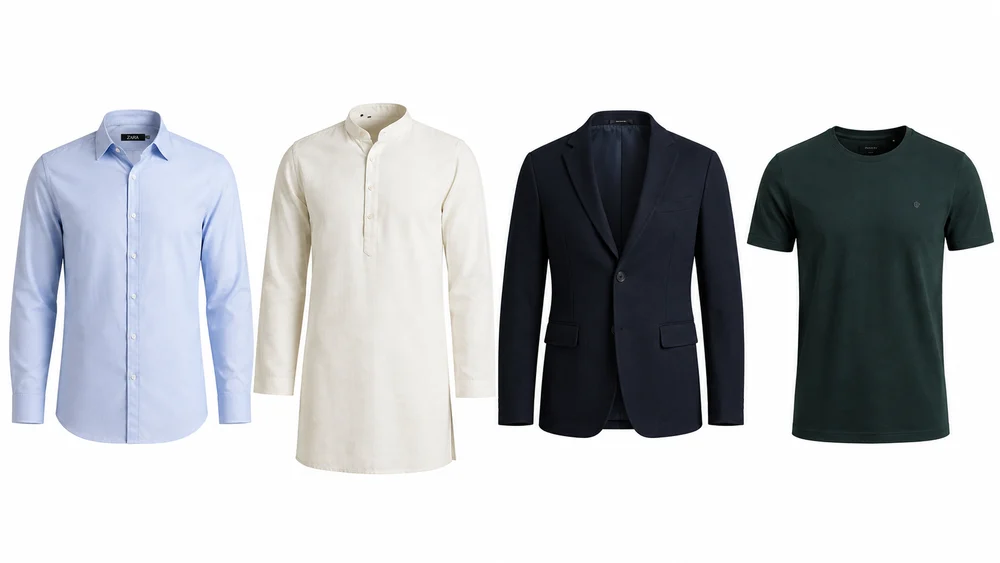
Ajio QC rejection for images usually comes down to four things: low-quality images, missing model shots for categories that need them, poor framing or shadows, and missing detail shots. Attribute and size chart errors are rejected separately, so check whether the remark is about the image or the data before you reshoot.
The table below maps the Ajio image guidelines to the nine image-related problems we see most often when brands bring rejected styles to the studio, and the fix for each. If you also sell on Myntra, you will recognise several of them from our list of Myntra catalogue rejection fixes, because both marketplaces judge fashion images in a similar way.
| # | QC problem | What it looks like | Proven fix |
|---|---|---|---|
| 1 | Low resolution | Soft or pixelated zoom, file under the minimum | Re-export from the master at 1500×2000 px or reshoot on a full-frame camera |
| 2 | Missing model shot | Only flat lay or hanger images for apparel | Add a full-length on-model front view as image one |
| 3 | Missing detail shot | No close-up of fabric, embroidery or work | Add two or more close-ups; required for ethnic wear |
| 4 | Shadows | Hard shadow on the backdrop or under the hem | Move the model off the backdrop, light the background separately, add a reflector |
| 5 | Poor framing | Feet or head cut off, product too small or too large | Use crop guides; product at about 75–85% of the frame |
| 6 | Non-white or busy background | Coloured walls, room interiors, patterned floors | Shoot on seamless white or light grey |
| 7 | Overlays or watermarks | Brand logos, text, badges or collages on the image | Upload clean images only; keep branding for your own site |
| 8 | Props in the frame | Stools, plants, vases or extra accessories competing with the product | Remove props; style only with neutral, non-distracting pieces |
| 9 | Colour or variant mismatch | Image colour differs from the colour attribute or other variant images | Colour-match each variant to the physical garment and shoot each colour separately |
Two of these deserve a special note. A colour mismatch often looks like an attribute error, because the colour name in the template and the colour in the photo do not agree. And the variation hierarchy matters: seller guides describe a parent style, then colour variants, then size variants, with individual images for each colour. Reusing one colour’s images for another is a common reason for both QC problems and returns.
How do you fix an Ajio QC rejection and re-upload?
Download the rejected file, read the Remark column for each style, fix only what is flagged and re-upload the corrected file. Integration documentation describes exactly this loop, and working through remarks style by style is faster than reshooting a whole range.
- Download the rejected file from the seller panel or your integration tool and sort it by remark.
- Separate image remarks from data remarks. Attribute, size chart and compliance errors need template fixes, not new photos.
- Check the master files first. Many resolution and framing remarks can be fixed by re-exporting or re-cropping the original high-resolution file.
- List the true reshoots — missing model shots, missing detail shots and shadow problems — and shoot them in one batch on the same setup as the original range.
- Colour-check every corrected image against the physical garment before export.
- Update the image URLs in the template, keep the image order (model front first) and re-upload the file.
- Track the next QC result and keep a note of each remark so the next range avoids it from the start.
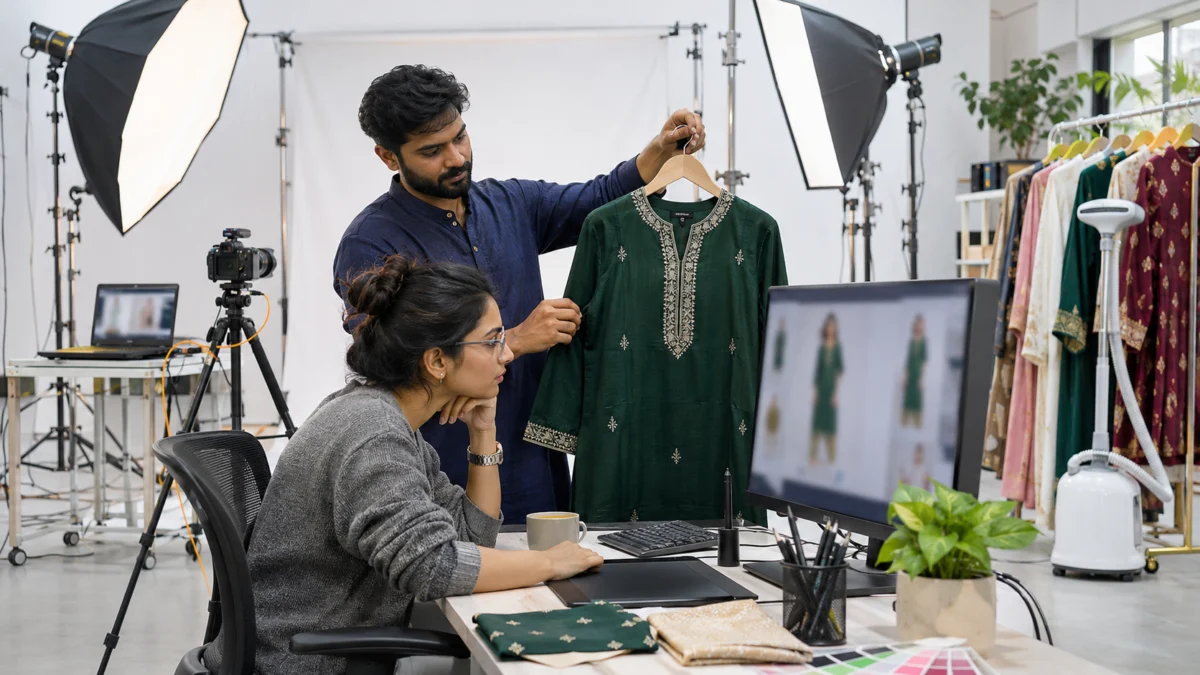
If your rejection file is long and you are not sure which remarks need new photos, send it to us at [email protected]. The Uniqs Studio team will tell you what can be re-exported from your existing files and what genuinely needs a reshoot, so you do not pay to photograph styles that only needed a new crop.
How do you plan one shoot for Ajio, Myntra and other marketplaces?
Shoot one high-resolution master per view, frame it loosely enough for both 3:4 and 1:1 crops, and export marketplace versions after editing. One well-planned shoot can serve Ajio, Myntra, Amazon and your own website without separate shoots for each.
Most branded apparel sellers do not sell on Ajio alone. Our hub explains that brands often start on Myntra or Ajio and expand from there, and the image rules overlap more than they differ. Ajio and Myntra both favour portrait, model-led frames, while Amazon wants a pure white main image in a square crop. If you plan for all three on the shoot day, one session covers the full Ajio seller catalogue and the other channels too.
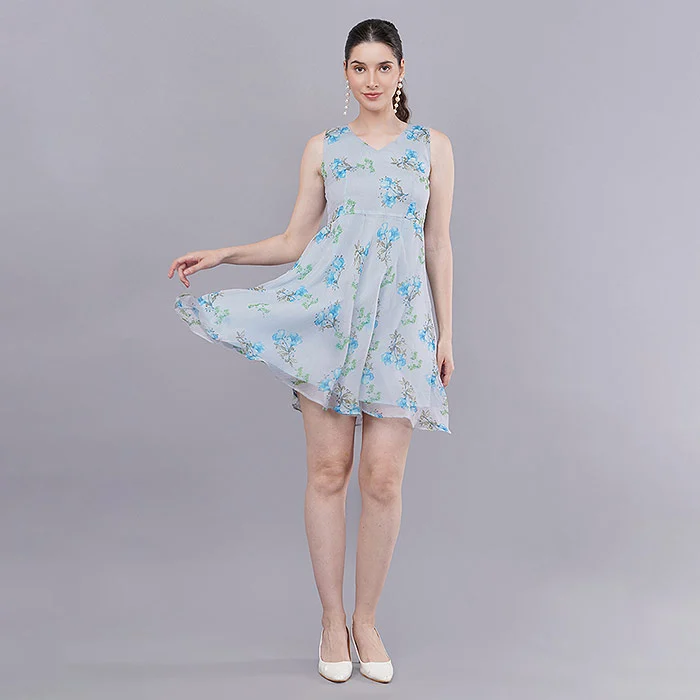
- Write the shot list per category before the shoot: model front, back, side, two details, one styled pose, plus product-only views for each colour.
- Frame with room to crop: keep space above the head and below the feet so 3:4 and 1:1 versions both work.
- Lock the setup: camera height, model mark and light positions stay the same for the whole range.
- Edit once: retouch and colour-correct the master, then export Ajio, Myntra and square versions from it.
- Name files consistently so each marketplace template can pick the right views in the right order.
Brand-led marketplaces share this approach. Our Nykaa Fashion seller guide shows how another curated platform reviews brand presentation, and the same master files can feed that catalogue too. One caution: never upload a marketplace-specific crop to a channel it was not made for, and never reuse another seller’s images.
“The cheapest QC fix is the shot list. When the detail shots, the back view and the colour variants are written down before the model arrives, the rejection file usually stays short.” — Satyam, Founder, Uniqs Studio
How much does an Ajio-ready catalogue shoot cost?
At Uniqs Studio, catalogue shoots are priced per product or per image, depending on the shoot type. The table below is our official price list, with the number of images and turnaround for each type, so you can plan an Ajio range before you call.
| Shoot type | Images | Turnaround | Price |
|---|---|---|---|
| Footwear | 4–5 angles | 5 days | ₹245 / product |
| Bags & handbags | 4–5 angles | 4–5 days | ₹295 / product |
| Jewellery (ring, earring) | 2–3 angles | 4–5 days | ₹300 / product |
| Ghost mannequin | 1 angle | 3–4 days | ₹250 / image |
| Flat lay | 2–3 angles | 6 days | ₹290 / product |
| Model Photography | 5–6 angles | 4–5 days | ₹400 / product |
| Ecommerce Reels Video | 20–25 seconds | 4–5 days | ₹900 / product |
| Garment Video with Model | 25–30 seconds | 4–5 days | ₹1,200 / garment |
Prices are per product/image as listed; call or WhatsApp +91-8076745824 for bulk catalogue quotes.
Planning an Ajio launch or fixing a rejected range? Call Satyam on +91-8076745824 or send your style list on WhatsApp at +91-8076745824.
Ajio image guidelines checklist before you upload
Run every style through this checklist before it goes into the template. It covers the points that published Ajio listing requirements and QC remarks focus on, and it takes a few minutes per style compared with days lost to a rejection.
- Every image is larger than 1000 px on both sides, ideally 1500×2000 px in a 3:4 portrait frame.
- Image one is a full-length on-model front view (for apparel).
- Back and side views are included.
- At least two detail close-ups are included; ethnic wear has embroidery, border or weave close-ups.
- Footwear has front, side, top and sole views.
- Background is clean white or light, with no hard shadows.
- The product fills about 75–85% of the frame, with the same crop across the range.
- No overlays, watermarks, text, badges, collages or props.
- Colour in the photo matches the garment and the colour attribute.
- Each colour variant has its own images, uploaded in the same order.
- Total images per style are within 1 to 14.
- Image URLs are public, stable and named by style, colour and view.
Frequently asked questions about Ajio image guidelines
These are the questions Ajio sellers ask us most often before a launch. The answers are based on published partner documentation and our own studio workflow, so always confirm the latest numbers inside your seller panel.
Integration documentation says Ajio images should be more than 1000 pixels in both height and width. Seller guides recommend 1500×2000 px or higher, which is a 3:4 portrait frame and gives shoppers enough detail to zoom into fabric and embroidery.
Published integration documentation allows a minimum of 1 and a maximum of 14 images per listing. For apparel, 6–8 strong views per colour (model front, back, side, details and a styled pose) usually work better than filling all 14 slots.
For apparel, seller guides say model images are preferred, and missing model shots appear in the list of image QC rejection reasons for certain categories. To be safe, make a full-length on-model front view the first image for clothing.
Yes. Seller guides list clear embroidery and work details, weaving texture and close-up detail shots as required for ethnic wear. Plan close-ups of the neckline, border, weave and dupatta for every kurta set, saree or lehenga.
The most common image reasons are low quality, missing model shots, missing detail shots, and poor framing or shadows. Download the rejected file, read the Remark column for each style, fix only what is flagged and re-upload the corrected file.
Usually yes, if they are your own high-resolution images in a portrait frame on a clean background, because both marketplaces favour model-led portrait images. Check that each image meets the Ajio image guidelines for size, views and clean frames before you upload.
What is your next step after reading the Ajio image guidelines?
Turn this guide into a written shot list for your next Ajio range, then shoot every style to one locked setup. If your current images are already in a rejection file, sort the remarks first and reshoot only what truly needs it.
Next step: when your range is ready, book on-model fashion shoots that deliver Ajio-ready 3:4 model shots, back views and detail close-ups in one session at our Delhi studio. We shoot for brands across Delhi, Gurgaon, Noida, Faridabad and Ghaziabad.
Get your Ajio catalogue shot right the first time
Uniqs Studio plans model shots, detail views and colour-accurate edits around the Ajio image guidelines, so your styles reach QC ready. Call Satyam on +91-8076745824, WhatsApp +91-8076745824 or email [email protected].
Studio: 1800/9, Kalkaji Extension, Kalkaji, New Delhi 110019 · Mon–Sat, 10 am–7 pm.