Verify current requirements
Confirm the article type, catalogue workflow, required views and current upload expectations before locking the brief.

A seller-first production guide for planning marketplace-ready images, model shoots, catalogue QC, rejection fixes and reusable product videos without treating changing category rules as permanent specifications.
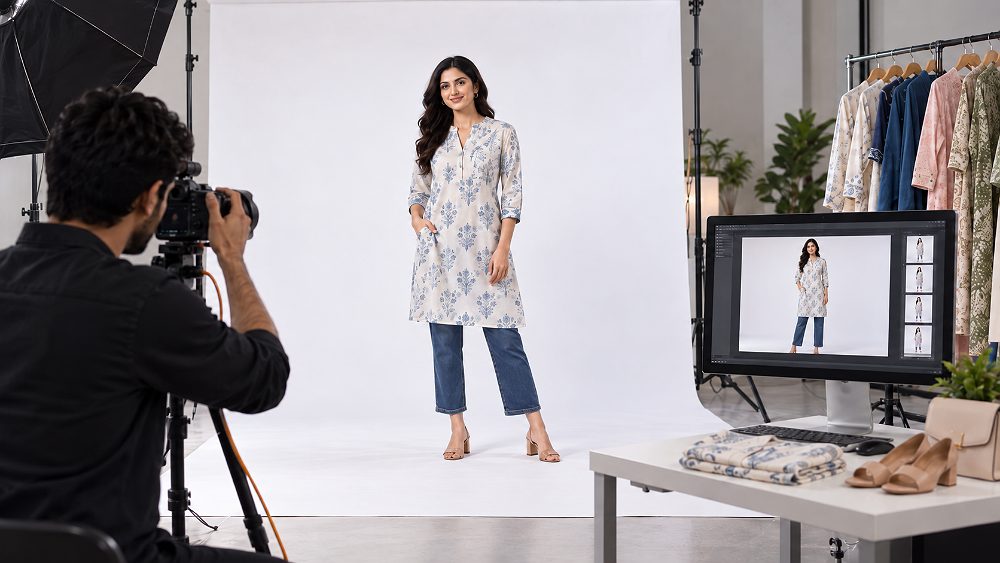
Myntra Product Photography is not simply about making clothing look attractive. For a Myntra seller, the complete visual workflow has to connect product preparation, shot planning, model presentation, colour accuracy, retouching, file export, catalogue QC and—where relevant—product video. That is why successful Myntra seller photography starts before the first frame is captured.
Always treat the latest Myntra Partner Portal or category-specific catalogue template as the final specification for your article type. Marketplace image and video requirements can change by category and over time. This guide therefore separates current platform requirements to verify from the Uniqs Studio recommended production standard, so sellers can prepare flexible master assets without pretending one pixel size, background rule or image count applies universally.
If the broader goal is registration, fees, claims, growth and ongoing marketplace operations, use the Myntra seller resource hub. This article stays tightly focused on Myntra photography guidelines, Myntra image guidelines, model production, catalogue visuals, QC, rejection prevention and product videos so it can support that seller page without duplicating its onboarding intent.
Before planning the shoot, check the current Myntra Partner Portal or DIY Cataloguing template for your category and article type. Confirm image dimensions, orientation, background, required views, model requirements, file format and image order. Map each export to the correct SKU and colour variant, retain product texture and compare the final images with the physical sample. Use the checklist below to turn those requirements into a shoot brief; verify the current template before export.
Myntra product photo requirements vary by category and article type. Before shooting, verify the current Partner Portal or DIY Cataloguing template for image orientation, dimensions, background treatment, required views, model rules, file preparation and image sequence. Uniqs Studio recommends shooting high-resolution, colour-managed master files with enough crop room to create new exports if the platform template changes.
For sellers handling multiple Style IDs, SKUs and product variants, the production brief should connect every article to its required visual deliverables. That means the Myntra catalogue image requirements should be translated into a practical studio checklist rather than handed to the photographer as a vague “marketplace shoot” instruction.
| Requirement | What Seller Should Check | Uniqs Studio Production Recommendation | Final Verification Source |
|---|---|---|---|
| Aspect ratio | Current article template | Compose portrait-first masters with safe crop room | Myntra Partner Portal / catalogue template |
| Pixel dimensions | Current upload specification | Capture high-resolution masters; export only after crop approval | Current category workflow |
| Orientation | Primary and secondary image positions | Keep camera and framing consistent across the collection | Article-type template |
| File format | Accepted upload format | Maintain editable master plus upload-ready derivative | Current seller documentation |
| Colour profile | Current delivery expectation | Use a colour-managed workflow and web-ready export | Portal/template + internal QA |
| Background | Category and image-position rule | Use a clean, distraction-free controlled studio background | Current template |
| Product framing | Required visibility and crop | Show full silhouette with consistent head/foot or garment margins | Catalogue QC |
| Number of images | Required and optional views | Capture core views plus useful detail safety frames | Article template |
| Model requirement | Category-specific expectation | Choose model, size and poses around product fit and target customer | Category workflow |
| Colour accuracy | Correct variant mapping | Compare final export with the physical sample | Seller + studio QC |
| Text/watermark | Current marketplace policy | Keep catalogue views visually clean | Current seller documentation |
| Image order | Current sequence logic | Name and map exports by SKU and sequence position | Catalogue template |
| Video availability | Seller/category workflow | Capture reusable vertical and product-motion masters where useful | Current video workflow |
| File naming / SKU mapping | Seller upload process | Use a documented naming convention tied to SKU/Style ID | Seller operations sheet |
Searches for “Myntra product image size and dimensions” often assume there is one fixed number for every seller and every article type. The safer 2026-2027 approach is to verify current Myntra image upload guidelines, then shoot larger than the delivery requirement. A high-resolution master protects fabric detail, edges and retouching quality while giving the post-production team room to create category-specific exports.
For Myntra product listing images, keep the camera capture and the upload file as two different deliverables. The shoot master should preserve detail and dynamic range; the final JPEG or other accepted export should use the current canvas, crop, orientation and naming rule. Excessive compression, inconsistent canvas sizes and accidental resampling can create avoidable catalogue QC issues.
Strong Myntra catalogue photography makes the product easy to understand within seconds. The garment or accessory should have a clear silhouette, consistent margins and no accidental cropping of sleeves, hems, straps or footwear. Styling can support the product, but primary catalogue frames should not become prop-heavy editorial images that distract from construction, fit or colour.
Myntra listing photography should also be consistent across a collection. Camera height, model distance, lens choice and crop logic should remain controlled so customers can compare products without visual noise. Secondary styling or lifestyle frames may be useful where the current category workflow permits them, but sellers should verify that position-specific rules before delivery.
Myntra product images must represent the exact SKU and colour variant being sold. Set white balance deliberately, photograph the correct physical sample, retain texture in dark and light fabrics, and compare the final export with the garment under controlled viewing conditions. Prints, embroidery, buttons, zips, stitching, trims and material texture are commercial information—not decoration.
Retouching should remove temporary distractions such as lint, small dust and background imperfections without changing the product construction. For Myntra apparel photography, aggressive reshaping, altered necklines, misleading fit or colour shifts can create a gap between listing expectation and delivered product, increasing the risk of customer dissatisfaction and returns.
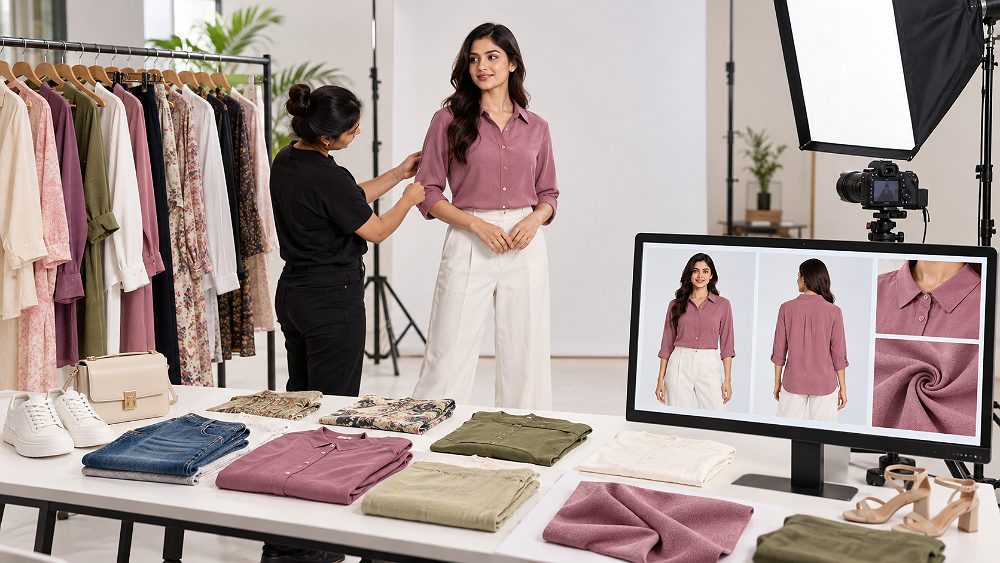
What photos should a seller upload on Myntra? Start with the current article template, then translate it into a shot plan that explains the product clearly. The sequence below is a professional production framework for Myntra catalogue images; it should not be treated as a universal mandatory order unless the seller’s current catalogue template requires the same views.
| Image / View | Purpose | What Must Be Visible | Common Mistake |
|---|---|---|---|
| Front | Primary product understanding | Full silhouette, neckline, hem, major design | Hands or styling hide key detail |
| Back | Construction and rear design | Back closure, print, pockets, length | Different crop or camera height |
| Three-quarter | Fit and depth | Side seam, drape, shape | Over-posed model twists garment |
| Fabric detail | Material confidence | Texture, print, embroidery | Too shallow focus or colour shift |
| Feature detail | Sell a specific construction point | Zip, button, cuff, neckline, pocket | Detail shown without context |
| Movement | Show drape and comfort | Product shape during motion | Motion blur hides construction |
Front and back Myntra product images should feel like the same product photographed in the same system. Keep exposure, lens, camera height, model distance and crop consistent. The back view is not a secondary afterthought: for jackets, kurtas, dresses, jeans and shirts, rear construction can influence purchase confidence as much as the main image.
Side and three-quarter Myntra product listing images are useful when they add information about fit, volume, drape or depth. A fashion pose should never hide the article. If the model’s arm covers the waist detail or a bag strap blocks the neckline, the image may be visually stylish but commercially weak.
Product detail photography is especially important for embroidered ethnic wear, textured knits, denim washes, embellished garments and premium fabrics. Focus should sit on the detail customers need to evaluate, while colour correction preserves the relationship between the close-up and the full-product frames.
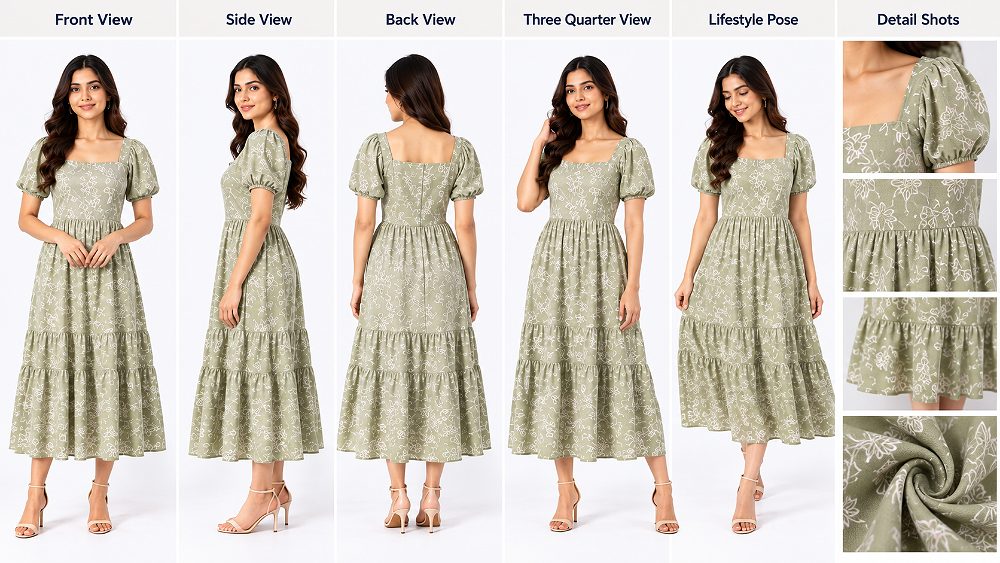
Myntra clothing photography should change with article type. Kurtis and kurta sets benefit from length, neckline, sleeve and fabric detail; sarees need pallu, border, drape and blouse-context planning; dresses need silhouette and movement; tops and shirts need neckline, sleeve, back and fabric clarity. Jeans and trousers need waist, pocket, fit and hem views, while co-ords must make every included piece visually unambiguous.
Jackets often need closure, collar, pocket and lining details. Menswear may require tighter control over shoulder fit, trouser break and shirt proportions. Instead of forcing one repeated template on all clothing, a strong Myntra product photography shot list maps each SKU to the features that could affect a shopper’s decision.
For deeper pose and angle planning, the Myntra fashion photography checklist expands this section without turning the present article into a duplicate pose guide.
Do not copy an apparel sequence blindly for footwear, handbags, belts or accessories. Footwear may need sole, side profile, toe shape, heel and material details. Bags may need front, back, side, interior, closure, strap and scale context. The correct views depend on product construction and the current article-type template.
This category-first planning principle is also useful on Amazon and Flipkart, where required primary-image treatment and secondary-image opportunities can differ from fashion marketplace conventions. The production team should capture adaptable masters, then create platform-specific exports rather than assuming one file set is optimal everywhere.
Myntra model photography has two jobs: represent the product accurately and make fit understandable for the intended customer. Model casting, garment size, grooming, pose direction, camera position and consistency across the collection all affect whether the final Myntra catalogue photography feels reliable.
Choose a fashion model around product category, target customer, garment size and brand positioning—not just portfolio popularity. Model proportions should help the garment sit naturally and consistently across a collection. For some Indian brands, an Indian model strengthens local customer relevance; other campaigns may use international models as part of a defined brand strategy.
Consistency matters when dozens or hundreds of SKUs appear together. If model height, body proportions, posing style or footwear changes unpredictably, the catalogue can feel fragmented. For broader model-selection and production support, see Uniqs Studio’s model photography service.
Before a Myntra model shoot, steam garments, remove lint, inspect stains and damage, verify the correct size, organise labels and accessories, and sequence looks by SKU. Pinning can improve presentation only when it does not misrepresent actual fit or alter product construction. The stylist should know what the customer will receive.
Garment preparation is one of the easiest places to protect both shooting speed and catalogue quality. A wrinkled collar, twisted seam, hidden tag or wrong variant can travel through the entire workflow if nobody catches it at check-in. Uniqs Studio’s garment photography workflow uses SKU organisation and preparation as part of production control.
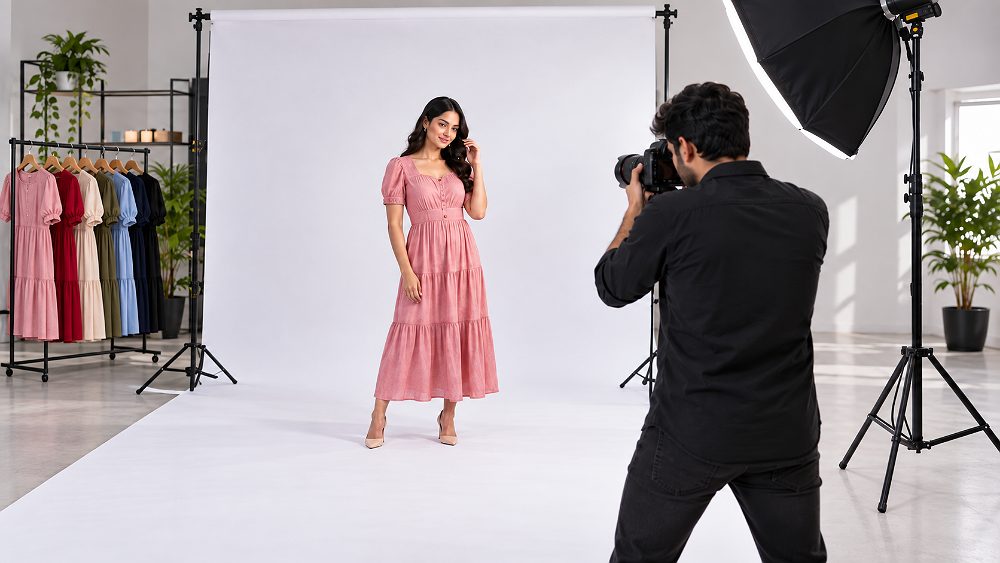
A practical Myntra model shoot can include a neutral front pose, back pose, three-quarter pose, side pose, natural hand position, controlled movement pose and detail-friendly posture. The exact set should follow the current category requirements and garment design. For a long dress, drape and hem visibility may matter; for a shirt, collar, cuffs, placket and shoulder fit may deserve more attention.
Pose direction should avoid hiding key features. Hands should not cover waistbands, pockets, embroidery or logos that buyers need to see. Arms should not distort sleeve shape. Movement should demonstrate garment behaviour without creating blur or pulling fabric into an unrealistic fit.
Brands that need a more granular posing framework can use the fashion photography for Myntra guide and the dedicated checklist linked above. This article deliberately keeps pose coverage concise so the primary topic remains Myntra Product Photography across the full production lifecycle.
Pose consistency helps shoppers compare products and makes Myntra catalogue images look intentionally produced. Build a small repeatable base pose set, then add garment-specific variations. Tethered review lets the team confirm that each pose preserves the same crop logic and model distance before moving to the next SKU.
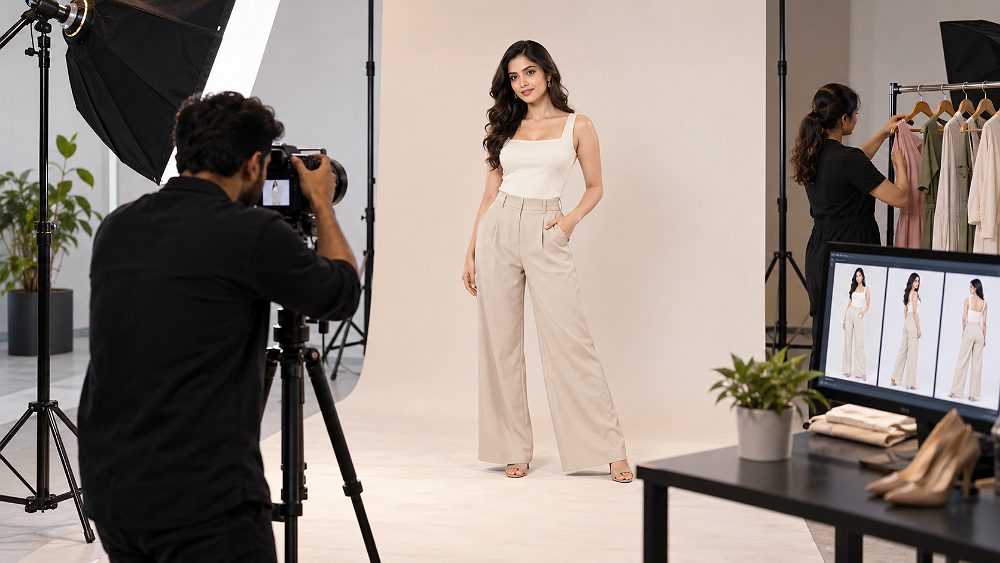
Myntra ecommerce photography benefits from a documented lighting setup, fixed camera height, consistent lens choice, stable exposure and controlled white balance. Tethering helps the photographer and stylist compare new frames against approved references while the garment is still on set.
From the studio: fitting issues are often easier to identify on a tethered monitor than in a mirror. A shoulder seam sitting differently between two colour variants, or a hem catching on footwear, can be corrected before the next SKU rather than discovered during retouching.
For brands shooting in Delhi NCR, a controlled studio is usually the easiest way to maintain repeatability across high SKU volumes. The fashion photography for clothing brands in Delhi guide explains how production planning changes for brand catalogues and campaigns.
Why are Myntra product images rejected? Common causes include wrong SKU mapping, incomplete views, crop problems, low visual quality, colour mismatch, background issues, duplicate images, inconsistent model presentation and exports that do not match the current upload workflow. The most efficient fix is a layered QC system that starts before the shoot, not after rejection.
Pre-shoot QC turns Myntra product photo requirements into a production brief. It reduces the chance of learning after wrap that one variant was missed, one required angle was never captured or a model size was wrong.
From the studio: on-set QC can prevent expensive reshoots. For example, if a dark garment loses seam detail against the current exposure, the team can adjust lighting or capture a safer frame while the model and product are still ready instead of trying to invent missing detail later in post-production.
| QC Problem | Likely Cause | How to Fix It | Prevent It Next Shoot |
|---|---|---|---|
| Wrong dimensions/canvas | Old export preset | Re-export to current article template | Lock current preset before delivery |
| Incorrect crop/aspect | Master framed too tightly | Re-crop from larger master if possible | Leave safe crop room on set |
| Low-resolution image | Small source or repeated resizing | Export from original master | Maintain high-resolution capture archive |
| Product partially cropped | Camera framing or export crop | Use wider master or reshoot | Check full silhouette tethered |
| Wrong SKU image | Naming or folder error | Remap files to correct SKU | Use slate/SKU workflow and live logging |
| Colour mismatch | White balance, lighting or retouch shift | Re-grade against physical sample | Use controlled lighting and colour checks |
| Background issue | Uneven cleanup or wrong treatment | Correct background to current requirement | Verify requirement before shoot |
| Missing required view | Incomplete shot list | Recover from safety frames or reshoot | Mark each view complete on set |
| Duplicate view | Sequence or file mapping mistake | Replace with intended angle | Review complete image set per SKU |
| Incorrect sequence | Export naming order mismatch | Reorder delivery set | Use numbered position naming |
| Pose hides product | Editorial posing over product clarity | Select alternate frame | Use detail-safe base poses |
| Garment wrinkles | Weak preparation | Retouch minor issues or reshoot severe ones | Steam and inspect before dressing |
| Poor focus | Motion, AF miss or depth issue | Use sharper alternate/reshoot | Check 100% tethered sharpness |
| Inconsistent model/look | Changing crop, styling or distance | Standardise best available sequence | Reference approved frame on set |
| Excessive retouching | Beauty/editing priority over product truth | Restore realistic product shape/texture | Use marketplace retouch SOP |
| Text/watermark | Incorrect export layer | Deliver clean catalogue version | Separate social and marketplace exports |
| Variant mismatch | Wrong colour mapped to SKU | Correct mapping and labels | Photograph and log variant IDs |
| Incorrect pack quantity | Image does not match listing pack | Use correct pack representation | Confirm listing brief before capture |
| Poor detail visibility | Lighting, pose or focus hides feature | Choose detail frame or reshoot | Add feature-specific shot to brief |
| File/export problem | Corrupt, wrong format or profile issue | Re-export from approved master | Use controlled delivery preset |
When troubleshooting a Myntra QC rejection, first identify whether the problem is a platform-compliance issue, a production-quality issue or a mapping/operations issue. This prevents unnecessary reshoots. Sellers should also keep current operational guidance separate from photography; for returns and seller protection workflows, the Myntra SPF claim and returns guide covers that operational intent.
How do you check Myntra product images before upload? Use a repeatable ten-step review so image quality, marketplace compliance and SKU mapping are checked separately. The checklist below works as a studio handoff and seller-side final review.
A Myntra product video should make the product easier to understand, not simply add motion. Where the seller workflow supports video, plan the master capture around full product appearance, front-to-back movement, garment drape, fit, fabric behaviour, construction details and natural model movement. Always verify current category and upload specifications rather than assuming one duration, resolution or format applies to every seller.
For a deeper production approach, the Myntra garment video and product reels guide shows how stills and motion can be coordinated for clothing collections.
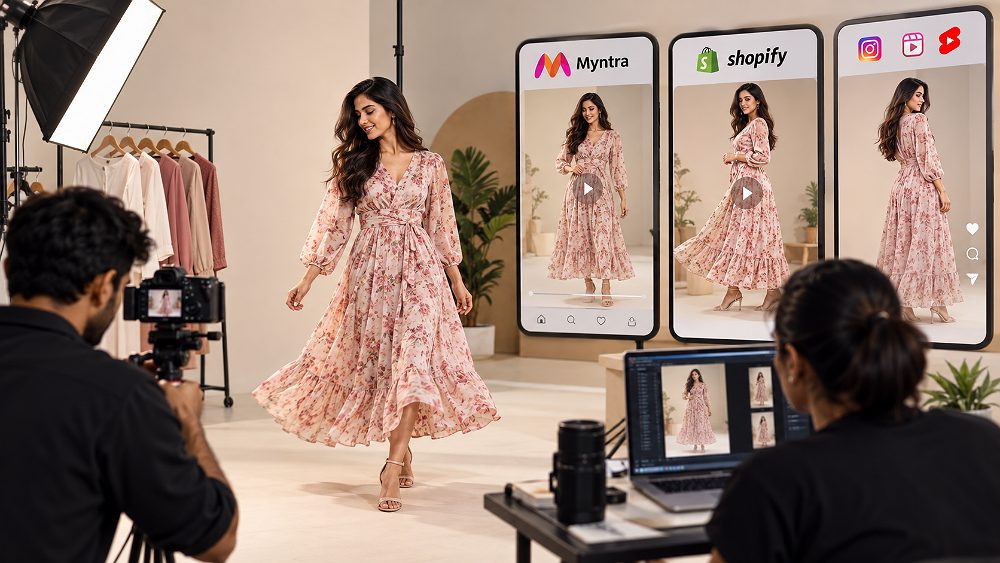
A well-planned master shoot can support marketplace-compatible product content where allowed, a Shopify product page, Instagram Reels, Meta ads, YouTube Shorts and WhatsApp sales clips. The point is not to upload the same edit everywhere; it is to capture clean source material that can be re-cut for each channel.
Brands selling on Myntra and Ajio may prioritise fashion movement and fit, while Amazon product pages can require a different content hierarchy. Nykaa fashion or beauty-led storefronts may need closer detail emphasis, and Paytm commerce listings can have different seller workflows. The production master should be flexible enough to create channel-specific outputs.
From the studio: for high-SKU collections, capturing short motion clips immediately after the approved stills is often more efficient than rebuilding the set, styling and model look on a separate day. The ecommerce product video production service can be planned alongside the catalogue photography brief.
AI garment video tools can be useful for concepting, but product truth still matters. The Myntra AI garment video vs real fashion shoots guide explains where real captured movement remains valuable for accurate fit, material behaviour and customer trust.
Uniqs Studio uses the Myntra V-PROOF workflow to keep visual production connected from seller brief to delivery: Verify, Plan, Ready, On-set capture, Optimize and Final QC. The value of the framework is not the acronym; it is the discipline of preventing production decisions from being postponed until upload day.
Confirm the article type, catalogue workflow, required views and current upload expectations before locking the brief.
Build a SKU matrix for colour variants, image positions, detail shots, model requirements and video deliverables.
Steam, inspect, size-match, organise accessories, prepare look order and brief the model before capture.
Photograph tethered, compare to references and mark required frames complete while products are still on set.
Correct colour, clean backgrounds, protect fabric texture and generate current platform-ready derivatives.
Review full sequences, naming, SKU mapping, file integrity and delivery folders before seller upload.
The brief should include SKU count, product category, colour variants, model need, target image positions, required deliverables and any seller-side naming rules. A seller launching for the first time can also use the Myntra seller account registration guide for onboarding context while the studio focuses on visual production.
Convert current Myntra image guidelines into a view-by-view production matrix. This is where catalogue managers should identify which requirements are platform rules and which are the studio’s recommended safety shots.
Match model, size and styling to the garment. Build look order to reduce unnecessary changes, then perform a final garment inspection immediately before the first approved frame.
Capture the required stills first, confirm sharpness and product visibility, then add approved safety frames and motion clips. Keep camera and lighting logic consistent across the collection.
Post-production should strengthen consistency without changing product truth. Maintain a stable crop, realistic texture, clean background and colour relationship across every Myntra catalogue image.
Before delivery, compare the final folder against the shot matrix. Sellers trying to improve commercial performance after the catalogue is live can use the Myntra seller growth guide for the wider optimisation layer beyond photography.
A seller should not blindly reuse one set of final exports across every marketplace. Myntra is fashion-led, while Amazon and Flipkart may structure main images, secondary images and category rules differently. Ajio can have its own catalogue workflows, while Shopify gives brands more control over their direct-to-consumer product page design.
Paytm commerce listings and Nykaa storefronts can also require different operational or category choices. The safest production approach is to capture adaptable, accurate masters, then export channel-specific derivatives after checking current platform documentation. For a dedicated comparison, see ecommerce fashion photography for Myntra, Amazon and Flipkart.
| Factor | Myntra | Amazon India | Flipkart | Best Production Approach |
|---|---|---|---|---|
| Primary audience | Fashion and lifestyle shoppers | Broad ecommerce audience | Broad Indian marketplace audience | Keep product truth universal; adapt presentation by channel |
| Image orientation | Verify current article template | Verify current category rule | Verify current category rule | Shoot high-resolution masters with crop flexibility |
| Background planning | Check image-position/category requirement | Primary-image rules can be strict by category | Check current listing requirement | Capture clean catalogue masters first |
| Model imagery | Important for many fashion categories | Useful secondary content where permitted | Useful by category and listing strategy | Capture consistent model set plus clean product details |
| Fashion styling | High relevance | Balance with product clarity | Balance with product clarity | Create marketplace-safe and brand-led variations |
| Image sequence | Verify catalogue workflow | Plan main + supporting images | Plan channel-specific sequence | Maintain a master naming matrix |
| Product details | Fit, fabric, design, construction | Feature clarity and product detail | Feature clarity and product detail | Capture details once, export appropriately |
| File exports | Current Myntra template | Current Amazon specification | Current Flipkart specification | Never overwrite master files |
| Marketplace QC | Catalogue and seller workflow checks | Listing compliance checks | Listing compliance checks | Maintain per-channel QC sheets |
| Video/social reuse | Where seller workflow supports it | Use platform-supported formats | Use platform-supported formats | Capture modular master clips |
For general product-image quality principles beyond Myntra, Google Merchant Center recommends accurate product representation, clear images and avoiding obstructive promotional overlays. Sellers should still treat each marketplace’s current official documentation as the source of truth for platform-specific technical requirements.
Myntra photography services are best quoted from the production scope rather than a made-up per-image number. Final cost depends on SKU count, images per SKU, model category, model hours or days, styling, hair and makeup, garment preparation, photography type, product video requirements, retouching level, turnaround, reshoots and whether the job is studio-only or location-based.
For Delhi NCR brands, model and studio logistics can materially change the quote. Sellers comparing investment should look at the complete deliverable cost per usable SKU—not just the camera-day price. The fashion photography cost in Delhi guide offers broader cost-planning context for clothing brands.
| Package | Best For | Photography | Model Shoot | Video | Retouching | QC | Indicative Price / Quote |
|---|---|---|---|---|---|---|---|
| Basic | Small catalogue / simple articles | Core required views | Optional | Optional | Standard marketplace cleanup | SKU + export check | Custom quote after brief |
| Standard | Growing fashion sellers | Core + detail views | Included as scoped | Optional clips | Colour-matched retouching | Three-stage QC | Custom quote after SKU audit |
| Premium | D2C collection launch | Expanded catalogue set | Model + styling workflow | Product/reel masters | Advanced consistency retouching | Catalogue sequence QC | Custom production estimate |
| Enterprise / High Volume | Large SKU catalogues | Batch production system | Multi-day as required | Batch motion capture | Dedicated SOP | SKU mapping + delivery QA | Volume quote after workflow design |
Share product category, SKU count, model requirement, image count and video needs for a production plan.
Uniqs Studio supports Myntra-ready ecommerce photography by connecting seller requirements to production tasks: garment preparation for presentation problems, model photography for fit communication, catalogue photography for consistent product views, retouching for clean colour-managed delivery, and QC for SKU mapping and sequence control.
For brands that need a Myntra model shoot in Delhi, the production can include male or female model casting, styling, garment preparation, controlled studio lighting, tethered review and high-volume SKU sequencing. Sellers looking for a broader fashion-production setup can also review the fashion photography service and the fashion catalogue photography guide.
Myntra product photography Delhi NCR projects can also combine stills with fashion reels and product video. The aim is to solve a seller workflow problem—missing assets, inconsistent images, catalogue rejections or inefficient repeated shoots—rather than sell generic “creative content” with no connection to marketplace delivery.
For seller economics outside production, the Myntra seller fees and charges guide explains the commercial side separately. Keeping those topics separate helps this page remain a focused professional Myntra photography services India resource.
Reinforce the V-PROOF workflow one final time: verify current rules, plan the SKU sequence, ready the products, review the on-set capture, optimize post-production and finish with catalogue QC. Use this checklist before the delivery folder leaves the studio or before the seller uploads.
Sellers should retain the high-resolution production masters even after successful upload. If Myntra changes category templates or the same SKU expands to Amazon, Flipkart, Ajio or a Shopify store, those masters can reduce the need for unnecessary reshoots.
For current Myntra seller workflows, use the official Myntra Partner Portal and the Myntra Seller Support knowledge base. For general ecommerce product-image quality guidance, Google’s Merchant Center product image guidance is a useful cross-check, but it does not replace Myntra-specific category rules.
Myntra product photography requirements vary by product category and article type. Sellers should confirm the latest image dimensions, views, background, model and upload rules in the current Myntra catalogue workflow before shooting. A high-resolution master workflow makes it easier to create compliant exports without sacrificing image quality.
The correct Myntra product image size can vary with the current catalogue specification, so sellers should verify the Partner Portal or article template instead of relying on an old universal dimension. Shoot high-resolution portrait-oriented masters with safe crop room, then create the current upload-ready export.
Model-image requirements depend on the apparel category and current catalogue template. Professional Myntra model photography is valuable for clothing because it communicates fit, length, drape, scale and styling. Sellers should confirm whether model images are required, permitted or optional for the relevant article type.
Common Myntra image rejection reasons include incorrect SKU mapping, missing views, poor framing, colour mismatch, weak focus, background problems, duplicates, inconsistent presentation or files that do not match current upload requirements. Identify whether the failure is production, export or catalogue mapping, then correct that layer before considering a reshoot.
Yes. Brands can plan Myntra product video, Myntra reels video and still photography during one coordinated production, then create separate marketplace, website, social and advertising deliverables from the master shoot where platform rules permit. Verify the current Myntra seller workflow before assuming a particular video duration, resolution or upload format.
Send product category, SKU count, model requirement and expected deliverables to Uniqs Studio for a custom Myntra photography and video production plan. Satyam can help translate the current seller requirements into a practical shot list and QC workflow.